Diwali is a great festival, when many people want to create a festive photo or video of themselves. On this festival of light people wears new cloths, decorate home with various types of light and also at night time you can see the sky full of Fireworks. Diwali Transition AI Video Editing Prompt is quite relevant in this days because it help to create a stunning Diwali AI video within few minutes. You just need to have a AI video generator tools and a clear reference image.
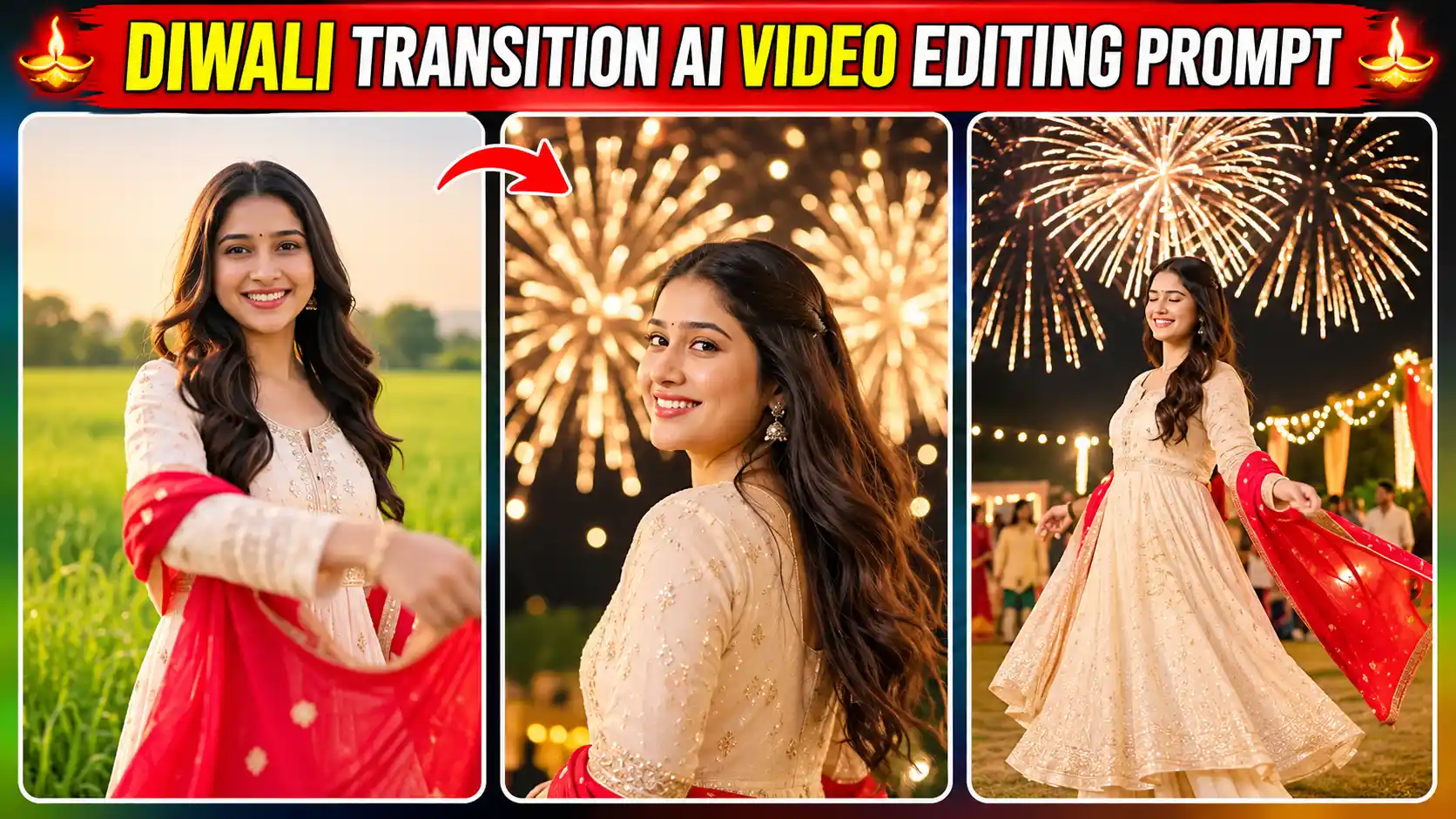
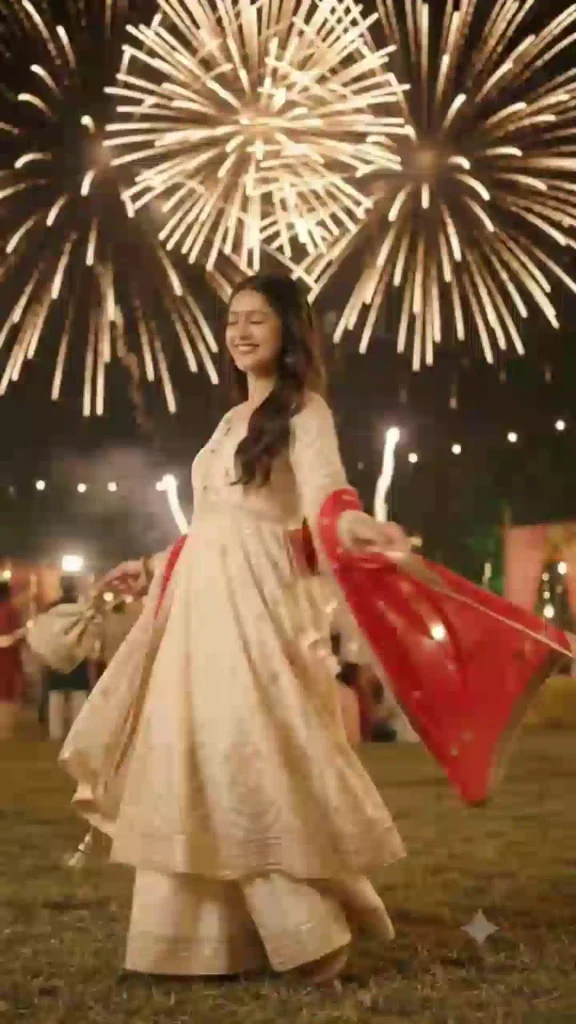
This video start with a woman in a beautiful traditional lehenga, long dark hair and a red dupatta, standing under the open sky. She waving her dupatta and the video gradually shifts to a beautiful Diwali night celebration. Golden and orange fireworks sparkle along with smoke keep going behind her. The camera looks up from a low angle.
As you know if you want to create such video manually then it will take lot of time and need to take multiple shorts as well as required advance editing environments. AI video editing tools like Google Flow make it so easy to create such environment with the help of right prompts and save your hours of time. You can also explore our Instagram Profile Puja AI Video Editing Prompt.
Details about Diwali Transition AI Video Editing
Diwali Transition AI Video created using Diwali Transition AI Video Editing Prompt make your normal photo into a beautiful Diwali celebration video. As we have already explain on the above that this video show a transition take place from normal environment to Diwali celebration. This video mainly created for girls. Different pose, smile, fireworks make it more attractive and create festive environment. The transition occur with the dupatta waving. All you can create with any video editing tools but I use Google Flow because it’s convenience and freely available.
Create a Diwali Transition AI Video Using Google Flow
To create the Diwali Transition AI Video, you need to have a clear reference photo of yourself or a girl model along with a right AI video editing prompt. For AI video generation process, you can use any AI video generator tools but here I use Google Flow AI because its freely available and it is highly capable of making such video in minutes. You just need to copy the given below prompt and paste it to Google Flow prompt box. After that tap on plus icon and upload the girl reference photo.
Now, you need to choose aspect ratio 9:16 for Instagram reels edit. Choose ingredient option and set 720p quality or as per highest quality available. Also, select Omni flash model and leave other option by default. Then, tap on send to generation process. Finally, review the AI generated video and save the best version of the final output. You can also explore our Trending Aura Farming Korean AI Video Editing Prompt.
Diwali Transition AI Video Editing Prompt
Diwali Transition AI Video Editing Prompt is a simple ready to use text prompt which tell the AI about the editing details like background, dress, facial matching, fireworks and over all editing environment.
✨ AI Prompt
Alternative method (Diwali Transition AI Video Editing Prompt With Reference Video)
In this method you need to have a reference video along with the reference photo. You can visit our telegram Channel for such reference video clip. Here, I also use Google Flow to Generate the AI video. You just need to upload reference photo & reference video on Flow AI. Then, copy the given below prompt and paste it to the Flow AI prompt box. Now tap on send to generate Diwali AI video. After the video generation review it and save it to your phone gallery.
✨ AI Prompt
How to make it ready for Instagram Reels
This is the final editing steps, here you need to carefully review AI generated video. After that import the AI generated raw video to any editing application like CapCut or VN Editor or Edits to add the proper audio, you can also add effect or transition or slow motion or trim the unnecessary portion if required but don’t heavily load it with the editing. You can also try our Maa Parvati AI Video Editing Prompt.
Conclusion
The Diwali Transition AI Video Editing Prompt is a useful way to create Diwali festival celebration reels. You just need to have a well lit reference image, where your face must be visible clearly. The AI video generator tools make the rest. The process itself not require any advance editing skills, you just need to follow the above guide to make such wonderful cinematic Diwali video.
You can personalize it with your photo as a reference. You can also add a suitable music to make it more engaging. I hope that above guide help you to make such festive reels, you just need to carefully follow the steps. If you still have any issue then let me know on the comments below.
Related AI Video Editing Prompts You May Like
- Navratri Metro Nine Forms AI Video Editing Prompt
- Ganpati Bappa AI Video Editing Prompt
- Navratri Dandiya Nails Transformation AI Video Editing Prompt