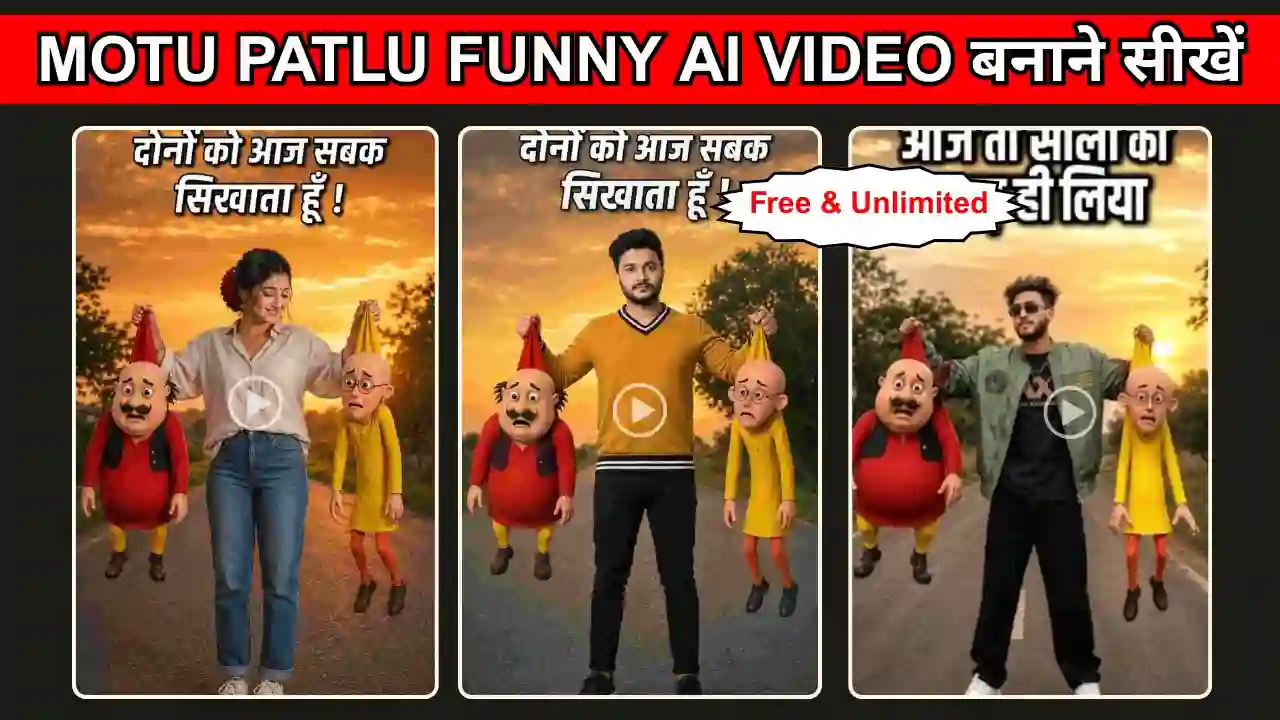
Motu Patlu Hanging Funny Ai Video Prompt- Motu Patlu funny Ai video is trending again, but this time Motu Patlu was caught by a person. This video looks so funny; especially the expression of Motu Patlu can be enough to surprise anyone because this type of video is created by Ai tools. Here, we can also use ChatGPT or Gemini for photo editing and can use Flow AI for Video editing. So, if you are interested in creating such a funny video within a few minutes, then you are in the right place.
In this post, I am going to share the Motu Patlu Funny Ai photo and Video prompts. I will also guide you through the complete editing process.
Learn More: Motu Patlu Village & City Vlog Video Ai Prompt
Motu Patlu Funny Ai Video Trends
As you know Motu Patlu is popular among all, specially young age group and kids love to watch its funny video. In this type of funny video, Motu Patlu caught by a girls or boys, they are hanging him upside down and saying that these two were roaming here and there. Also, Motu Patlu says, “Brother, please forgive us. We will go back to our village.” So, this type of funny emotion make this video increasingly popular.
I have already shared the Motu Patlu Village & City Vlog videos and the Motu Patlu Shop Promotion Video Ai Prompt. But this type of Motu Patlu Video looks more funny.
Motu Patlu Hanging Funny Ai Photo Prompt
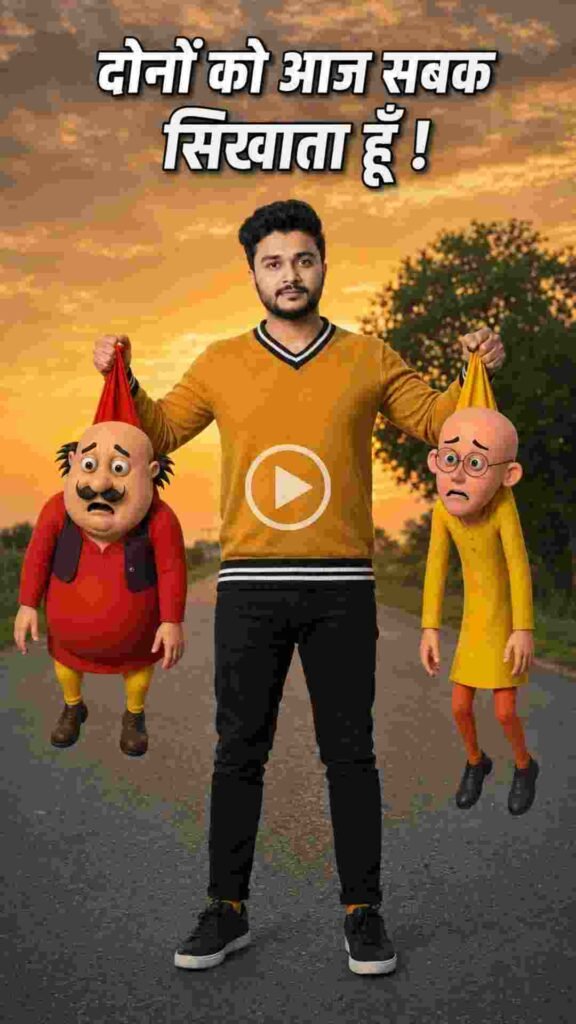
To make the Motu Patlu Funny AI photo editing, please copy the prompt below. Then go to ChatGPT or Google Gemini and paste it. Now upload your image and the Motu Patlu image. Then send it to generate. Now, the Motu-Patlu AI photo is ready. In this type of photo, we get two realistic 3D cartoon characters (Motu & Patlu style) hanging from the person’s hands by their shirts and a realistic full-body human subject in the centre. Here, you need to replace [PERSON DESCRIPTION] and [OUTFIT] with the new person’s details while keeping the rest of the prompt unchanged. This will recreate the same viral style with different people.
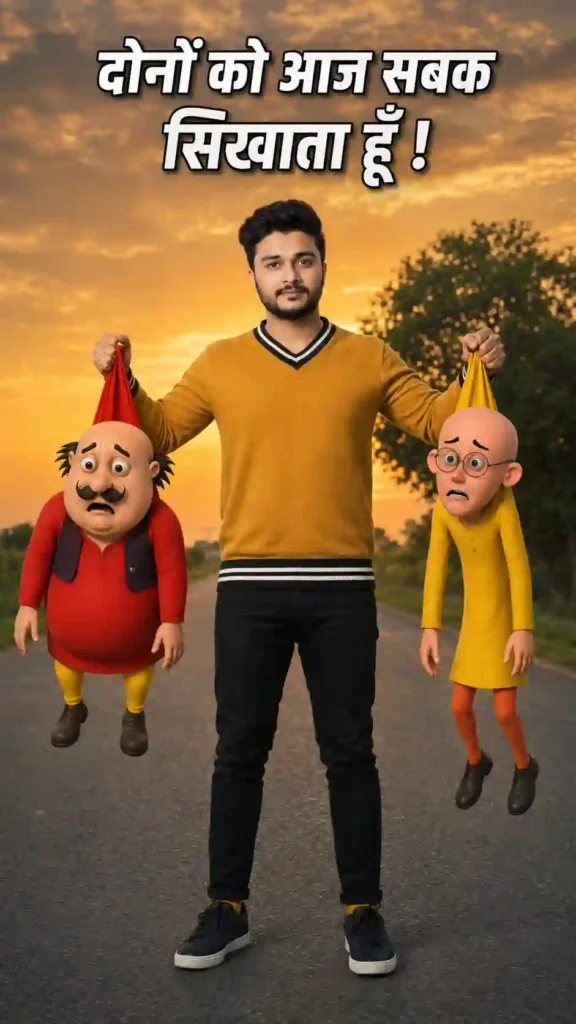
Create an ultra-realistic DSLR-style full-body portrait of [PERSON DESCRIPTION] standing confidently in the middle of a quiet rural road during a beautiful golden sunset. The person is wearing [OUTFIT], looking directly at the camera with a calm, slightly smiling expression. Their face, hairstyle, skin tone, body shape, clothing, and identity must remain exactly the same as the reference image.


The person is holding two realistic 3D cartoon characters suspended in the air by gripping the tops of their shirts with each hand. The left side features a chubby bald cartoon man with a black moustache wearing a red outfit and yellow leggings, hanging naturally with realistic gravity. The right side features a thin bald cartoon man with round glasses wearing a yellow kurta and orange pants, also hanging naturally.

Blend both cartoon characters seamlessly into the real environment with accurate scale, realistic lighting, matching shadows, contact shadows, ambient occlusion, natural perspective, and lifelike textures so they appear physically present in the photograph instead of pasted.

Background: empty countryside road, green bushes, trees, warm orange sunset sky with dramatic clouds.

Camera: Canon EOS R5, 85mm lens, f/1.8, HDR photography, ultra-realistic skin texture, cinematic color grading, soft golden-hour light, shallow depth of field, realistic reflections, natural skin tones, highly detailed fabric textures, 8K resolution.

Composition: centered subject, full body visible, vertical 9:16 Instagram Reel format.

Add a bold white Hindi caption with black outline at the top of the image in viral reel style.

Negative Prompt: low quality, blurry, AI artifacts, floating objects, incorrect anatomy, extra fingers, duplicate limbs, distorted face, cartoonish human skin, unrealistic lighting, poor shadows, oversaturated colors, watermark, logo, text errors, cropped body, bad proportions.
Learn More: Viral Couple On Tower Photo & Video Editing Prompts
Motu Patlu Hanging Funny Ai Video Prompt
To edit the Funny AI video, copy the video prompt below and go to Flow AI, or use the Gemini video editor. Then paste the prompt and upload the generated Motu Patlu photo using the above photo prompt. Select the Omni model and 9:16 for the Reels format, and also select Ingredient, and then send to generate the video. After a few secound you video will be ready. Here, you must remember to choose the character, and the dialogue must be created using ChatGPT first. For more details, you must check our video tutorials as well.
बीच वाला लड़का: “दोनों को पकड़ लिया मैंने! अब ये किसी भी गाँव या शहर में नहीं आएँगे। सालों को पकड़ ही लिया!” मोटू: “हमें माफ़ कर दो SAGAR भाई!” पतलू: “हमें छोड़ दो, हम फुरफुरी नगर चले जाएँगे!”
Learn More: Nagpuri AI Video Editing Prompts
Conclusion
I hope this article helped you understand the Motu Patlu Funny Video Ai Prompt. This is one of the latest AI video trends, which allows anyone to create their shop videos without professional editing experience.
You can easily upload your photo to ChatGPT or Gemini & Flow AI, use the AI prompt, and generate your own Motu Patlu Funny video in minutes. Apnotak.com always try to update you with the latest AI trending prompts and new AI trends, so stay tuned for the latest updates.