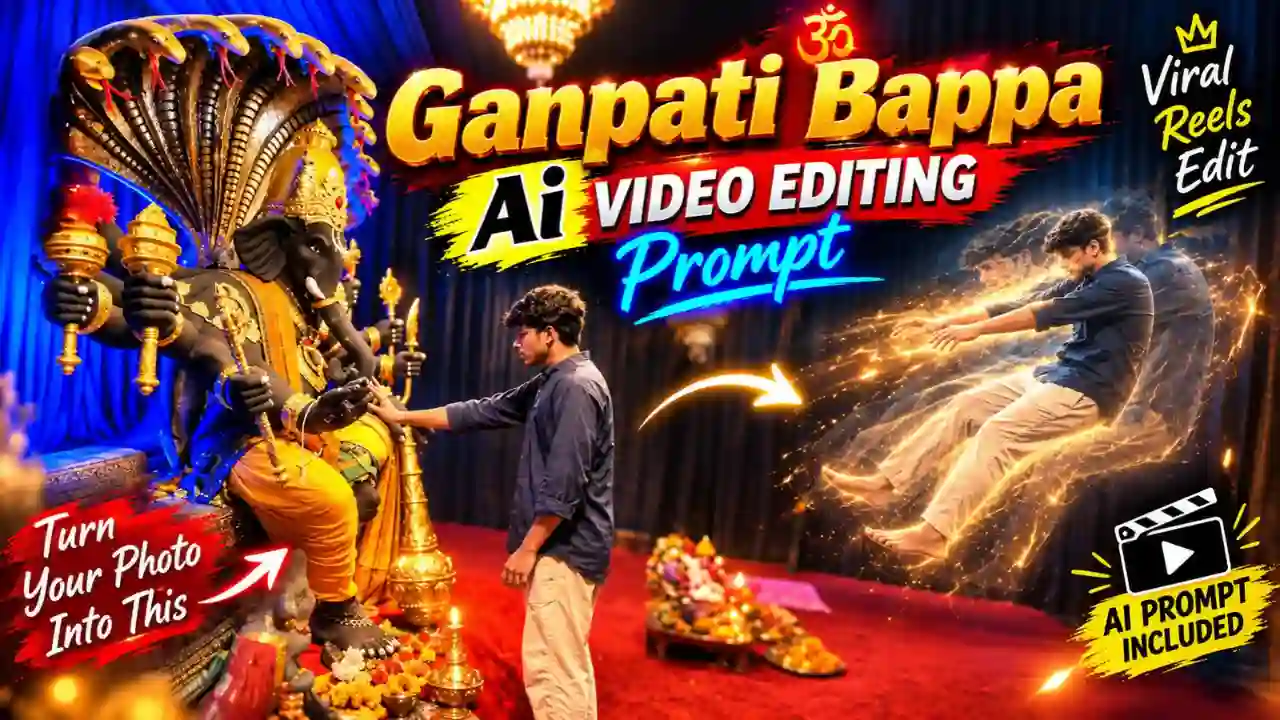
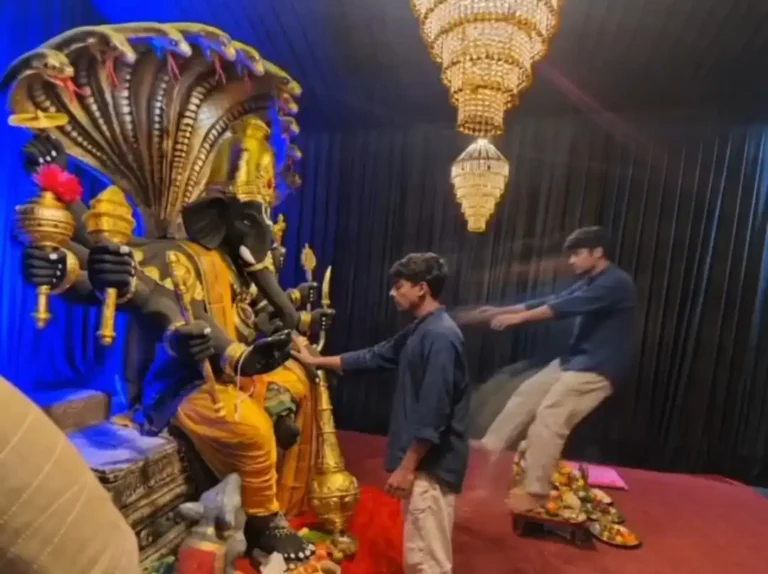
Ganpati Bappa AI Video Editing Prompt- In recent days, Ganpati Bappa AI Video is increasingly popular on social media specially on Instagram. If you follow social media the you probable have seen a video featuring Ganpati Bappa, where a boy touches Ganpati Ji’s finger with his finger. At the moment he touch Ganpati Ji’s finger, his soul come out of his body. You can also create such devotional video by using AI tools and a right prompt.
The Viral Ganpati Bappa AI Video Editing Prompt 2026 will enable you to make a devotional video with cinematic camera movements, bright lights, decorative elements, realistic VFX and Ganesh Chaturthi vibes. The best thing about this prompt is that you do not need to have advanced knowledge of video editing to give this idea a shot. With a good reference image and a compatible AI video tool such as Google Flow. In this guide, you’ll get a ready-to-use Ganpati Bappa AI video prompt, learn how to use it with Flow, and find simple tips for getting a more realistic result. You can also explore Trending Mercedes Car AI Video Editing Prompt.
What Is Ganpati Bappa AI Video Editing?
The viral AI Ganpati Bappa video edit can be considered a creative way to make a static Ganpati Bappa into a movie scene using artificial intelligence. Typically, such a video would have involved many different editing processes. These could have included camera animation, particle effect creation, lighting, addition of smoke, and even construction of an appropriate background.
Video generation through AI can do all of this automatically based on a text prompt. All that is required of you is to provide a reference image and a right prompt. The output, of course, will be dependent on the reference image, text prompt, AI model used, and generation settings. Try out our Thalapathy Vijay Helicopter Entry AI Video Prompt.
Viral Ganpati Bappa AI Video Editing Prompt
Below is a detailed prompt for creating a dramatic and devotional Ganpati Bappa AI video. For the best result, use a clear reference image and make sure the main subject is easy for the AI model to identify.
✨ AI Prompt
How to Create Viral Ganpati Bappa AI Video Using Flow AI
Once you have your reference image and prompt ready, you can start creating the video. The exact Flow interface and available features can change, so some buttons or options may look different depending on your account and the current version of the service.
- Copy the Prompt: Click the Copy button to copy the complete video prompt to your clipboard.
- Open the AI Video Generator: Open any AI video generator. Here, I use Flow AI for video generation. Because it’s an easy tool, and we also get some free credit. So video generation is completely free.
- Sign-UP & Create a New Project: Sign up and click on New Project.
- Upload Your Images: Upload clear, high-quality reference images of yourself. For the best results, use front-facing photos with good lighting conditions.
- Paste the AI Prompt: Now paste the copied prompt into the prompt box, select a video resolution ratio like 16:9 and the Omni Flash Model, and also select the Frame option on Flow AI.
- Generate the Video: Now click on Generate to generate the AI video.
- Download and Share: Once the video is generated, download it in the highest available quality and share it on Instagram, Facebook, WhatsApp, or any social media platform.
You can also try out Parvati AI Video Editing Prompt.
Add Cinematic Ganpati Effects
The right effects can make a simple image feel much more alive. However, more effects do not always mean a better video. For a devotional Ganpati Reel, subtle effects usually work well. You can include:
- Golden Light: Soft golden lighting can create a warm festive feeling.
- Diyas: Ask for realistic flickering flames rather than exaggerated fire effects.
- Flower Petals: Slowly falling marigold or rose petals can add movement without distracting from Bappa.
- Incense Smoke: Gentle smoke can add depth and make the pandal feel more atmospheric.
- Light Particles: Small floating particles can work well around the idol, especially during a magical VFX moment.
- Soft Bokeh: Background lights with shallow depth of field can create a cinematic look.
How to Make Your Ganpati Reel More Attractive
After generating your AI video, you can add some finishing touches using your preferred video editor.
- Add Suitable Music: A devotional or festive soundtrack can completely change the mood of the Reel. Use audio that you are permitted to use on the platform where you plan to publish the video.
- Add a Simple Text Overlay: You don’t need a large paragraph on the screen. Simple text works well: “Ganpati Bappa Morya 🙏“, “Bappa Is Coming Home ❤️“, “Ganesh Chaturthi 2026“, “Blessings of Bappa 🙏“. Keep the text away from the face and idol.
- Use a Vertical Format: For Instagram Reels and YouTube Shorts, use a vertical 9:16 composition when possible. This allows the video to occupy most of the phone screen.
- Create a Short Montage: You can also generate multiple clips and combine them. For example: Clip 1: Ganpati idol reveal, Clip 2: Person approaching Bappa, Clip 3: Finger-touch VFX, Clip 4: Spiritual floating effect and Clip 5: Final Ganpati close-up. This can create a stronger story than relying on one long generation.
Explore our 1980s Reel Editing VN Code Template.
Ganpati Bappa AI Video Editing Prompt: FAQs
What is the Viral Ganpati Bappa AI Video Editing Prompt?
It is a detailed AI prompt that can be used with a compatible image-to-video generator to turn a Ganpati Bappa image or personal photograph into a cinematic devotional video.
Can I use this Ganpati AI prompt with Flow?
Yes, you can use the prompt as a starting point with a compatible Flow image-to-video workflow. Available features and controls may vary depending on the current version of the service.
What is the best image for Ganpati AI video editing?
Use a clear, high-quality image with visible details. If you are using your own photo, make sure your face is sharp and not hidden.
Can I make a Ganpati idol-only video?
Yes. You can animate the idol with subtle camera movement, flickering diyas, flower petals, incense smoke and cinematic lighting.
Can I create a Ganpati couple video?
Yes. A couple photo can be used as the reference for a festive AI video if the chosen tool supports the required image-to-video workflow.
Final Thoughts
This Viral Ganpati Bappa AI Video Editing Prompt 2026 provides content creators an effortless approach to creating cinematic Ganesh Chaturthi content with AI. It does not require one to be an experienced video editor. All you need is a good reference picture and right prompt to create a beautiful devotional Reel.
In case you use Google Flow, begin with the main prompt and create your first output. Afterward, only change those parts that need to be improved. Whichever content you choose to create, whether it is a Ganpati Bappa blessing video, Visarjan Reel, couple edit, family video, idol reveal or spiritual VFX shot, always keep the devotional aspect at the center of the content creation process. Apnotak.com always try to introduce you with the latest trending prompts and new AI trends, so stay tuned for the latest updates.