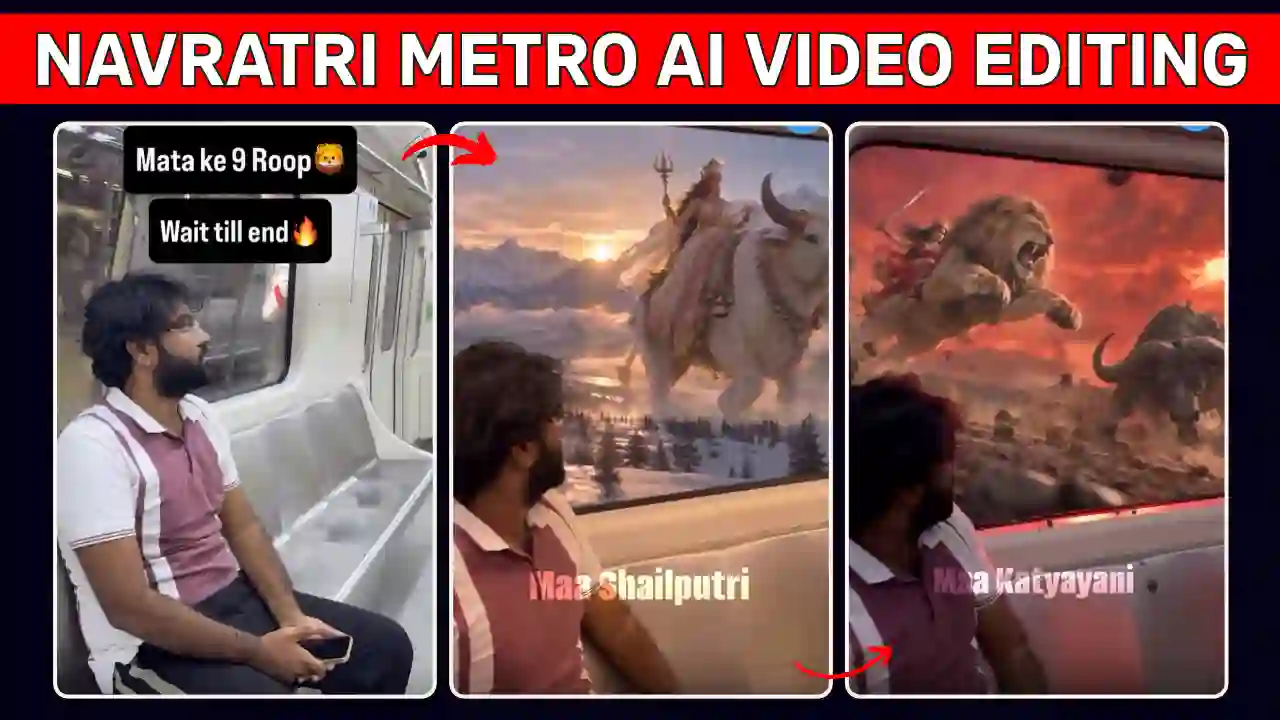
The Navratri Metro Nine Forms AI Video Editing Prompt is a creative way to show different form of Maa Durga while setting on a moving metro. As Navratri is the perfect time to create devotional videos and share festive moments online, this creative trends also called as Navratri Ke 9 Din 9 Roop AI Video to celebrate Maa Durga.
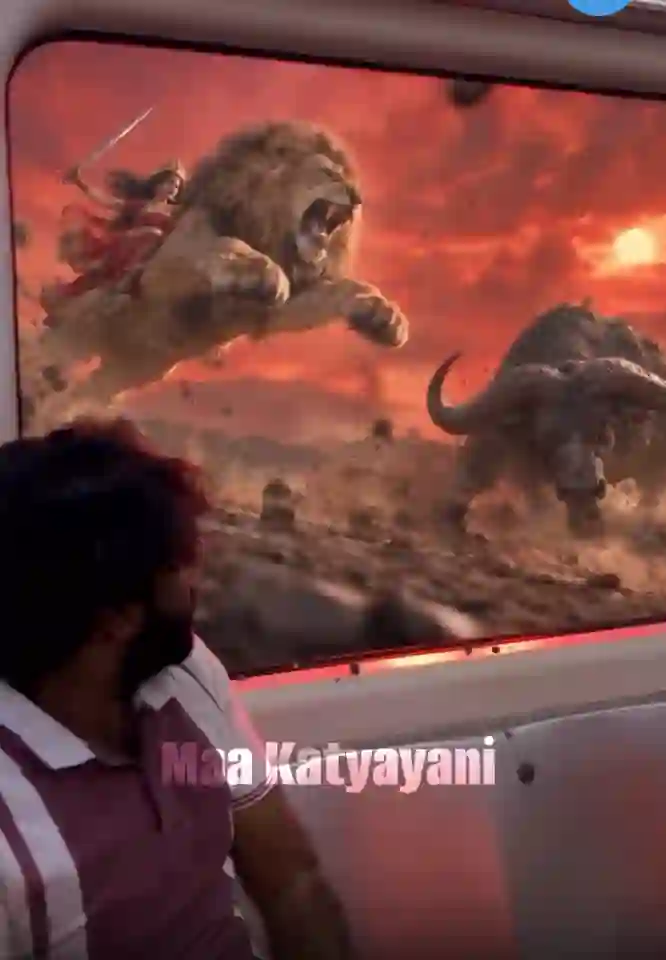
You can easily create a cinematic video featuring all nine forms of the Goddess with the help of an AI tool. Although, the concept is simple yet visually stunning. The video shows, a person sits inside a moving metro train and looks through the window. Suddenly, the train accelerates and show outside metro window Navratri Ke 9 Din 9 Roop. Each time metro going fast and then slow down, a different form of Maa Durga appears.
Moreover, you can recreate this effect using Google Flow AI and a reference video. In this guide, you will learn how to create your own Navratri AI video, use the right prompt, and improve the final edit. You can also explore Navratri Dandiya Nails Transformation AI Video Editing Prompt.
What is Navratri Metro Nine Forms AI Video Editing Prompt?
The Navratri nine forms AI video combines cinematic transitions with devotional imagery. It shows a passenger travelling through different scenes representing the nine forms of Maa Durga.
First, the video introduces the passenger sitting inside a metro train. Then, the train suddenly speeds up dramatically and creating a light-speed effect for transition. As it slows down, Maa Shailputri appears outside the window, which will be created by some visual efferct. Next, the train accelerates again & slow down for transiation to reveals Maa Brahmacharini. The sequence continues with Maa Chandraghanta and the remaining forms of Goddess Durga.
The video allow you to feels like a journey through different divine eras with smooth transitions, realistic lighting, and detailed visuals. Most importantly, you can personalise the video using your own photographs. This makes the trend suitable for Instagram Reels, YouTube Shorts, and other social media platforms. You can also like our Viral Car Jump Entry Reels Video Editing Using AI Prompt.
How to Create Navratri Metro Nine Forms AI Video
You can create this trending Navratri video using two different methods. Choose the approach that best matches your editing skills and available resources. In first method, if your AI editing tools support long AI video editing at a time from a single reference video and a reference image then save the reference video from our our telegram channel an make it as your own.
Method 2: Create Separate Scenes Using AI Video Tools
Alternatively, you can individual generate each scenes instead of recreating the entire video at once. This method more reliable and you can control the appearance of each Goddess.
In this method, first of you you need to create a consistent metro passenger scene. Then, you have to generate separate exterior visuals using AI which will feature the nine forms of Maa Durga. After that combine all the separately created clips in a video editor like VN Editor or Caput or Edits. Now you can add speed ramps, motion blur, cinematic sound effects, and devotional music as per the video requirements. Although this approach requires time and a good editing skills but it gives you greater flexibility. You can also replace individual scenes without regenerating the entire video. You can also explore Celebrity Funny Dance Ai Video Editing Prompt.
Create the Video Using Google Flow AI
Google Flow AI can help you generate cinematic scenes from prompts and reference materials. However, the available features and results may vary depending on your account and current tool access. Follow these steps to create your video:
- Open Google Flow AI.
- Prepare a clear photograph of yourself for character reference.
- Download or prepare a reference video that demonstrates the desired train effect.
- Start a video generation project and upload the available reference materials.
- Copy the AI prompt provided below and adjust it to your requirements.
- Generate the video and review the output carefully.
- If necessary, refine the prompt and generate another version.
Finally, download the generated video when the tool provides that option. You can then polish it using your preferred video editor. You can also explore Zombie Apocalypse AI Video Editing Prompt
Navratri Metro Nine Forms AI Video Editing Prompt
Use the following prompt with your reference materials. Adapt it to the features supported by your chosen AI video generator.
✨ AI Prompt
Important: Generate separate scenes if your AI tool cannot maintain all nine forms in one continuous clip. This usually makes revisions easier and gives you better control over the final sequence.
How to Edit the Navratri AI Video in VN or CapCut
After generating your clips, use a mobile editing application to create the final cinematic effect.
- Open VN or CapCut and create a new project.
- Import the generated clips in the correct sequence.
- Trim unnecessary frames and align the transitions with the music.
- Apply speed ramps to make the train accelerate and slow down dramatically.
- Add motion blur or suitable transition effects where needed.
- Adjust brightness, contrast, and colour grading for a consistent cinematic look.
- Add suitable devotional music and synchronise the scene changes with the beat.
- Export the final video in 1080 × 1920 resolution for vertical platforms.
However, avoid excessive effects that distract viewers from the Goddess imagery. Smooth transitions and consistent visuals generally create a more polished result. Explore our Trending Flying Fairy AI Video Editing Prompt.
5 Tips to Make Your Navratri AI Video Look Realistic
1. Use a Clear Reference Photo
Choose a well-lit photograph with visible facial features. A front-facing or slightly angled image can help the AI maintain your appearance.
2. Keep Your Prompt Consistent
Clearly describe your clothing, hairstyle, position, and facial identity. In addition, repeat important continuity instructions when generating separate scenes.
3. Generate High-Quality Goddess Visuals
Use respectful depictions of all nine forms of Maa Durga. Include traditional clothing, symbolic attributes, and suitable backgrounds for each scene.
4. Apply Smooth Speed Ramping
Avoid making every transition equally fast. Instead, combine rapid acceleration with controlled slowdowns to create a dramatic cinematic effect.
5. Choose the Right Export Settings
Use a vertical 9:16 aspect ratio for Reels and Shorts. Also, review the finished video before publishing to catch visual glitches, inconsistent faces, or abrupt cuts.
Conclusion
The Navratri Metro Nine Forms AI Video Editing prompt help you to celebrate the nine forms of Maa Durga. You can create your own version of devotional video with Google Flow AI, a suitable reference photograph, and a detailed prompt. You can combine your separately generated clip on any editing software or app. You can use VN or CapCut which can help you improve the overall editing process. You can try both creation methods as per your convenience. If the above tutorial help you through the entire Navratri Metro Nine Forms AI Video Editing process then leave a beautiful comment and stay tuned for the latest updates. You can also explore our Car Roof Backflip Stunt AI Video Editing Prompt.
Frequently Asked Questions (FAQs)
How can I create a Navratri nine forms AI video?
Use an AI video generator with a suitable prompt and reference materials. Then, edit the generated scenes using VN or CapCut.
Can I use Google Flow AI for Navratri video editing?
Yes, you can use Google Flow AI for supported video-generation workflows. Available features may depend on your account and current access.
Which prompt should I use for Navratri AI video editing?
Use a detailed prompt that describes the metro scene, train speed changes, nine forms of Maa Durga, and consistent character appearance.
Can I use my own photo in the video?
Yes, if your chosen AI tool supports reference images. Use a clear photograph and review the generated video for identity consistency.
Which video format is best for Instagram Reels?
A vertical 9:16 video at 1080 × 1920 resolution is a suitable choice for Instagram Reels and YouTube Shorts.