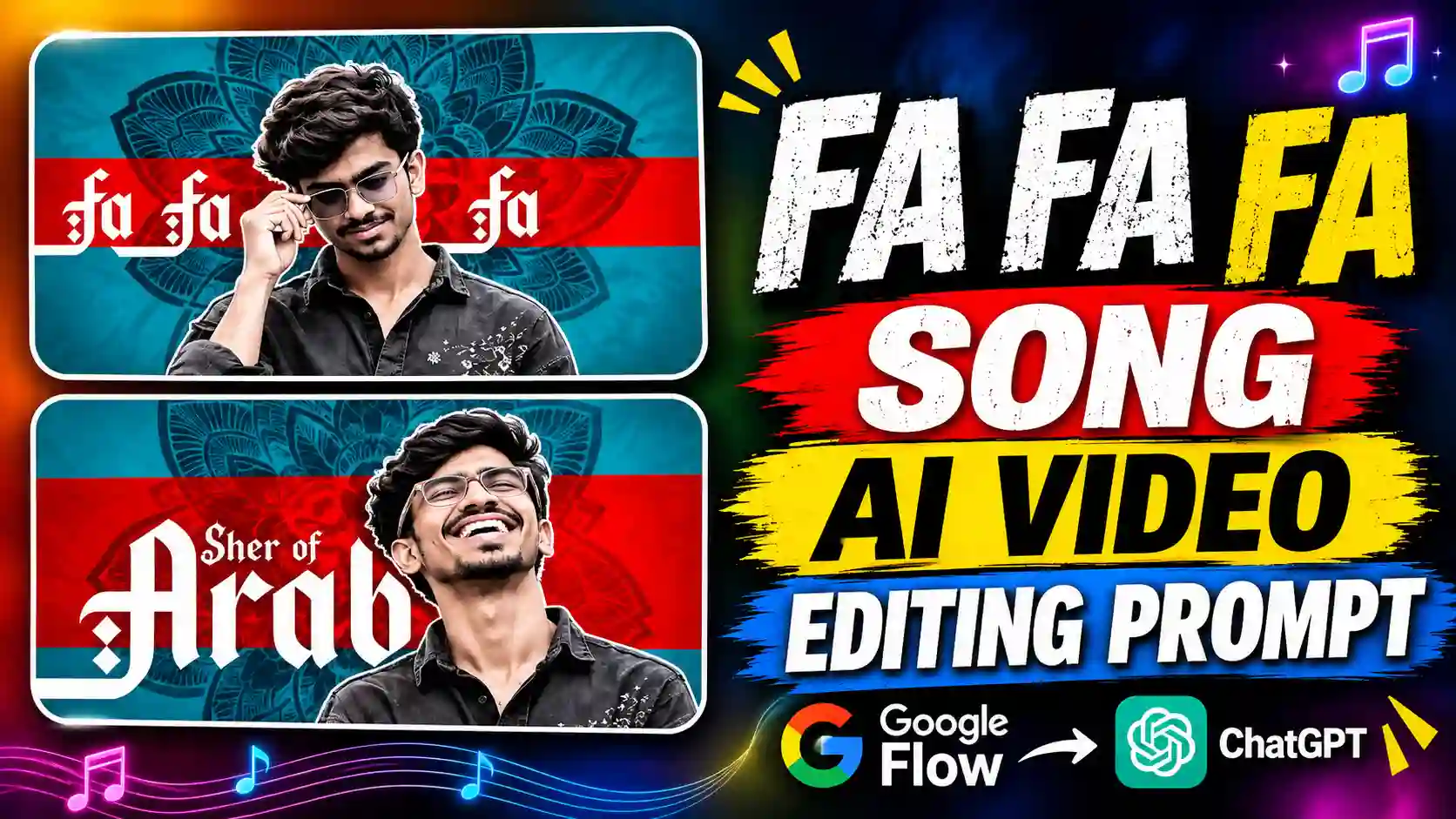
The FA FA FA AI Video Editing Trend is emerging on Instagram Reels. Many creators are using their own photos to create trendy and cinematic videos. In addition, this editing trend has multiple angles of photos, animation, and attractive visual effects. The coolest thing about it is the animated FA FA FA text that moves according to the background music. Also, red and blue graphics create an exciting cinematic effect.
Another great thing is that you can create this trendy video on Instagram by yourself too. For this, you do not have to be a pro at editing and require editing apps. Rather, you only need ChatGPT and Google Flow AI. In this video, I will show you the whole process and AI prompts for creating FA FA FA Song AI Video. You can also explore our Meri Nas Nas Me AI Video Editing Prompt.
How to Create FA FA FA AI Photo for Video?
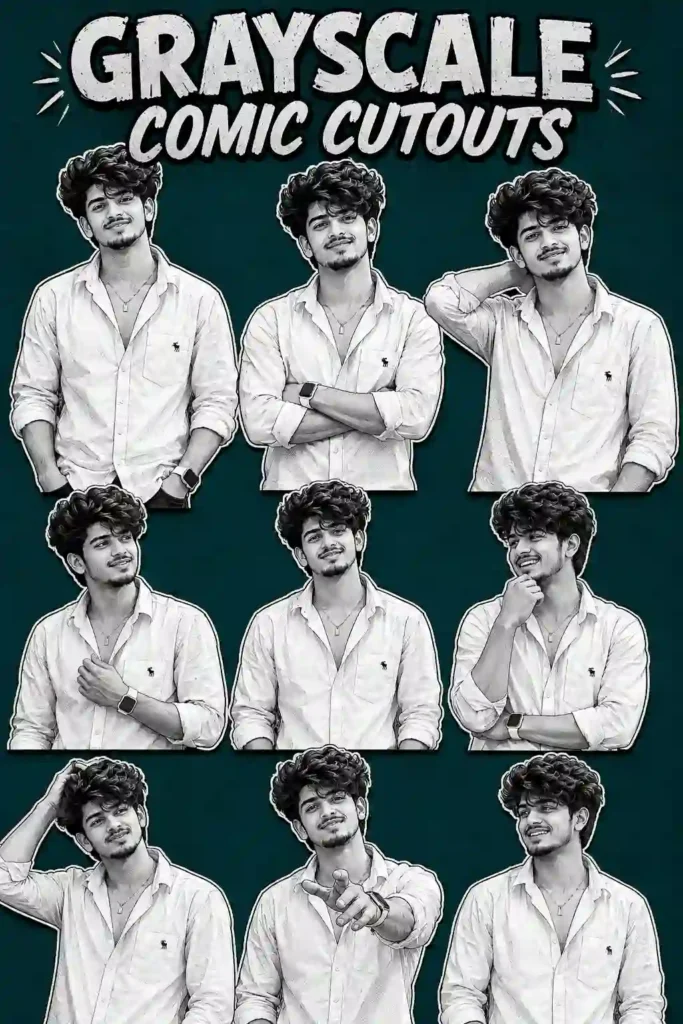
First, you should come up with a special photo collage. This particular collage will comprise nine different poses of one person. Each pose will display various facial expressions and camera angles. For example, some of the poses will have the person looking up with various expressions, while others will be side views of the person. This collage will be created with ChatGPT in the style of grayscale comics. These are the instructions:
- Go to ChatGPT either on your mobile device or personal computer.
- Upload your clean front-facing photograph.
- Copy the AI photo editing prompt given below.
- Insert the prompt into ChatGPT together with your photograph.
- Press the generation button and get your result.
- ChatGPT will generate the photo collage of 3×3 with nine different poses.
- Examine the generated image and download it to your gallery.
You have to ensure that your original facial identity is preserved in each photo. Use the generated collage for the next task. You can also explore about How to Create Long AI Story Videos.
FA FA FA AI Photo Editing Prompt
✨ AI Prompt
How to Create FA FA FA Trending Video Using Flow AI?
In the following steps, Google Flow AI is used to turn the collage into a short cinematic video. The AI algorithm uses uploaded images and text prompts, and therefore the previously created collage can be used as the main image for the video.
- Open the Google Flow AI website.
- Sign in to your Google account.
- Select the image-to-video creation option.
- Upload your previously generated photo collage.
- Copy the FA FA FA video editing prompt below.
- Paste the prompt into the video generation box.
- Upload your reference video if the selected workflow supports video references.
- Click the generate button and wait for processing.
- Preview the generated video after completion.
- Save your final video and share it on Instagram Reels.
For better results, use the reference video to guide the animation style and timing. Also, check the available settings before generating your video.
FA FA FA Song AI Video Editing Prompt
✨ AI Prompt
Reference Video: Use the reference video linked in this tutorial.
What Makes the FA FA FA AI Video Editing Trend Special?
FA FA FA Editing Style is the combination of creativity in photography and motion graphics. This trend differs from the usual photo slideshows by the presence of different poses of one person. In addition, the use of the grayscale comic effect creates a unique visual characteristic for each photograph. The white cutouts separate the figure from the colorful background.
Additionally, the animated patterns of red and blue colors contribute to the attractiveness of the whole video. The repeated typography of FA FA FA adds one more interesting visual characteristic. The most important feature of this editing trend is beat-synchronized transitions.
Tips for Better FA FA FA Instagram Reels
To make a better FA FA FA reels, you need to follow the given below tips.
- Use a Clear Photo: Upload a clear photo with proper lighting condition.
- Preserve Your Identity: Keep your original facial features unchanged.
- Follow the Reference: Use the reference video to guide the visual style.
- Animate Carefully: Ensure all the postures are transitioned properly.
- Choose the Right Format: Upload the video with a vertical 9:16 aspect ratio on Instagram Reels.
- Match the Music: Synchronize your video with the right music track.
Additionally, preview your video before publishing. This helps you identify unwanted distortions or awkward transitions.
Conclusion
Trending FA FA FA AI Video is now easy to make with ChatGPT and Flow AI. Firstly, create the collage with nine poses in the form of comic from your picture. Now, enter this collage in Flow AI to create a cinematic video. There’s no need for professional editing skills or any special software.
All you need to do is follow the steps and use the AI prompts given. Therefore, try this viral FA FA FA photo video trend with your own photos. Create the video and share it on Instagram Reels.
Related AI Video Editing Prompts You May Like
- Sheru Bhai AI Video Editing Prompt
- Funny Snake Video Prompt
- Trending Aura Farming Korean AI Video Editing Prompt
- Zombie Apocalypse AI Video Editing Prompt