Cinematic Heartbreak AI Photo Editing Prompt: Heartbreak is an emotion that is often difficult to explain in words. Sometimes, a single powerful image can express feelings of loneliness, separation, sadness, and emotional pain better than a long caption.
With AI photo editing tools such as ChatGPT, you can transform an ordinary portrait into a dramatic cinematic heartbreak photo using a detailed prompt. You can create a realistic movie-style scene with a lonely atmosphere, stormy sky, sunset lighting, wet surroundings, dramatic shadows, and emotional storytelling while keeping the person’s natural appearance recognisable.
In this article, you will get a detailed Cinematic Heartbreak AI Photo Editing Prompt that you can use with your own reference photo. You will also learn how to create the image using ChatGPT, along with some useful tips for achieving a more realistic result.
What Is Cinematic Heartbreak AI Photo Editing?
Cinematic Heartbreak Photo Editing is an AI-based photo editing style that transforms a normal portrait into an emotional, dramatic scene inspired by cinematic photography. Instead of applying a simple filter, an AI image tool can follow instructions about the background, lighting, weather, pose, facial appearance, clothing, camera style, mood, composition, text and visual elements.
For example, a normal portrait can be transformed into a scene where the person is standing alone on a wet rooftop during sunset, surrounded by dark clouds and dramatic city lights.
The goal is to create an image that visually communicates heartbreak, loneliness, memories, separation, or emotional pain while maintaining a realistic photographic appearance. If you want to experiment with a completely different visual concept, see our butterfly-effect AI photo editing ideas.
Cinematic Heartbreak AI Photo Editing Prompt
Below is a detailed prompt that you can copy and use with your reference photo.
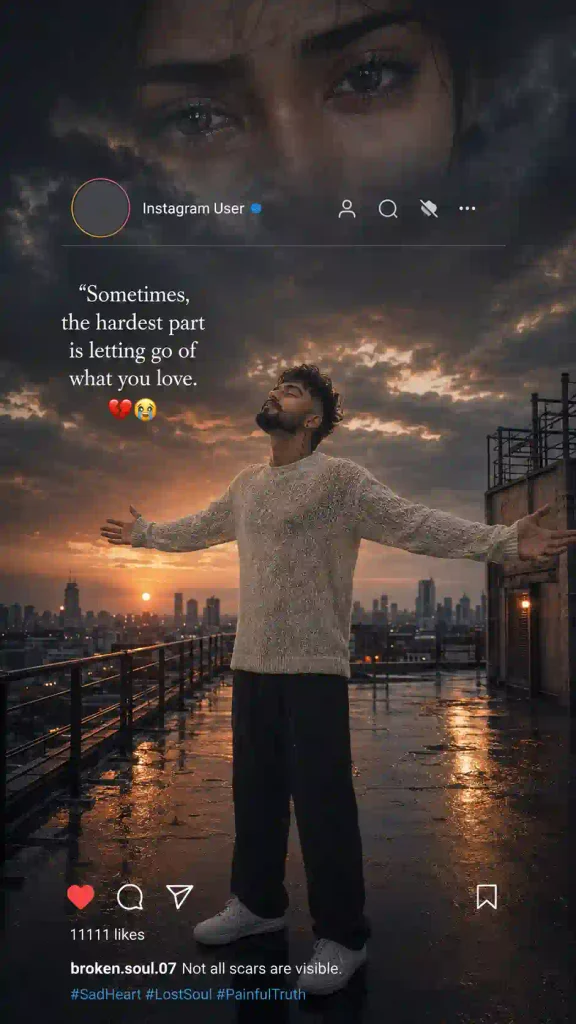
✨Cinematic Heartbreak Prompt
This is a detailed version designed for a dramatic social-media-style composition. Because it contains several visual elements, the first generation may not reproduce every detail perfectly. If that happens, simplify or adjust one section at a time.
How to Create a Cinematic Heartbreak Photo with AI
Creating a heartbreak-themed AI photo is relatively simple. Follow these steps:
- Open ChatGPT: Open the ChatGPT app or website and sign in to your account.
- Upload Your Photo: Upload a clear reference photograph. Choose an image in which your face is clearly visible and not heavily obscured by filters, shadows, or other objects.
- Copy the AI Prompt: Copy the Cinematic Heartbreak AI Photo Editing Prompt given above.
- Paste the Prompt: Paste the prompt into the ChatGPT prompt box along with your reference image. You can also modify details such as outfit, location, weather, sunset color, pose, quote, background and aspect ratio as well.
- Generate the Image: Send the prompt and allow the AI tool to generate the edited image.
- Check the Result: After image generation, carefully check the: face, hair, hands, body proportions, clothing, background, text and overall composition.
- Ask for Corrections (If needed): If something is incorrect, give a specific follow-up instruction instead of changing everything. For example: “Keep the generated image unchanged, but correct the hands and preserve the original facial identity.”
- Save the Final Image: Once you are happy with the result, save the final image and use it for your Instagram post, Reel cover, profile picture, or other social-media content.
Why Is Cinematic Heartbreak AI Editing Trending on Social Media?
Emotional and cinematic images work well on social media because they can communicate a story without requiring a long explanation. A simple portrait can become much more expressive when combined with elements such as: dark storm clouds, sunset lighting, rain or wet surfaces, lonely locations, city backgrounds, dramatic shadows, emotional poses, cinematic color grading and meaningful quotes.
AI makes this style easier because users do not need advanced Photoshop or professional photo-editing skills. A detailed prompt can describe the desired scene, while a reference photo helps maintain the person’s recognizable appearance.
This makes cinematic heartbreak editing useful for Instagram posts, Reels covers, WhatsApp status images, Facebook posts, profile pictures, and emotional storytelling content. You can also try out our Aesthetic Profile Picture DP Editing Prompts.
Cinematic Heartbreak AI Photo Editing Prompt Variations
You can also create different versions by changing the environment.
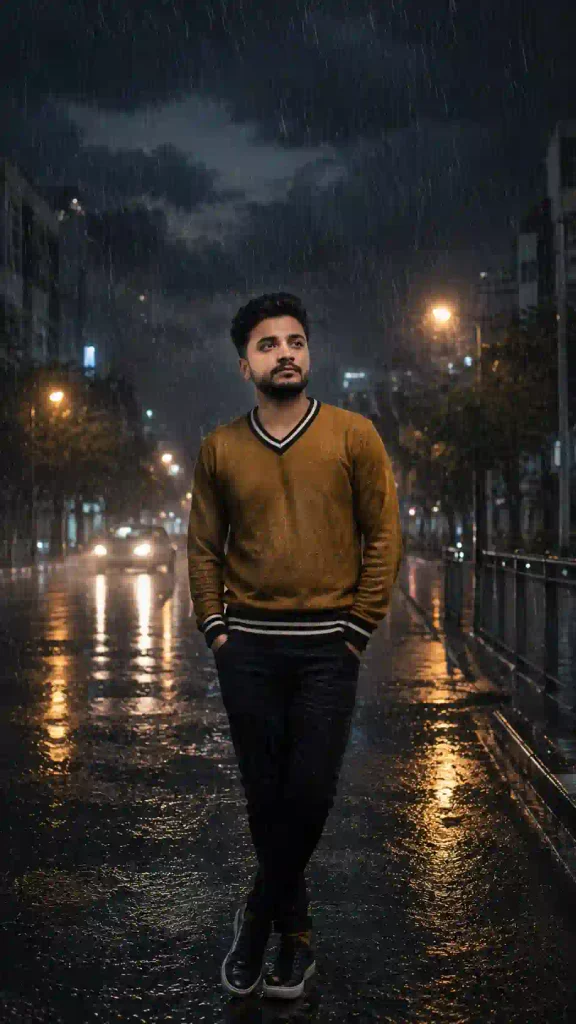
✨Rainy Heartbreak AI Photo Editing Prompt
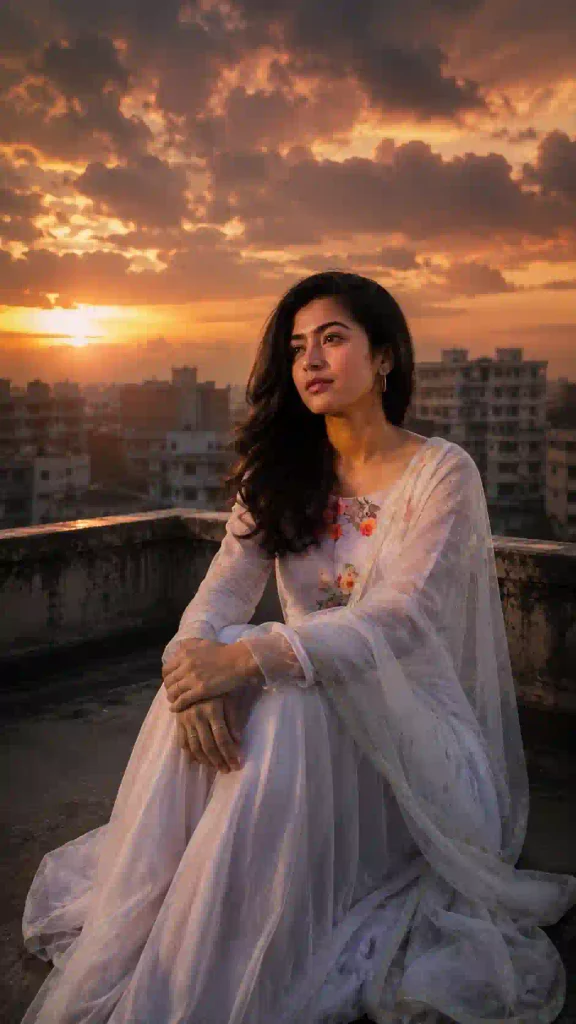
✨Sunset Heartbreak AI Photo Editing Prompt
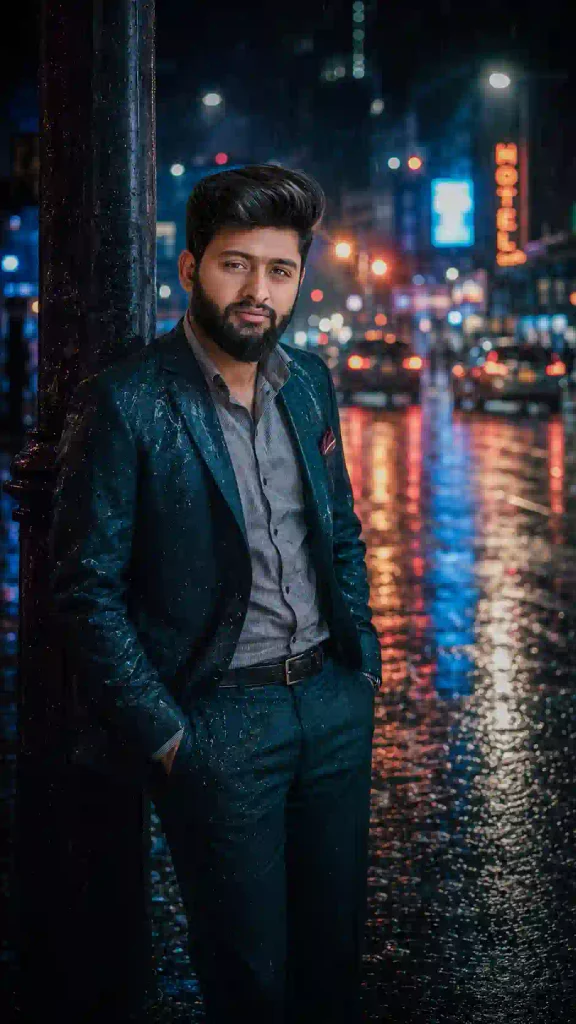
✨Night City Heartbreak AI Photo Editing Prompt
Which Heartbreak Photo Style Should You Try?
| If you want… | Try |
|---|---|
| A rainy emotional mood | Rainy Heartbreak |
| Warm but melancholic | Sunset Heartbreak |
| Dark modern cinematic look | Night City Heartbreak |
| Dramatic social-media poster | Main Cinematic Heartbreak Prompt |
Common Mistakes to Avoid
When creating cinematic heartbreak images with AI, avoid these common mistakes:
- Using a blurry reference photo: A poor-quality reference can make facial details less consistent.
- Using too many instructions at once: An extremely complicated scene can sometimes produce inconsistent details. Keep the main visual story clear.
- Changing the identity unnecessarily: If the goal is to create an edited version of your photograph, clearly tell the AI to preserve your recognizable appearance.
- Ignoring hands and anatomy: Dramatic poses involving hands can sometimes produce incorrect fingers or unnatural positions. Add specific instructions for realistic anatomy.
- Adding excessive effects: Too much smoke, rain, glow, text, or lens flare can make an image look artificial.
- Expecting perfect text every time: AI-generated typography can sometimes contain errors. If text accuracy is important, consider adding or correcting the text separately after generating the main image.
Looking for festival-themed AI photo editing idea? Try our 9 Raksha Bandhan AI Photo Editing Prompts.
How to Make the Image More Realistic
If you want a more photographic result, include realistic photography instructions such as:
“photorealistic, natural skin texture, realistic hair, accurate anatomy, realistic fabric, professional DSLR photography, 85mm lens, shallow depth of field, cinematic HDR, natural shadows, realistic reflections, subtle film grain, professional color grading.”
However, adding more keywords does not always guarantee a better result. The most important part is to clearly describe the subject, scene, emotion, lighting, and composition.
Cinematic Heartbreak AI Photo Editing Prompt: FAQs
What is a Cinematic Heartbreak AI Photo Editing Prompt?
It is a detailed text instruction used with an AI image tool to transform a normal portrait into a dramatic heartbreak-themed cinematic scene.
Can I use my own photo?
Yes. You can use a clear personal photograph as the reference image and instruct the AI to preserve your recognizable facial appearance while changing the environment and cinematic style.
What aspect ratio is best for heartbreak edits?
9:16 is a good choice for Instagram Reels, Stories, Shorts, and other vertical social-media content. For an Instagram feed post, you can also use 4:5.
Can I create a heartbreak photo using a mobile phone?
Yes. You can use compatible AI image-editing tools through a smartphone or computer. The important part is having a good reference image and a clear prompt.
Why doesn’t my face look exactly like the reference?
AI-generated images can sometimes change facial details. Use a clearer reference image and explicitly instruct the tool to preserve recognizable facial identity, facial structure, hairstyle, skin tone, and age. You can also request a correction while keeping the rest of the generated image unchanged.
Can I change the background?
Yes. You can replace the rooftop with a rainy street, empty railway platform, beach, city skyline, bedroom, bridge, or another location while keeping the main cinematic concept.
Can I use this prompt for Instagram Reels?
Yes. A 9:16 vertical composition works well for Reels covers and other vertical social-media formats.
Final Words
The Cinematic Heartbreak AI Photo Editing Prompt is a creative way to transform an ordinary portrait into an emotional, movie-style photograph. With the right reference image and a detailed prompt, you can create scenes featuring dramatic sunsets, storm clouds, rain, wet streets, city lights, loneliness, and emotional storytelling.
The most important thing is to keep the prompt clear and describe exactly what you want. At the same time, tell the AI which parts of the original photograph should remain recognizable. You can also experiment with different locations, poses, lighting conditions, weather, colors, and emotional themes to create your own unique heartbreak edits.
Try the prompt with your favorite portrait and create your own cinematic heartbreak story. If you enjoy cinematic photo editing then try our Cloudy and Sunlight Photo Prompt: Free AI Editing.