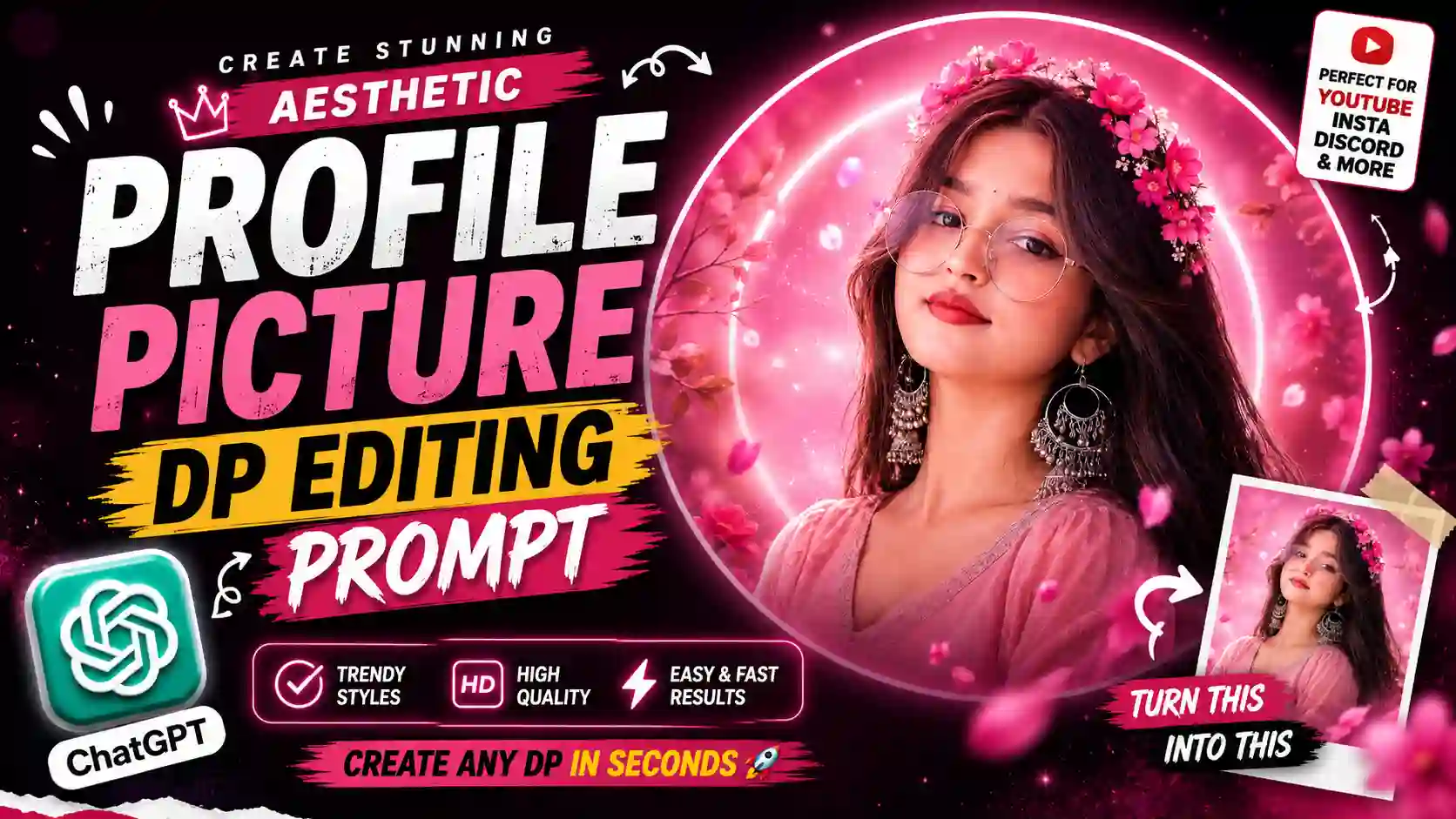
Your profile picture is often the first visual people notice when they visit your Instagram, Facebook, YouTube, or other social media profile. A simple portrait can look completely different when you combine it with the right background, lighting, colours, and visual style.
The good news is that you no longer need advanced Photoshop skills to experiment with these ideas. With a clear reference photo and a well-written AI prompt, you can create everything from a soft aesthetic DP to a cinematic, luxury, neon, or creator-style profile picture.
In this guide, you’ll find Aesthetic Profile Picture DP Editing Prompts that you can copy, customize, and try with your own photo. I’ve also included practical tips for getting cleaner results and a simple template for creating your own DP prompts. For a festival-themed profile picture, you can also try our 15 August Independence Day DP AI Photo Editing Prompt.
What Is an AI DP Editing Prompt?
An AI DP prompt is simply a detailed instruction that tells an image-generation or image-editing tool to transform your normal photo into an aesthetic DP. Instead of manually explaining every editing step, you can describe the complete visual direction in one prompt.
For example, your prompt can tell the AI about:
- The person and their recognizable appearance
- Hairstyle and clothing
- Background and color palette
- Lighting style
- Accessories
- Typography or username
- Circular profile-picture composition
- Overall mood
- Photography style
- Image quality and aspect ratio
Clearer instructions generally give the image tool a better idea of the composition and visual direction you’re aiming for, although the final result can still vary between tools and generations. If you are editing an existing portrait, it is also useful to clearly state that the uploaded image should remain the primary reference for the person’s appearance. Looking for another festival-themed AI photo editing idea? Try our 9 Raksha Bandhan AI Photo Editing Prompts.
5 Aesthetic Profile Picture DP Prompts
Below are several different styles you can experiment with. You don’t have to use the prompts exactly as written. Change the colors, clothing, text, or background to match your own profile.
If you want a soft, colorful profile picture with a fashionable Instagram-style appearance, this pink-themed concept is a good starting point. This Aesthetic Profile Picture Prompt is suitable for Instagram profiles, lifestyle accounts, fashion pages, personal profiles, and aesthetic-themed accounts.
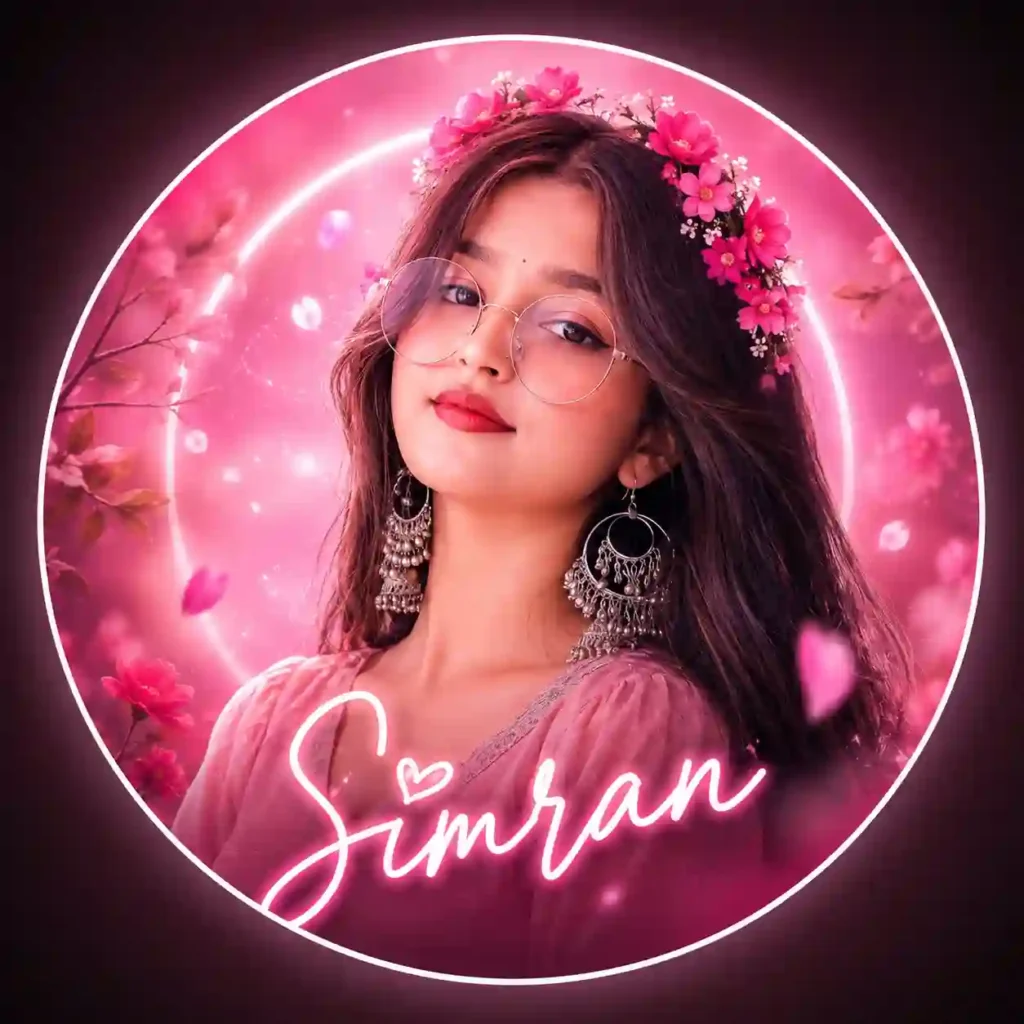
✨1. Pink Aesthetic Instagram DP Prompt
For a darker and more dramatic profile picture, you can use a deep red and black colour combination. This Aesthetic DP Editing Prompt is good for Personal profiles, fashion pages, men’s lifestyle accounts, and dramatic social media branding.
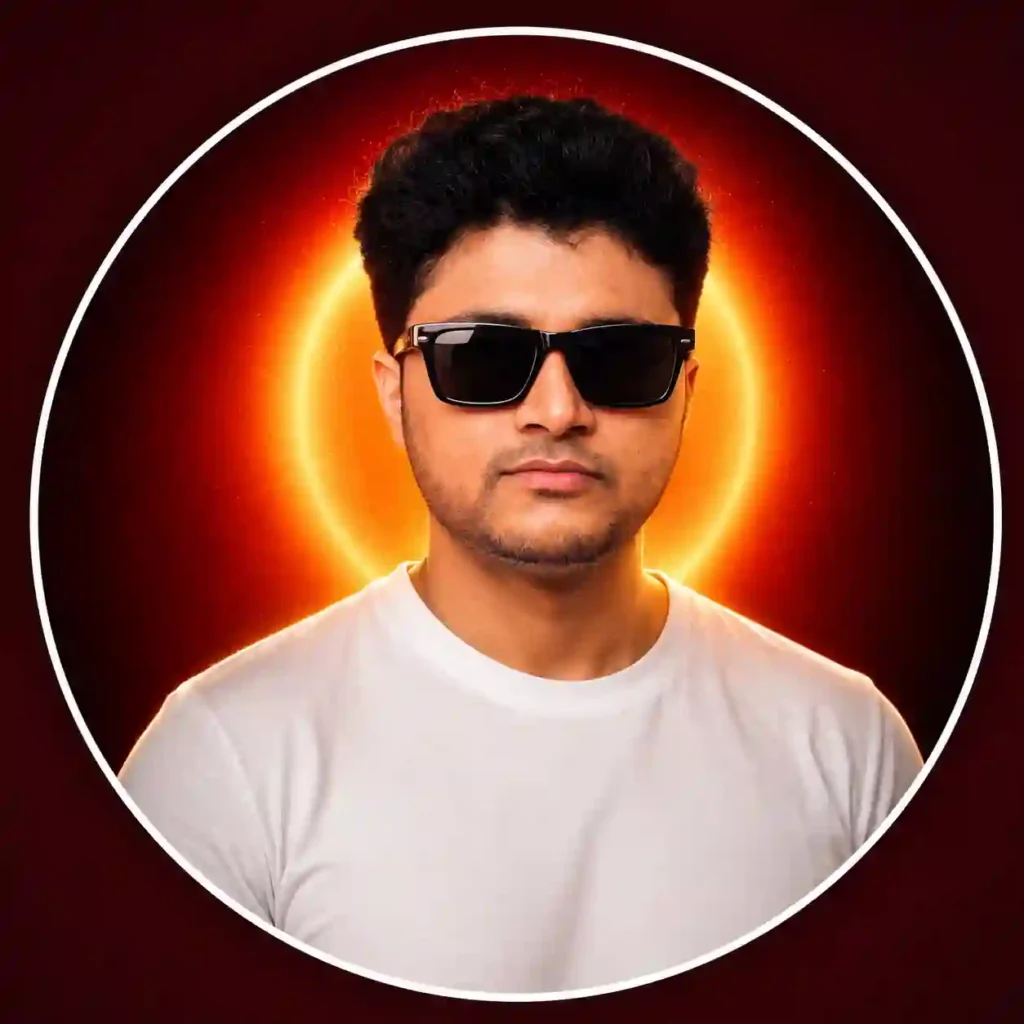
✨2. Dark Red Luxury Boy DP Prompt
Gold can give a profile picture a completely different character, especially when combined with a dark background. This ChatGPT Photo Editing Prompt is very suitable for YouTube channels, creator profiles, photography pages, and premium personal branding.
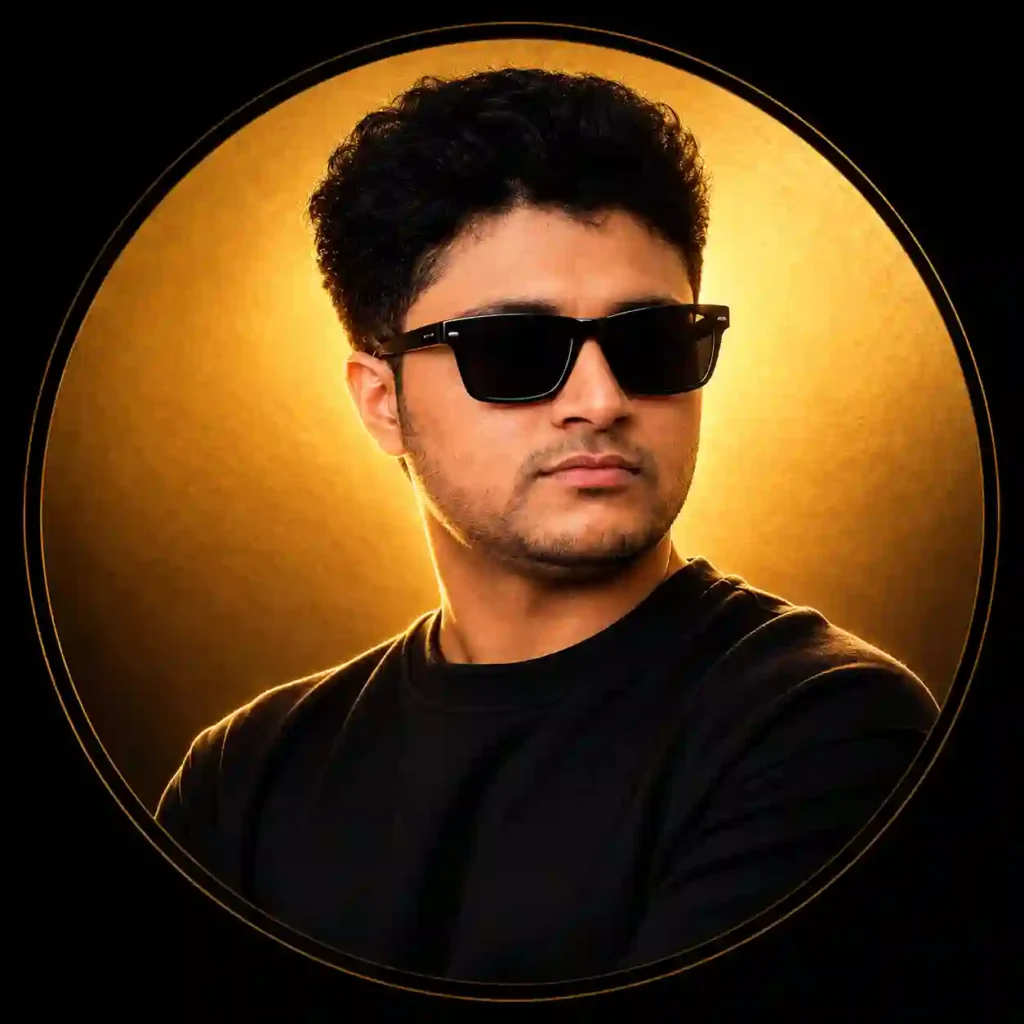
✨3. Golden Circle Cinematic DP Prompt
This style works particularly well if your profile is related to content creation, photography, editing, or social media. This is one of the best ChatGPT DP Prompt for Content creators, editors, photographers, influencers, and digital creators.
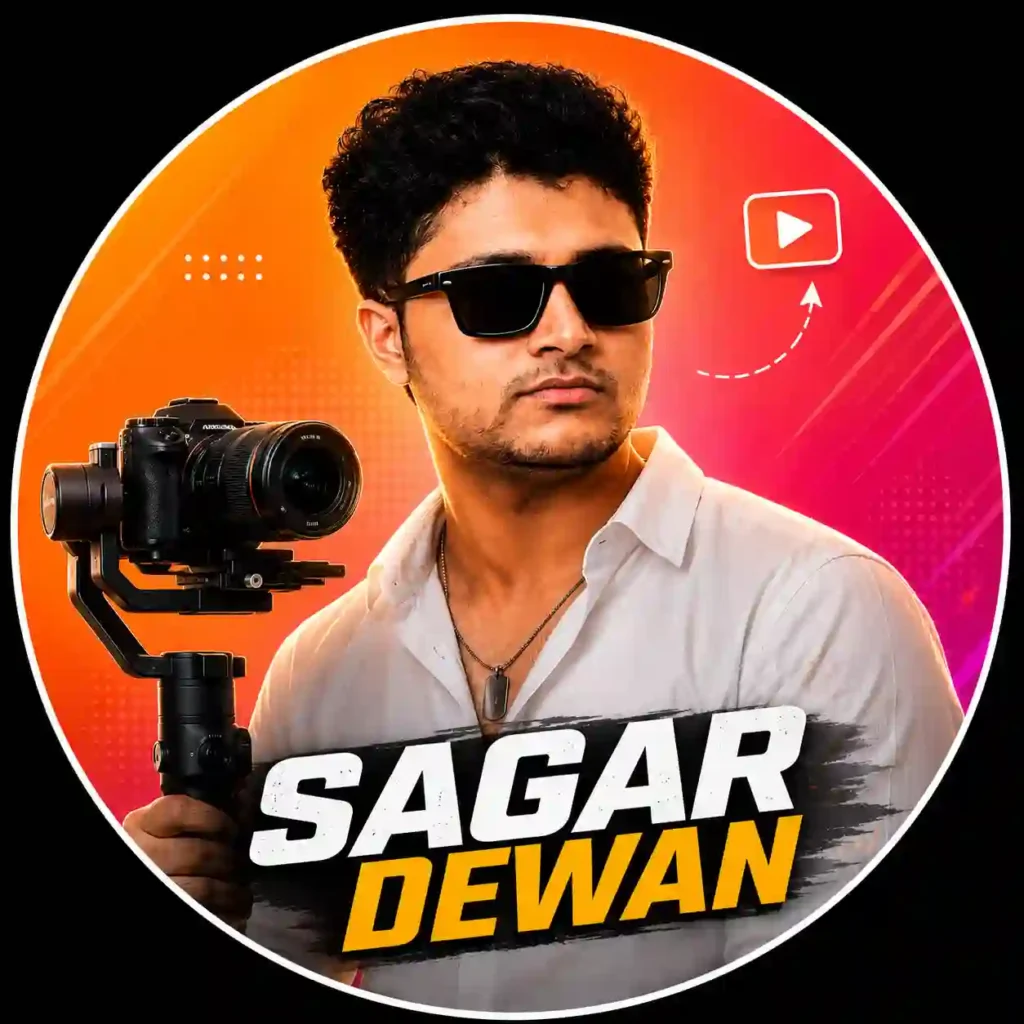
✨4. Instagram Creator DP Prompt
A blue neon theme is a good option if you prefer a more futuristic or digital look. This is one of the best AI profile picture prompts for Gaming profiles, tech pages, editing accounts, and futuristic creator profiles.
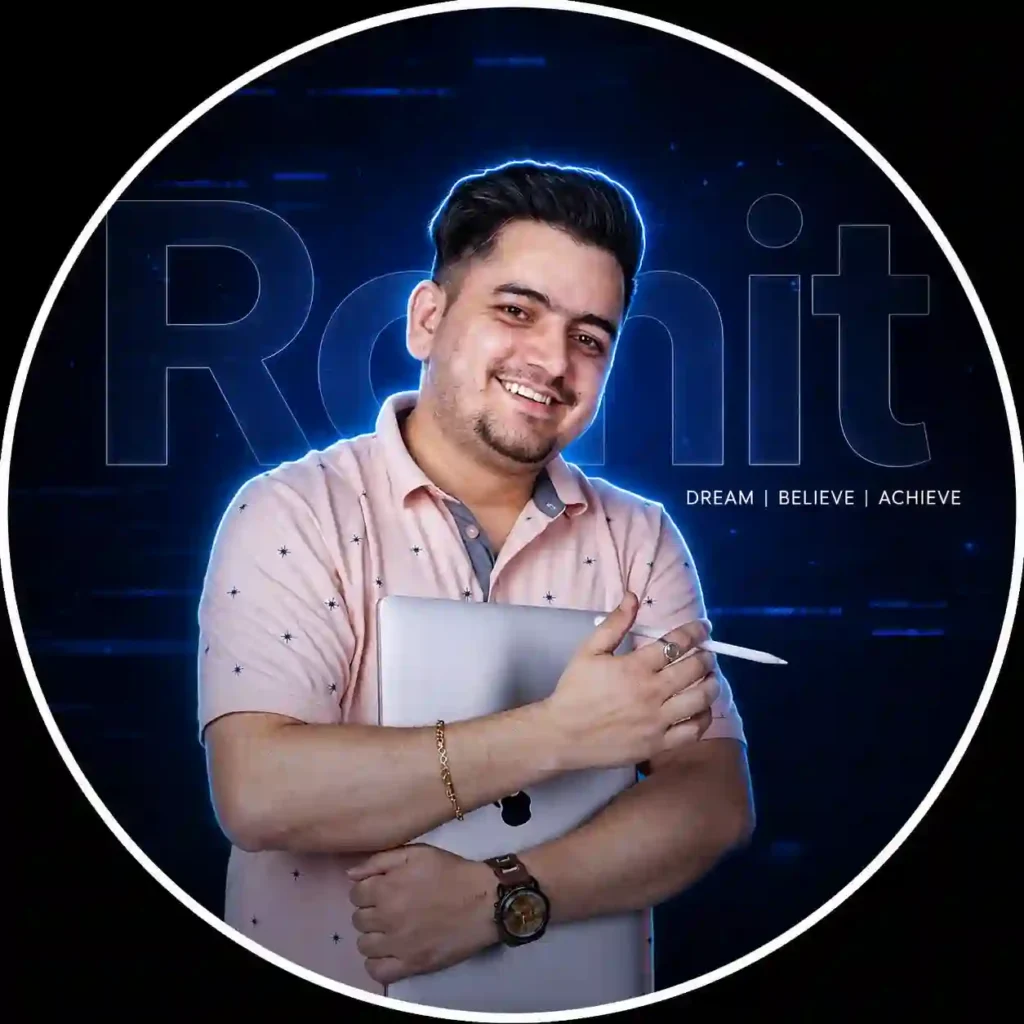
✨5. Neon Blue Aesthetic DP Prompt
Which Aesthetic DP Style Should You Choose?
| If you want… | Try this style |
|---|---|
| Soft and colorful | Pink Aesthetic |
| Premium/luxury | Black & Gold |
| Futuristic | Neon Blue |
| Personal branding | Creator DP |
| Clean professional look | Minimal |
| Fashion-focused profile | Streetwear |
| Traditional appearance | Gold + Saffron |
| Gaming profile | Dark Neon |
How to Create an Aesthetic DP
Creating an aesthetic DP is straightforward when you’re using an AI tool that supports image input and image generation or editing.
- Choose a reference photo: Use a clear image where the face is visible and well lit.
- Choose a prompt: Select the Aesthetic DP concept that matches the style you want.
- Open ChatGPT or Gemini: Now open Google Gemini or ChatGPT, whichever you are most comfortable with.
- Upload your photo: Add your reference image when the tool supports image input.
- Paste the prompt: Copy the selected prompt and adjust any clothing, pose, or background details you want to change. You can replace details such as
YOUR NAMEwith your actual name, username, or brand. You can also change background colours, Outfit, Accessories, Lighting, Typography, Mood, and Design style. This is where you can turn a general prompt into something that feels personal. - Generate the image: Review the first result and refine the prompt if necessary.
- Make final adjustments: If one element looks incorrect, modify that specific part rather than rewriting the entire prompt.
Looking for another festival-themed AI photo editing idea? Try our Friendship Day AI Photo Editing Prompt.
Tips for Creating Better AI Profile Pictures
- Start With a Clear Reference: Use a photograph in which the face is visible, reasonably sharp, and not obscured by excessive filters, shadows, or objects.
- Be Specific About the Look: “Make it beautiful” gives an AI tool very little direction. Compare that with: “Create a dark cinematic portrait with a matte-black background, warm golden rim lighting, subtle shadows, and a clean circular composition.” The second instruction gives the AI a much clearer visual target.
- Don’t Overload the Prompt: More words don’t automatically mean a better image. If you ask for neon effects, flowers, multiple logos, particles, several text elements, dramatic lighting, a complex background, and numerous accessories at the same time, the design can quickly become cluttered. Give the important elements priority.
- Keep the Face as the Focal Point: A profile picture may appear quite small on a phone screen, so the face needs to remain recognizable even after the image is reduced. Background effects should support the portrait rather than compete with it.
- Design for Circular Cropping: Although you may generate the image as a square, many platforms display profile pictures inside a circular crop. Keep important elements such as face, Name, Logo, Accessories, and decorative details away from the extreme edges. Remember that many platforms display profile pictures inside circular crops. Keep the face, name, logo and other important elements away from the outer edges so they don’t get cut off when the image is displayed as a circle.
- Keep Typography Short: Long sentences usually don’t belong on a profile picture. A short name, username, or brand name is generally easier to read. For example: SAMIM, APNOTAK, SAGAR DEWAN. A simple wordmark can often look cleaner than a long tagline.
If you want to experiment with a completely different visual concept, see our butterfly-effect AI photo editing ideas.
A Simple AI DP Prompt Template
Want to create a completely different style? Once you understand the basic structure, you can build your own DP prompt instead of relying on a fixed collection of styles. Use this framework as your starting point:
Create a premium profile picture using the uploaded photo as the primary visual reference.

Preserve the person's recognizable facial identity, facial structure, hairstyle, skin tone, age, and natural appearance.

Create a [STYLE] profile picture using a [COLOR/THEME] visual direction.

Dress the subject in [OUTFIT] and add [ACCESSORIES, IF NEEDED].

Use [LIGHTING STYLE] with realistic skin texture, natural shadows, detailed hair, sharp facial features, and professional portrait photography.

Create a [BACKGROUND DESCRIPTION] background.

Add the text "[YOUR NAME]" using [TYPOGRAPHY STYLE], positioned away from the face.

Keep the subject centered and all important elements within a clean circular-safe composition.

Minimal, polished, photorealistic, professional social-media aesthetic, 1:1 square format.
The advantage of this template is that you can change individual sections without having to build a new prompt from scratch.
Aesthetic DP Ideas You Can Try
There are plenty of directions you can take beyond the five examples above.
| Style | Color Direction | Visual Concept |
|---|---|---|
| Pink Aesthetic | Pink + Magenta | Soft glow, flowers, dreamy background |
| Luxury | Black + Gold | Metallic accents, dramatic lighting |
| Neon | Blue + Purple | Futuristic glow and digital details |
| Minimal | White + Gray | Clean studio portrait |
| Streetwear | Black + Gray | Fashion-focused urban look |
| Cinematic | Black + Orange | Dramatic shadows and warm highlights |
| Creator | Gradient | Name, subtle branding, modern graphics |
| Gaming | Dark Neon | Digital atmosphere and futuristic effects |
| Traditional | Gold + Saffron | Ethnic clothing and warm lighting |
| Professional | Blue + Gray | Clean formal portrait |
ChatGPT or Other AI Tools: Which Should You Use?
You don’t necessarily need to use one particular AI platform for every DP concept. Different image-generation and editing tools can offer different controls, styles, and results, and their capabilities can change over time.
For this type of project, three things are especially important:
- The quality of your reference image
- How clearly you describe the desired design
- How well the tool handles image editing and reference images
The prompts in this guide can therefore be treated as creative starting points rather than prompts that are limited to one specific platform. You can also try out our Independence Day Girl AI Photo Editing Prompt.
What We Look For When Creating AI DPs
During our prompt testing, we found that simpler compositions often work better for profile pictures because the final image is usually displayed at a relatively small size.
Common AI DP Mistakes
A good prompt can still produce an average result if the instructions are poorly balanced. Here are a few common problems to watch for.
- Using Extremely Vague Prompts: Instead of: “Make my DP attractive.” Give the AI a visual direction: “Create a clean luxury profile picture with a black background, warm gold lighting, a centered portrait, and minimal typography.”
- Adding Too Many Effects: Particles, glow, lens flare, neon, flowers, smoke, gradients, logos, and multiple text elements can all look interesting individually. Together, they may make the profile picture difficult to understand. Choose a few elements that actually support your concept.
- Changing the Face Unnecessarily: If you are editing an existing photograph, unnecessary facial changes can make the result feel less like the original person. Clearly state that the uploaded photograph is the primary reference and that the person’s recognizable appearance should remain consistent.
- Putting Text Over the Face: Profile pictures are small, so long names, quotes and taglines can quickly become difficult to read. If you’re adding text, keep it short and make sure the portrait remains the main visual element.
- Ignoring the Final Display Size: A design can look impressive at full resolution but become messy when reduced to a small profile icon. Always check whether the face, name, and main visual elements remain easy to recognize at a smaller size.
Aesthetic Profile Picture DP Editing Prompt: FAQs
What is a ChatGPT DP prompt?
A ChatGPT DP prompt is an instruction describing how you want an existing photo transformed into a profile picture. It can include the background, lighting, clothing, colors, typography, composition, and overall visual style.
Can ChatGPT create an aesthetic profile picture?
If the ChatGPT features available to you support image generation or editing, you can provide a reference image and describe the profile-picture style you want.
What type of photo works best for an AI DP?
A reasonably clear portrait with visible facial features is generally a useful starting point. Extremely blurry, dark, or heavily filtered photos may give the AI less visual information to work with.
Should I use a 1:1 image for a profile picture?
A 1:1 square composition is a practical format for profile-picture designs because many social platforms display profile images within a circular area.
Can I add my name to an AI-generated DP?
Yes. You can ask the AI to include a name, username, or short brand label. However, generated typography can sometimes contain mistakes, so check the final image carefully.
Can an AI prompt change the background of my photo?
Yes. You can describe a completely different background, such as a studio, gradient, neon environment, luxury setting, floral design, or cinematic scene.
How do I make an AI DP look professional?
Start with a clear photograph, use a focused visual concept, avoid excessive effects, keep the typography simple, and make sure the face remains the main subject.
Can I use the same AI DP prompt for Instagram and YouTube?
Yes. You can use the same basic visual concept, but you may want to adjust the composition depending on where the image will be displayed. Keeping the face and important branding elements near the center makes the design easier to adapt across platforms.
Final Thoughts
Creating a distinctive profile picture doesn’t have to mean spending a long time working through complicated editing software. A good reference photo and a carefully planned AI prompt can give you a starting point for experimenting with completely different visual directions—from soft pink aesthetics and luxury black-and-gold portraits to neon creator designs and cinematic profile pictures.
Rather than trying to add as many effects as possible to one prompt, try to figure out what you want the viewer to notice first. Then, in setting up the prompt, try to make the design readable at small sizes. And, above all, let the portrait of the person be the main point of the DP.
You can use these prompts as they are or treat them as starting points for your own experiments. Feel free to modify the color, the characters, the background, the lights, and the typography to fit your personal style or brand. If the first generation isn’t quite right, don’t start over straight away. See what needs to change and just change that. That is usually the easiest way to turn a fairly good AI-generated DP into something that actually looks like you’ve made it.