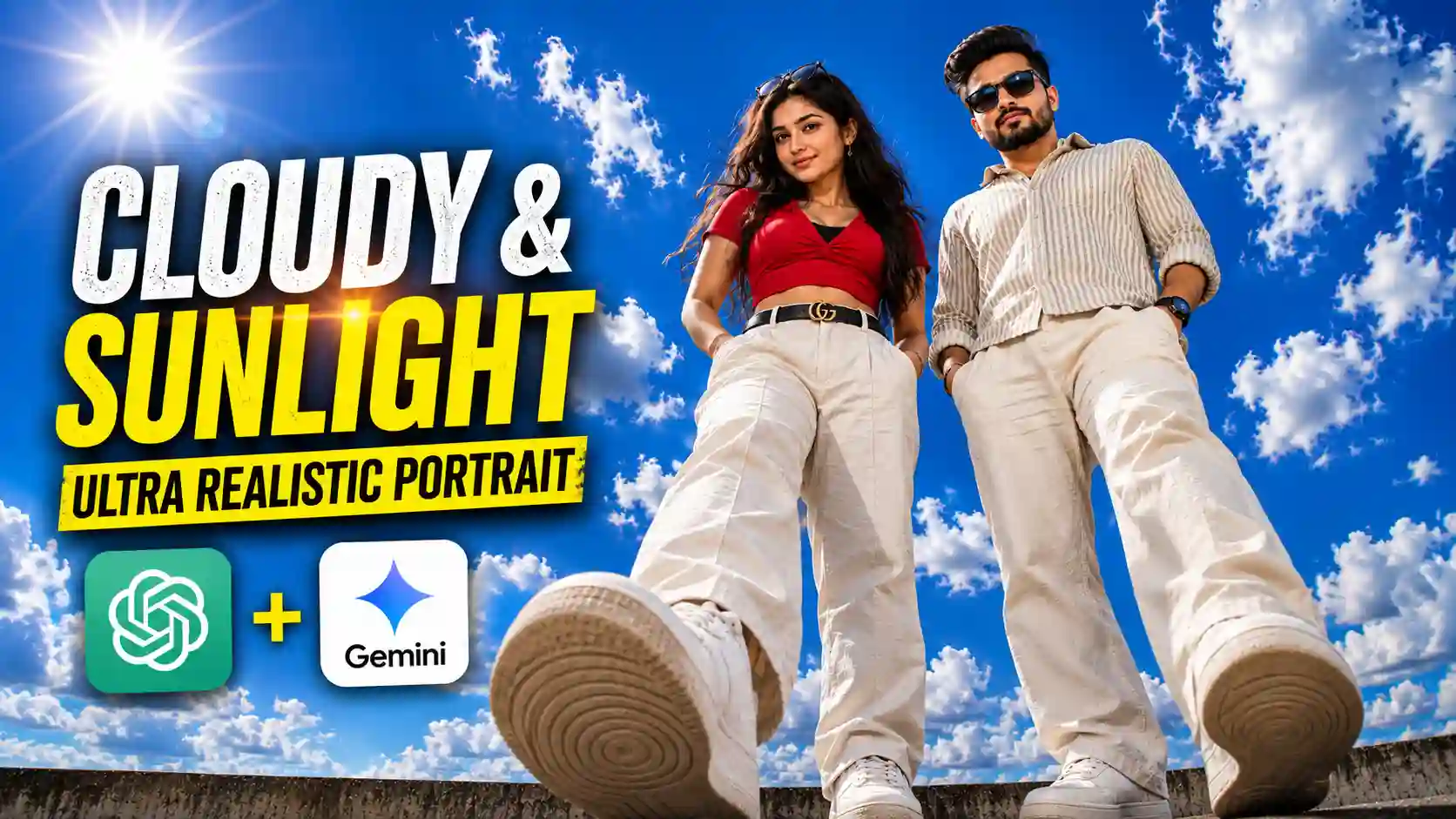
The Cloudy And Sunlight Photo Prompt creates clean, ultra-realistic portraits with a beautiful combination of fluffy white clouds, bright midday sunlight, and a soft natural lens flare. The result is a premium cinematic daytime look that feels simple, bright, and visually striking.
In this article, you’ll find free Cloudy And Sunlight Photo Prompts that you can use with ChatGPT, Google Gemini, and other AI image generators. Simply copy a prompt, upload your reference photo when required, and experiment with the settings to create your own version.
If you enjoy clean and creative portrait styles, you may also like our Aesthetic Boat Photo Editing Prompts.
Cloudy And Sunlight Photo Prompt
If you look closely at this style of photo, its appeal comes from the clean and natural composition—no busy background and no unnecessary clutter, just the subject, sky, clouds, and sunlight. The simplicity makes the portrait especially eye-catching.
The sky fills approximately 80–90% of the frame while the subject remains the main focus. Fluffy clouds add depth, bright sunlight creates warmth, and a slightly low camera angle can give the subject a confident, larger-than-life appearance. Strong background separation and soft natural bokeh add depth while keeping the sky clearly recognizable. If you enjoy cinematic AI photo editing prompts, explore our rainy-day portrait ideas.
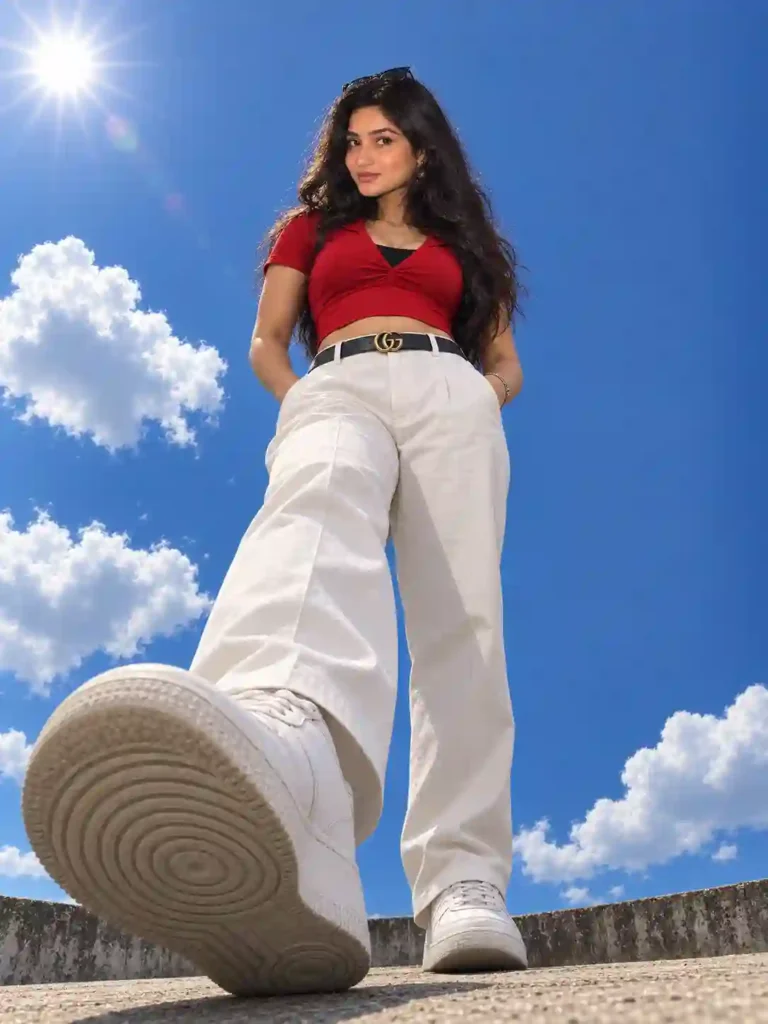
✨Prompt 1
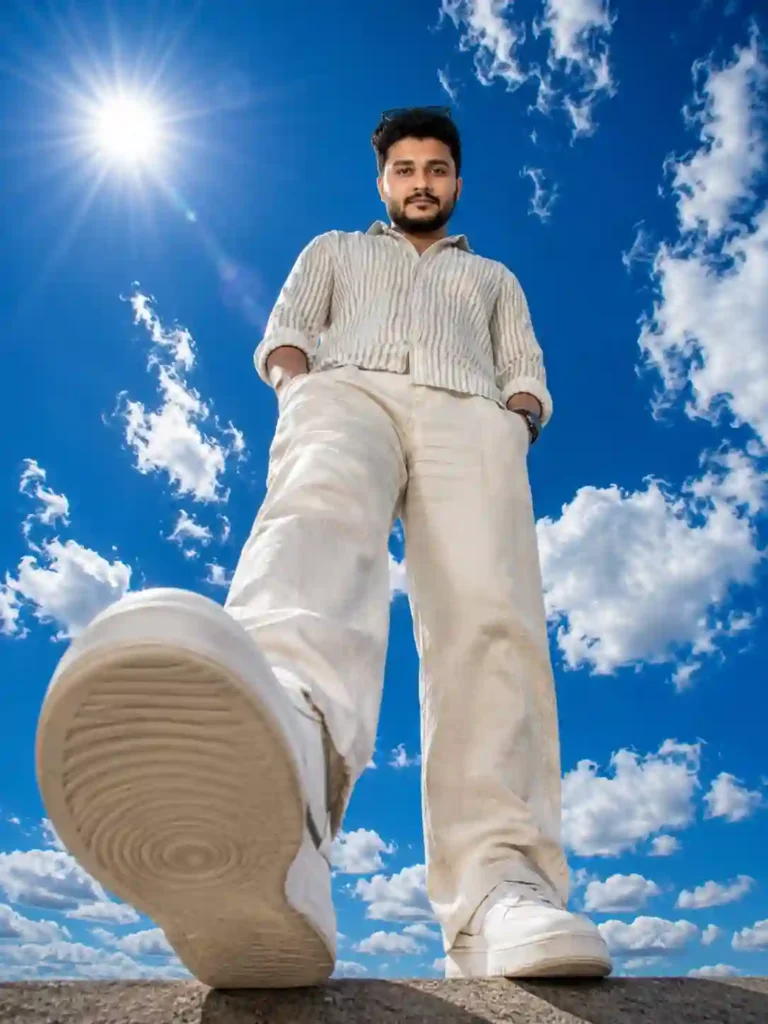
✨Prompt 2
How To Use These Prompts
Creating a Cloudy And Sunlight Photo with ChatGPT or Google Gemini is simple. Open ChatGPT or Gemini, upload your reference photo, and paste one of the prompts from this article.
After submitting the prompt, wait for the image to generate. You can then review the result, make any adjustments to the prompt if needed, and save your finished image.
For the best results, use a clear reference photo with good lighting and make sure the subject’s face is clearly visible.
Learn More: Blue Background Eyes Photo Editing Prompts
Final Thoughts
In this guide, we shared Cloudy And Sunlight Photo Prompts designed to create clean, bright, and cinematic portraits with a natural daytime atmosphere. The combination of soft clouds, sunlight, sky, and realistic depth can give your photos a distinctive premium look.
AI-generated results can vary depending on the reference image and the image-generation model, so you may need to make small adjustments to the prompt to achieve the look you want.
We hope these prompts help you experiment with this creative portrait style. ApnoTak regularly shares new AI photo editing prompts, creative ideas, and practical AI editing workflows, so keep checking back for more.
Frequently Asked Questions
Can I use the prompt on Google Gemini or ChatGPT?
Yes. You can adapt these prompts for Google Gemini, ChatGPT, and other AI image-generation tools that support image creation or photo editing. The exact result may vary depending on the tool and the reference image you use.
Will the AI keep my real face?
A reference image and clear identity-preservation instructions can help maintain recognizable facial features, but AI image generators cannot guarantee a 100% identical face in every result. For better consistency, use a clear, well-lit reference photo and describe the facial features and overall appearance you want to preserve.
Is this style good for Instagram?
Yes. A 3:4 composition works well for Instagram feed posts. If you’re creating an Instagram Story or Reel cover, you can adapt the prompt to a 9:16 vertical composition.
Can I make a sunset version instead of a blue sky?
Yes. You can change the lighting and sky description to create a sunset variation. Replace the bright midday sunlight with warm golden-hour lighting and change the deep-blue sky to soft orange, pink, or golden tones for a warmer cinematic mood.