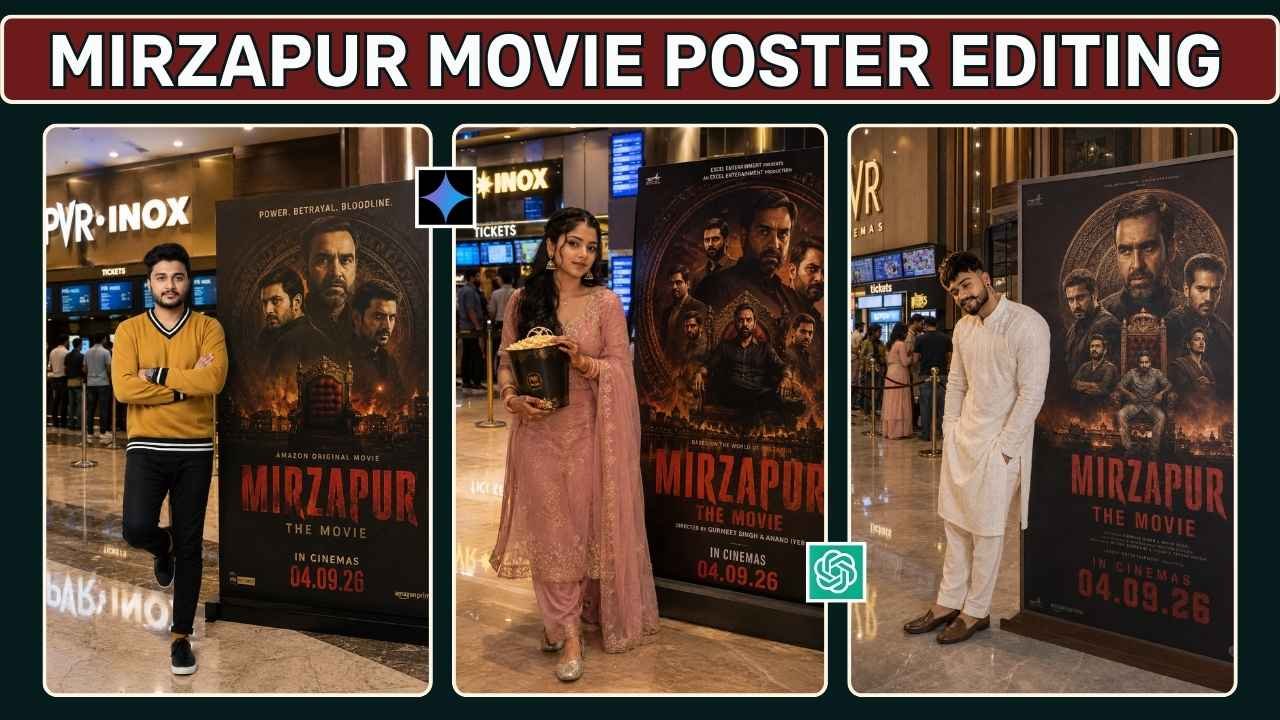
Mirzapur Movie Poster Editing Prompt 2026: Mirzapur movie is set to release on 4th September 2026. In case you are a fan of the show Mirzapur, you must have come across the latest AI photo editing trend on social media. Using their own photographs, people are making movie posters of the show in such a way that it seems like they have reached the movie hall to see it. The most interesting thing about this trend is that you do not need to have any professional skill in photo editing or Photoshop. All you require is a clear image and an AI image editing prompt that would help you get the desired result.
In this article, ApnoTak gives you ready-to-use Mirzapur Movie Poster Editing Prompts for 2026. It also includes a guide on how to make the image using AI. You can use these prompts no matter if you want to create the poster, with a male photo or a female photo. Just change the outfit, pose, background and look as you like. Customize everything to match your style. You can explore our latest creative butterfly-effect AI photo editing ideas.
Mirzapur Movie AI Poster Editing Trend
AI photo editing has made it quite simple for people to get their normal photos converted into a cinematic experience. The latest trend that is inspired by Mirzapur takes this concept one step ahead. Instead of adding your face to a movie poster, with the help of AI photo editing, it becomes possible for you to convert yourself into a whole scene.
This means you could be positioned inside a modern-day movie theater lobby standing next to a huge movie poster. Further elements such as movie theater lights, ticket counters, screen, floor and reflections along with people in the background would add a lot more reality to your image. This is why this type of AI photo edit is becoming popular on Instagram posts, WhatsApp status, Facebook posts, etc. If you enjoy cinematic AI photo editing prompts, explore our rainy-day portrait ideas.
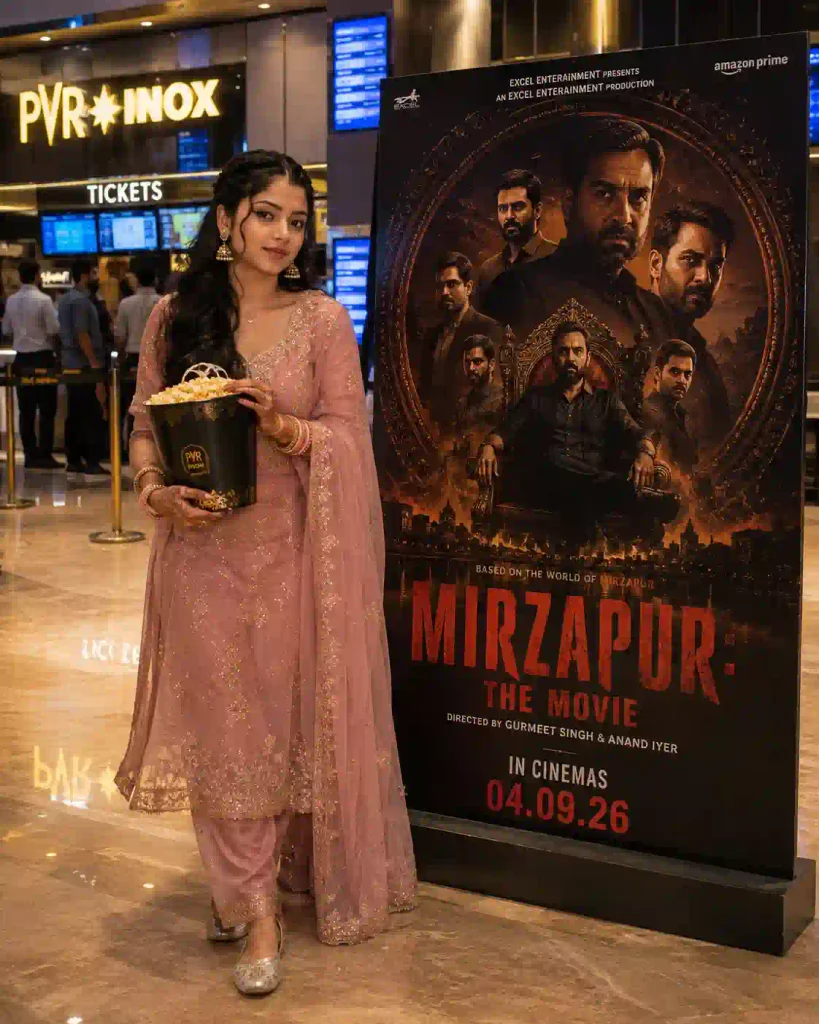
Mirzapur Movie Poster Editing Prompt for Girls
If you’re using a female photograph, copy the prompt below and use it with your uploaded image.
✨ AI Prompt
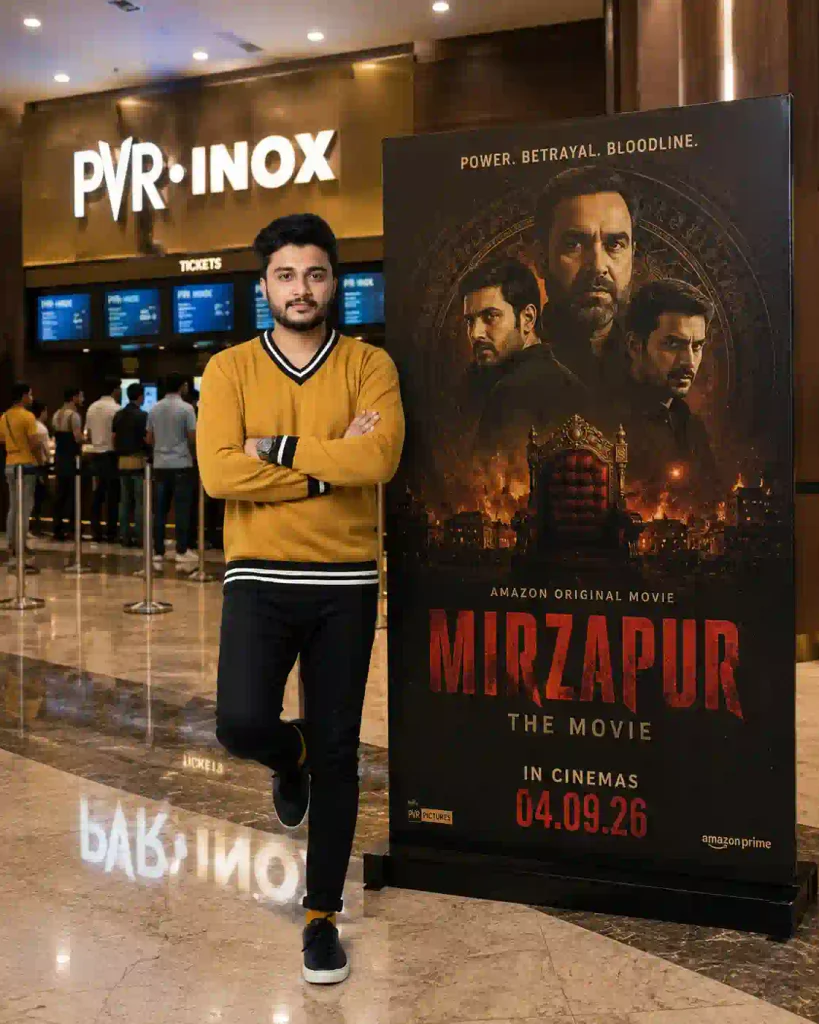
Mirzapur Movie Poster Prompt for Boys
For a male reference photograph, you can use the following version.
✨ AI Prompt
How to Create a Mirzapur Movie Poster With AI
Now that you have the prompt, let’s look at the actual process.
Step 1: Choose Your Best Photo
Select a clear photograph where your face is easy to recognize. Avoid using a heavily blurred, extremely dark, or highly filtered image. If you want a full-body result, choose a photograph where your body and clothing are clearly visible.
Step 2: Open an AI Image Editor
Open an AI image-generation or editing platform that supports reference-image uploads.
You can use ChatGPT to try this type of AI editing.
Step 3: Upload Your Photograph
Upload the photograph you want to use as the reference. The original background doesn’t need to be perfect because the AI will create a new environment based on your prompt.
Step 4: Copy the Prompt
Choose the appropriate prompt from this article. If you’re using a female photograph, use the girls’ prompt. For a male photograph, use the boys’ prompt. Paste the prompt along with your uploaded image.
Step 5: Generate the Image
Submit your instructions and wait for the AI to create the image. The final result can vary depending on the quality of your reference photo, the AI model, and how it interprets the prompt.
Step 6: Review the Result
Before sharing the image, take a close look at the important details. You can check the details like:
- Does the face look natural?
- Is the person recognizable?
- Are the hands and fingers correct?
- Is the clothing realistic?
- Are the feet visible?
- Does the cinema background look natural?
- Are the poster and text readable?
- Do the lighting and shadows match?
If something looks wrong, ask the AI to correct that specific problem.
You can also try out our Aesthetic Profile Picture DP Editing Prompts.
How to Fix Incorrect Poster Text
AI-generated text can sometimes be misspelled or distorted. If the title isn’t correct, try:
Keep the entire image unchanged and correct only the movie poster typography. Make the title clearly readable as “MIRZAPUR: THE MOVIE” and keep the release information clean and properly aligned.
If the AI still struggles with the text, you can generate the image without typography and add the final text manually using your preferred editing application. For social-media graphics, this is often the easiest way to get perfectly readable text.
More Mirzapur AI Photo Editing Ideas
Once you’ve created the basic cinema-lobby image, you can experiment with other concepts.
- Cinema Entrance Poster: Create a scene where you are standing outside a cinema entrance with a large Mirzapur movie poster behind you.
- Ticket Counter Scene: Place yourself near the ticket counter holding a cinema ticket, with the movie poster visible in the background.
- Popcorn Scene: Create a casual movie-night photograph with popcorn in your hand and the promotional poster beside you.
- Friends Movie Night: Use multiple reference photographs to create a realistic group scene of friends arriving at the cinema together.
- Cinematic Portrait: Instead of a cinema lobby, create a dramatic close-up portrait with a dark crime-thriller atmosphere inspired by the visual mood of the franchise.
Looking for festival-themed AI photo editing idea? Try our 9 Raksha Bandhan AI Photo Editing Prompts.
Mirzapur Movie Poster Editing Prompt 2026: FAQs
Can I create a Mirzapur poster using my own photo?
Yes. If your AI image-editing tool supports reference-image editing, you can upload your photograph and describe the scene you want to create.
Can girls use the Mirzapur poster prompt?
Yes. The concept can be adapted for both male and female reference photographs. The female-specific prompt above is designed for that purpose.
What is the best aspect ratio for this poster?
The prompts in this article use a 4:5 vertical ratio, which is suitable for many Instagram and Facebook posts. You can request 9:16 if you want to use the image as a WhatsApp Status or Instagram Story.
Can I change the clothes and background?
Yes. You can modify the prompt to request different outfits, poses, cinema interiors, lighting, or backgrounds while keeping the main identity instructions.
Which photo should I use?
Use a clear, reasonably high-resolution photograph with your face visible. For a full-body composition, a full-body reference image can be helpful.
Why doesn’t the generated face look exactly like me?
AI-generated images may alter facial details while creating a new scene. Use a better reference photograph and explicitly ask the AI to preserve your facial identity.
Why does AI make mistakes in text?
Image-generation models can sometimes struggle with accurate typography. If the title is incorrect, ask for a text correction or add the typography separately after generating the image.
Conclusion
The Mirzapur Movie Poster Editing Prompt 2026 is a great opportunity for experiment with the capabilities of AI in photo editing and designing a movie poster-like social-media post using your personal photograph. This does not require any design skills. Take a reference image, pick up one of the prompts listed above, and let the AI do the rest.
If you design your own movie poster-style AI image inspired by Mirzapur, share it with your friends or post on your social media profiles. Which of the two options would you choose: cinema-lobby poster or cinematic portrait? let me know on the comments below or you can also share the story with us on Instagram as well.
Note: Movie titles, character names, logos, and promotional artwork mentioned in this article belong to their respective rights holders. This article is intended as a guide for personal and creative AI photo-editing experiments.