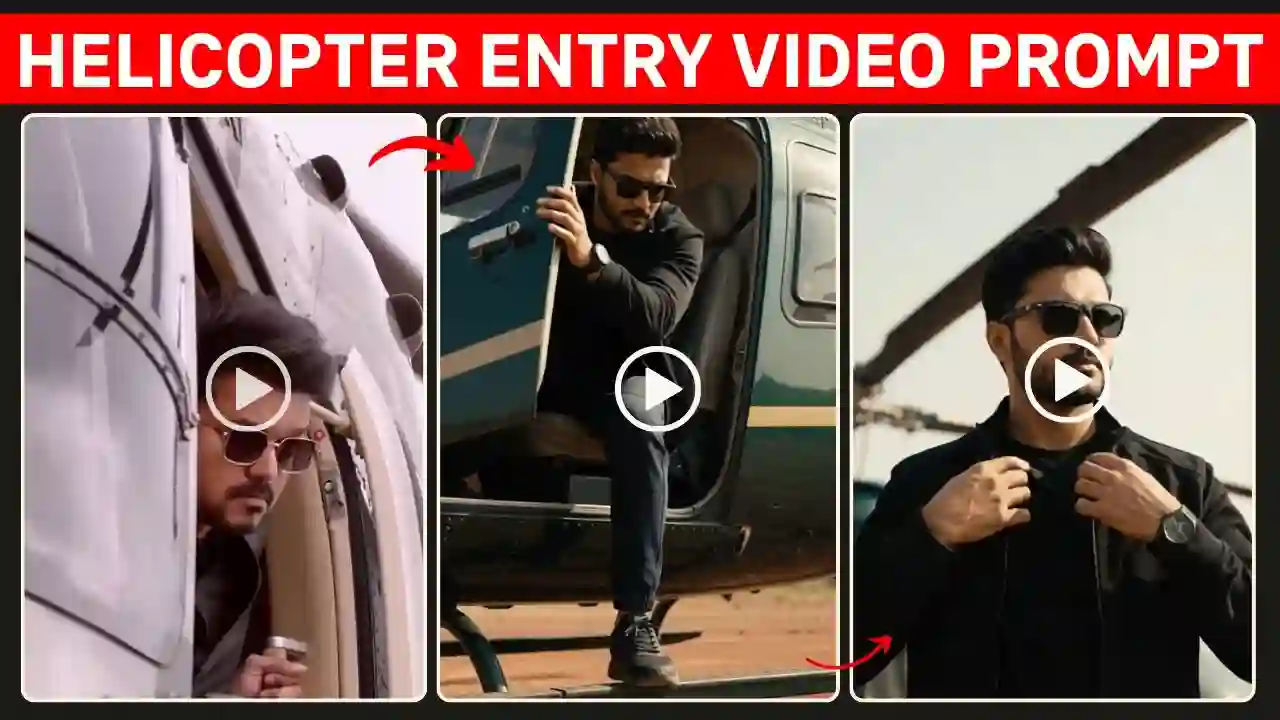
Thalapathy Vijay Helicopter Entry AI Video Prompt – Thalapathy Vijay Helicopter Entry is high energy cinematic hero-entry scene, which is increasingly popular on social media. This is a popular concept for creators because it can recreate using AI within few seconds. You just need to have a right prompt & a reference photo. This concept combines a dramatic helicopter entry, slow motion shots, high contrast and dramatic lighting, epic and cinematic camera angles and a big South Indian movie like feel to it.
You can convert your normal photo into a cinematic action sequence using Thalapathy Vijay Helicopter Entry AI Video Prompt and a modern AI video generator tools. You need to explain proper details on the prompts from helicopter landing, tcharacter’s movements, camera angles, dust effects, lighting, background to cinematic mood as well. Creating a helicopter entry video of Thalapathy Vijay style is all about presenting the video in a cinematic manner while maintaining the identity and look of the person in the video. In this article, you will not only get a ready made prompt to create Thalapathy Vijay Helicopter Entry video style scenes but also get step by step tutorials with the AI editing process. You can also explore our Parvati AI Video Editing Prompt.
What Is a Thalapathy Vijay Helicopter Entry AI Video?
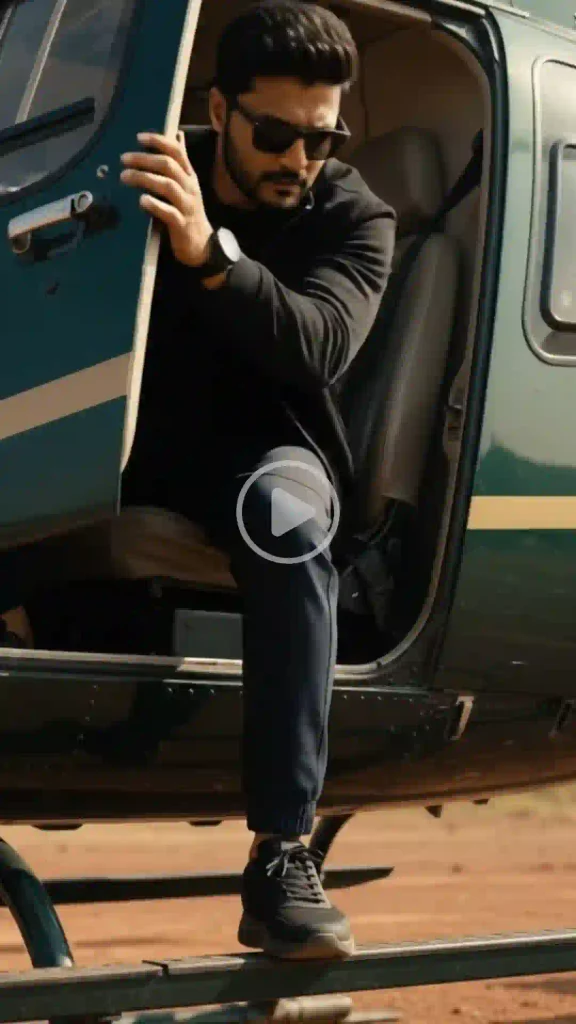
A Thalapathy Vijay Helicopter Entry AI Video is a hero entry video inspired by an Indian action movie. This video show hero arrive at a powerful location in a helicopter and after he has landed and the wind and dust from the helicopter’s arrival has settled down, the hero walks confidently towards the camera and the scene is shot in slow motion tracking shots.
This final video can include a cinematic helicopter arrival, a dramatic and slow-motion landing sequence followed by slow-motion walking of hero, powerful hero-entry, realistic dust and wind, rich movie-style lighting, dynamic and powerful camera movements within a high-detail environment with realistic clothing movements. The goal of this video to create an energetic visual rather than simply showing a helicopter landing. Explore our 1980s Reel Editing VN Code Template.
Thalapathy Vijay Helicopter Entry AI Video Prompt
Thalapathy Vijay Helicopter Entry AI Video Prompt consist of total 17 Scene. Each scene are very significant. This prompt also features a section for reference photo identity preservation, also have outfit, location, format and watermark section.
✨ AI Prompt
How to Create the Thalapathy Vijay Helicopter Entry AI Video (Step-by-Step Guide)
Creating your Thalapathy Vijay Helicopter Entry AI Video is quick and easy. Just follow these simple steps:
- Copy the Prompt: Click the Copy button to copy the complete video prompt to your clipboard.
- Open the AI Video Generator: Open any AI video generator. Here, I use Flow AI for video generation. Because it’s an easy tool, and we also get some free credit. So video generation is completely free.
- Sign-UP & Create a New Project: Sign up and click on New Project.
- Upload Your Images: Upload clear, high-quality reference images of yourself. For the best results, use front-facing photos with good lighting conditions.
- Paste the AI Prompt: Now paste the copied prompt into the prompt box, select a video resolution ratio like 16:9 and the Omni Flash Model, and also select the Frame option on Flow AI.
- Generate the Video: Now click on Generate to generate the AI video.
- Download and Share: Once the video is generated, download it in the highest available quality and share it on Instagram, Facebook, WhatsApp, or any social media platform.
Cinematic Helicopter Landing Scene
The helicopter landing is probably the most critical part of this AI video concept. Don’t limit the prompt to just “a helicopter landing”. Add environmental details, and the AI will hopefully render a believable sequence. In addition to the rotor blades, consider the wind, the dust, the shadows, the atmospheric particles, and the interaction with the ground.
Create a cinematic landing by first having the helicopter approach from the background. As it lands, slowly raise the camera to peak through it before bringing the character into focus. Let the dust naturally spread from the landing area, when the helicopter reaches the ground. The The character should not immediately appear, he step out with confidently walking make it more cinematic entry feeling. Learn More: Motu Patlu Hanging Funny Ai Video Prompt
Add Realistic Helicopter Effects
A compelling helicopter scene is more than the helicopter itself. Include the effects of the rotor wind (e.g. dust spreading out from the helicopter), people’s clothing moving in the wash, haze and atmosphere, strong shadows and reflections in the scene. Loose clothing can react to the wind. Small atmospheric particles can become visible against the backlight. These details help create a more connected relationship between the helicopter and the surrounding environment.
Tips for Better AI Video Results
For the best possible result, keep the prompt focused on one continuous action. As an example, the sequence for a shot of a helicopter arriving at a location, followed by the helicopter landing and the character who arrived to be picked up by it exiting, followed by the character who was picked up by it walking to somewhere else and the shot being a close-up of them, would be easier to understand than a prompt containing several different locations and actions.
It is important to use a high-quality reference image, describe the camera movement clearly and repeat the identity-preservation requirement for facial consistency. It is also useful to generate multiple versions. AI video generation can produce different interpretations of the same prompt, so selecting the strongest take can produce a better final Reel or Short.
Thalapathy Vijay Helicopter Entry AI Video Prompt: FAQs
What is the Thalapathy Vijay Helicopter Entry AI Video Prompt?
A cinematic prompt to generate a video using AI. A helicopter arrival and a hero-entry are portrayed in the style of action movies of Indian cinema.
Can we use our own photo?
Yes, a compatible AI image-to-video tool can be used to generate a video from a reference photograph.
How can we keep the face consistent?
Please use a reference image and include in the prompt the following important aspects to preserve exactly: facial identity, face shape, hairstyle, skin tone. Avoid adding superfluous changes.
For a realistic helicopter landing scene, you would then add in some
Can the helicopter landing look realistic?
To get a realistic Rotor movement, also wind, dust, shadows etc. on environment interaction, you need to detail your prompt to the AI video generator capabilities.
Can we add music to the video?
Yes. The music can be added in the post-production. This music has to be used with permission especially when you are publishing your video commercially.
Final Thoughts
This Thalapathy Vijay Helicopter Entry AI Video Prompt is best experienced as a short cinematic scene rather than a single visual effect.. Reference images of high quality, consistent identity, realistic movement of the helicopter, controlled camera movement and detailed environmental effects create the most convincing scenes.
This sequence can be used for a powerful vertical Reel or Short. The structure can be made very easily as follow: helicopter arrival, dramatic landing, character exit from the scene, slow-motion walk and cinematic close-up. Keeping all elements of the sequence visually connected will help making the finished AI video look more polished and cinematic. Apnotak.com always try to introduce you with the latest trending prompts and new AI trends, so stay tuned for the latest updates.