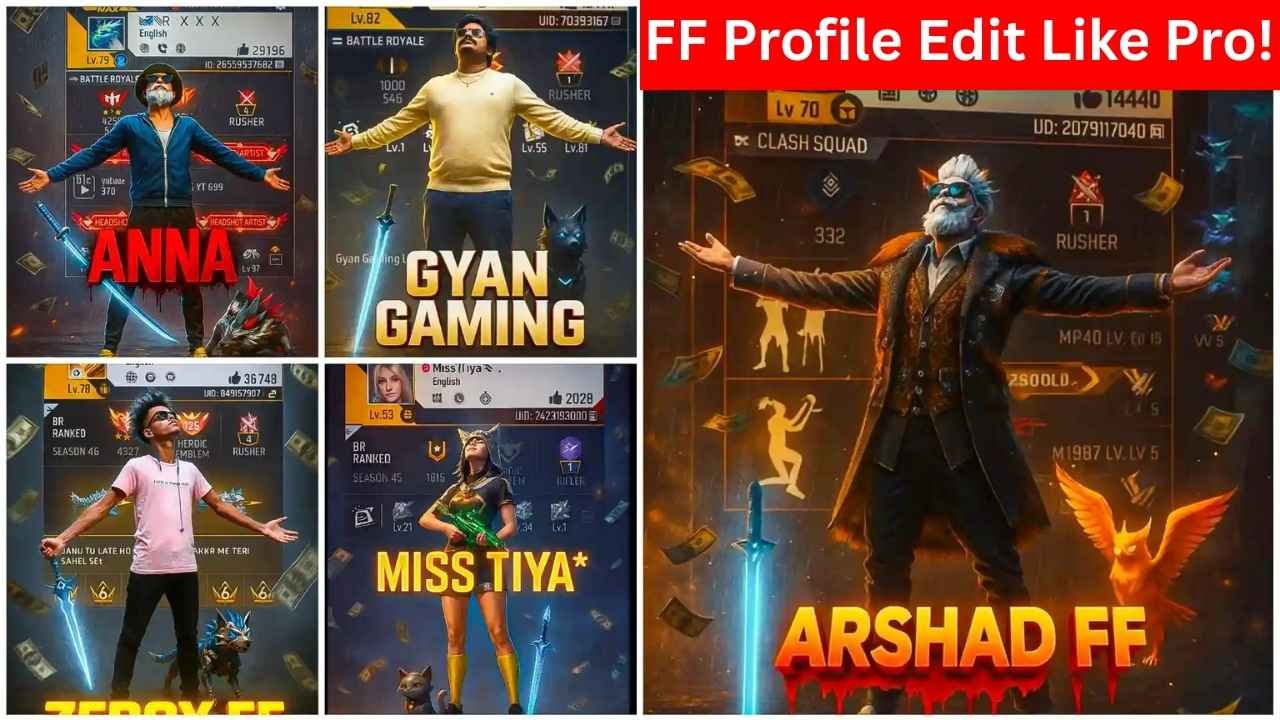
The viral trend of using ChatGPT to create cinematic Free Fire profile photo editing is trending on Instagram and the gaming communities. With just a screenshot of your Free Fire profile and a powerful prompt, anyone can make epic visuals that stand out.
In this guide, I’ll explain to you each step, from capturing your profile to generating a cinematic Free Fire profile photo, complete with copy‑and‑paste prompts, tips, and a link to our collection of Viral ChatGPT Prompts.
How to Create a Viral ChatGPT Free Fire Profile photo Edit: Step‑by‑Step
Step 1: Capture your profile screenshot – Make sure your Free Fire profile screenshot clearly shows all stats, badges, icons, and character, without any blur or overlap.
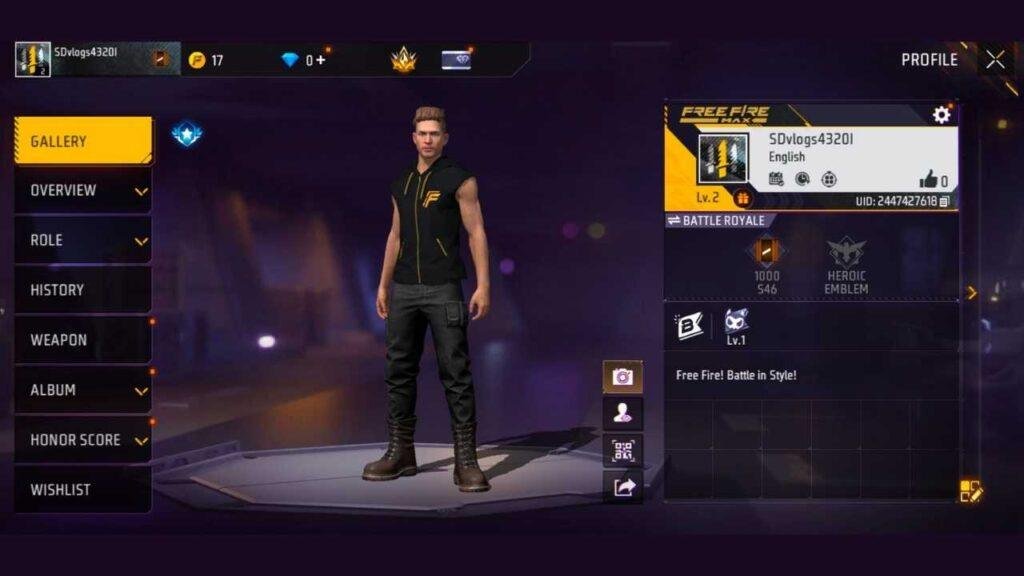
Step 2: Open ChatGPT – You can open ChatGPT from your mobile phone or pc.
Step 3: Upload your images – Include both the profile screenshot and character image for best results.
Step 4: Paste your prompt – Use one of these ready‑to‑use prompts given below.
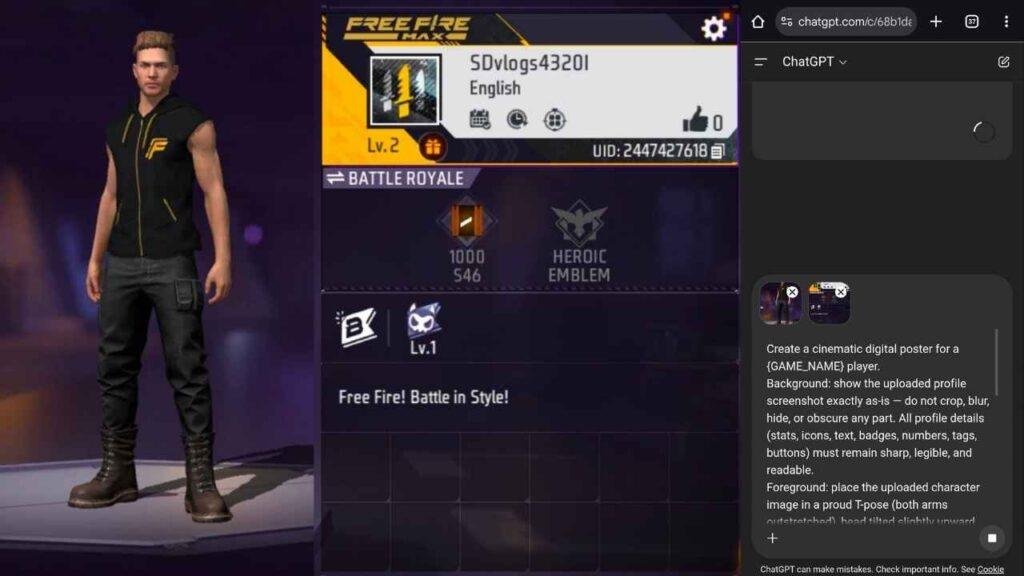
Step 5: Generate, review, and refine – Ensure replace your name with your gaming name.
Step 6: Download your edit – Save the image once it looks epic and share on your social media platforms.
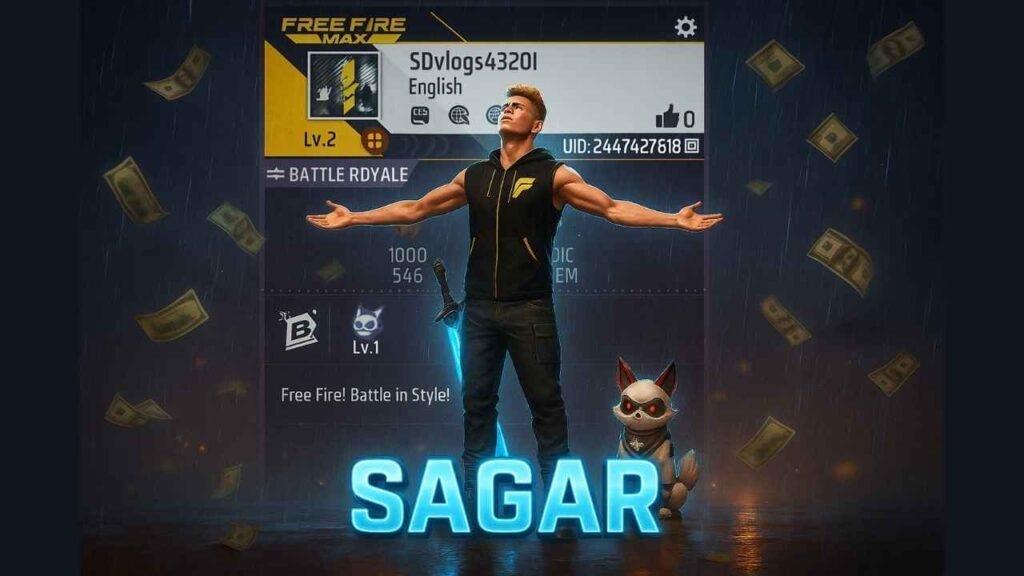
ChatGPT Free Fire Profile photo Edit Prompts
Prompt 1 — Cinematic Poster
Create a cinematic digital poster for a
{GAME_NAME}player.
Background: show the uploaded profile screenshot exactly as-is — do not crop, blur, hide, or obscure any part. All profile details (stats, icons, text, badges, numbers, tags, buttons) must remain sharp, legible, and readable.
Foreground: place the uploaded character image in a proud T-pose (both arms outstretched), head tilted slightly upward facing the sky with a heroic, thankful expression. Position the character so it never visually overlaps or hides profile details. Use a thin rim light or soft separation glow so the character and background stay clearly distinct.
Extras: add a glowing blue sword at the character’s side and the player’s pet standing nearby. Add dramatic rain, animated flying money, a soft cinematic glow, and delicate soft shadows for depth. Use contrast and layered lighting (rim light on the character, gentle vignette on the poster edges) to ensure clarity.
Text: center bold, glowing 3D gaming text:"YOUR NAME"in{COLOR}. Make the text large, readable, and slightly raised above the scene so it doesn’t block important profile items.
Output: high resolution (4K recommended), square (1:1) and widescreen (16:9) exports.
Prompt 2 — Character-Focused Hero Poster
Create a dramatic hero poster where both the profile and character are equally readable.
Background: place the uploaded profile screenshot fully visible — keep every UI detail (stats, icons, badges, tags, buttons) crisp and legible. No blur, no masking.
Foreground: put the uploaded character in T-pose, head tilted slightly upward toward the sky with a thankful, heroic expression. Keep the character offset so it does not overlap any important on-screen text or icons. Use subtle edge separation (thin glow or outline).
Extras: glowing blue sword at the side, pet standing close. Add cinematic rain, floating money, volumetric light beams, and soft shadows to add depth without hiding UI elements.
Text: center bold, glowing 3D gaming text:"Your Name"with a stylized black-to-red bleeding gradient and decorative drips (non-gory). Ensure the text does not obscure profile details.
Output: deliver layered file (PSD or layered PNG) so text, character and background remain editable.
Also Learn: WhatsApp Meta AI Photo Editing Prompts
Prompt 3 — Heroic Neon Victory Poster
Create a high-energy neon victory poster for
{GAME_NAME}.
Background: place the uploaded profile screenshot intact and readable — no blur, no cropping, no hidden UI; all badges and stats must be fully visible. Add a faint holographic scan overlay over the edges only so the central UI stays readable.
Foreground: place the uploaded character in a triumphant T-pose on a slightly turned pedestal, head tilted upward, eyes toward the sky, expression proud and grateful. Keep a clean margin so the character does not cover any profile text. Add a glowing blue sword slung on the side and the pet perched on the pedestal.
Extras: neon rim lights (magenta + cyan), dynamic rain streaks, confetti and flying currency, subtle motion blur trails behind the arms for action, and a soft shadow anchor under the pedestal. Add a small, clear rank badge in the top-left corner that matches the game UI.
Text & Effects: place bold, layered 3D text"YOUR NAME"in{COLOR}with a reflective neon chrome finish. Add a faint animated glow and a thin drop shadow. Keep text on a semi-transparent bar so it never obscures profile details.
Output: provide two files — a high-res poster (4K) and a thumbnail-ready 1080×1080 export with optimized contrast for small screens.
Tips for Best Free Fire Profile Photo Edit Results
- Clarity is key: Ensure both profile and character images are clear. Adjust lighting or contrast in the prompt if things overlap.
- Prompt precisely: For more details and better results, change elements like “T‑pose,” “glow,” “raindrops,” “flying money” according to your preference.
- Use square (1:1) for profile pics (1080×1080 px recommended).
Conclusion
This ChatGPT-driven cinematic edit is not just a trend; it’s a powerful means to take your gaming life to the next level without the need for heavy editing skills. Screenshot, upload, paste a prompt, and download. Give it a try, share it, and see your profile go viral.
Learn More: ChatGPT vs Claude vs Gemini: Which AI Chatbot is Best for Small Business Owners?