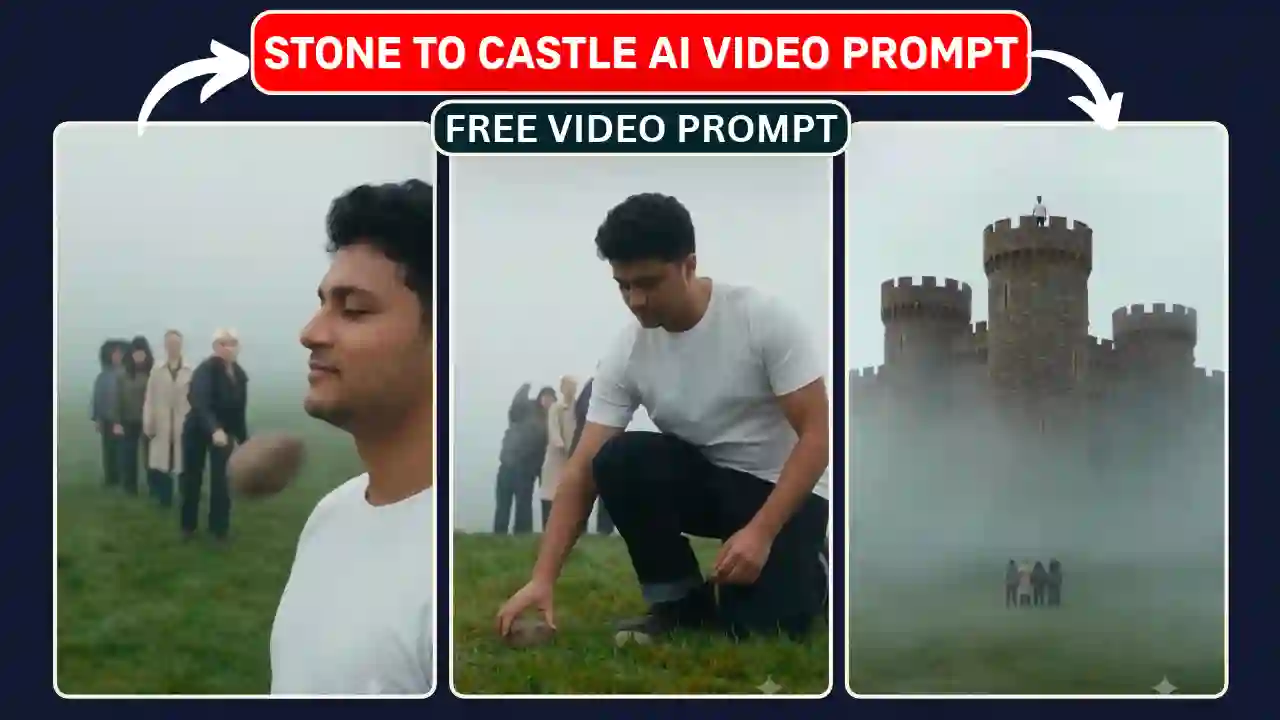
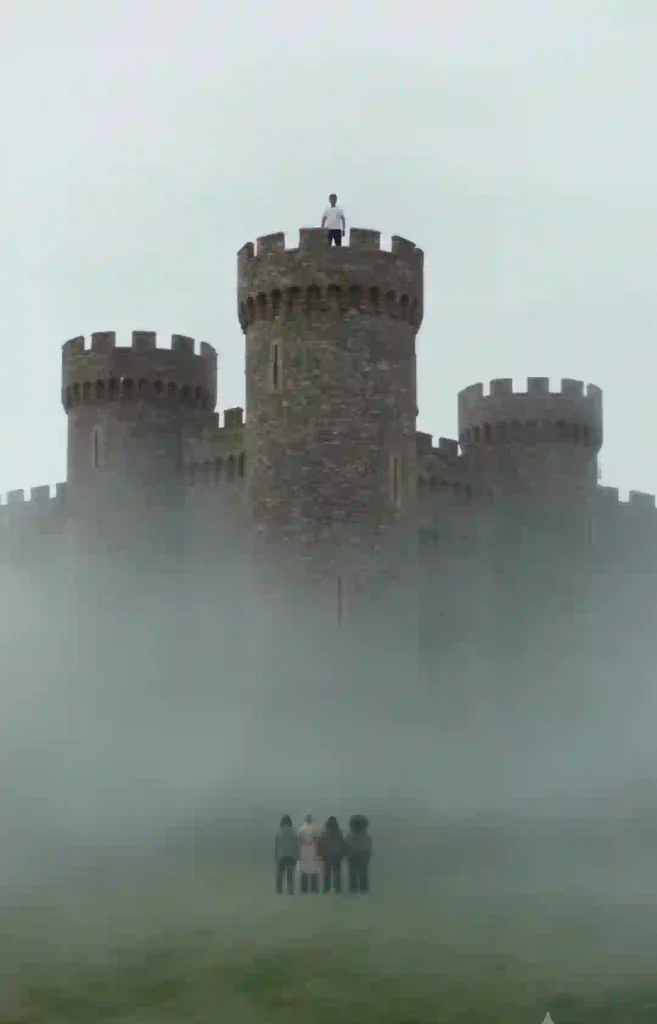
The Stone to Castle AI Video Prompt 2026 is an innovative idea for making creative AI video in which a normal collection of stones gets turned into a beautiful Castle. Using modern AI technology for creating AI video, we can make an awesome visual effect where a man gathers stones, lays them on the ground, makes a big stone wall and then proudly stands on top of a castle made up of stones along with misty mountain surroundings.
The amazing feature of this creative trend is that everything happens through a 10-second video in which a person remains the same throughout all scenes. In this guide, we will learn about the trending Stone to Castle AI video concept and see how to create such AI videos, learn AI video prompts along with instructions to get better results with the help of references.
In this guide, we will learn about the trending Stone to Castle AI video concept and see how to create such AI videos, learn AI video prompts along with instructions to get better results with the help of references. You can also explore our Meri Nas Nas Me AI Video Editing Prompt.
What Is the Stone to Castle AI Video Trend?
The Stone to Castle AI video trend make an innovative idea of editing video, where stones are collected and built into a Castle. The video start with stone pelting to a person but he or she collect the stone.
At the next stage, the person arranges stones into a row that forms a path. It gets even more impressive when the scattered rocks become a high round stone wall. In all the cinematic shots, the building gets bigger. Eventually, the towers, gates, and walls appear, and the end product will be the majestic castle standing above the foggy mist.
This is the picture that one can get from a fantasy movie, but the entire scene can actually be generated using the AI video generation technology. What makes this concept unique is the reality of human identity, costumes, the cinematic plot, and the architectural change. You can also explore about How to Create Long AI Story Videos.
Viral Stone to Castle AI Video Prompt
For making stone to castle AI video, two important reference files are required:
- Reference Video (@video1): This will provide us the initial choreography, camera angles, composition, timing, and scene transitions.
- Reference Image (@image1): This will provide us the identity of the person appearing in the final generated video.
The reference video should control the entire story, while the reference image should maintain the look of the main character.
The following prompt is designed for AI video tools that support video references, image references and identity-preserving video generation.
✨ AI Prompt
How to Create a Stone to Castle AI Video Using Your Photo
Generating such videos will require a proper AI video-generation platform that can perform video generation based on references. We need to make sure we have prepared our references files carefully.
Step 1: Open Google Flow: Use your browser to access Google Flow. Login using your Google account.
Step 2: Initiate a New Project: Create a new project in the workspace. Choose the video generation workflow in case it is available.
Step 3: Upload Reference Images: First, upload the muted Stone to Castle reference video. After that, upload your own photograph as an image reference.
Step 4: Choose Dimensions for the Video: Choose the 9:16 aspect ratio. The duration of the reference video should be used for the generation process.
Step 5: Copy & Paste the Prompt for Stone to Castle: Copy the prompt provided above and paste it into the Google Flow prompt box.
Step 6: Generate AI Video: Click on the Generate button and wait until the video is generated.
Step 7: Download Your Video: Review the generated video. In case your face is not looking the same, try uploading another photograph.
Google Flow best Settings for Viral Stone to Castle AI Reels
A visually attractive result depends on more than writing a long prompt. Reference quality, scene clarity and generation settings also play important roles. Here are some useful setting for improving the final video on Google Flow.
| Video duration | 10 second |
| Aspect ratio | 9:16 for Reels and Shorts |
| Visual quality | 720p or 1080p or Highest available |
| Mode | Ingredients |
| Model | Omni 1.1 flash |
| Number of outputs | x1 |
Conclusion
Viral Stone to Castle AI Video Prompt help us to create a unique fantasy movie clip with artificial intelligence technology. Using Google Flow, you will be able to make a cinematic stone to castle AI video with your photo.
You just need to go though the tutorial, copy the Stone to Castle AI Video Prompt for free and create your personalized AI video. After that, just add the appropriate background music using any video editing app and upload it to Instagram Reels. Give Stone to Castle AI Video a try and make your own cinematic video in minute.
Related AI Video Editing Prompts You May Like
- Sheru Bhai AI Video Editing Prompt
- Funny Snake Video Prompt
- Trending Aura Farming Korean AI Video Editing Prompt
- Zombie Apocalypse AI Video Editing Prompt