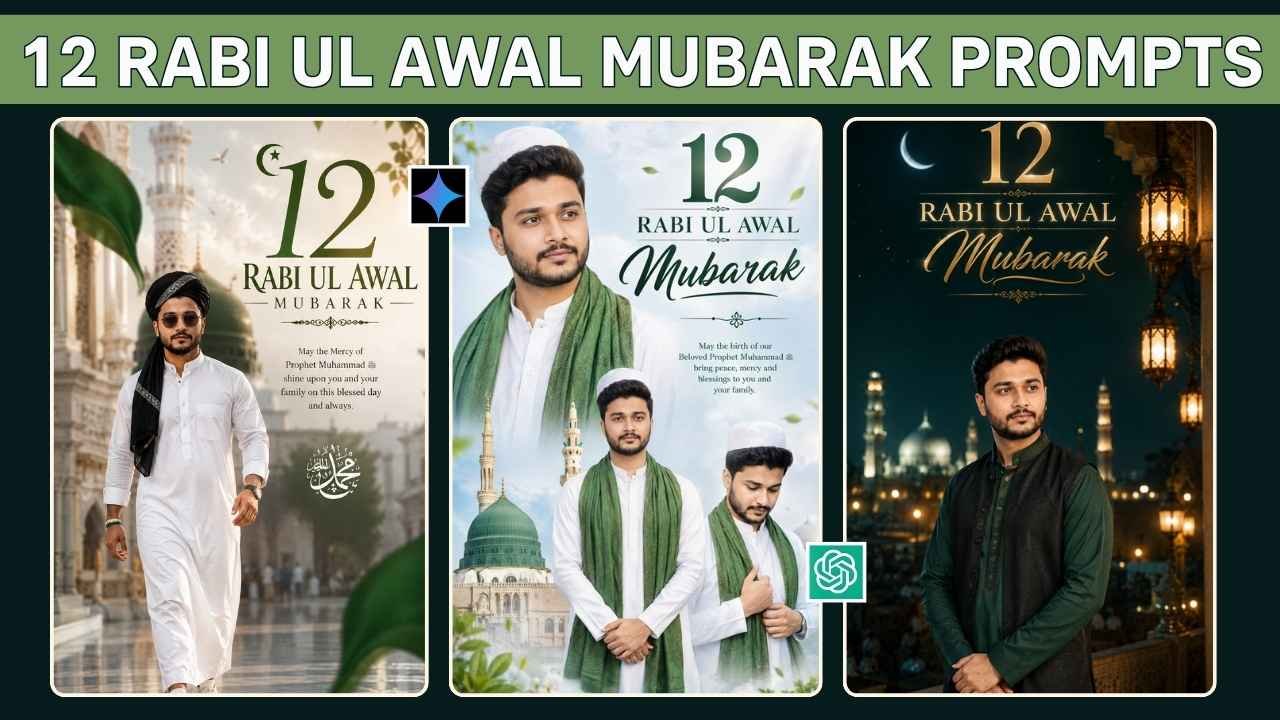
Do you want to create a beautiful 12 Rabi Ul Awal Mubarak photo with AI using your own picture? You don’t need advanced Photoshop skills or hours of editing. With a good-quality photo and the right AI prompt, you can turn a simple portrait into a stylish and meaningful Islamic-themed image in just a few minutes.
Keeping your own photo as the reference, using AI photo editing tools, you can experiment with traditional outfits, peaceful backgrounds, green-and-white color themes, cinematic lighting, and festive poster designs.
In this guide, you’ll find 12 Rabi Ul Awal Mubarak AI photo editing prompts that you can copy and try with your own image. I’ve also included practical tips for choosing a better reference photo, keeping your face recognizable, fixing common AI mistakes, and creating a cleaner final design.
What Is 12 Rabi Ul Awal?
12 Rabi Ul Awal is an important date in the Islamic calendar and is associated by many Muslim communities with the remembrance of the birth of Prophet Muhammad ﷺ. This event is celebrated in various ways depending on the community or region. Some people attend gatherings, share greetings, recite devotional poetry, or spend time learning about the life and teachings of Prophet Muhammad ﷺ.
This occasion is also commonly referred to as Mawlid or Eid Milad-un-Nabi in many communities. Since religious practices and views can differ, AI-generated greeting designs should be kept respectful and appropriate to your own beliefs and traditions. If you’re creating festival-themed images throughout the year, you can also explore our Janmashtami AI photo editing prompts.
12 Rabi Ul Awal Mubarak AI Photo Editing Prompts
Let’s move on to the part everyone is waiting for—the prompt. The idea behind this prompt is simple: upload your portrait, tell the AI to maintain your identity, and describe the outfit, pose, lighting, and overall design you want. Copy the prompt below and use it with your uploaded reference photo:
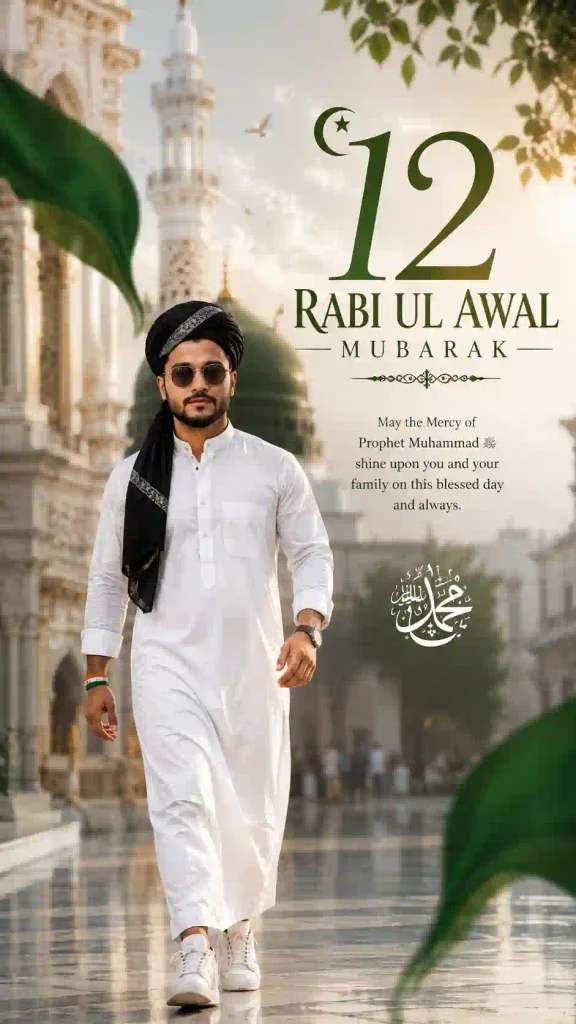
✨Prompt 1 – White Jubbah Islamic Poster
Why This Prompt Works
The useful part of this prompt isn’t simply the word “Islamic.” It tells the AI what needs to change and what should stay consistent.
For example, it gives instructions for the clothing, pose, background, lighting, composition, greeting text, and facial identity. That gives the image generator much more direction than a short instruction such as “create an Islamic poster.” You can still remove or change individual details depending on the style you want. The identity instructions are especially useful when you’re changing the clothing and environment but still want the finished image to resemble your reference photo.
12 Rabi Ul Awal Mubarak Multiple Portrait Prompt
If you want something more eye-catching than a single portrait, try a multi-portrait layout.
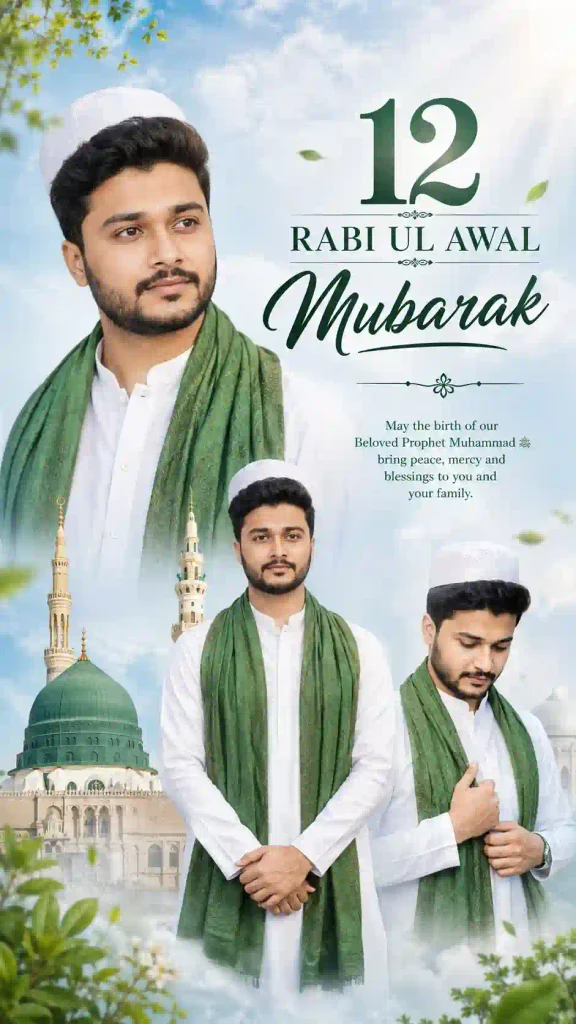
✨Prompt 2 – Stylish Multi-Portrait Design
This style works particularly well when you want your photo to look more like a professional social-media poster rather than a simple portrait.
Premium editorial portrait with a rich green-and-gold atmosphere.
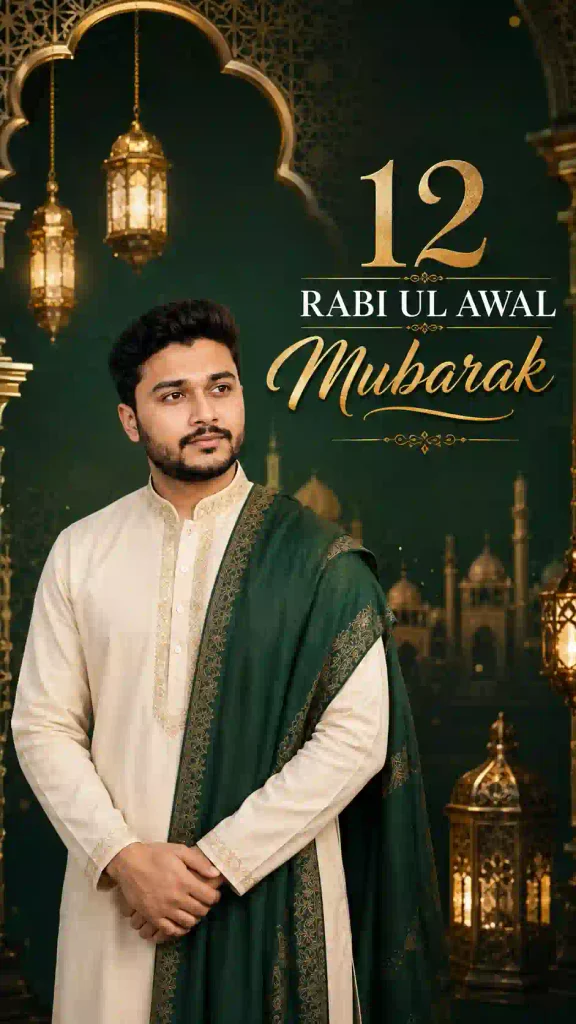
✨Prompt 3 – Green & Gold Luxury Portrait
A calm outdoor portrait with beautiful Islamic architecture rather than a studio background.
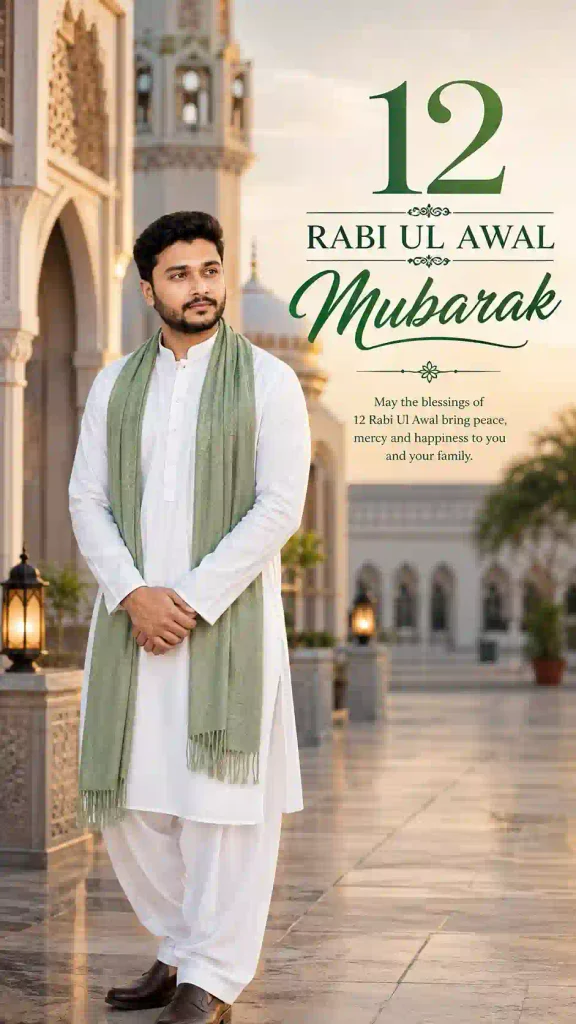
✨Prompt 4 – Mosque Background Portrait
Clean, modern and premium. Almost no decoration.
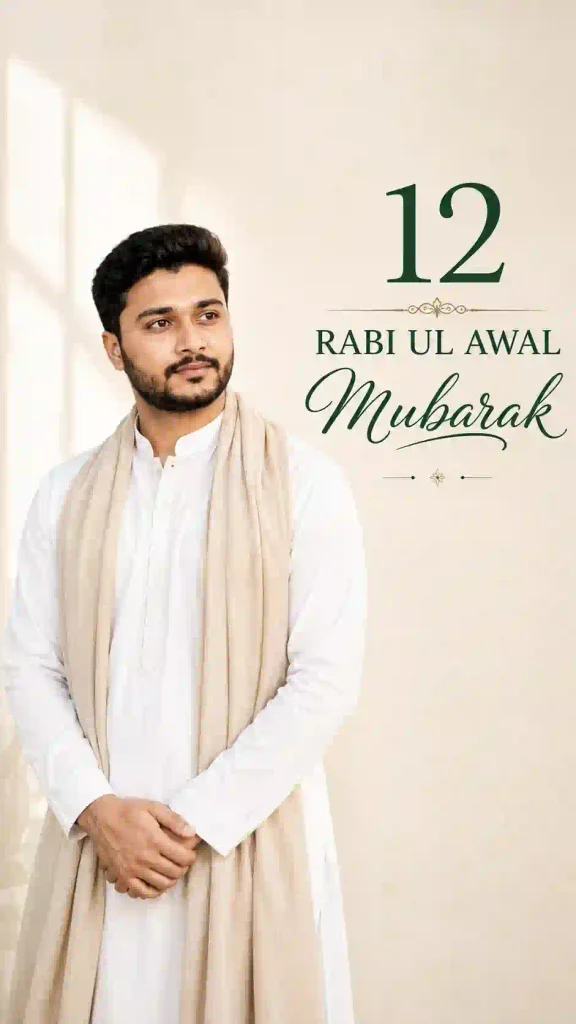
✨Prompt 5 – Minimal Islamic Poster
Dramatic night photography with moonlight and lanterns.
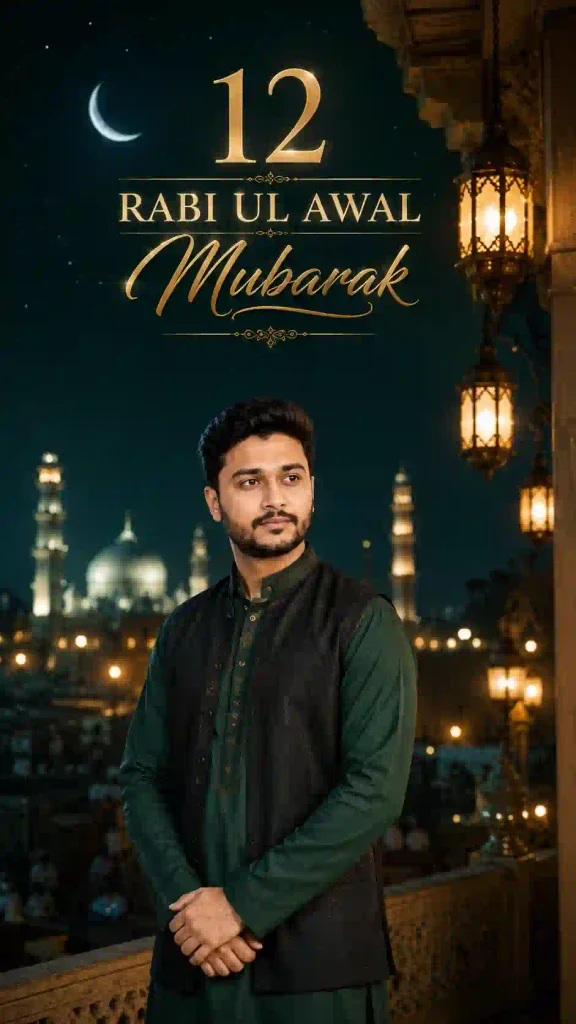
✨Prompt 6 – Cinematic Night Portrait
How to Create a 12 Rabi Ul Awal Mubarak AI Photo
You don’t need to be an expert in AI editing. The basic process is quite straightforward.
Step 1: Choose Your Photo
Start with a clear photo where your face is easy to see. A recent portrait with good lighting usually gives better results.
Step 2: Open an AI Image Editor
Open an AI image-generation or image-editing tool that supports reference-photo editing. For example, you can start with ChatGPT.
Step 3: Upload Your Photo
Upload the photo you want to edit. Try not to use a heavily filtered or blurry picture.
Step 4: Copy the Prompt
Choose one of the prompts above and paste it along with your image.
Step 5: Generate the Image
Let the AI process your request. Depending on the tool, it may take a little time to produce the final result.
Step 6: Check the Details
Don’t immediately save the first result. Look closely at Your face, Eyes and beard, Hands and fingers, Clothing, Shoes, Background, Greeting text and Overall proportions. If something looks wrong, simply ask the AI to fix that particular part. AI-generated images can look convincing at first glance but still contain small errors, so always review the final image before posting it.
Your Reference Photo Matters More Than You Think
A detailed prompt cannot completely compensate for a poor reference image. If the AI has a clear, well-lit photograph to work with, it has more useful visual information when creating the edit. One of the easiest ways to improve an AI photo is to improve the reference image. A good prompt cannot completely compensate for a poor-quality source photo.
For better results, try to use a picture that is:
- Sharp and reasonably high resolution
- Well lit
- Free from excessive filters
- Clearly showing your face
- Not heavily cropped
- Not covered by objects or other people
A front-facing photograph is usually a safe choice, although a slightly angled portrait can also work well.
Don’t Overcomplicate the Design
More details don’t always produce a better AI image. It’s tempting to put everything into one prompt—mosques, moonlight, flowers, lanterns, clouds, lights, calligraphy, multiple portraits, dramatic effects, and more. But more isn’t always better. A simple composition with a good portrait, attractive clothing, soft lighting, and readable 12 Rabi Ul Awal Mubarak text can look much more professional. If you want a premium result, give the main subject enough visual space instead of filling every part of the image with decorations. You can also try our Raksha Bandhan AI Photo Editing Prompts.
Best Color Combinations for 12 Rabi Ul Awal Posters
Green and white are popular choices for Islamic-themed greeting designs, but you’re not limited to those colors. You can experiment with:
- Green + White — traditional and clean
- Green + Gold — richer/premium
- White + Blue — calm and soft
- Dark Green + Black — cinematic
- White + Beige — minimal
The important thing is to keep the overall design balanced and avoid using too many colors at once.
12 Rabi Ul Awal Mubarak AI Photo Editing Prompts 2026: FAQ
Can I use these 12 Rabi Ul Awal AI photo prompts with ChatGPT?
Yes. You can use these prompts with ChatGPT or another AI image tool that supports reference-photo editing.
Can I use these prompts with Google Gemini?
Yes, if the Gemini version you’re using supports the image-generation or image-editing workflow required by the prompt.
How can I keep my face recognizable in an AI photo?
Use a clear reference image and tell the AI to preserve your recognizable facial features, proportions and natural appearance. If the first result changes your face, request a targeted correction.
What should I do if the AI creates incorrect text?
Ask the AI to correct only the greeting text. If it continues to produce errors, generate the image without text and add the wording separately using an image-editing tool.
What image ratio is best for Instagram?
A 9:16 format is useful for Stories and Reels, while other aspect ratios may work better for feed posts.
Final Thoughts
Making a 12 Rabi Ul Awal Mubarak AI photo is not complicated. You just need a reference photo, style you prefer, and sufficient data to convey to the AI model what exactly you wish to get. The most important point is not in the length of your prompt. It should be a combination of a good reference photo, clear instruction, simple composition, and minor corrections.
You can take the prompts provided in this article and modify them according to your preferences. Feel free to change the outfit, colors, background, pose or lighting in the prompts above to create something that feels more personal. Just keep in mind to check the final image carefully, especially the face, hands, clothing and greeting text. I hope these 12 Rabi Ul Awal Mubarak AI Photo Editing Prompts help you create a beautiful and respectful image to share with your friends and family. For more general creative edits, see our AI photo editing prompts collection.