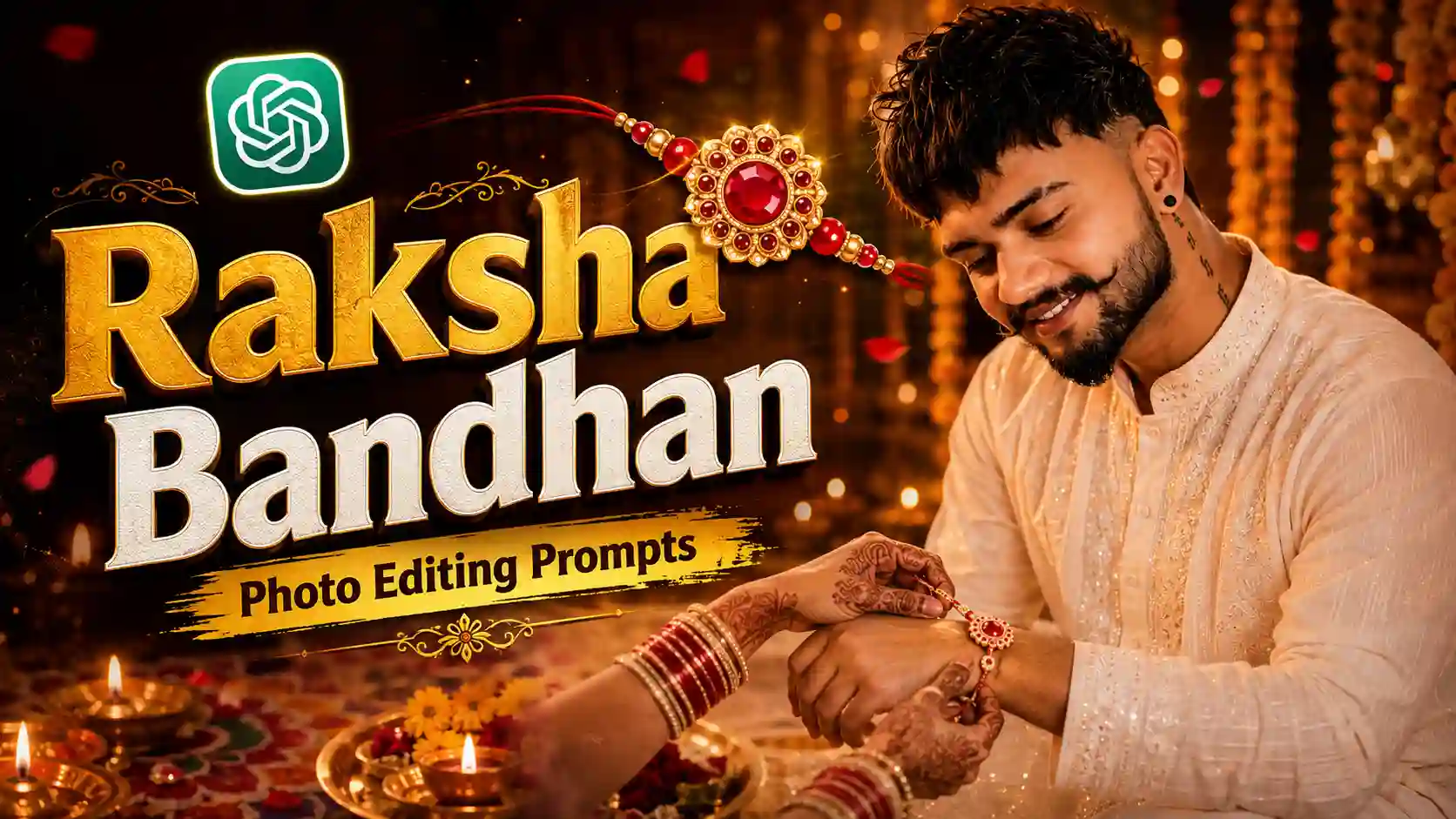
Raksha Bandhan is one of those festivals where a simple family moment can make a memorable photograph. A Rakhi, traditional clothing, a decorated thali and a few warm lights are often enough to create a beautiful festive scene. With AI image-editing tools, you can take an ordinary portrait and turn it into a Raksha Bandhan-themed photo without building the entire composition manually.
In this guide, you’ll find 9 Raksha Bandhan AI photo editing prompts for 2026, covering Rakhi-tying moments, gift exchanges, traditional portraits, close-ups and social-media-friendly festival designs.
Raksha Bandhan will be celebrated in India on Friday, August 28, 2026. You can adapt the prompts to suit your own photo, clothing preferences, background, lighting style, and social media format. Looking for another festival-themed AI photo editing idea? Try our 15 August Independence Day DP AI Photo Editing Prompt.
What Are Raksha Bandhan AI Photo Editing Prompts?
A Raksha Bandhan AI photo editing prompt is a detailed instruction that tells an AI image tool how to transform a reference photo into a festive Raksha Bandhan scene. It can describe the person’s outfit, pose, Rakhi, lighting, decorations, background and overall photographic style.. For example, you might describe:
- The person’s clothing and accessories
- The Rakhi and how it should appear
- The sibling’s pose
- Marigold flowers and diyas
- A traditional Indian home setting
- Lighting and camera style
- Background details
- Image orientation
- Optional festival text
The clearer the description, the easier it is for the image tool to understand the scene you’re trying to create. Still, AI results can vary, so a little experimentation is normal. You can also try out our Independence Day Girl AI Photo Editing Prompt.
How to Choose a Reference Photo for Raksha Bandhan AI Editing
Choose a photo where the face is clearly visible, the lighting isn’t extremely harsh, and important facial features aren’t hidden by sunglasses, hands, hair, or other objects.
9 Raksha Bandhan AI Photo Editing Prompts for 2026
Before using a prompt, upload a clear reference image when the AI tool supports image input. Pick the prompt that matches the kind of image you want and customize the details as needed.
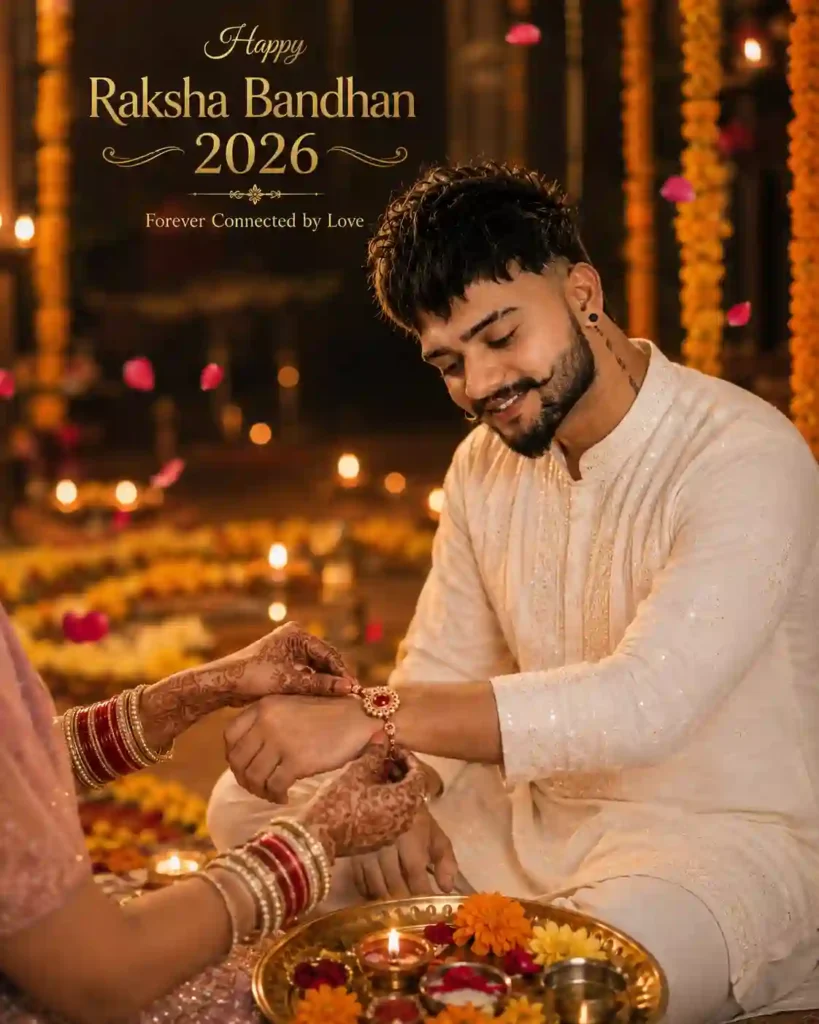
This prompt focuses on the actual Rakhi-tying moment and keeps the brother’s expression as the emotional centre of the image.
✨1. Brother Receiving Rakhi AI Photo Editing Prompt
Why this concept works
The image has a clear story: the brother, the Rakhi, the sister’s mehndi-covered hands and the warm family setting all work together without competing for attention.
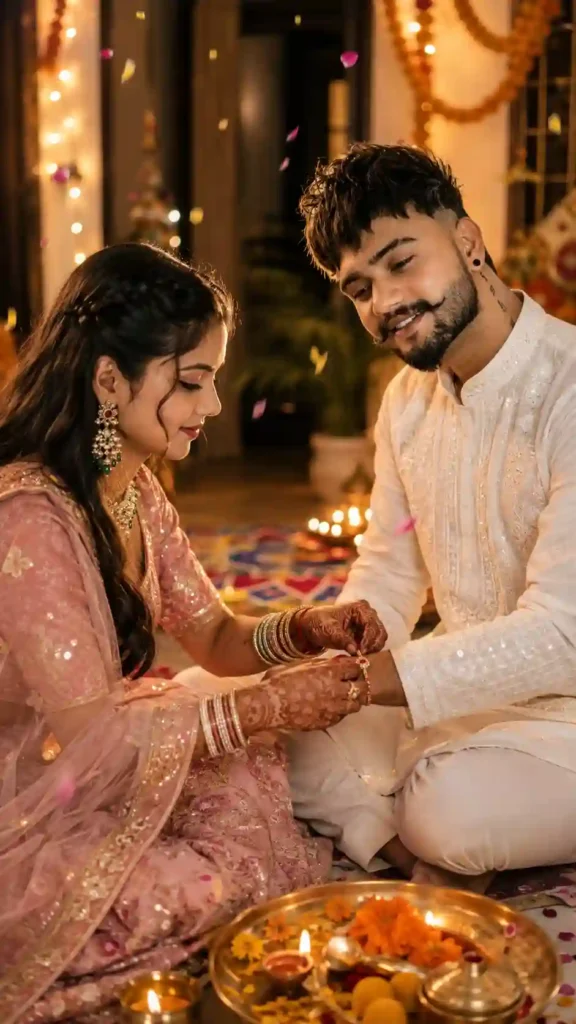
For readers who want both siblings clearly visible, this version creates a more complete family portrait.
✨2. Brother and Sister Traditional Raksha Bandhan Portrait
This format works particularly well for Stories, Status updates, Reels covers, and other vertical social posts.
Rakhi isn’t only about the thread ceremony. The gift exchange is another personal moment that works beautifully as a photo concept.
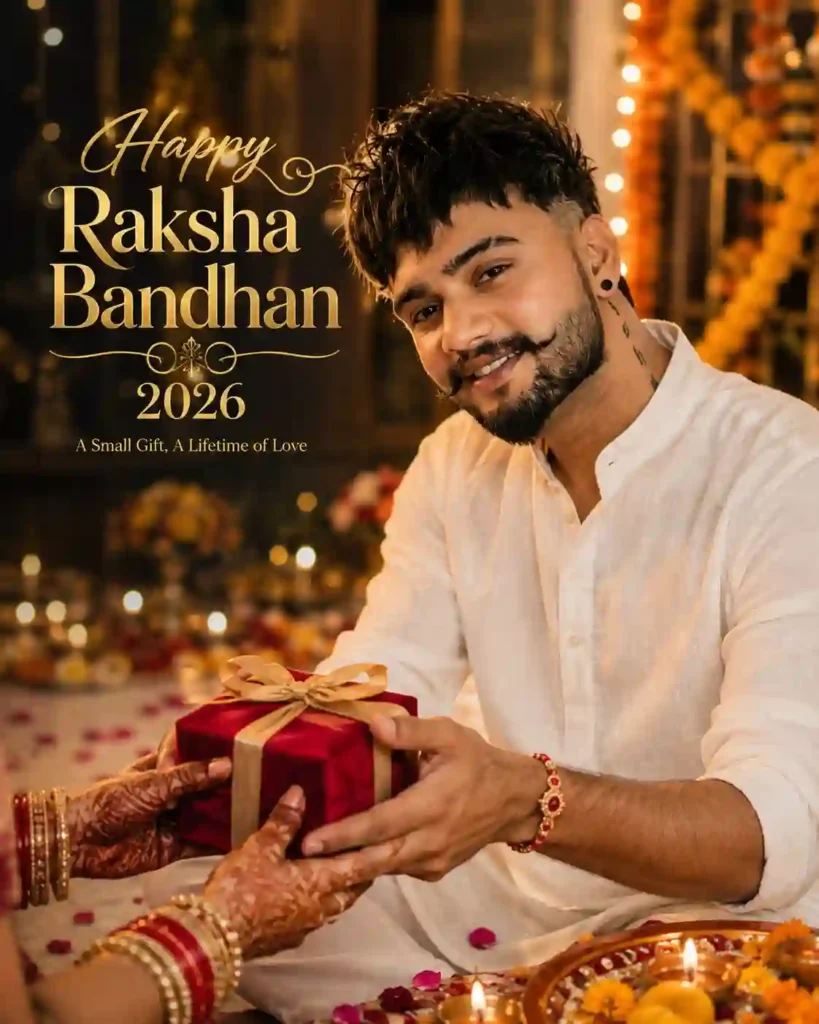
✨3. Raksha Bandhan Gift-Giving AI Photo Prompt
Sometimes a simpler image works better than a large festival poster. This concept puts the Rakhi and portrait at the centre.
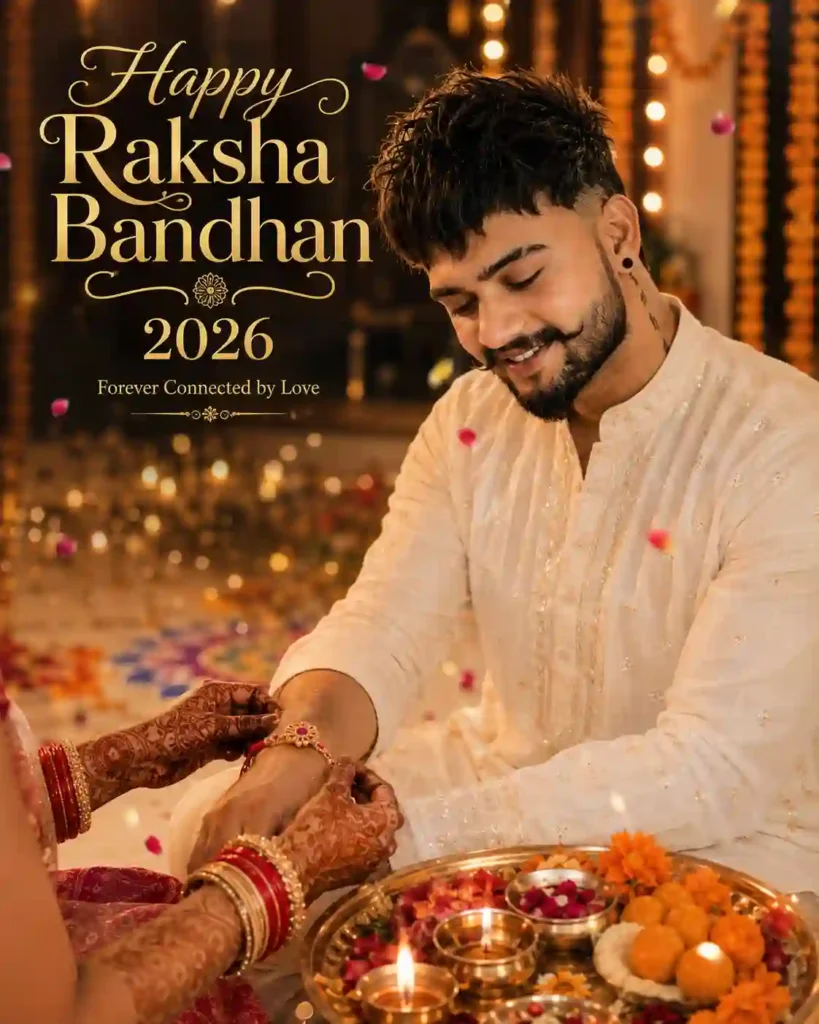
✨4. Simple Rakhi Wrist Portrait
This is a good choice for a WhatsApp Status, Instagram Story, or simple festive portrait.
This version focuses more on the relationship between the siblings rather than the decorations.
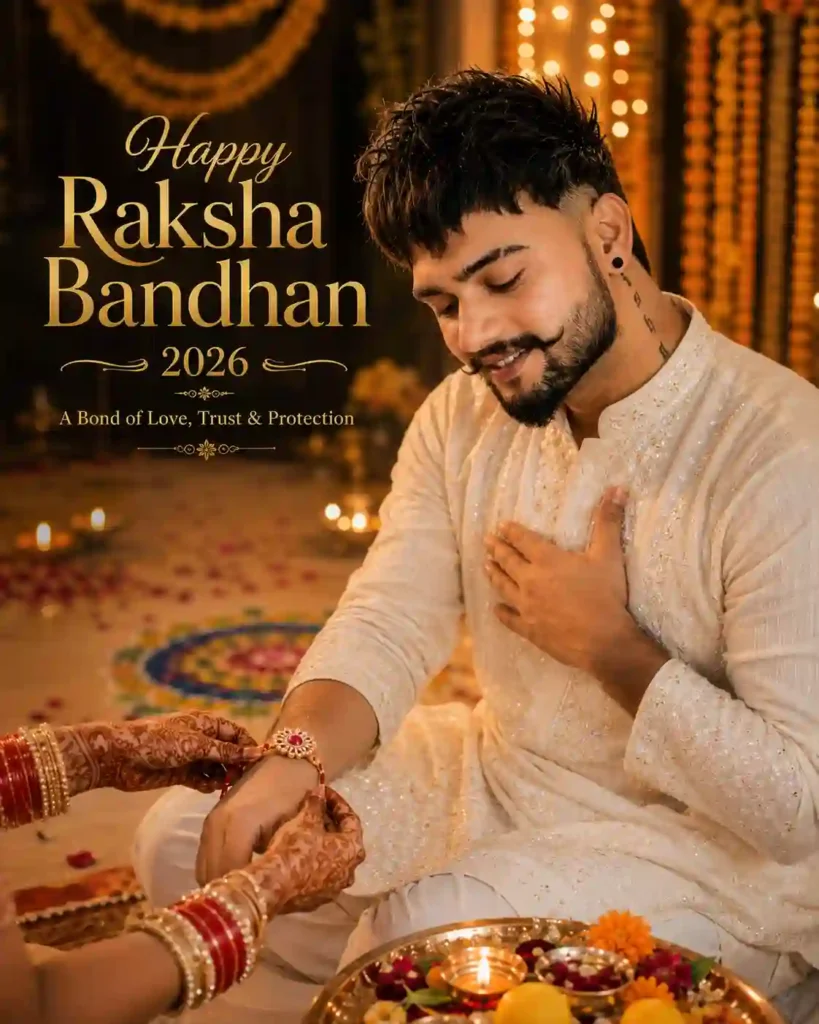
✨5. Emotional Raksha Bandhan Brother-Sister Prompt
Here the Rakhi becomes the main visual detail while the brother remains recognizable in the background.
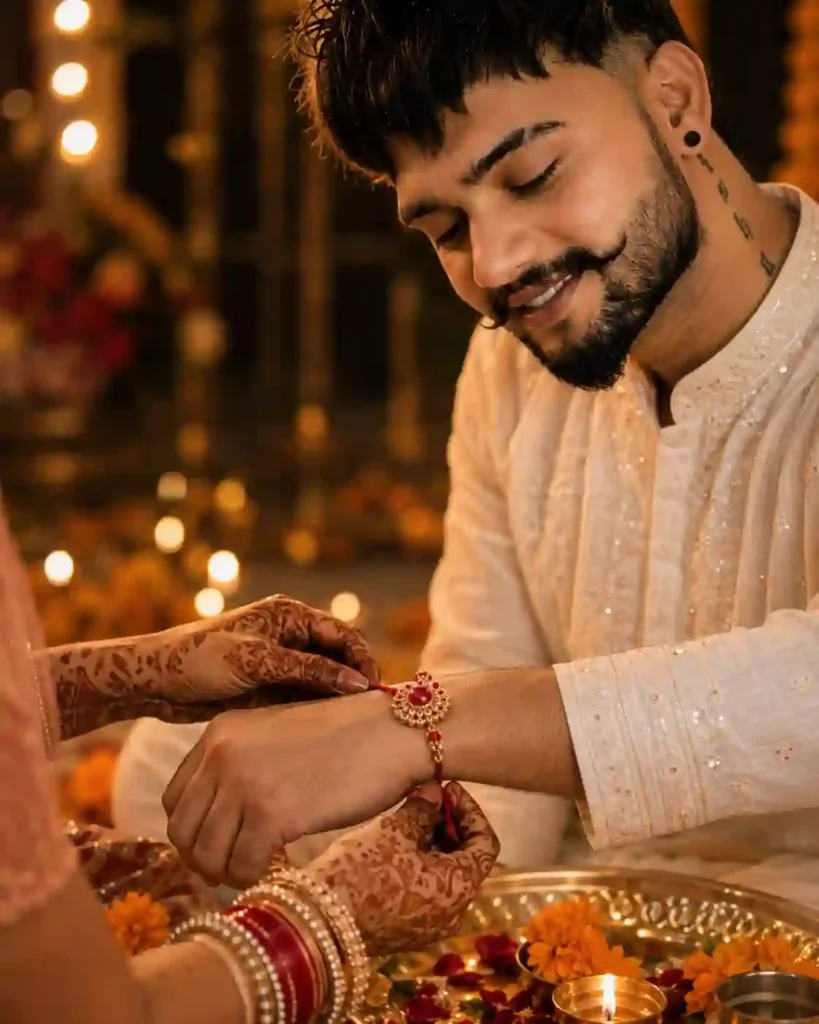
✨6. Cinematic Rakhi Close-Up Prompt
For a more decorative and polished festival poster, use this version.
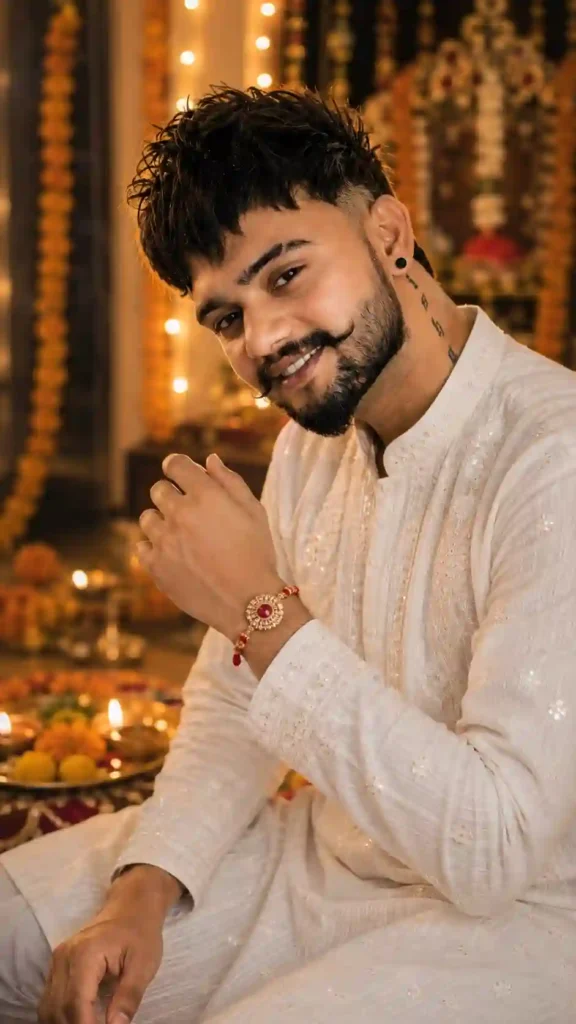
✨7. Premium Traditional Raksha Bandhan Poster Prompt
Raksha Bandhan content doesn’t have to be limited to brother-focused portraits. This prompt gives sisters a dedicated festive option.
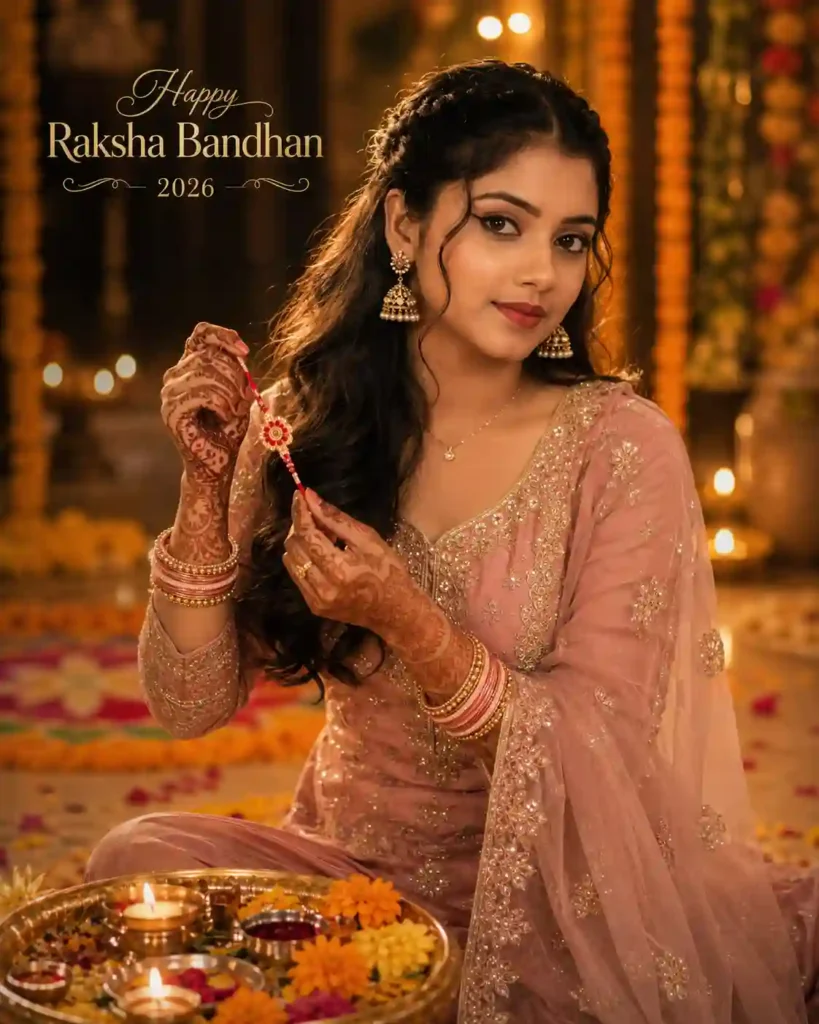
✨8. Raksha Bandhan Instagram Portrait for Women
For a more contemporary look, this prompt combines traditional elements with a polished social-media aesthetic.
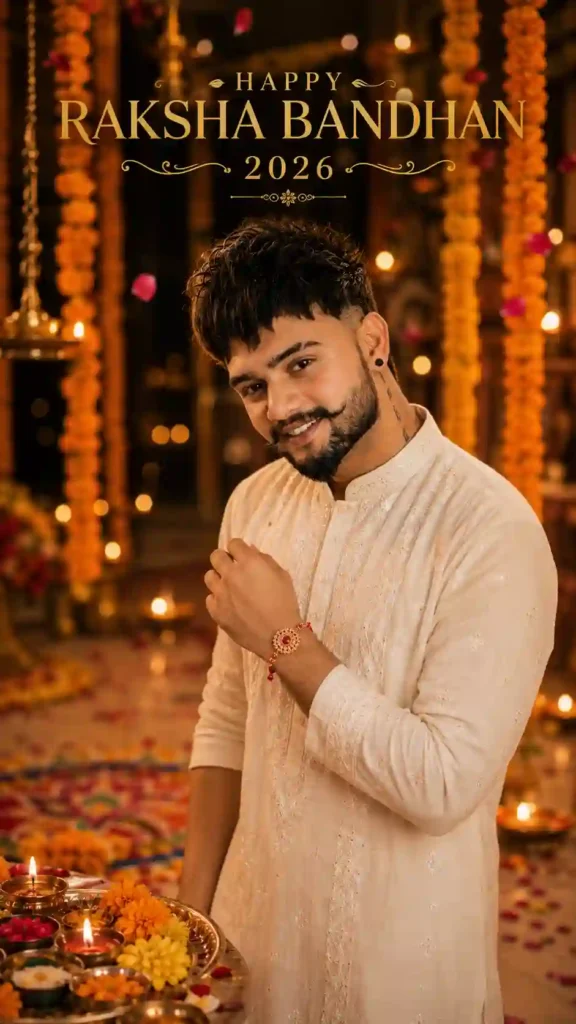
✨9. Modern Social-Media Raksha Bandhan Portrait
How We Developed These Prompts
We tested and refined these prompt structures with AI image-generation workflows to improve the composition, lighting, festival details and portrait framing. Results can vary between models and reference images, so the prompts are designed to be adapted rather than treated as fixed formulas. All prompts are tested on ChatGPT. You can also explore our latest creative butterfly-effect AI photo editing ideas.
Which Raksha Bandhan Prompt Should You Choose?
| Goal | Best style |
|---|---|
| Emotional sibling moment | Prompt 1 or 5 |
| Both brother and sister visible | Prompt 2 |
| Gift-focused image | Prompt 3 |
| Simple Instagram/Status portrait | Prompt 4 |
| Rakhi close-up | Prompt 6 |
| Premium festival poster | Prompt 7 |
| Sister-focused portrait | Prompt 8 |
| Modern social-media image | Prompt 9 |
How to Use These Raksha Bandhan AI Photo Editing Prompts
You don’t need complicated editing software to get started. First, choose a clear reference photo where the face is easy to see. A well-lit portrait with minimal blur generally gives the AI more useful visual information. Then open your preferred AI image-generation or editing tool, upload the reference photo when image input is supported, and paste one of the prompts above. After the first result is generated, look at the details before accepting it. Pay particular attention to the face, hands, Rakhi, clothing, background and any text.
If something looks wrong, don’t necessarily rewrite the entire prompt. Try changing just the part that needs improvement—for example, the hand position, background, lighting or typography. For another festival-focused collection, see our Independence Day AI Photo Editing Prompts.
Tips for Better Raksha Bandhan AI Photos
- Start with a good reference photo: A clear portrait gives the AI a better starting point. Avoid heavily blurred photos, extreme filters, or images where the face is partly hidden.
- Describe the moment, not just the decoration: A prompt becomes more useful when it explains what the person is actually doing. For example, “sister tying Rakhi while brother looks down with a gentle smile” is more informative than “beautiful Raksha Bandhan photo”
- Choose the clothing carefully: Traditional clothing helps establish the festival mood. You can choose a kurta, lehenga, saree, Anarkali, embroidered suit or another outfit that fits your preferred style.
- Keep the background under control: Marigold flowers, diyas, rangoli and warm lights can create a convincing festival setting. Adding too many unrelated objects can make the composition messy.
- Check the hands: AI-generated hands can sometimes look unusual, particularly in scenes involving two people. Review the final image before sharing it.
- Be careful with text: AI-generated typography can contain spelling or letter errors. For important greeting text, check the result carefully or add the final wording separately in a design editor.
Why Raksha Bandhan Works So Well for AI Photo Editing
Raksha Bandhan already has a strong visual identity. A Rakhi, decorated thali, mehndi, flowers, diyas, traditional clothing and warm family surroundings are enough to make a scene immediately recognizable. That gives you plenty of room to experiment without losing the connection to the festival. You can create something intimate and simple, such as a close-up of a Rakhi being tied, or go for a more elaborate editorial portrait with festive lighting and traditional décor.
The best result isn’t necessarily the most crowded one. Often, a clear subject, a convincing pose and a few well-chosen details create a stronger image than a background packed with effects. The strongest prompts usually combine only a few of these elements with a clear pose and lighting direction, rather than trying to fit every festival detail into one frame. You can also explore Trending Cinematic Collage Prompts For Girls.
Best Aspect Ratio for Raksha Bandhan Photos
Choose the format according to where you plan to use the image:
| Use | Recommended format |
|---|---|
| Instagram Story | 9:16 |
| Instagram Reel cover | 9:16 |
| WhatsApp Status | 9:16 |
| Instagram feed post | 4:5 |
| Facebook portrait post | 4:5 |
| Profile picture | 1:1 |
For a traditional festival portrait, 4:5 is a useful starting point. For full-screen vertical content, 9:16 is usually more suitable.
Common Problems With AI Raksha Bandhan Images
- The face looks different: Use a clear reference image and ask the AI to preserve the subject’s recognizable facial characteristics and overall appearance. Exact facial reproduction cannot be guaranteed, so review the final image.
- The hands look unnatural: Keep the hand position simple and clearly described. If necessary, regenerate the image with a more specific pose.
- The Rakhi looks strange: Describe the Rakhi as a single decorative thread or bracelet with clearly visible materials and colors.
- The generated text is incorrect: AI-generated typography can be inconsistent. Check greeting text carefully and consider adding important wording separately.
- The image looks overly artificial: Try asking for realistic skin texture, natural lighting, realistic fabric, subtle color grading and professional photographic composition rather than adding more effects.
Before You Share Your Raksha Bandhan Image
Take a quick look at the final image and check:
- Does the person’s face look natural?
- Is the Rakhi positioned correctly?
- Do the hands and fingers look believable?
- Is the background supporting the subject rather than distracting from it?
- Is all text spelled correctly?
- Is the image appropriate for the platform’s dimensions?
- Are there any unwanted logos or watermarks?
If you’re creating an image for commercial use, also review the terms of the AI tool and any third-party assets involved. If you like cinematic editing, explore our Girl Eye in Sky Photo Editing Prompts.
Raksha Bandhan AI Photo Editing Prompts: FAQs
What are Raksha Bandhan AI photo editing prompts?
They are detailed instructions that help an AI image-generation or editing tool create a Raksha Bandhan-themed image from a reference photo and a described scene.
When is Raksha Bandhan in 2026?
In India, Raksha Bandhan falls on Friday, August 28, 2026.
Can I use my own photo with these prompts?
Yes. Use a clear reference photo and adapt the prompt to match the person, clothing, pose and scene you want.
Can I use these prompts with ChatGPT or Gemini?
The prompts are written as general image-generation instructions and can be adapted to AI tools that support image generation or editing. The exact interface, features and results can vary between tools.
What aspect ratio should I use for WhatsApp Status?
A 9:16 vertical composition is a practical choice for WhatsApp Status.
Can I create a Raksha Bandhan photo with only one sibling visible?
Yes. You can frame the scene around one person and show the other sibling through hands, the Rakhi-tying action, a gift exchange, or another partial composition. This can keep the portrait cleaner while still communicating the Raksha Bandhan theme.
Can I create a Raksha Bandhan photo with my sister?
Yes. Several prompts in this collection are specifically designed around brother-and-sister interactions, including Rakhi tying and gift-giving.
Which prompt is best for Instagram?
That depends on the style you want. The modern social-media portrait and premium traditional poster are good options for visually polished Instagram content, while the 9:16 prompts are more suitable for Stories and Status updates.
How can I improve facial consistency?
Start with a clear reference photo and describe which recognizable characteristics you want to preserve. Even with detailed instructions, AI-generated results can vary between generations.
Can I create the image without showing my sister’s face?
Yes. You can frame the scene so that only her hands, Rakhi, bangles and mehndi are visible. This can keep the main subject’s face as the focal point.
Final Thoughts
A good Raksha Bandhan AI photo is not necessarily full of decorations and effects. It can be a simple photo with a meaningful pose, good lighting, traditional clothing and a few festival details. The above 9 prompts create a wide range of images. You can use them as starting points but don’t make them into rigid formulas. Change the clothing, colors, setting, pose or lighting until the image feels right for you. Most importantly, choose a clear reference photo and take a moment to check the finished image before sharing it.
Raksha Bandhan 2026 is on August 28, so you still have time to prepare your festive portraits and social-media designs.
For the most convincing result, don’t try to put every Raksha Bandhan element into one image. Start with the moment you want to show—tying the Rakhi, giving a gift, sharing a portrait—and build the lighting, clothing and decorations around that moment.