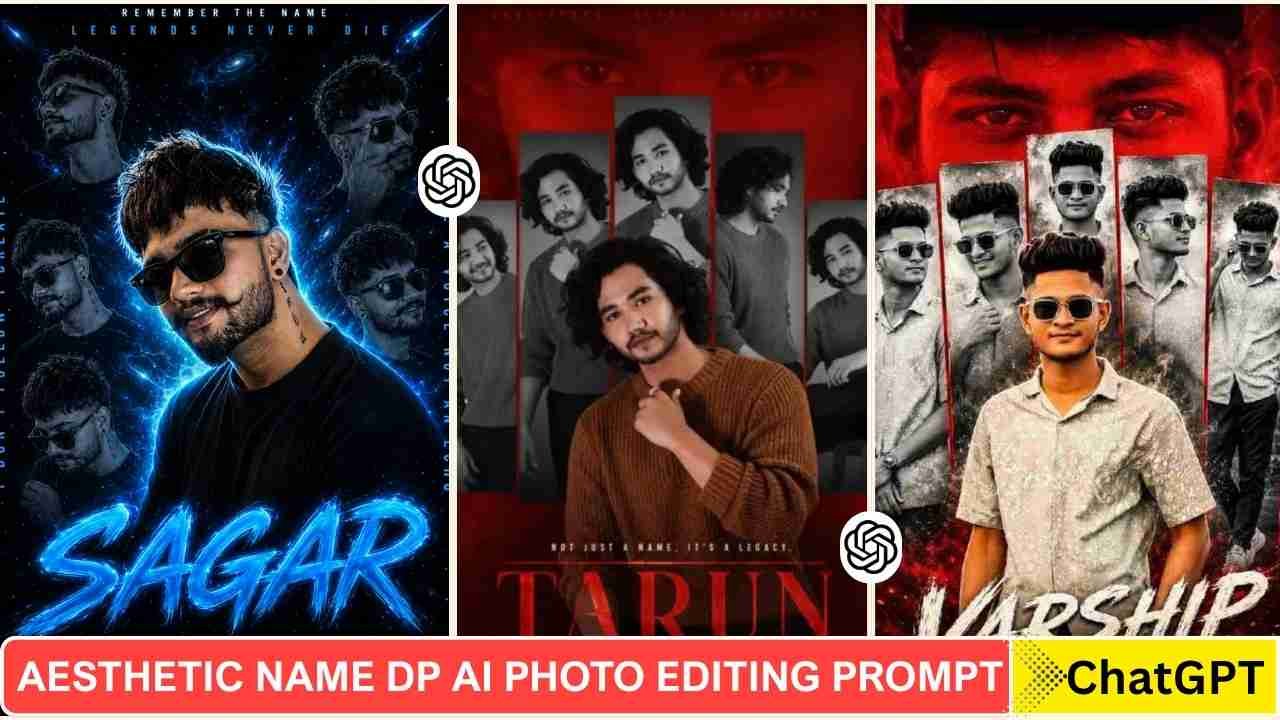
Aesthetic Name DP Ai Photo Editing Prompts- A new type of DP is now going viral, and many people create it too. In the old days, creating such a DP was very difficult due to photo editing skills and proper design knowledge. But now you can make it very easily using ChatGPT and the right prompt. This type of DP photo is trending a lot. This type of DP looks very attractive and professional as well. In this post, we are going to share different types of photo editing prompts that are going viral on Instagram. You can try our 5 Aesthetic Profile Picture DP Editing Prompts for Instagram & Social Media.
Aesthetic Name DP Photo Editing
An aesthetic name dp created using ChatGPT has several benefits. You can upload it to your social media profile, like Facebook, Instagram, or WhatsApp. Most importantly, it’s free of cost and time-saving compared to traditional photo editing. This type of photo has different effects in different styles. Like, some photos have a neon blue colour effect, and some have a red neon colour. You can also create it with multiple front styles as well. By some tweaking, you can create a name logo from it as well. If you enjoy cinematic AI photo editing prompts, explore our rainy-day portrait ideas.
Aesthetic Name DP Photo Editing Prompts
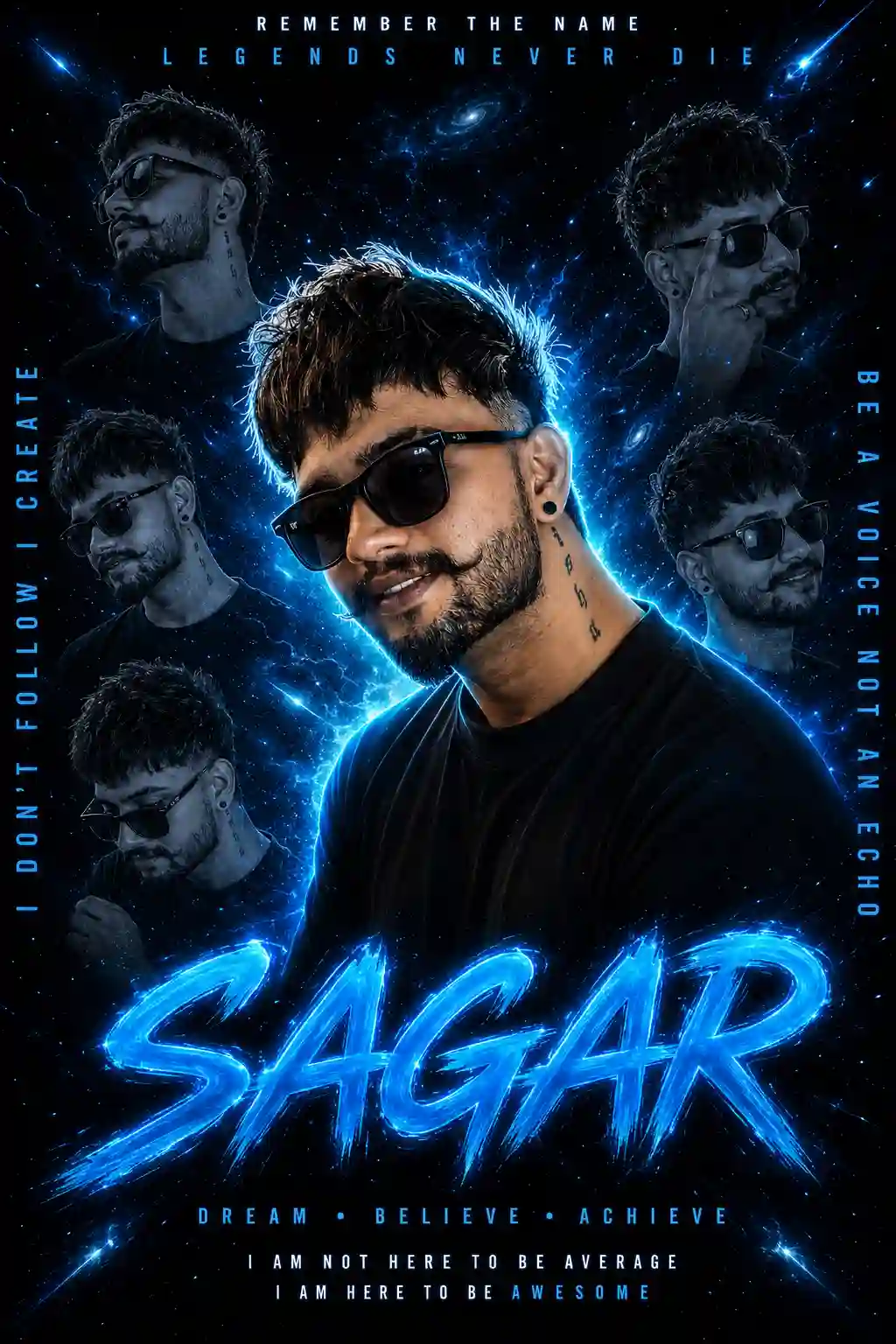
Create a cinematic poster of a stylish young Boy wearing a black shirt and modern sunglasses, confident and calm expression, center composition. Add multiple duplicate versions of the same girl in the background (left, right, top corners) with different poses, slightly faded and monochrome. Use a dark galaxy space background with blue glowing aura, particles, and light streaks. Add neon blue rim light around the main subject, high contrast lighting, dramatic shadows, ultra realistic skin texture, sharp focus, depth of field, professional color grading, cyberpunk vibe. Add glowing blue typography: Main text at bottom: “YOUR NAME” in bold brush font with neon blue glow effect. Top text: “REMEMBER THE NAME” and “LEGENDS NEVER DIE” Side text: “I DON’T FOLLOW I CREATE” and “BE A VOICE NOT AN ECHO” Bottom small text: “DREAM BELIEVE ACHIEVE” and “I AM NOT HERE TO BE AVERAGE I AM HERE TO BE AWESOME” Poster style, symmetrical layout, ultra detailed, 8K, high quality, trending Instagram edit style.
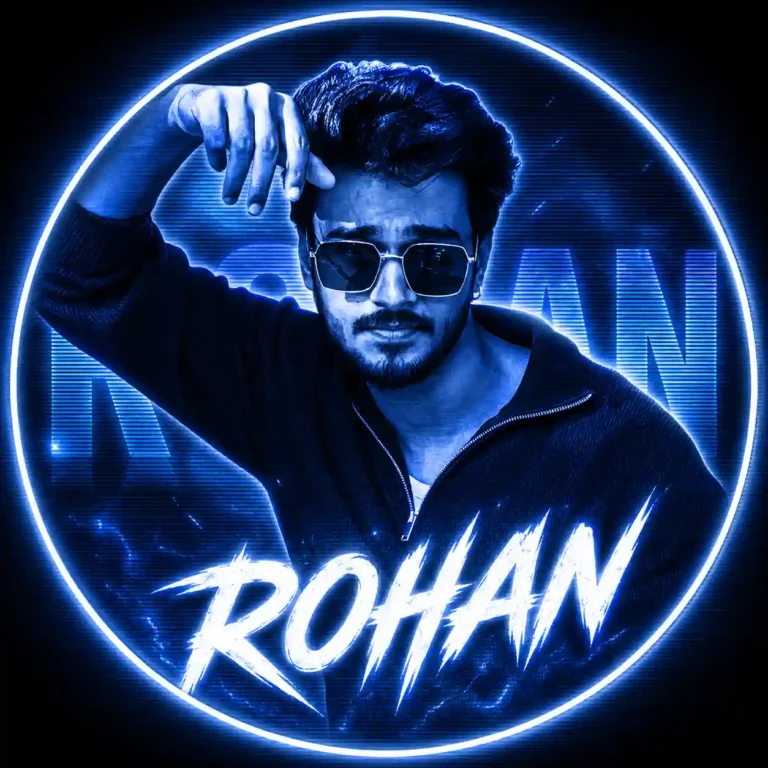
Circular profile picture using the given image, styled in monochrome blue with neon white glow. Background includes large semi-transparent “ROHAN” text with CRT scanline overlay. Add bold sharp white “ROHAN” text at bottom. High contrast, glowing, digital fan-art style.
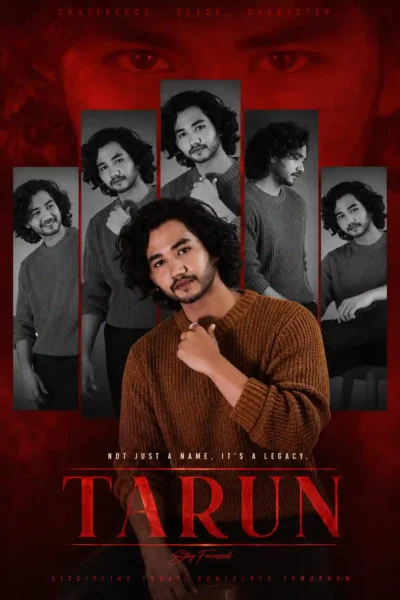
Create a cinematic 4:6 tribute poster with a deep red monochrome background and faint giant close-up eyes blended for dramatic intensity. Center layout uses five vertical rectangular panels featuring the same stylish man in different black-and-white poses and expressions (smile, serious, side profile, casual). Add a large full-color cutout portrait in front with powerful composition. Include stylish “TARUN” typography, bold cinematic lighting, sharp details, high contrast, premium edit style, layered shadows, ultra realistic skin texture, 8K quality.
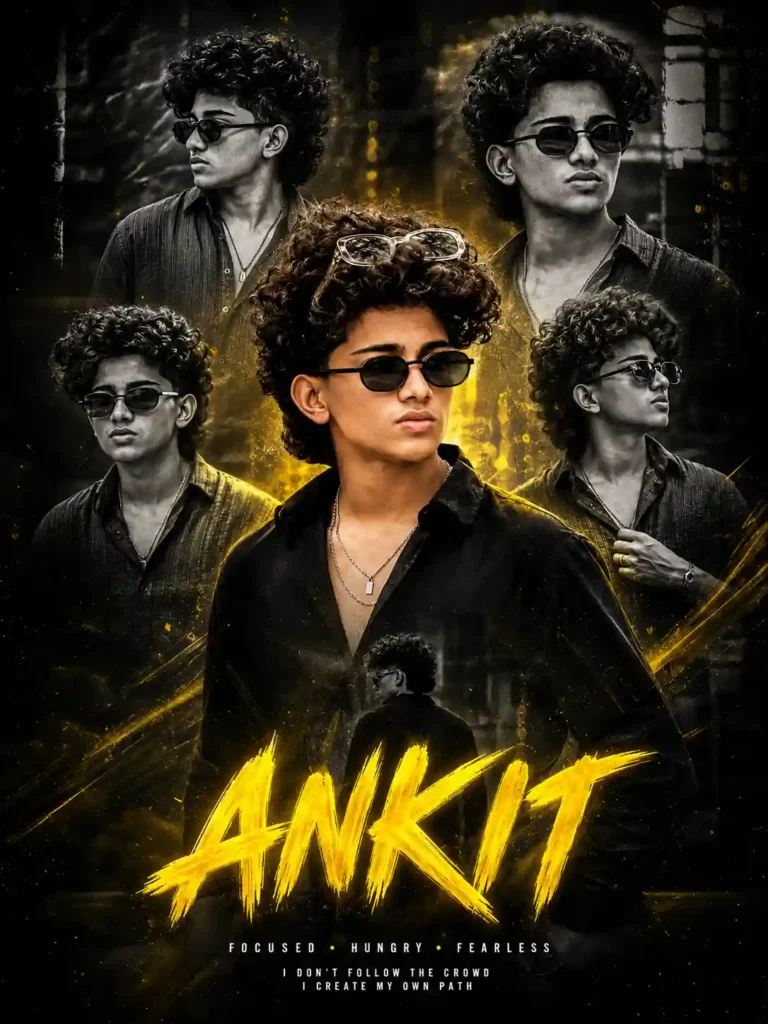
Create an ultra-detailed cinematic collage poster using the same boy from the reference photo with exact face accuracy and stylish curly voluminous hair. Center main portrait wearing a black outfit, silver chains, and transparent sunglasses on head. Add multiple faded black-and-white portraits in background with dramatic layered composition. Use cinematic yellow glow lighting, premium Instagram/YouTube creator edit vibe, sharp focus, realistic skin texture, high contrast, luxury color grading. Add bold glowing yellow brush-font text: “ANKIT”. 8K high-quality symmetrical poster design.
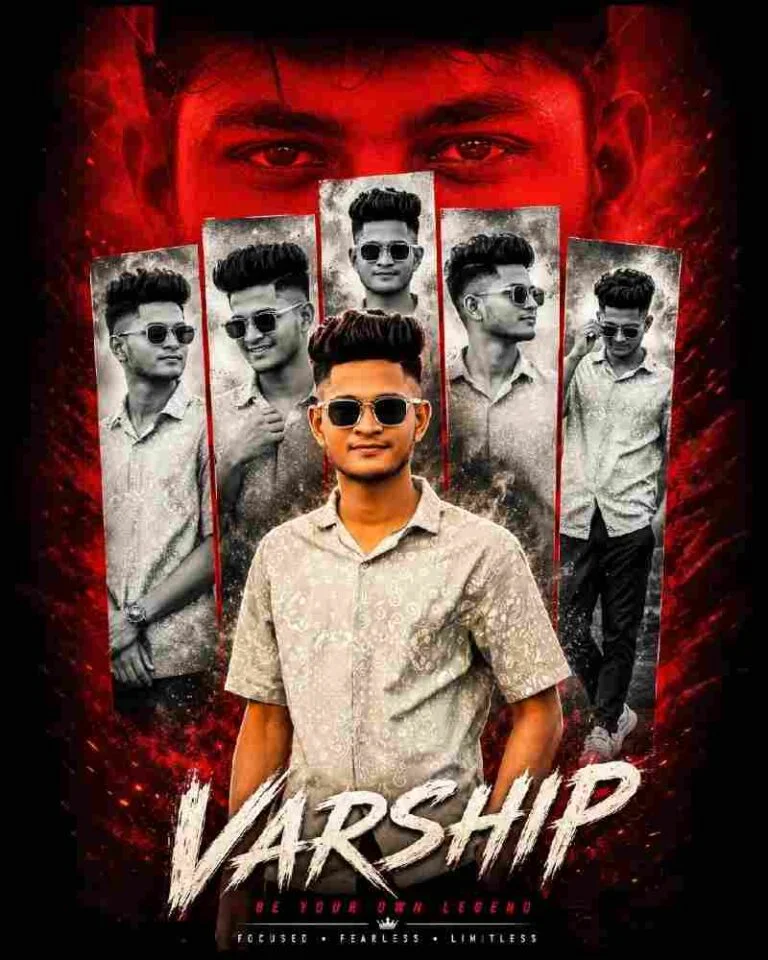
Create a dramatic tribute poster with a bold red monochrome background. The background should feature a faint, large close-up of a man’s eyes blended into the red vaagai offxl for intensity. In the center, design a collage layout with five vertical rectangular panels showing black-and-white portraits of the same stylish man (reference image), in different poses and expressions (serious, smiling, side profile, casual stance). Overlaying the panels in the foreground, place a larger, full-color cutout “Varship” FONT STYLE ADD 4:6 8k
You can also Explore our Music Lover Cinematic College Ai Photo Editing Prompts.
How To Use Aesthetic Name DP Photo Editing Prompts
We used a ChatGPT prompt to generate an Aesthetic Name DP Photo. To create such a type of photo, you just need to follow the steps given below.
- Take a screenshot of your Instagram profile with high quality.
- Go to ChatGPT and sign up and log in to it.
- Now, copy the prompt from above and paste it on ChatGPT prompt box.
- Click on the plus icon and upload your image.
- Then, click on send to generate an Aesthetic Name DP Photo.
- After a few seconds, your Aesthetic Name DP Photo will be ready.
Final Thoughts
I hope the above prompt and guide help you to make an Aesthetic Name DP Photo Editing Prompts. This type of photo editing looks like the Aesthetic Name DP Photo Editing. These days, AI tools are so powerful, and this is a good example of that. I have also shared the Aesthetic Name DP Photo Editing Prompts above. If you find this article helps you to introduce new trends, let me know in the comments section.