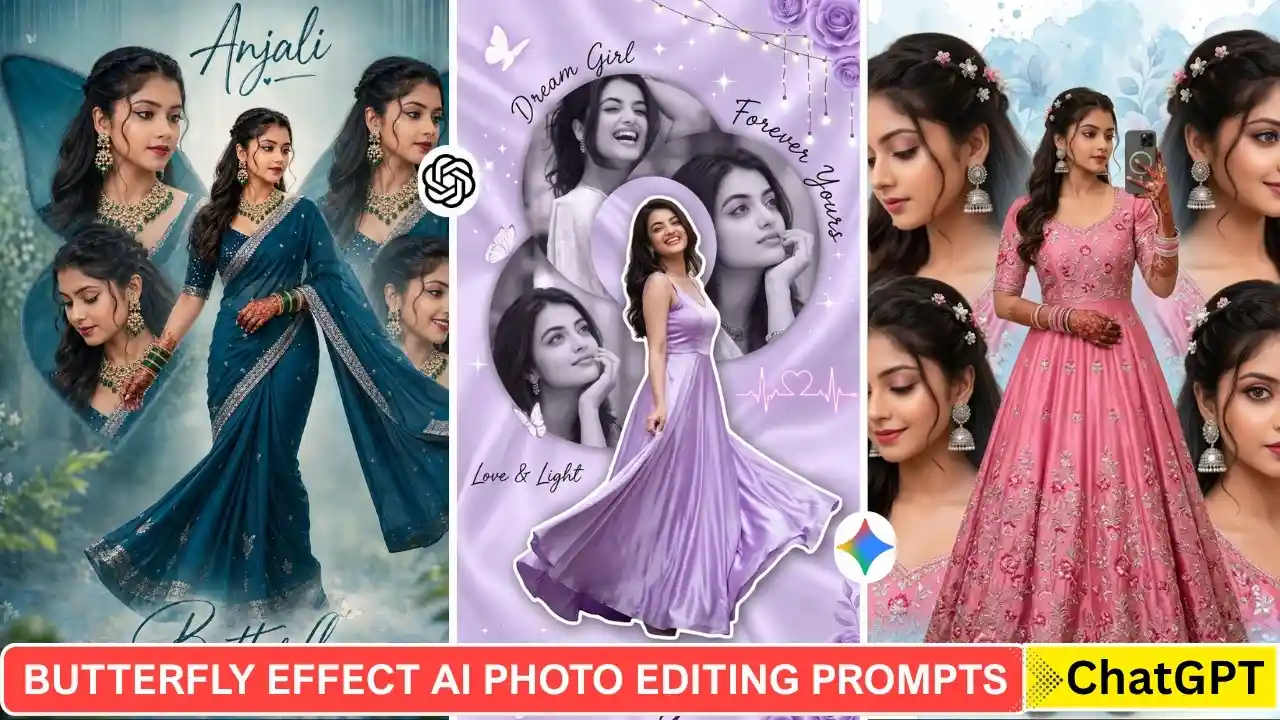
The Butterfly Effect AI photo editing trend creates a unique collage-style portrait by placing the main subject in the center and surrounding them with large butterfly wings made from additional views of the same person. The result combines portrait photography, creative collage design, and a dreamy butterfly-inspired composition.
In this guide, you’ll find Butterfly Effect AI photo editing prompts that you can use with ChatGPT, Google Gemini, and other AI image-generation tools. The prompts include different styles for both girls and boys, so you can experiment with outfits, colors, backgrounds, poses, and lighting.
Simply choose a prompt, upload a suitable reference photo when required, and paste the prompt into your preferred AI image generator. You can also customize the name, clothing, colors, and other visual elements to create your own version of the effect. You can also explore our Ghost Girlfriend AI Photo Editing Prompts.
What is the “Butterfly Effect” Edit?
Before using the prompts, it helps to understand what the Butterfly Effect edit actually is.
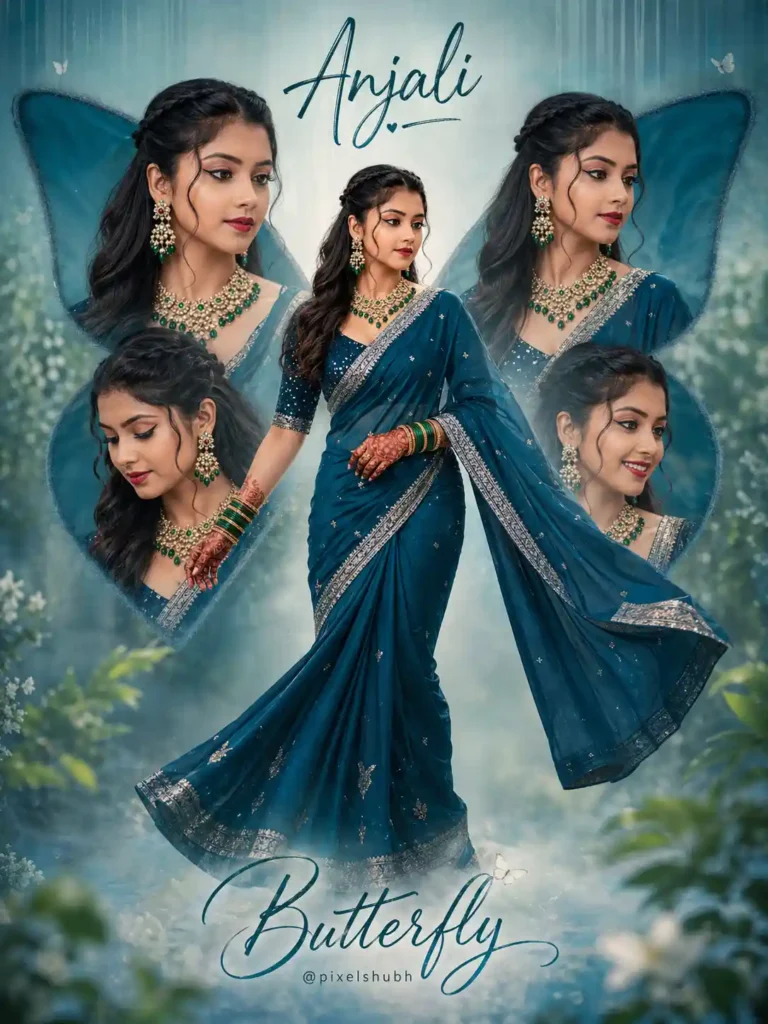
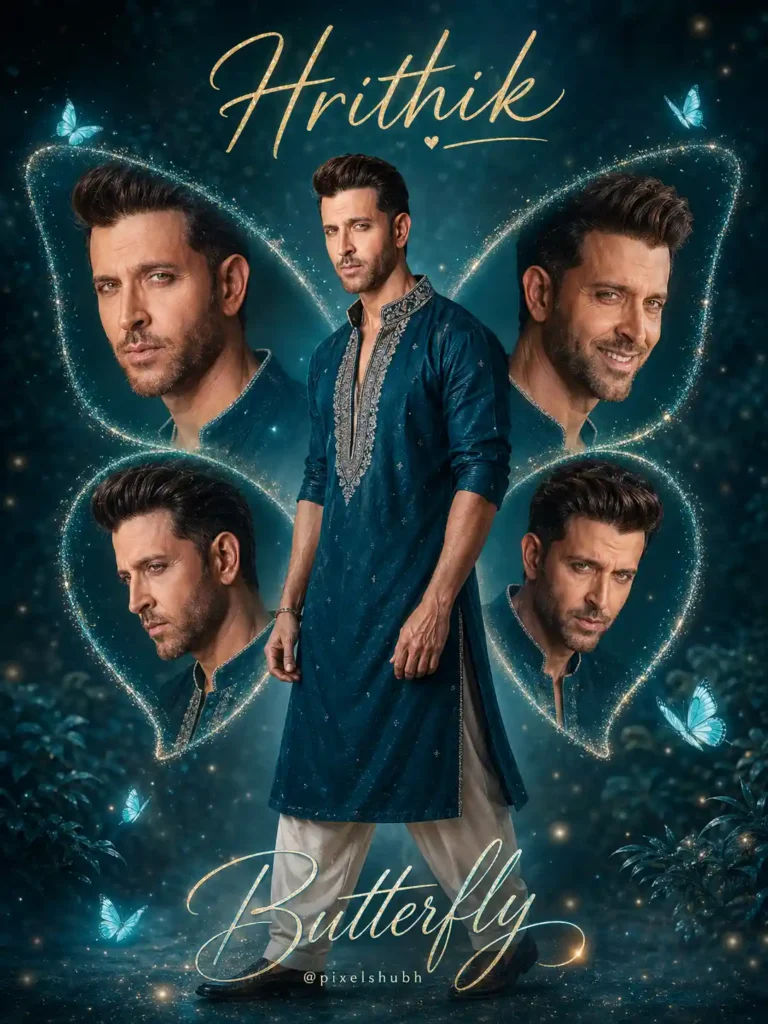
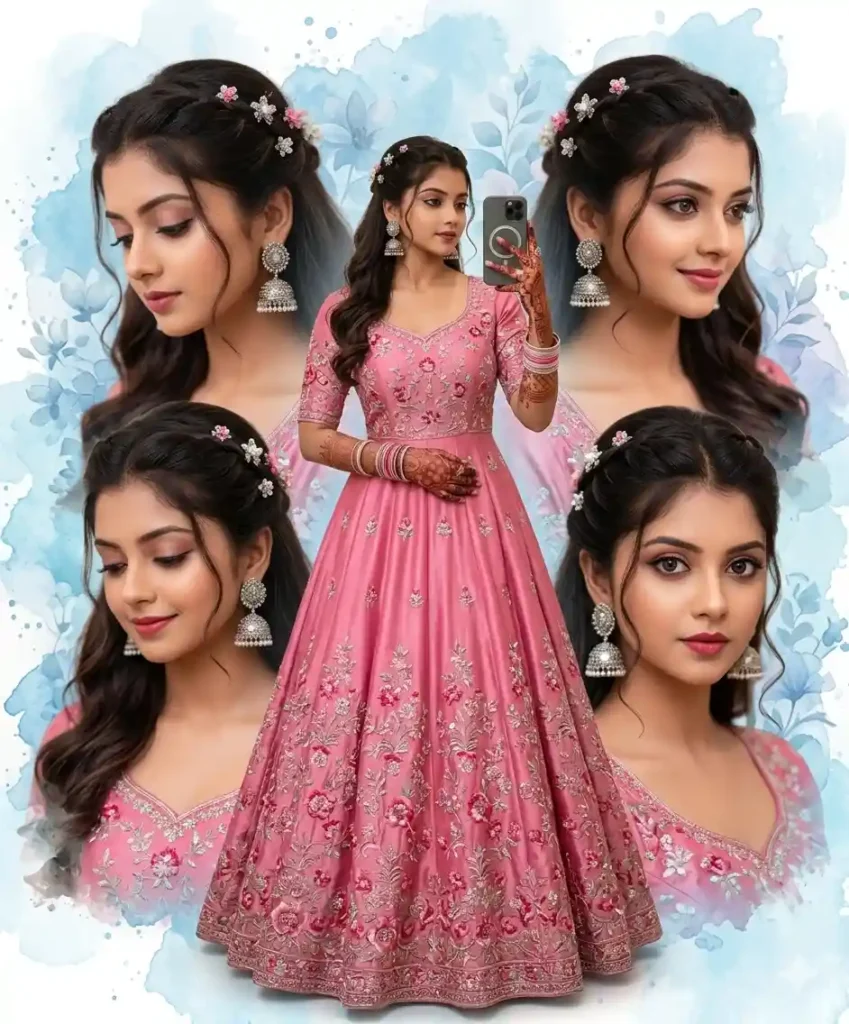
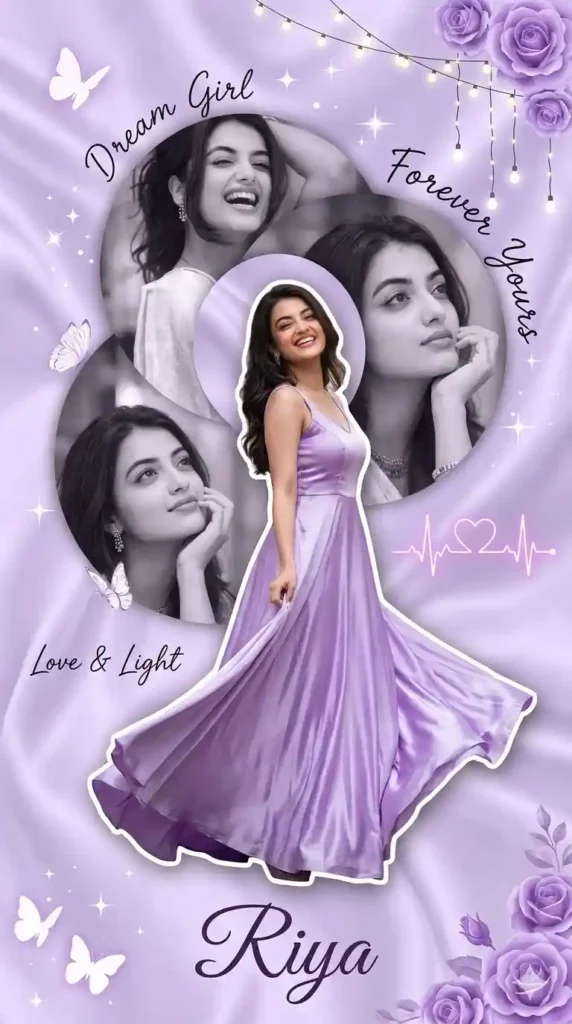
You’ve probably seen collage-style photographs before. This edit uses a similar collage concept but gives it a distinctive butterfly-inspired structure:
- A single subject stands in the center as the main portrait.
- Behind the subject is a large pair of butterfly wings.
- The wings contain four additional photo sections, usually showing different angles or expressions of the same person.
- The four images are arranged to follow the shape and symmetry of the butterfly wings.
The result combines multiple portrait views into one artistic composition. A single reference photo can be used as the starting point, while the AI generates and arranges the additional visual elements to create the butterfly-wing effect. Related: Instagram Viral ChatGPT Music Lover Cinematic College AI Photo Editing Prompts
How Is the Butterfly Effect Created With AI?
The Butterfly Effect is created by combining a reference image with detailed instructions that describe the composition, subject, butterfly wings, additional portraits, lighting, colors, and background.
AI image-generation tools such as ChatGPT and Google Gemini can interpret these instructions and create a new composition based on the reference image. The prompt tells the AI where the main portrait should appear and how the additional images should be arranged within the butterfly wings.
Because AI-generated results can vary, you may need to make small adjustments to the prompt, reference image, or visual details to achieve the composition you want. Explore more Gemini retro-style Boys photo editing prompts.
Butterfly Effect AI Photo Editing Prompts (Copy & Paste)
✨Prompt 1
✨Prompt 2
✨Prompt 3
✨Prompt 4
How To Create an Image With Butterfly Effect AI Photo Editing Prompts
Creating a Butterfly Effect AI photo is simple when you have a suitable reference image and a detailed prompt. You can use ChatGPT, Google Gemini, or another AI image-generation tool that supports image creation or editing.
- Open your preferred AI image-generation tool.
- Upload a clear reference photo when the prompt requires one.
- Copy one of the Butterfly Effect prompts from this article.
- Paste the prompt into the AI tool and submit it.
- Review the generated image and refine the prompt if necessary.
- Save the final image when you’re satisfied with the result.
For better results, use a clear reference image with good lighting and a visible face. You can also customise the outfit, colors, background, name, and other visual details in the prompt. If you enjoy cinematic AI photo editing prompts, explore our rainy-day portrait ideas.
We tested this Butterfly Effect concept using a detailed ChatGPT image-generation prompt and refined the instructions to improve the collage composition.
Conclusion
The Butterfly Effect AI photo editing trend is a creative way to combine a central portrait with multiple views of the same subject inside a butterfly-inspired collage. With the right reference image and a detailed prompt, you can experiment with different outfits, colors, backgrounds, lighting styles, and compositions.
The prompts in this guide can be adapted for both boys and girls, and you can personalize elements such as the name, clothing, butterfly colors, and overall mood.
AI-generated results can vary between tools and reference images, so don’t hesitate to make small adjustments to the prompts until you achieve the look you want. ApnoTak will continue sharing practical AI photo editing prompts and creative image-generation ideas for you to explore.