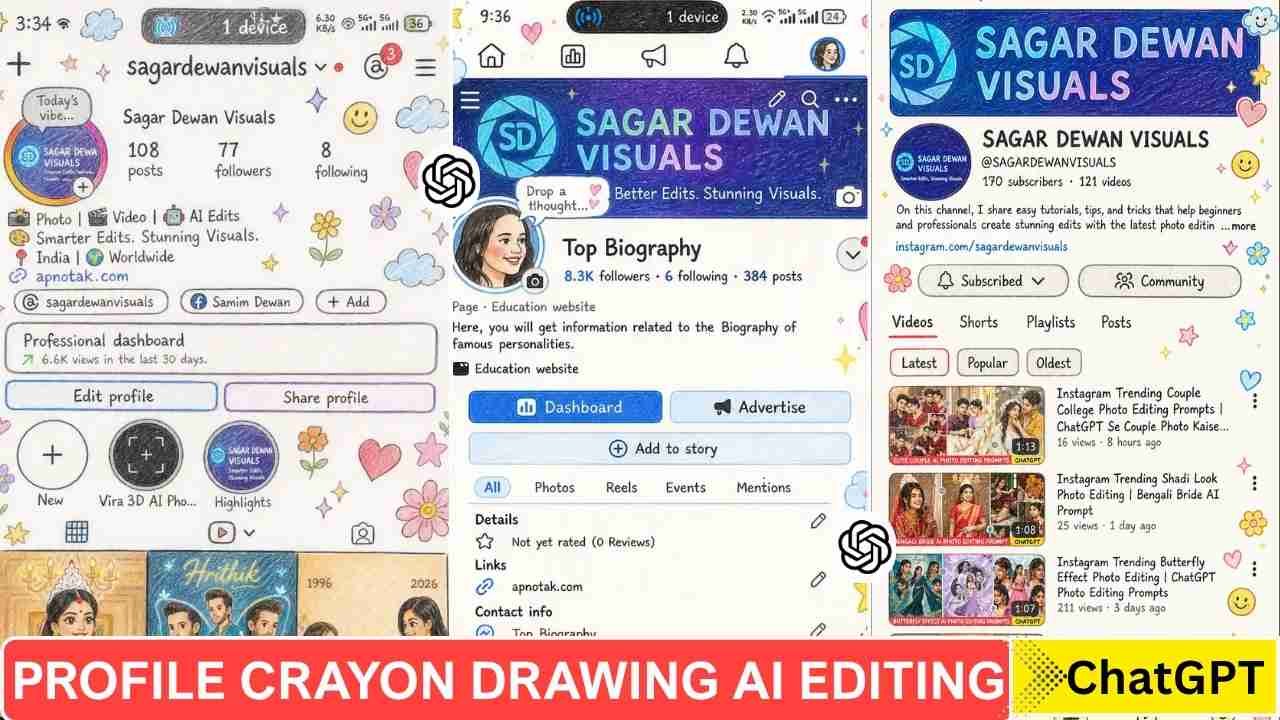
Instagram Profile Crayon Drawing AI Editing Prompts- A new type of photo editing has recently been circulated on social media. This type of photo editing is known as an Instagram Profile Crayon Drawing. Using this type of photo editing prompt, you can make your Instagram profile look like a crayon drawing. You can take a screenshot of your Instagram profile and transform that into a Crayon Drawing in just a few minute by using ChatGPT or Google Gemini.
Why Is This Trend Going So popular?
This type of photo editing transforms your profile screenshot into a unique design. You can apply this photo editing to any of your social media profiles. This crayon design is looking so cool, and that is why everyone like it and share it.
Learn More: Bengali Bride Ai Photo Editing Prompt
Instagram Profile Crayon Drawing AI Editing Prompts
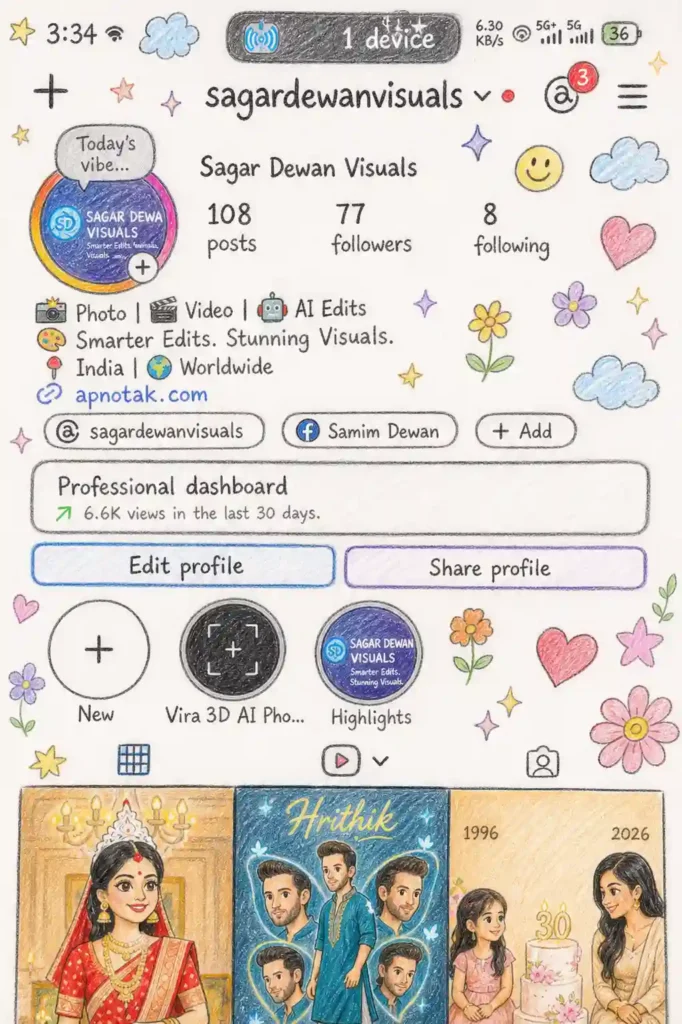
"Transform the provided 2:3 image into a high-resolution, cute hand-drawn illustration in a childlike (skilled 10-year-old artist) style. Maintain the original composition and subject placement accurately. Use soft, sketchy pencil outlines with visible hand-drawn strokes, combined with pastel crayon coloring that is slightly vibrant, playful, and neatly filled.

Apply a clean white paper background with a subtle natural paper texture and soft shadows to enhance realism. Simplify complex details into doodle-style shapes while keeping faces recognizable, slightly cartoonish, and expressive. Ensure proportions remain balanced and visually pleasing.

Add decorative doodles around the edges such as stars, hearts, clouds, flowers, sparkles, and smiley faces, arranged like scrapbook stickers without overcrowding the subject. Include small handwritten-style text elements that look childlike yet clear and readable.

Keep the layout straight and aligned (no tilt or rotation). Maintain proper spacing ("breathing room") around the subject for a clean composition. The final result should feel warm, cozy, aesthetic, and scrapbook-inspired—clean but artistic, not messy. Ensure sharp, high-quality output with smooth coloring and refined sketch details."
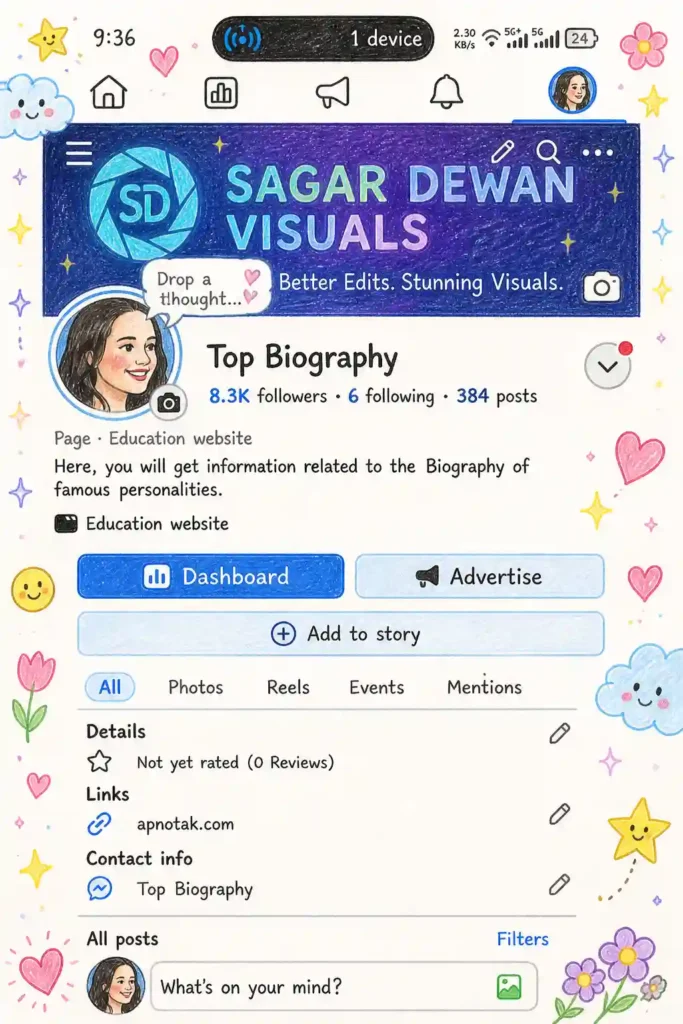
"Create a high-resolution 2:3 illustration inspired by a Facebook-style post, rendered in a cute hand-drawn pencil and pastel crayon style. Preserve the original composition and central subject with a strong, clear focal point. Use soft, sketchy pencil outlines with visible hand-drawn strokes, combined with smooth pastel crayon coloring that is slightly vibrant, clean, and evenly filled. Apply a clean white paper background with subtle natural paper texture and soft shadowing for depth. Simplify details into charming doodle-like shapes while keeping faces expressive, slightly cartoonish, and easily recognizable. Maintain balanced proportions and visual clarity, especially for thumbnail viewing. Enhance the edges with playful decorative doodles such as stars, hearts, clouds, flowers, sparkles, and smiley stickers, arranged neatly without cluttering the main subject. Add small handwritten-style text elements that are childlike yet legible. Ensure proper spacing ("breathing room") around the subject, with a cozy, warm, scrapbook-inspired aesthetic. Keep the image perfectly straight (no tilt or rotation). Final output should be clean, polished, artistic, and high-quality—soft, cute, and visually appealing without looking messy or overworked."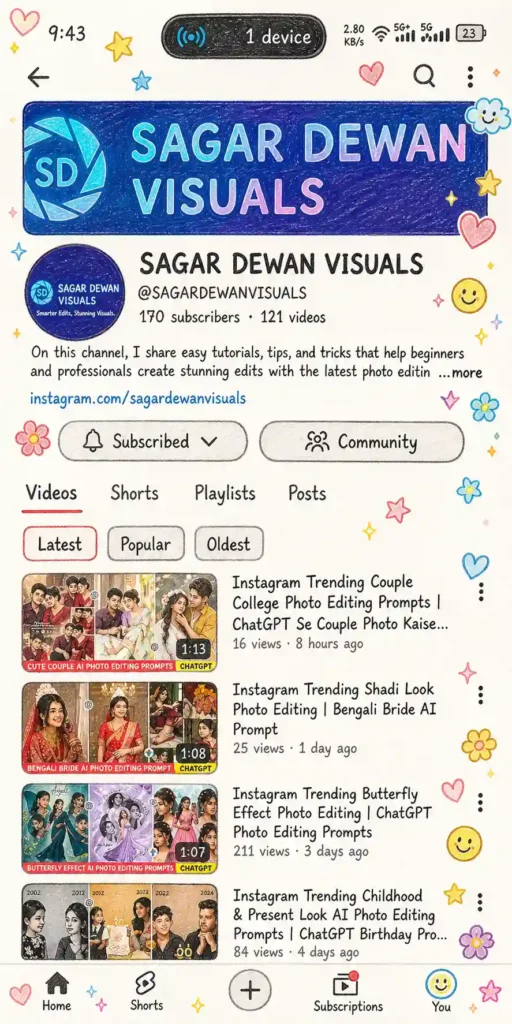
"Create a high-resolution 2:3 YouTube-style illustration in a cute hand-drawn pencil and pastel crayon style. Preserve the original composition and layout with a strong, clear central focus optimized for thumbnail visibility.

Use soft, sketchy pencil outlines with visible hand-drawn strokes, combined with smooth pastel crayon coloring that is slightly vibrant, clean, and evenly filled. Apply a clean white paper background with subtle natural paper texture and soft shadows for depth.

Simplify all elements into neat doodle-style shapes while keeping faces expressive, slightly cartoonish, and recognizable. Convert UI/text elements into a handwritten-style font that looks childlike but remains clear and readable, especially at small (thumbnail) sizes.

Decorate the edges with playful scrapbook-style doodles such as stars, hearts, clouds, flowers, sparkles, and smiley stickers. Keep these elements balanced and non-cluttered so they enhance—not distract from—the main subject.

Maintain proper spacing ("breathing room") between elements for a clean and organized look. Ensure high contrast and clarity for strong visibility on YouTube thumbnails.

Keep the entire image perfectly straight (no tilt, no rotation). Final result should be cozy, warm, aesthetic, and scrapbook-inspired—clean, polished, artistic, and high-quality without looking messy or overcrowded."
Learn More: Instagram Viral Chatgpt Music Lover Cinematic College Ai Photo Editing Prompts
How To Use Instagram Profile Crayon Drawing AI Photo Editing Prompts
We used a ChatGPT prompt to generate a Instagram Profile Crayon Drawing AI Photo. To create such a type of photo, you just need to follow the steps given below.
- Take a screenshot of your Instagram profile with high quality.
- Go to ChatGPT and sign up and log in to it.
- Now, copy the prompt from above and paste it on ChatGPT prompt box.
- Click on the plus icon and upload your image.
- Then, click on send to generate an Instagram Profile Crayon Drawing AI Photo.
- After a few seconds, your Instagram Profile Crayon Drawing AI Photo will be ready.
Final Thoughts
I hope the above prompt and guide help you to make an Instagram Profile Crayon Drawing. This type of photo editing looks like a hand-drawn crayon drawing, but takes much less time and effort. These days, AI tools are so powerful, and this is a good example of that. If you find this article helps you to introduce new trends, let me know in the comments section.