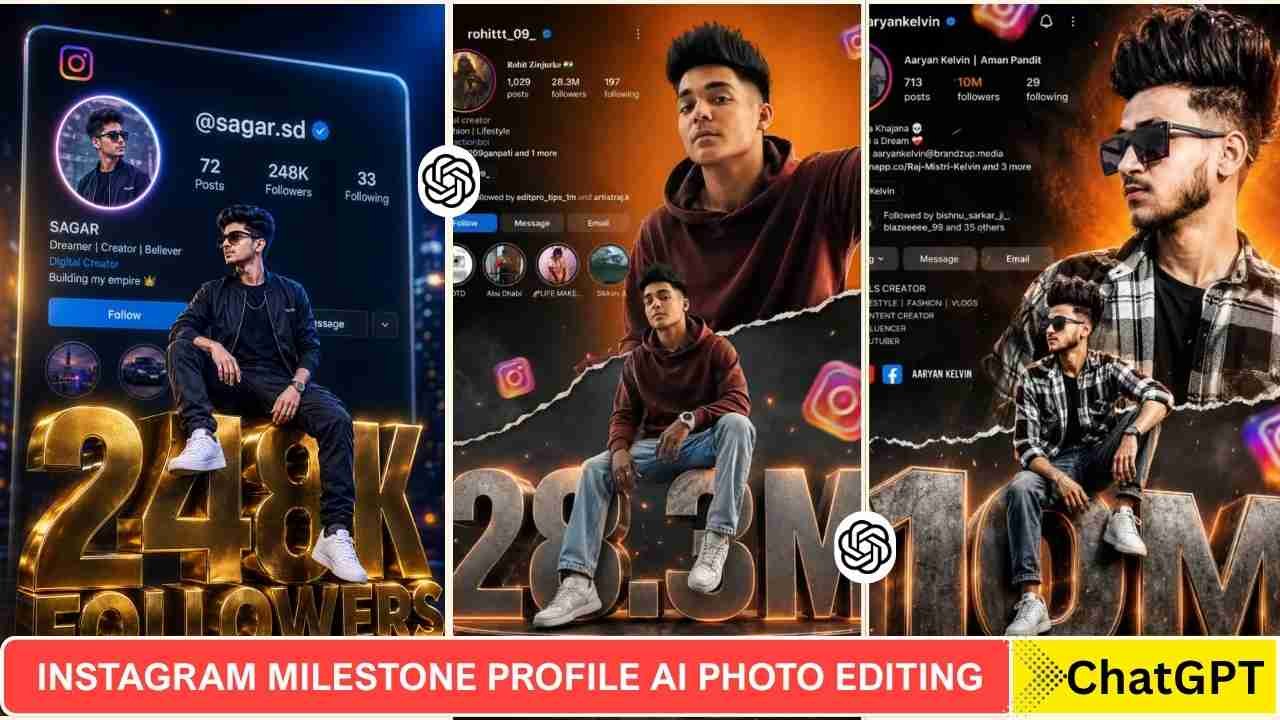
Instagram Milestone Profile AI photo editing has been increasingly popular in recent days. In this type of photo, people share milestones with their Instagram followers, along with their username. Every single day, millions of users upload photos, reels, and stories in hopes of gaining traction, growing their audience, and ultimately going viral.
But here is the honest truth — going viral does not happen by accident. It requires consistency, creativity, and most importantly, staying ahead of the latest trends. And right now, one of the biggest trends taking Instagram by storm is AI-driven photo editing — specifically, the Instagram Milestone Profile AI Photo Editing style that showcases your profile, your follower count, and a cinematic version of yourself all in one breathtaking image.
In this detailed blog post, I am going to walk you through everything you need to know about this trend — what it is, why it is going viral, what prompts to use, and exactly how to create these jaw-dropping images using ChatGPT and Google Gemini in 2026.
What Is the Instagram Milestone Profile AI Photo Editing Trend?
The Instagram Milestone Profile AI Photo Editing trend is a unique, visually stunning concept in which a cutout or realistic render of you, the creator, serves as the main subject of the image. Your actual Instagram profile page serves as the background or a prominent visual element. Your follower count, username, and profile details are displayed in a stylised, 3D, or cinematic manner. The overall aesthetic is cinematic, professional, and hyper-realistic, looking almost like a movie poster or a high-end advertisement.
The concept goes even further with different style variations. You might be standing confidently in front of your Instagram profile display. You could be sitting on top of a giant 3D text spelling out your follower milestone. You might be leaning casually against a glowing wall with your profile floating behind you. The possibilities are truly endless, and the results are absolutely stunning.
Instagram Milestone Profile AI Photo Editing Prompts 2026
Here is a carefully curated collection of the best, most detailed, and most effective AI photo editing prompts for creating your Instagram Milestone Profile photo. Each prompt is designed to produce a slightly different style, so feel free to experiment and find the one that resonates most with your personal aesthetic.
Learn More: Butterfly Effect Ai Photo Editing Prompts
Instagram Milestone Profile Ai Photo Editing Prompts
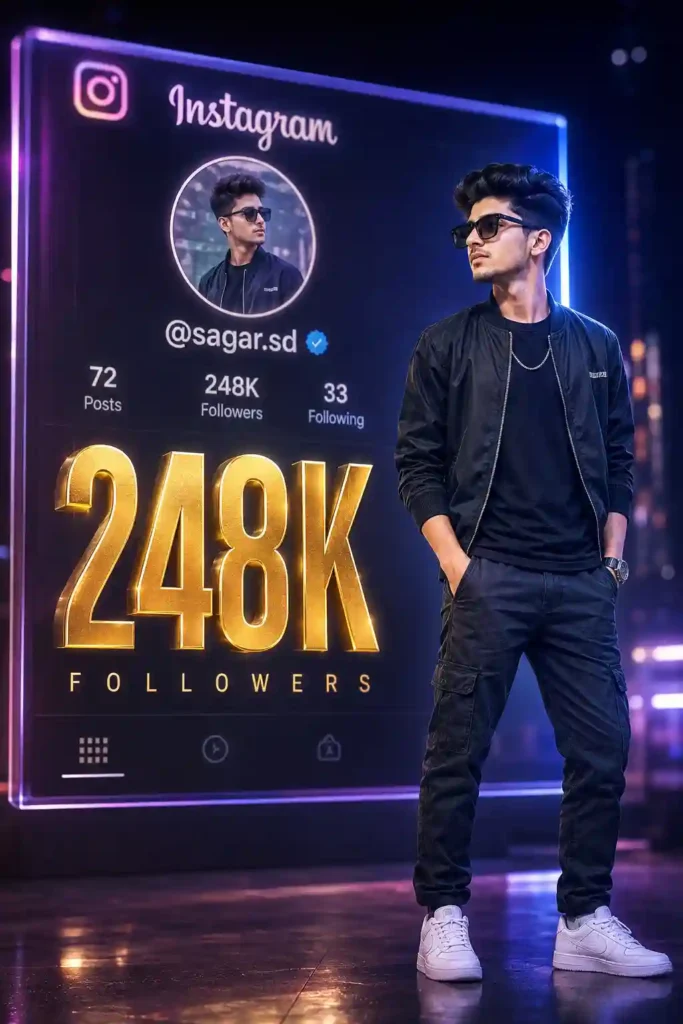
Create a hyper-realistic, cinematic photo edit featuring [YOUR NAME] standing
confidently in front of a large, glowing digital display showing their
Instagram profile. The display clearly shows the Instagram username
"@[YOUR USERNAME]", profile picture, and a bold follower count of
[YOUR FOLLOWER COUNT] displayed in bright, golden 3D numbers. The subject
is wearing [DESCRIBE YOUR OUTFIT] and is standing in a powerful, confident
pose. The background features soft bokeh lighting with deep blues and purples,
giving the image a professional, cinematic quality. The lighting on the subject
is dramatic and flattering, with a subtle rim light creating a glowing aura
around their silhouette. The overall aesthetic is that of a high-end music
video or blockbuster movie promotional poster. Use the uploaded reference photo
to accurately recreate the subject's face and appearance.
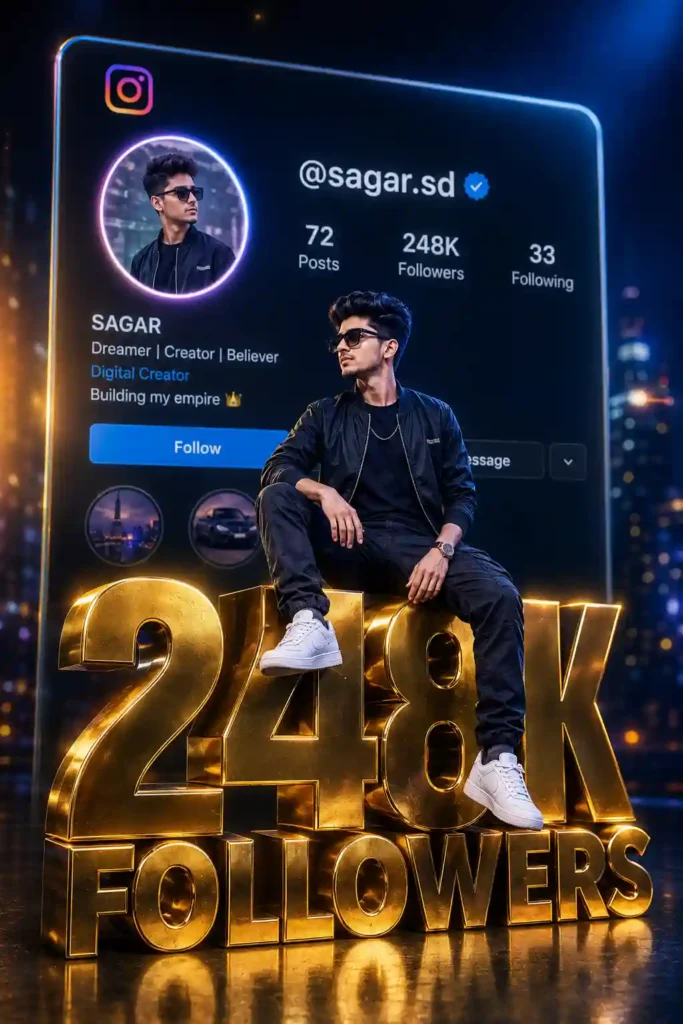
Generate a hyper-realistic AI photo featuring [YOUR NAME] sitting confidently
on top of large, bold, three-dimensional text that reads "[YOUR FOLLOWER COUNT]
Followers". The 3D text appears solid, glossy, and metallic — rendered in
deep gold and chrome tones. The subject is seated casually but with undeniable
confidence, one leg dangling over the edge of the letter. Behind the subject,
a large, beautifully rendered display of their Instagram profile is visible,
showing the username "@[YOUR USERNAME]" with the profile picture glowing
prominently. The overall color palette is rich, dark, and cinematic — featuring
deep blacks, electric blues, and warm golden highlights. Cinematic depth of
field, professional photography lighting, ultra-realistic rendering. Use the
uploaded photo as a reference to accurately depict the subject's face, skin
tone, and outfit.
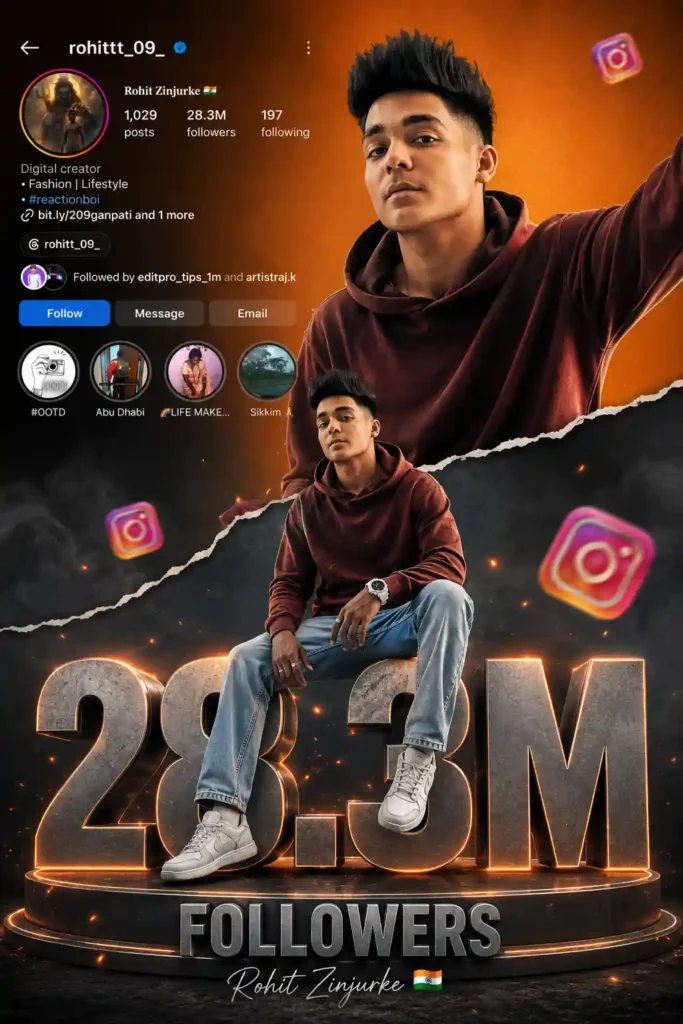
Create a vibrant Instagram 28.3M milestone poster featuring “Rohit Zinjurke ”. Use two poses of the same stylish male: one half-body portrait at the top and one full-body sitting pose on a large metallic 3D “28.3M” text. Add floating Instagram icons around the text. Background split with an orange gradient top and smoky dark grey bottom using a torn paper transition effect. Include an Instagram profile UI at the top showing username “Rohit Zinjurke”, 28.3M followers, bio, and social icons. Cinematic lighting, ultra-realistic, high detail, premium Instagram influencer style.
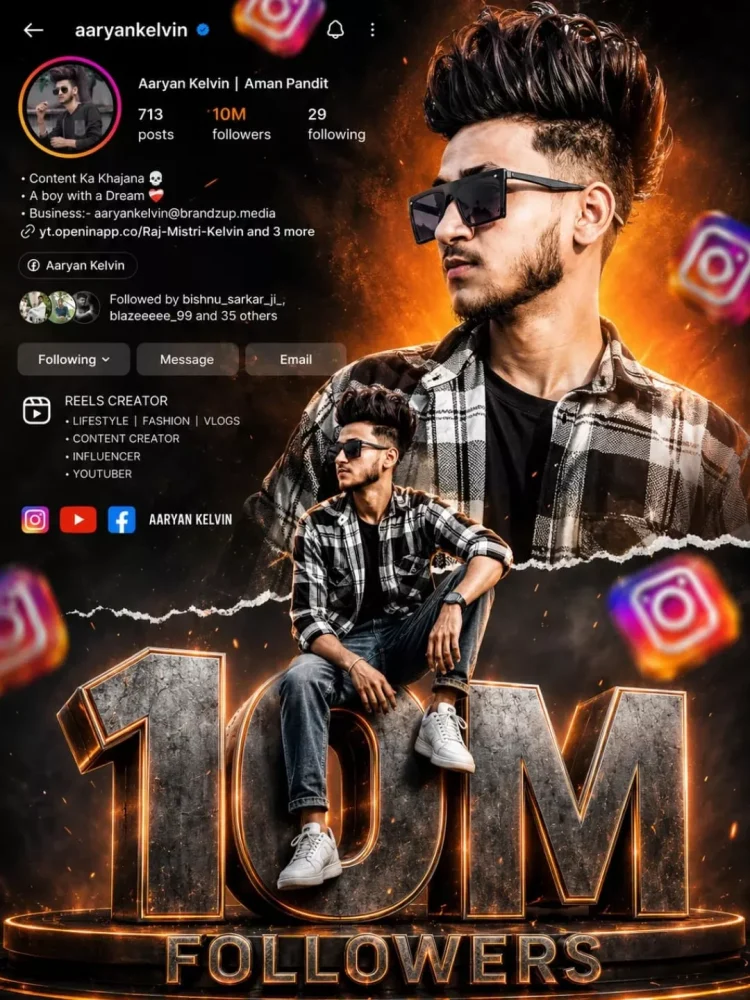
Ultra realistic Instagram design. A stylish Indian teenage boy wearing black sunglasses, black-white check shirt, blue jeans and white sneakers. Two different poses of the same person - one upper-body stylish portrait looking sideways at the top right, and one full-body sitting pose on giant metallic 3D "1.5M" text at the bottom center. Bright orange cinematic gradient background on top background at bottom Content Ke KhajareA boy with a DreamBuchess-asyentevine2offerzone.in/whats Aaryan Kelvin Followed by bishnu sarka with smoky dark greyand Mes separated by torn paper effect. Include realistic Instagram profile Ul on left side with username, followers count, Following reels creator details, bio text and social icons. Add floating 3D Instagram logos around the scene with depth blur. Add glowing orange sparks, cinematic lighting, dramatic shadows, high contrast, ultra HD 8K quality, realistic skin texture, DSLR depth of field, stylish influencer vibe.The giant "1.5M" text should look metallic steel with orange glowing edges and circular platform below it. Add "FOLLOWERS" text below. Add handwritten signature style FOLLOWERS.
Facebook profile poster prompt
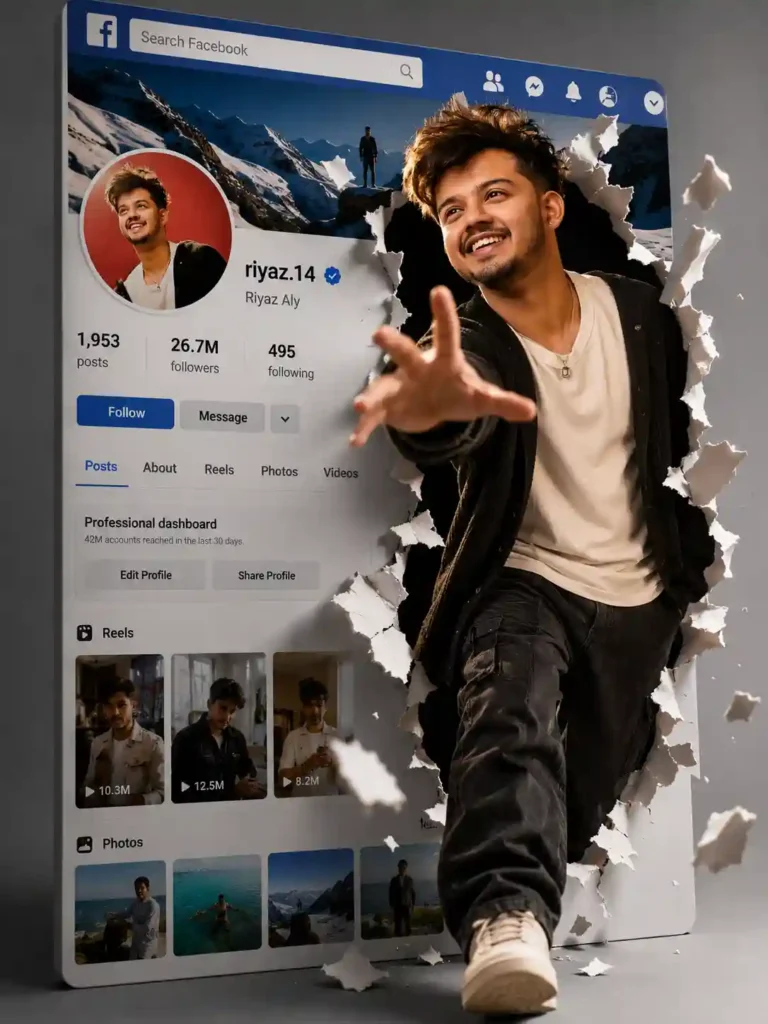
Create a cinematic surreal 4K portrait using the uploaded face without changing any facial features or identity. The person confidently steps out from a giant Facebook-style profile screen through a hyper-realistic torn paper effect with flying ripped pieces creating strong depth and motion. One foot forward, one hand reaching toward the camera for a dynamic 3D perspective. Behind the subject, display a social media profile UI with avatar, username, followers, dashboard, reels, and image tabs. Minimal gray studio background, dramatic high-contrast lighting, sharp shadows, photorealistic luxury advertising style, ultra-detailed, immersive cinematic composition.
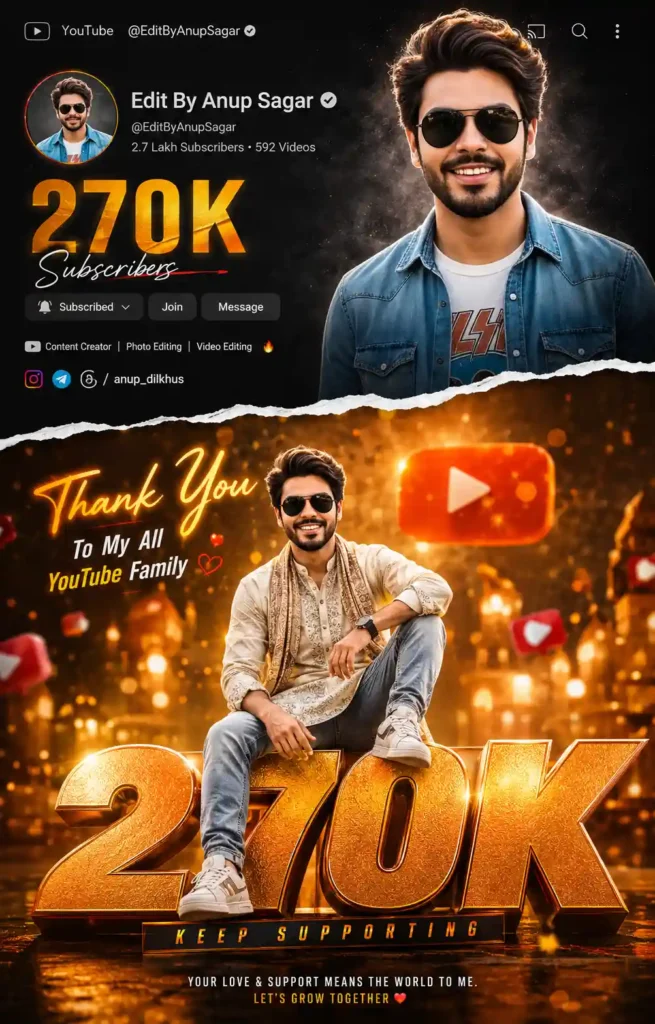
Create a premium cinematic 500K YouTube celebration poster using the same person in two poses. Split the design with a realistic torn paper effect. Top section: dark social-media profile UI with profile photo, “500K Subscribers”, creator info, icons, and a stylish portrait with confident expression, dramatic studio lighting, black gradient background. Bottom section: glowing orange-gold scene with huge metallic 3D “500K” text. Person sitting casually on the numbers wearing trendy traditional + casual outfit with sneakers. Add floating YouTube icons, hearts, bokeh lights, reflections, glow effects, cinematic shadows, HDR lighting, glossy 3D typography, ultra-realistic skin detail, DSLR quality, viral influencer poster style. Include stylish text: “Thank You”, “To My All YouTube Family”, “Keep Supporting”. Vibrant orange-gold color grading, high contrast, 4:5 Instagram post, suitable for both male and female creators.
Learn More: Instagram Viral Chatgpt Music Lover Cinematic College Ai Photo Editing Prompts
How To Use Instagram Milestone Profile AI Photo Editing Prompts
We used a ChatGPT prompt to generate an Instagram Milestone Profile AI photo. To create such a type of photo, you just need to follow the steps given below.
- Take a screenshot of your Instagram profile with high quality.
- Go to ChatGPT and sign up and log in to it.
- Now, copy the prompt from above and paste it on ChatGPT prompt box.
- Click on the plus icon and upload your image.
- Then, click on send to generate an Instagram Milestone Profile Al Photo.
- After a few seconds, your Instagram Milestone Profile Al Photo will be ready.
Final Thoughts
I hope the above prompt and guide help you to make an Instagram Milestone Profile Photo Editing. This type of photo editing looks like the Instagram Milestone Profile. These days, AI tools are so powerful, and this is a good example of that. I have also shared the Instagram Milestone Profile AI Photo Editing Prompt above. If you find this article helps you to introduce new trends, let me know in the comments section.