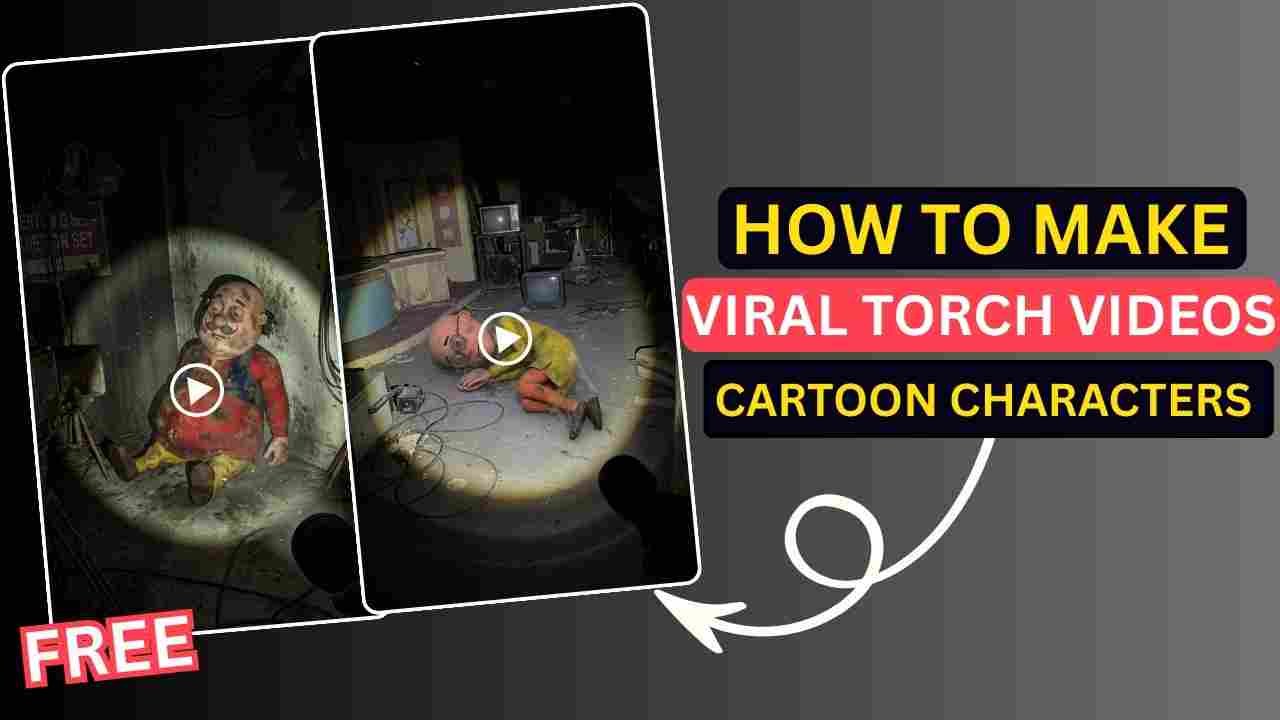
With the advancement of AI, various types of video will be created using AI. You do not need to have any high professional video editing skills to create such a video. Most importantly, those videos are going viral all over different social media platforms, especially on Instagram and Facebook. Those videos are so realistic that sometimes you can’t imagine them. Viral torch videos of cartoon characters, which have been circulating for the past few days on Instagram also created using AI. In this post, I am going to give you complete guidance on creating such a professional video. So, if you are interested in creating or curious about how to make viral torch videos of cartoon characters using AI, then read the article and follow the complete process given below.
Why torch videos of cartoon characters goes viral?
Torch videos of cartoon characters go viral, especially with Motu-Patlu or Chhota Bheem. This type of torch video goes viral because it turns a funny childhood cartoon into a dramatic, emotional, cinematic scene that people don’t expect. It creates suspense and a horrifying experience. This further engages the user till the end of the video.
How to Make Viral torch videos of cartoon characters using AI
To create viral torch videos of cartoon characters, we use Google Gemini AI and Meta AI. We use Gemini to create a photo with a proper visual old horror place, and then we use Meta AI to create the trending torch videos.
Create Viral torch Photo of cartoon character using Google Gemini
Here we use the Google Gemini Nano Banana Model to create a Viral torch Photo of a cartoon character. You just need to follow the given below steps.
- Open the Google Gemini AI app or web and select Nano Banana Model.
- Then copy the prompt from the given below and paste it on the text prompt box.
- Now, download the multiple characters from Google or from our Telegram channel.
- Upload any one character and click on the Run button to generate the viral torch photo of a cartoon character. Save the generated image.
- Now, repeat the steps above for all photos and save them on your pc or mobile device. For Example: Motu, Patlu, Dr. Jhatka, assistant Ghasitaram, and police Inspector Chingum.
Viral torch Photo of cartoon character Gemini prompt
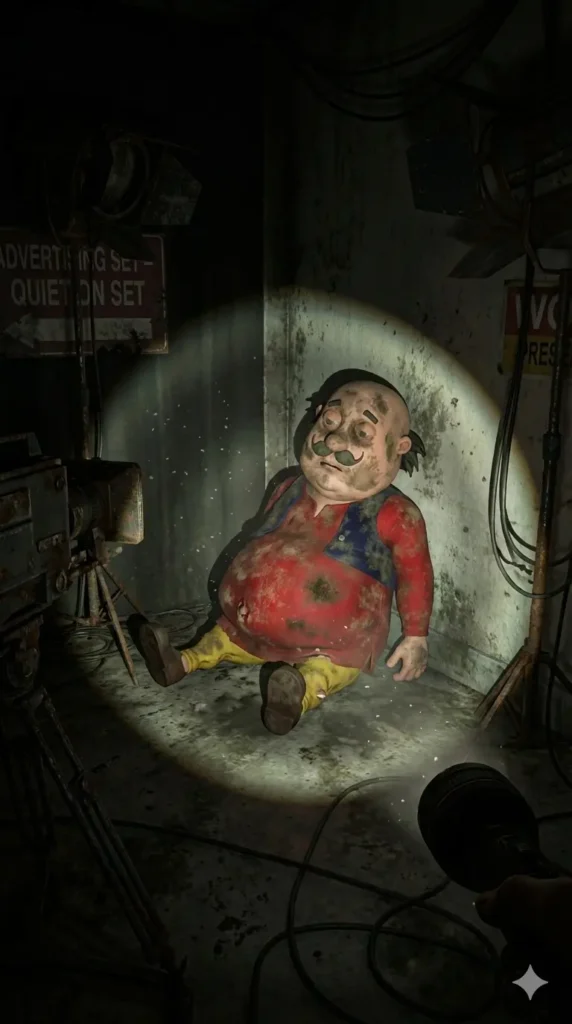
Use the uploaded image of the character as an exact reference. Preserve the original proportions, materials, colors, textures, and facial features. Do not alter the design and do not stylize the character.A first-person point-of-view shot inside an abandoned space [LOCATION TYPE:television studio/advertising set /realfilming location]. The viewer is holding a flashlight, creating a single circular beam of light while the rest of the space is engulfed in darkness. In the flashlight beam, it is visible that the character is positioned as if it was left behind after filming:[POSITION: lying on the floor/curled up in a corner /leaning against a table/slumped against a wal]The character must appear completelylifeless and inactive: no action, nointentional pose, no sense of presence, If itis a doll or a costume, there must be novisible hands, rods, strings, or personinside.The character appears old, dirty, and abandoned: worn fabric, accumulated dust, stains, discoloration, flattened or damaged areas. The environment is clearly abandoned:dusty surfaces, old filming equipment, cables scattered on the floor, faded signs or set decorations.Dust particles float within the flashlightbeam; the space feels silent and untouched for years, Photorealistic flashlight-based lighting, harsh shadows, rough textures, documentary realism, on-location shooting aesthetics, no stylization. Aspect Ratio 9:16
Learn More: Google Gemini Notebook Drawing Ai Photo Editing Prompts
How To Create viral torch photo of cartoon character In Meta AI
Meta AI is a simple and powerful AI tool that helps users create realistic videos from images using copy-and-paste text prompts. Follow the steps below to generate an AI video.
Step 1: Open Meta AI- Visit the Meta AI website and sign up & log in. Now, click on the “+” icon and select Create.
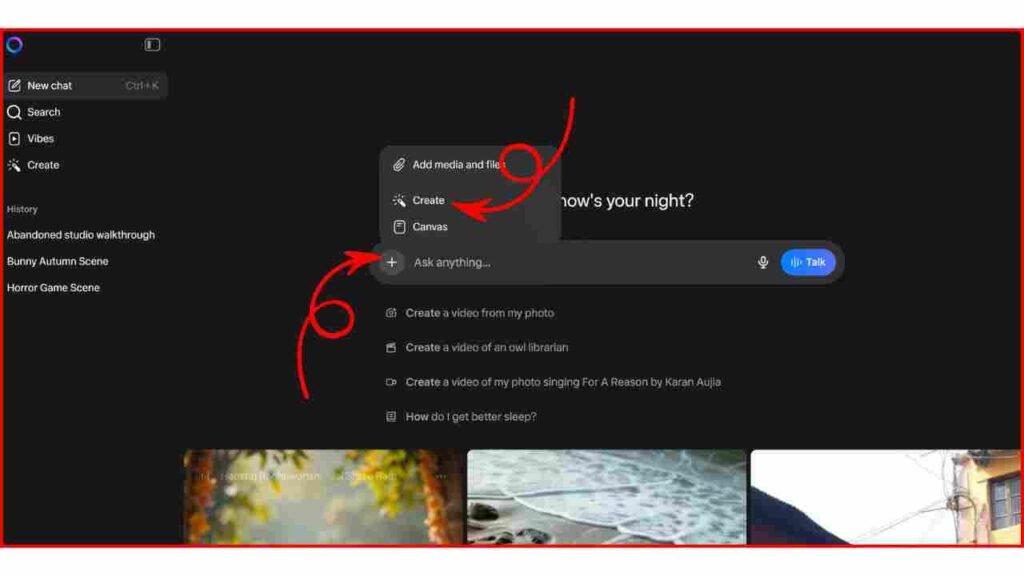
Step 2: Upload the AI Image– Click on the “+” icon and select add media to upload your image. After that select Video Option.
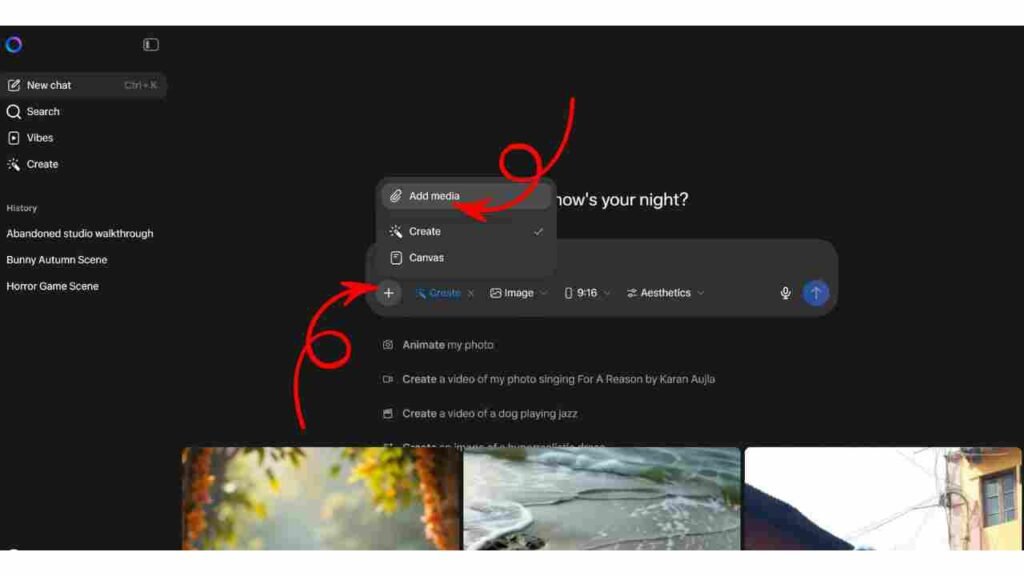
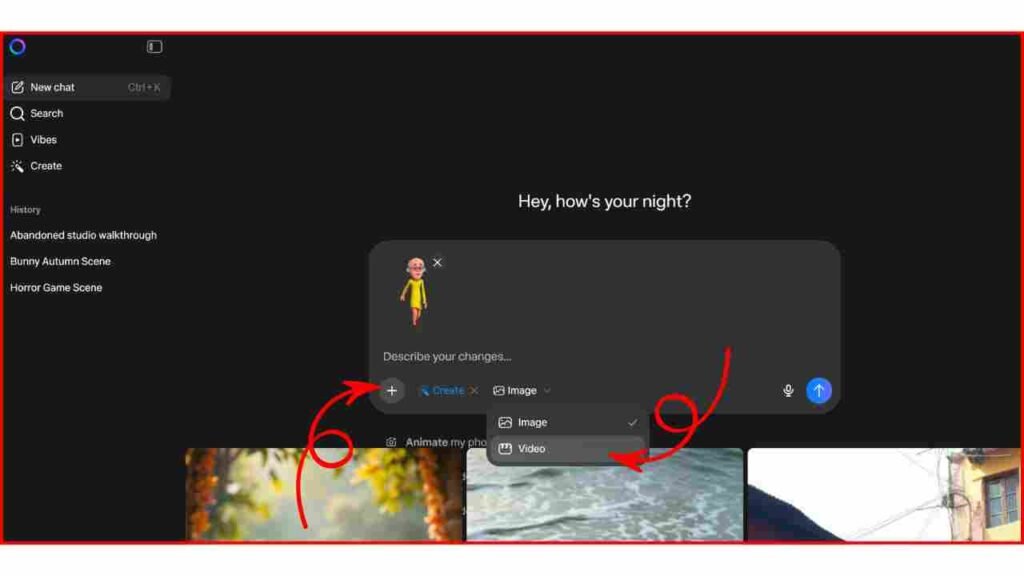
Step 3: Copy & Paste the Video Prompt– Now, copy the given prompt below and paste it into the prompt box section on Meta AI.
Step 4: Generate the Video- Finally, click on the Animate Button to generate the video.
Step 5: Download & Use: Download the video and repeat all steps to create multiple videos for all characters you have.
The camera represents a real human point of view walking slowly inside the same location.
Movement is grounded and realistic: subtle vertical bob from footsteps, gentle side-to-side sway, imperfect handheld motion. The viewer is holding a flashlight; the beam reacts naturally to walking and turning with delayed movement, small overcorrections, uneven scanning. The character remains completely still and lifeless: no animation, no blinking, no breathing, no movement. Only environmental motion: floating dust, minimal light flicker, very subtle movement of loose elements. The environment stays consistent the whole shot: no set changes, no teleporting, no new objects. Photorealistic video, found-footage realism, handheld walking camera, low light, strong shadows, gritty textures, natural imperfections
Learn More: Viral Truck Body Falling Ai Reels Editing Prompt
Conclusion
By using Google Gemini and Meta AI, you can easily create torch videos of cartoon characters. After creating multiple videos, you can use any editing application to join the videos. You can also add background sound to create a horror-like experience to increase audience retention. I hope you find this article helpful. If you face any problems, feel free to contact me on my Instagram account or let me know on a comment below, and I will try to fix your issue as soon as possible.