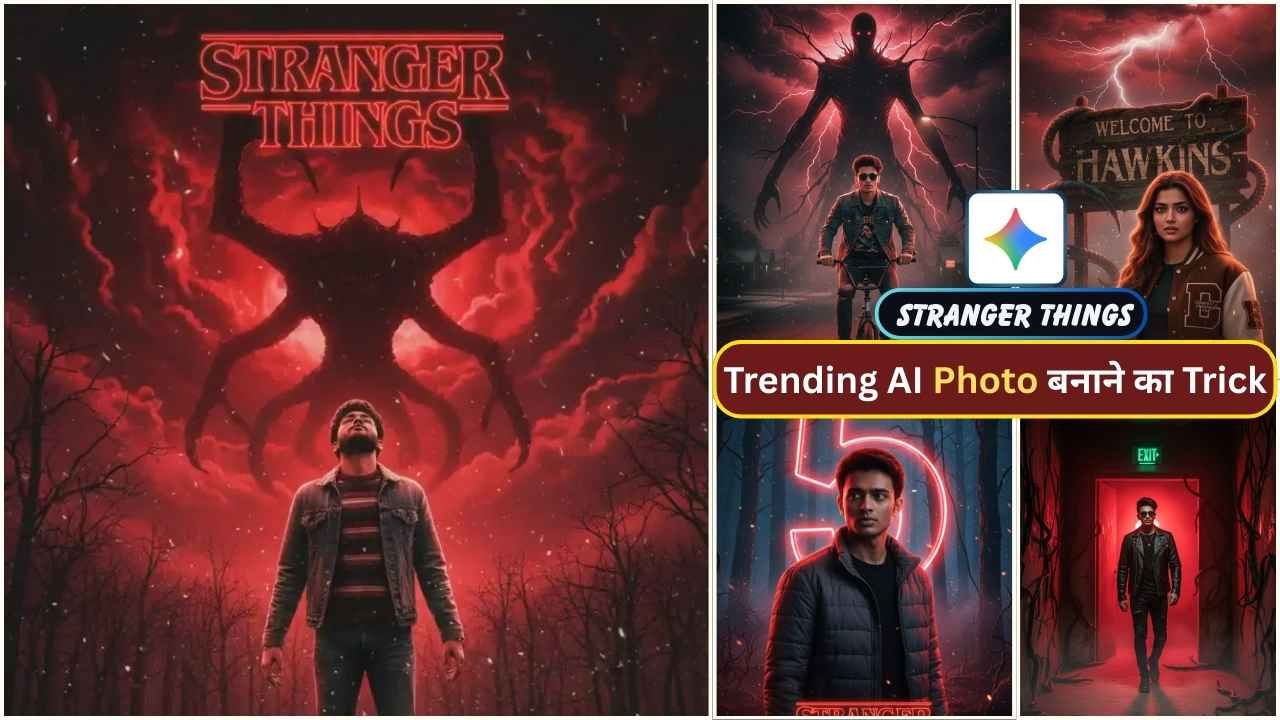
Google Gemini Stranger Things AI photo editing prompts are a powerful way to turn your normal photo into dark, cinematic 80s horror posters that look ready for Netflix in 2025. Many people are creating Stranger Things trending photos using Google Gemini’s Stranger Things AI Photo Editing Prompts. If you’d like to create your own Hollywood-style Stranger Things photos, then you are in the right place. As you know, Stranger Things Season 5 was just released a few days ago. This is a popular web series that is exclusively launched on Netflix.
In this article, I am going to explain everything with a very simple step-by-step process to create such a Stranger Things AI photo. You just need to read the article till the end.
What is Google Gemini Stranger Things Editing?
Google Gemini’s updated image-editing model lets you change outfits, backgrounds, and even blend multiple photos while keeping faces natural and detailed. When you combine this with Stranger Things–inspired prompts, you can create Hawkins-style forests, neon-lit 80s streets, or horror lab corridors around your own portrait in just a few seconds.
The key idea is “describe the vibe, not the show”: focus on 1980s small-town horror mood, fog, neon red/blue lighting, and supernatural atmosphere instead of copying specific copyrighted posters or characters by name. This keeps your edits safer for copyright and makes them more original and viral-ready for Instagram Reels, YouTube thumbnails, and Shorts in 2025.
Learn More: Gemini Glowing Drawing Couple AI Photo Editing Prompts
Stranger Things Ai Photo Editing Prompts
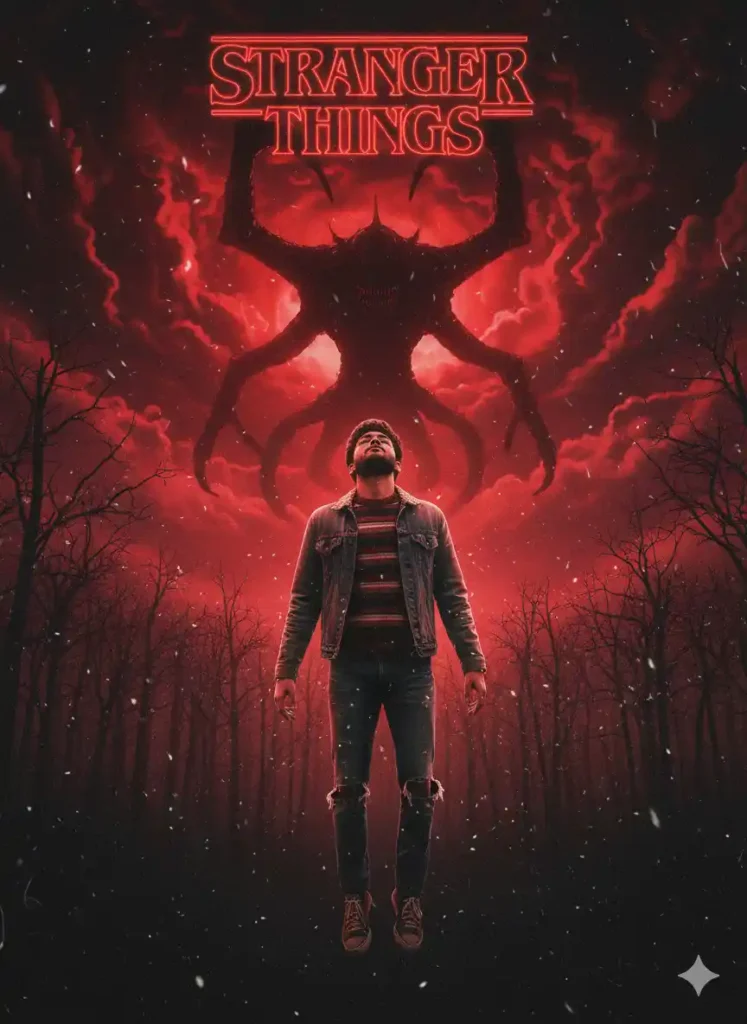
“Create a cinematic Stranger Things–style movie poster. Use the exact face and physical features from the uploaded photo with 100% accuracy. The scene shows a dark, ominous red sky looming over a dense, gloomy forest. In the center, the person (wearing 80s-style youth clothing) floats mid-air as if possessed or controlled by a supernatural force. Behind them, reveal the towering shadowy silhouette of the Mind Flayer, partially obscured by fog. Add a grainy, atmospheric texture with small white dust-like particles drifting through the air. Use a dramatic color palette of deep red, black, and steel gray, with strong cinematic lighting and heavy contrast, capturing a dark, eerie Stranger Things mood.”
Learn More: 10+ Trending Gemini photo editing prompts for boys (100% Real Face)
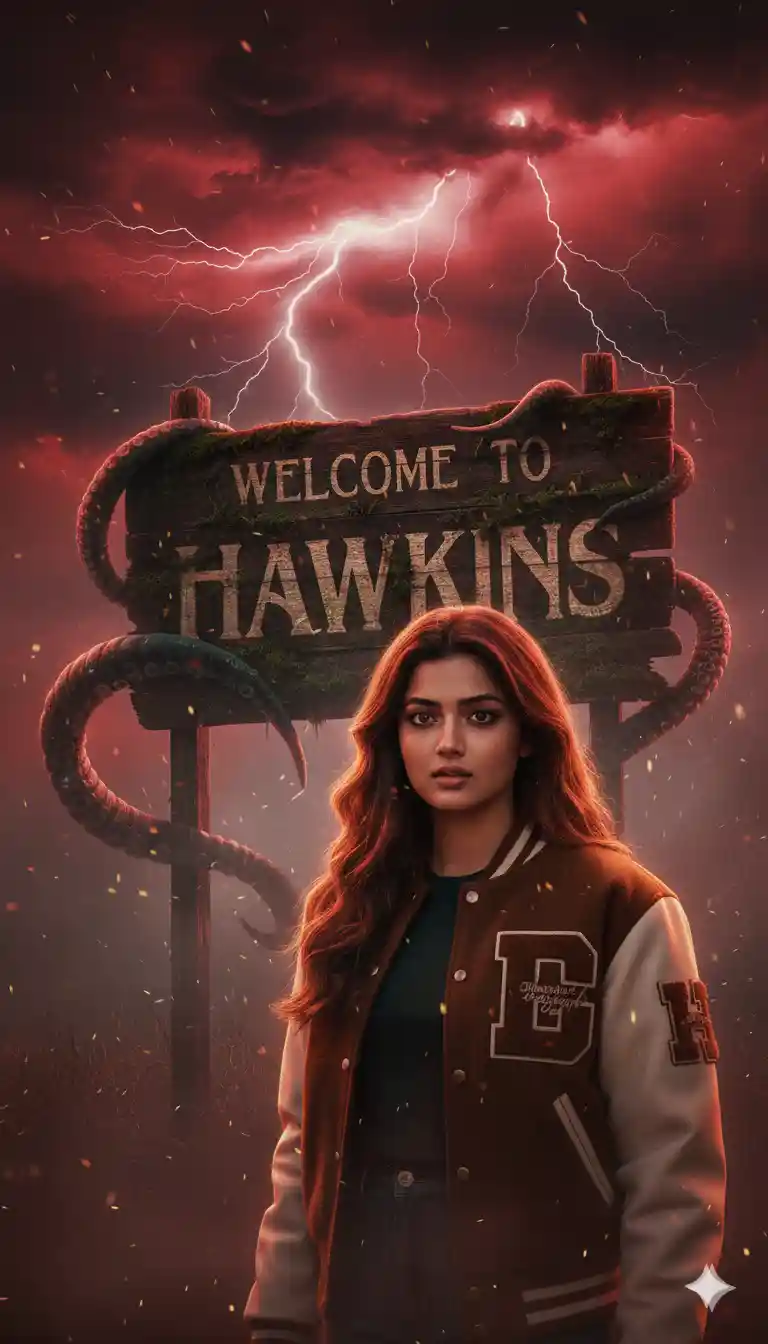
“Create a dramatic, ultra-realistic Stranger Things–style character portrait. Use the exact face from the reference image with 100% accurate facial preservation. The character wears a brown-and-white varsity jacket and stands in front of an old green ‘WELCOME TO HAWKINS’ sign. She turns her head toward the camera with a serious, suspicious expression. The sky behind her is dark red and stormy, filled with swirling clouds, lightning streaks, thick fog, and drifting particles. Large Demogorgon-like shadow tentacles coil around the Hawkins sign. Strong lightning-rim lighting highlights her hair and jacket. Use deep reds, blacks, and electric whites to create a cinematic, supernatural atmosphere with volumetric lighting and poster-style 8K quality.”
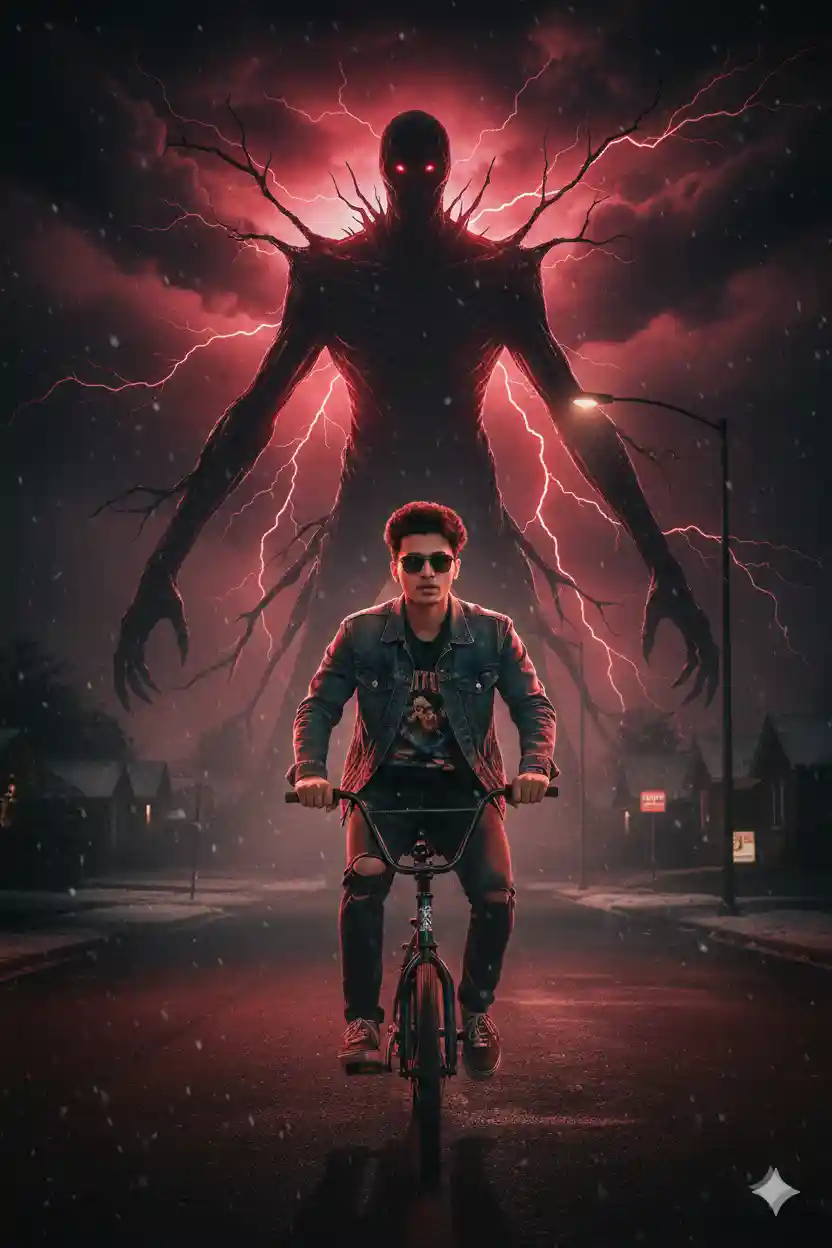
“Create an ultra-cinematic poster. Use the exact face and physical features from the reference image with 100% accuracy. Show the person riding a bicycle directly toward the viewer, wearing a denim jacket, ripped jeans, and displaying a determined yet slightly fearful expression. Place her on an empty suburban street at night, with snow-like particles drifting through the cold air. The mood should feel eerie, abandoned, and unnaturally quiet.

Behind her, towering into the stormy sky, reveal a massive shadowy humanoid creature with long branching limbs and glowing red eyes. The monster should look terrifying and otherworldly, emerging from swirling storm clouds illuminated by red lightning. Its immense silhouette dominates the background, creating a sense of danger as if it is stalking the cyclist.

Use a color palette of deep reds, blacks, and subtle neon accents. Lighting should include dramatic backlighting around the creature, soft highlights on the cyclist, atmospheric fog layers, realistic textures, and strong cinematic depth. Deliver a supernatural, suspenseful, Stranger-Things-inspired atmosphere. No text or titles anywhere.”
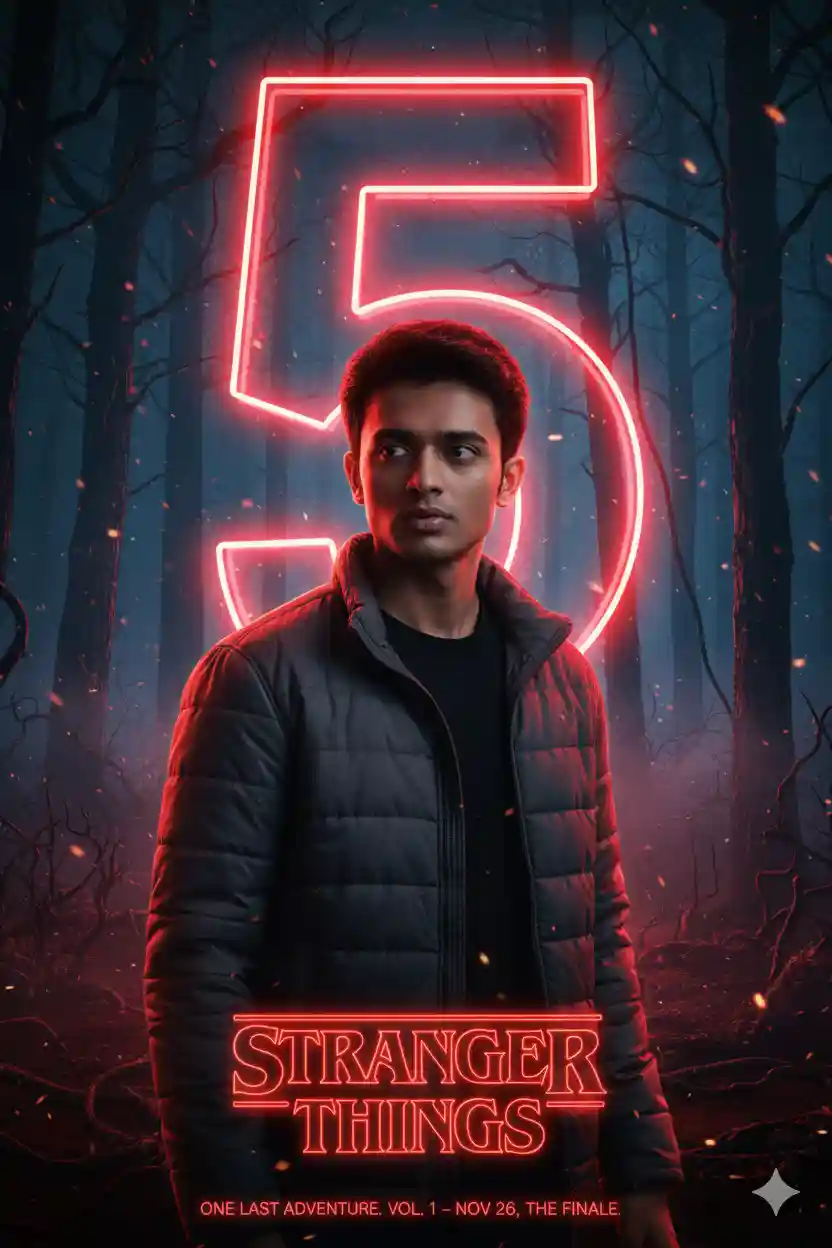
“Create an ultra-realistic Stranger Things–style character poster. Use the exact face and features from the reference image with 100% accuracy. The scene takes place in a dark, eerie Upside Down forest with twisted tree silhouettes and a blue-black atmospheric haze. Behind the character, place a large glowing red neon number ‘5’, casting intense red rim-lighting along the character’s edges.

Position the character centered, wearing a grey padded jacket and a black shirt, with a moody, dramatic expression. Use cinematic, high-contrast lighting on the face with deep shadows and subtle volumetric glow in the background.

Add soft retro neon typography at the bottom: ‘STRANGER THINGS’ in the signature red glow. Beneath it, include the subtitle text: ‘ONE LAST ADVENTURE. VOL. 1 – NOV 26, THE FINALE.’

Overall style: Netflix series key-art aesthetic, 4K resolution, crisp textures, atmospheric depth, and cinematic realism.”
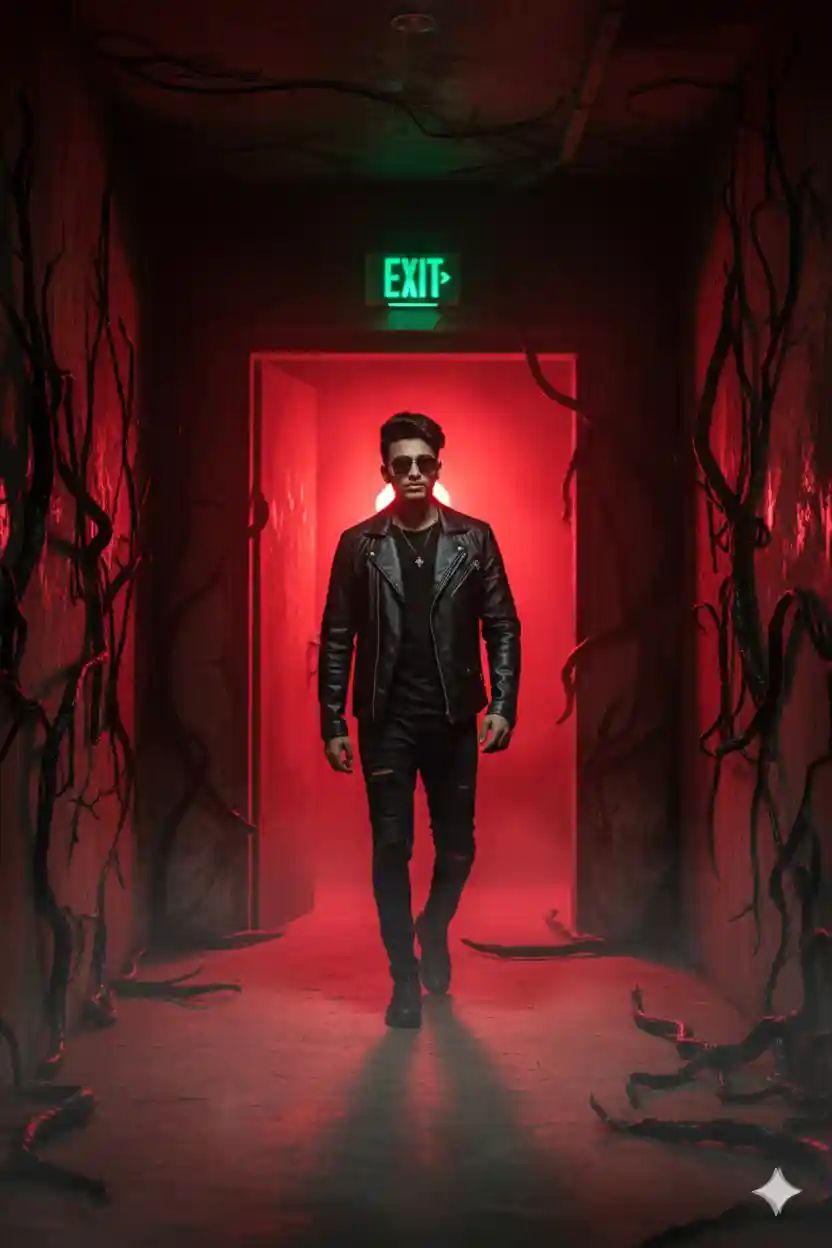
“Create a dramatic, ultra-realistic cinematic scene. Use the exact face and physical features from the reference image with 100% accuracy. Show the person wearing all-black clothing and sunglasses, walking confidently through a glowing red doorway in a dark hallway. The doorway emits intense neon-red light that casts deep, high-contrast shadows across the environment.
Black, twisted, organic vine-like tentacles spread across the walls, ceiling, and floor, creating a supernatural Stranger Things–style atmosphere. Thick fog rolls across the ground for depth and mystery. Above the doorway, include a green EXIT sign that contrasts sharply with the red neon glow.
Use strong cinematic lighting, rich atmospheric fog, a moody sci-fi horror tone, and 4K ultra-detailed textures with a bold, dramatic composition.”
How To Create a Trending Stranger Things Ai Photo Editing Prompts?
If you want to create a trending Stranger Things Ai photo, then copy any prompt from the above. Then, follow the steps given below.
Step 1: Go to the Google Gemini App or the web.
Step 2: Now, log in to Google Gemini and paste the copied prompt in the text prompt section.
Step 3: After that, click on Create image with the banana icon to choose the Nano banana model.
Step 4: Then upload your photo.
Step 5: Finally, click the Run button to generate the Stranger Things AI photo. After some time, your photo will be ready.
Step 6: Then, you can save the photo and share it on your social media account to enjoy the trend.
Learn More: Gemini Retro Style Ai Photo Editing
What is Stranger Things?
Stranger Things is a popular science-fiction horror Netflix web series set in the 1980s in the small town of Hawkins, Indiana, where a group of kids and their families get pulled into a mystery involving a secret government lab, dangerous experiments, and a dark parallel dimension called the Upside Down. The story starts when a boy named Will Byers disappears, and while his mother and the local police search for him, his friends meet a strange girl with telekinetic powers, known as Eleven, who helps them uncover the supernatural creatures and hidden experiments behind the town’s problems. The show mixes 80s nostalgia, friendship, family drama, monsters, and suspense, which is why it became a global hit on Netflix and a big part of modern pop culture.
Conclusion
In this way, you can create this type of photo very easily by using the above-given Google Gemini Stranger Things Ai Photo Editing Prompts. This article helps you very much to create such a unique Stranger Things AI photo. If you like this, then let me know in the comments section below. I already shared multiple photo editing prompts on this website, and by using those, you can create various types of AI photos at your own by just a single click. If you need a prompt for any other type of photo editing, then also let me know in the comments section. I will cover the same in the next article as soon as possible.