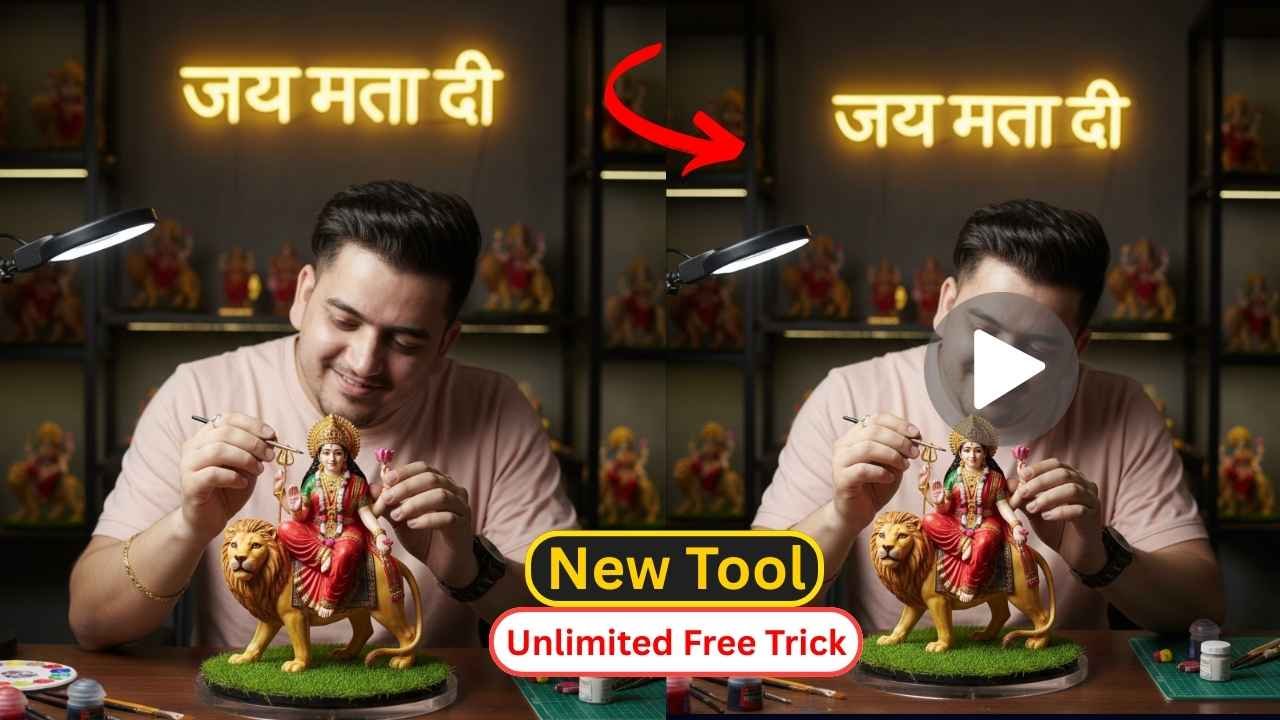
Google Gemini Navratri 3D Model AI Photo Editing Prompt is now trending all across social media. Many people are posting this kind of 3D Model AI Photo, which are receiving millions of likes and comments. Some people also make videos on this 3D Model. As you know, Navratri has already started from September 22, 2025 and will continue till 2nd October 2025.
In this guide, I’ll explain each step, from using 3D Model AI Photo Editing, complete with copy-and-paste prompts, tips, and our collection of 3D Model AI Photo Editing prompts. We will also share how to make a video of this 3D Model.
Learn More: Ganapati bappa hugging AI video generator
Google Gemini Navratri 3D Model AI Photo Editing
Navratri 3D Model AI Photo Editing are going viral because they look so unique and realistic. Google Gemini Navratri 3D Model AI Photo Editing prompts help you to create the best, unique, realistic, and 3D Model as well. Earlier, it was a very complicated process to edit such an ultra-realistic edit using various tools like Adobe Photoshop or any other 3d modeling software. Now it’s been so easy after the newly launched Google Gemini 2.5 flash with its nano banana image editing model. You can generate a Navratri 3D Model within a minute. So, it also helps to reduce editing time and complications.
Google Gemini Navratri 3D Model Ai Photo Editing Prompts
By using Gemini Happy Birthday AI Photo Editing Prompts, you can easily edit such a wonderful Happy Birthday Photo. It’s specially prepared for everyone. We test all the Happy Birthday AI photo Editing Prompts and attach the generated images after each prompt. So, you can use it without any face change issues.
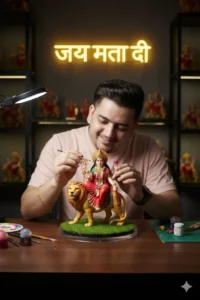
"Create a hyper-realistic scene of a person (from the uploaded reference image, match facial features, hairstyle, skin tone, natural expressions) carefully crafting a 1/7 scale figurine of Vaishno Mata Ji. The miniature shows Mata Ji seated on a lion, wearing red attire with golden ornaments, holding trishul and lotus, surrounded by a subtle divine glow. The figurine is placed on a round acrylic base with green turf. The person is shown mid-action, gently brushing and painting the details of the figurine, with full focus and devotion. Scene: a modern cinematic studio desk, polished premium atmosphere with deep filmic contrasts, soft diffused lighting, and blurred background of miniature Vaishno Maa collections. A glowing neon cursive text in the background reads “Jai Mata Di’. The whole setup feels devotional, artistic, and cinematic with fine detailing of tools, brushes, and miniature accessories on the desk.”
How to use Google Gemini AI to generate unlimited Images
As you know, Google Gemini 2.5 have two versions: one is Google Gemini 2.5 Pro and another is 2.5 Flash. But Google Gemini 2.5 Pro has a limit to create images per day; after that, it asks for a subscription. So, if you need to generate unlimited photos, then you need to use Google Gemini 2.5 flash.
How To Use Google Gemini Navratri 3D Model AI Photo Editing Prompt?
Step 1: Copy the prompts from the above “Google Gemini Navratri 3D Model AI Photo Editing Prompt” section.
Step 2: Now, go to the Gemini Ai app on your phone or visit the Gemini Ai image editor by clicking on the link below:
Create ImageStep 3: Then, sign up and log in to it, and enable the Gemini 2.5 Flash version to edit unlimited photos.
Step 3: Click on the tools and select the Create images option.
Step 5: Then, copy the prompts from the above and paste them into the Gemini 2.5 Flash text prompt box.
Step 4: Then, click on the + icon and upload a photo, which must be taken in good lighting conditions.
Step 6: Click on the Run button to generate the Google Gemini Navratri 3D Model AI Photo.
Step 8: After some time, your God Hugging AI Photo will be ready.
Step 9: Finally, click on the download button to save it.
Learn More: How to Create VIRAL 3D Figurine Character with Gemini AI – Nano Banana.
Google Gemini Navratri 3D Model AI Video Generator prompts
"Animate the generated 3D model of the person, meticulously crafting the Vaishno Mata Ji figurine. The animation should focus on the delicate movements of the person's hands as they use brushes to add intricate details and paint to the miniature. Show close-ups of the figurine coming to life with each brushstroke, highlighting the divine glow and the golden ornaments. The background should remain consistent with the previous image, featuring the "Jai Mata Di" neon sign and the blurred collection of Mata Ji miniatures, maintaining the devotional, artistic, and cinematic atmosphere. The person's facial expressions should convey focus and devotion throughout the animation."
Gemini Navratri 3D Model AI Video Generator
Here you will learn the Gemini Navratri 3D AI Model to AI Video by simple tutorials.
Step 1: Copy the viral Navratri 3D model video prompt from the above.
Step 2: Go to the Navratri 3D Model AI Video Generator. Here, we recommend the Veo3/Pixverse / labs.google AI website by using the information given below:
Create your videoStep 3: Now, Click On the image icon to upload your Navratri 3D Model image.
Step 4: Upload the Navratri 3D Model image.
Step 5: Now paste the viral Navratri 3D Model prompt into the prompt text box section.
Step 6: Then, click on run to generate the Navratri 3D Model video.
Step 7: The video is ready. Download it and share it on Instagram.
Note: You can use any video editor to remove the watermark if you don’t want it on your video.
Conclusion
By using the above Google Gemini Navratri 3D Model AI Photo Editing Prompt, you can create a realistic Navratri 3D Model AI Photo in just a few seconds. Navratri 3D Model has now become viral, especially on Instagram. Here, we try to list all the viral Google Gemini Navratri 3D Model AI Photo Editing Prompts. If we miss any Google Gemini Navratri 3D Model AI Photo Editing Prompt, then let me know in the comments section. If that is up to the quality standard, then we definitely list it on the above Google Gemini Navratri 3D Model AI Photo Editing Prompt section.
Learn More: Gemini Retro Style Ai Boys Photo Editing