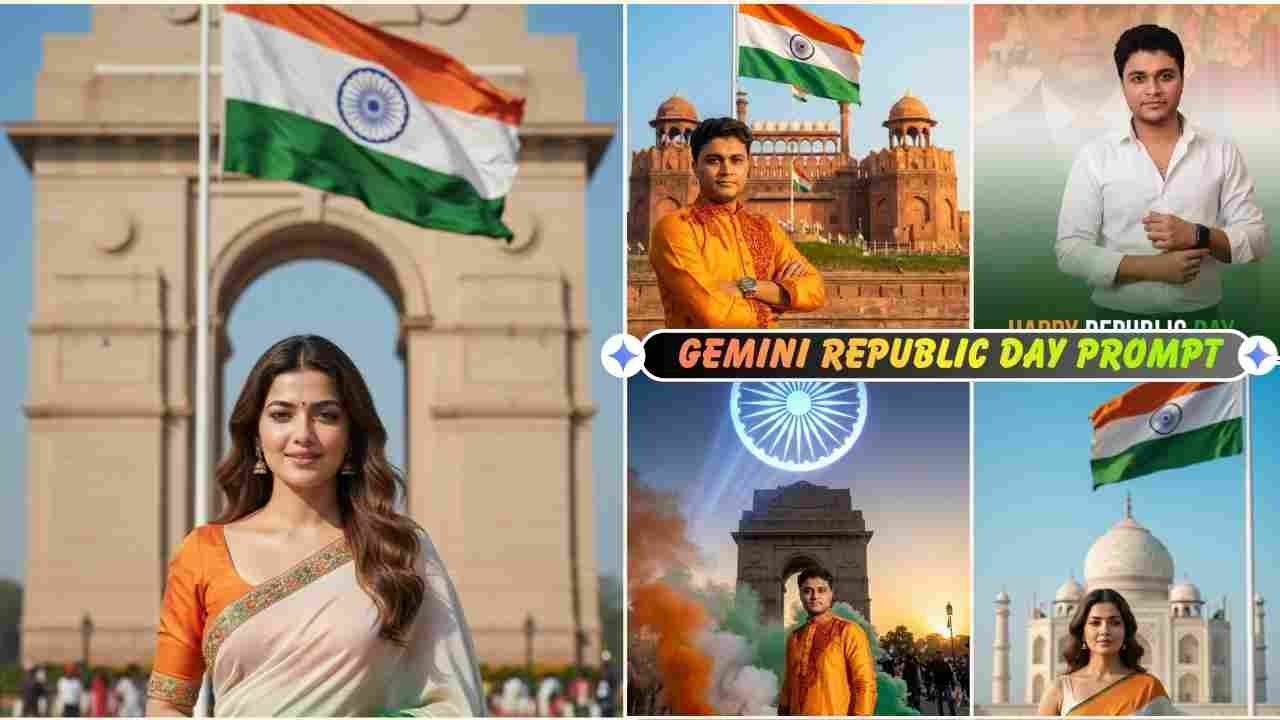
Photo editing with Gemini Republic Day AI Photo Editing Prompts is slowly going viral on social media platforms. As you know, Republic Day will be celebrated on 26th January every year to celebrate national pride and patriotism in India. People are now creating various types of photos for January 26th that are incredibly impressive and realistic. Google Gemini photo editing prompts help you to create such a great photo without any high editing or Photoshop skills. You can create high quality Republic Day photo using proper Gemini prompts. Gemini has made the photo editing process much easier. You can create any kind of photo and achieve perfect results using the perfect Google Gemini prompts.
Why is Republic Day celebrated in India in January 26?
Republic Day is celebrated in India every year on January 26, including January 2026, to commemorate a significant incident in Indian history.
On 26 January 1950, the Constitution of India came into effect. From this day, India officially became a sovereign democratic republic. Although India got independence on 15 August 1947, the country did not have its own permanent constitution at that time. Instead, it followed laws made by the British.
The date 26 January was chosen because, on 26 January 1930, the Indian National Congress declared Purna Swaraj (complete independence) from British rule. Therefore, this date has great historical value.
Republic Day is celebrated to:
- Honor the Indian Constitution
- Remember the freedom fighters
- Celebrate democracy and equality
Every year, a grand parade is held in New Delhi, and cultural programs are organized across the country. In January 2026, India will celebrate Republic Day to continue honoring these values and the Constitution that guides the nation.
Gemini Republic Day Ai Photo Editing Prompts 2026
Many people create Republic Day photos and share them on social media platforms like Instagram. They create a photo with the Red Fort, Taj Mahal, or India Gate as the background without actually visiting there. The photo looks very realistic and natural, so that you cannot believe that it was created using Gemini Prompts. That is why we thought to share such ultra-realistic best photo editing Gemini prompts with our users and also give you a simple guide to edit like a pro.
26 January Gemini Prompts
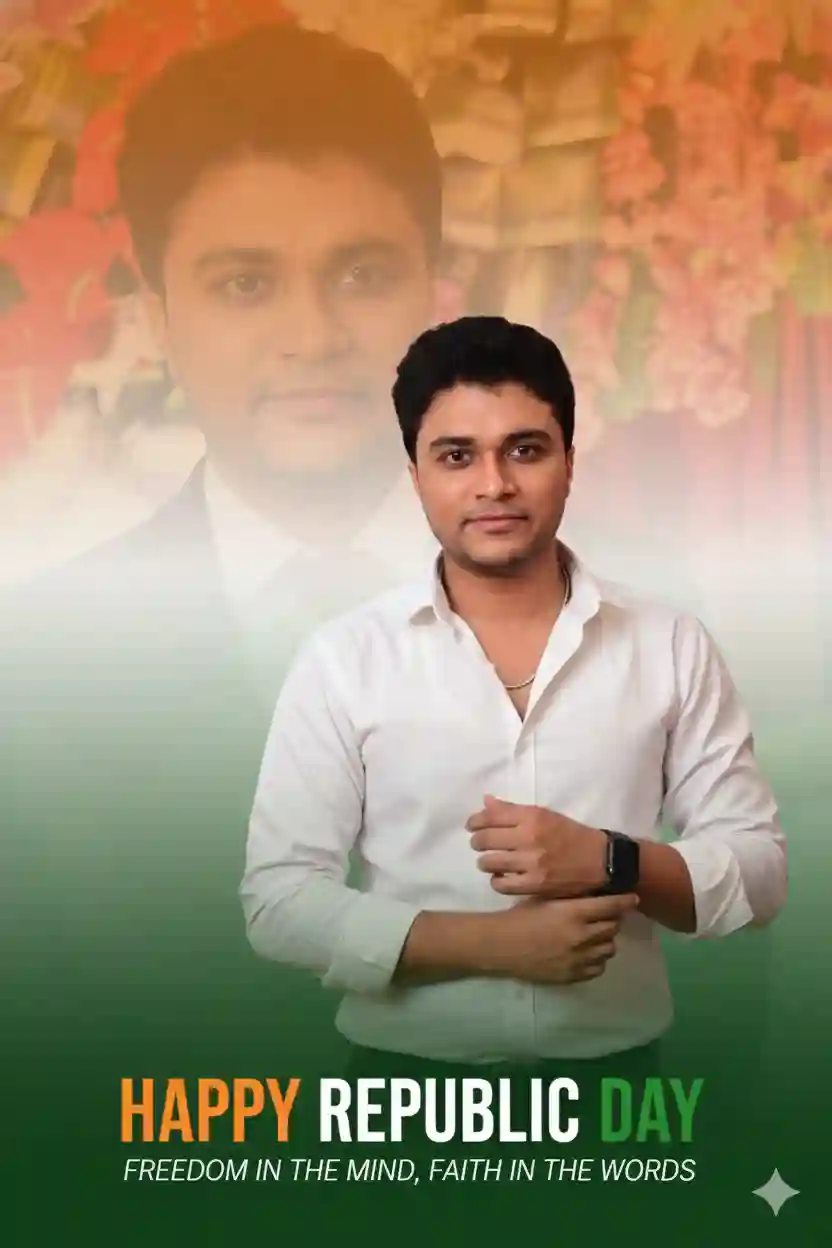
Cinematic ultra-realistic Republic Day poster using reference face with TWO same-person portraits: a ghosted, heavily blurred, low-contrast, 15–20% opacity dreamy background headshot blended into a vertical tiranga gradient (saffron top, white mist middle, green bottom), and a sharp high-contrast medium full-body foreground subject (right hand touching left wrist near chest) wearing a white open-button shirt, black smartwatch, minimal chain, exact face match. Moreover, bottom-center flat bold condensed text “HAPPY REPUBLIC DAY” (HAPPY saffron, REPUBLIC white, DAY green) with small italic white quote below, DSLR look, cinematic color grading, shallow depth of field.
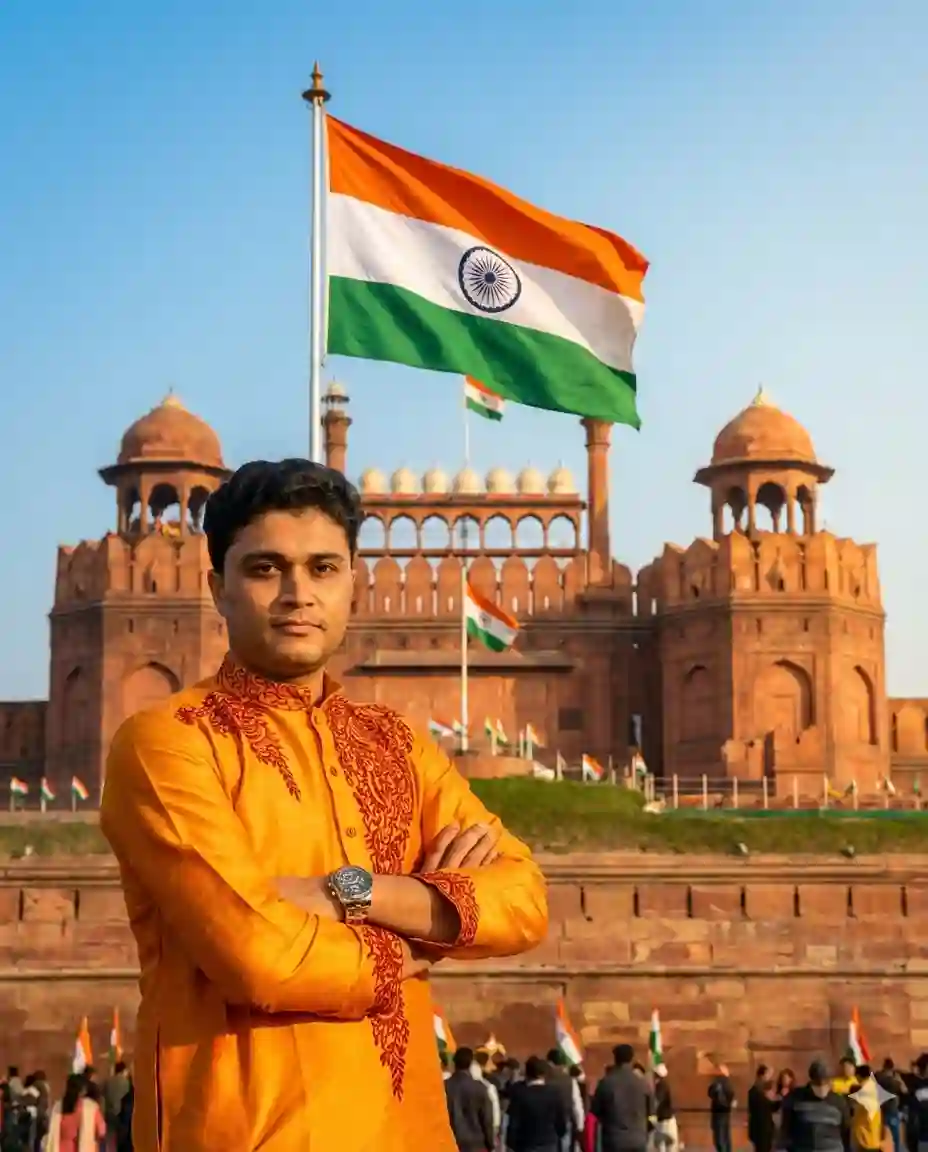
ultra-realistic, cinematic, 4K, professional photography. Edit my photo for Republic Day 2026. Place me standing confidently in front of the Red Fort, New Delhi. Add a clear Indian tricolor flag waving in the background, blue sky, soft sunlight, patriotic mood, cinematic lighting, ultra-realistic photo, high quality, sharp focus.
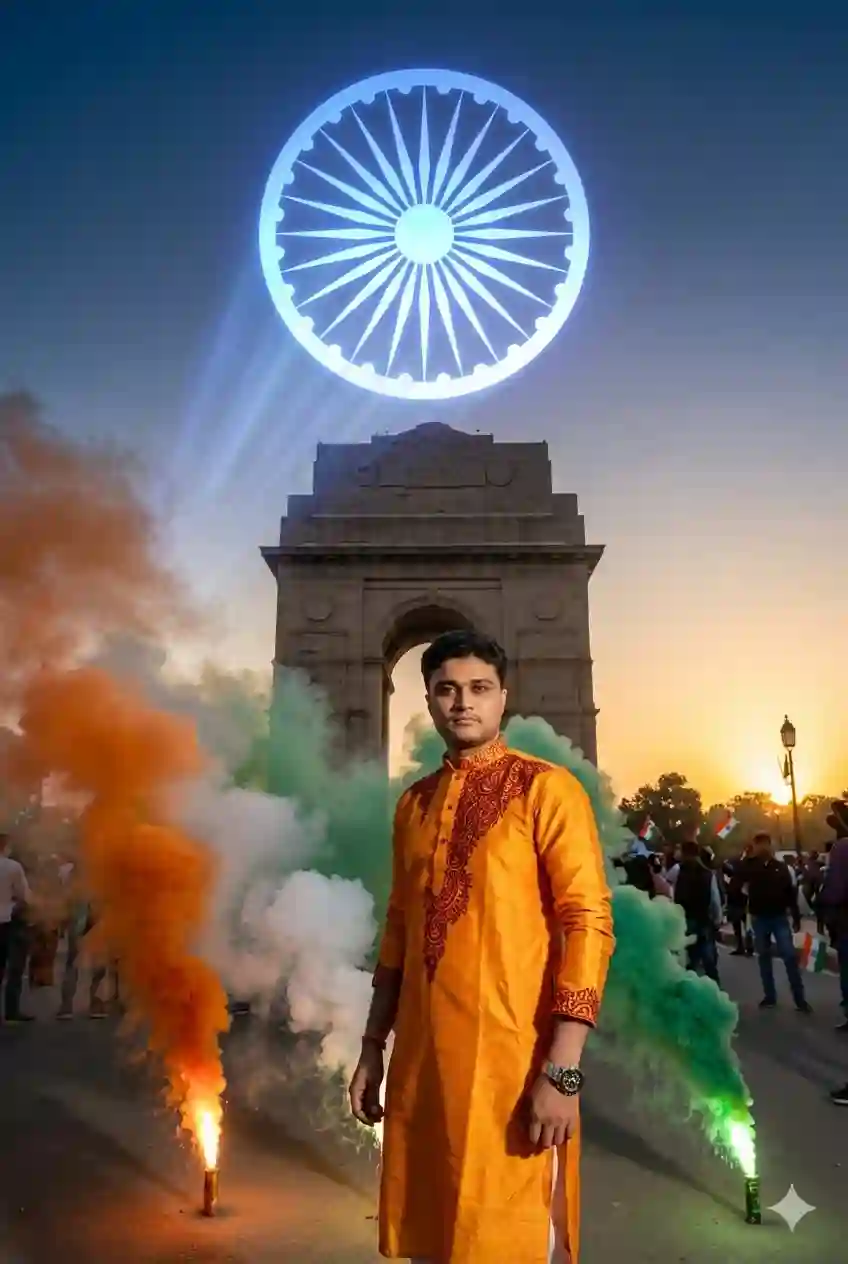
Create a Republic Day 2026 patriotic photo. Put me near India Gate with tricolor smoke effects in saffron, white, and green. Add Ashoka Chakra light effect in the sky, realistic shadows, professional photography style, 4K resolution.
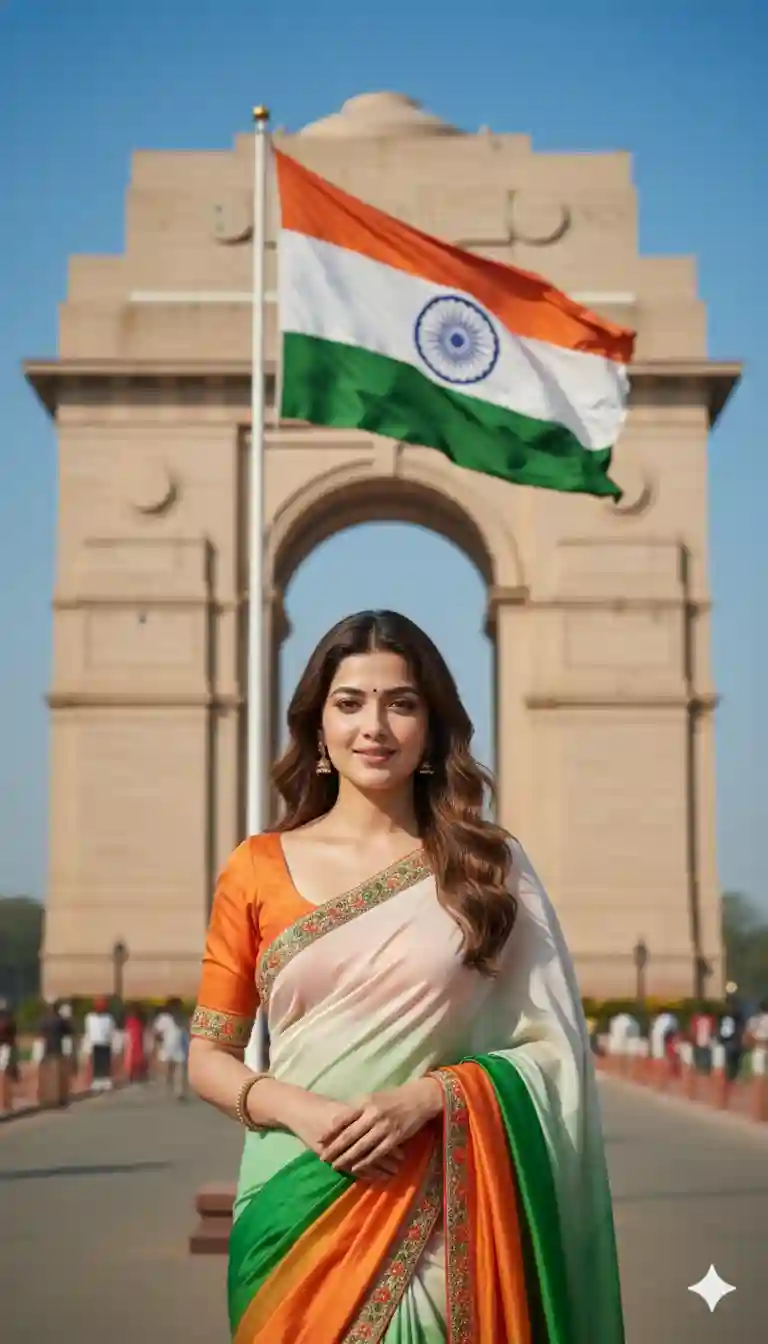
Google Gemini, create a photorealistic Republic Day 2026 image edit. Use my uploaded photo as the main subject. Place an Indian woman wearing an elegant tricolor saree (saffron, white, green) standing proudly near India Gate, New Delhi.
Show the Indian national flag clearly and correctly in the background on a flagpole. The flag must have three horizontal stripes: saffron on top, white in the middle, green at the bottom, with a navy-blue Ashoka Chakra (24 spokes) centered in the white stripe. Ensure accurate colors, correct proportions, and no distortion.
Lighting: bright natural daylight with soft shadows. Background: clear blue sky with a subtle patriotic atmosphere. Style: DSLR photography, ultra-realistic face details, natural skin tone, sharp focus, cinematic depth of field, 4K quality. Mood: proud, graceful, patriotic. Avoid artistic, abstract, or stylized flag designs.
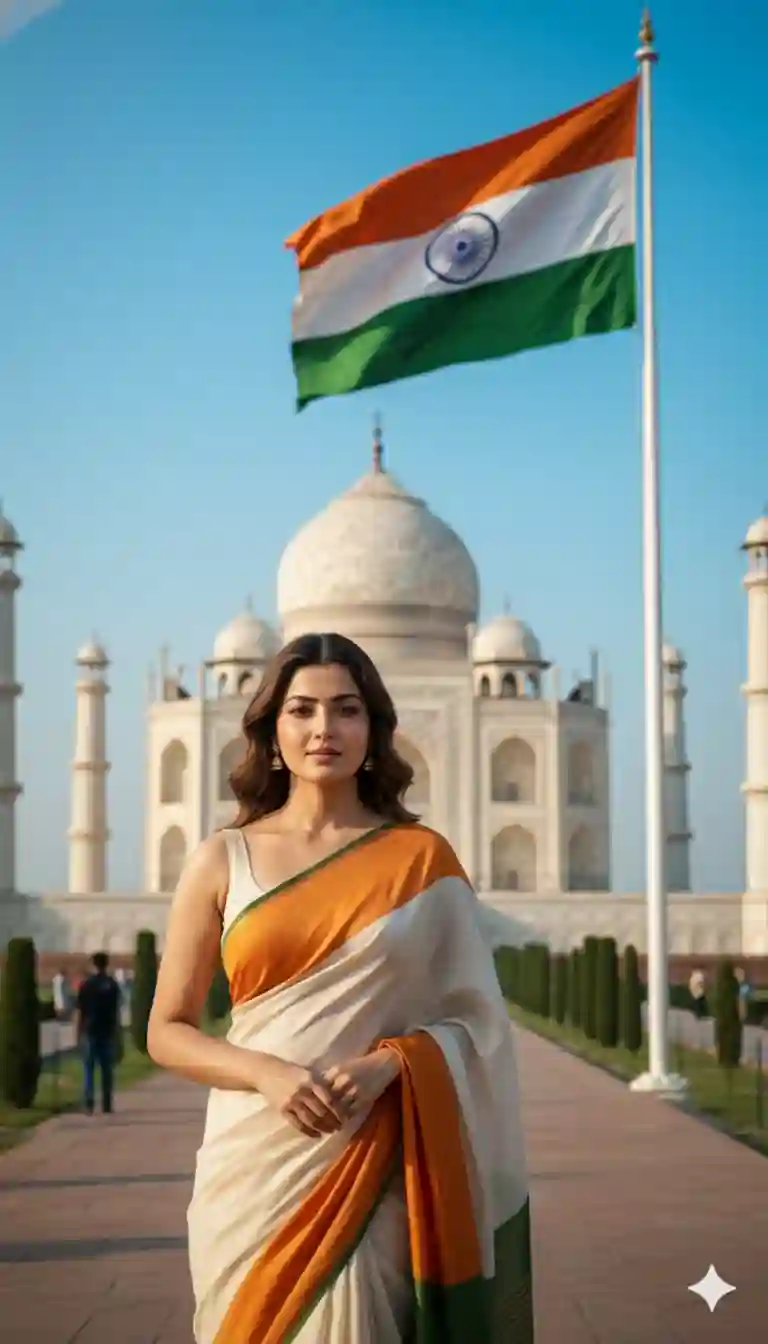
Google Gemini, create a photorealistic Republic Day 2026 image edit using my uploaded photo. Place an Indian woman wearing an elegant tricolor saree (saffron, white, and green) standing gracefully in front of the Taj Mahal, Agra.
Show the Indian national flag clearly and correctly on a flagpole near the Taj Mahal. The flag must have three horizontal stripes—saffron on top, white in the center, green at the bottom—with a navy-blue Ashoka Chakra (24 spokes) centered in the white band. Ensure accurate colors, correct proportions, sharp edges, and no distortion.
Lighting: soft golden-hour sunlight reflecting on the white marble of the Taj Mahal. Background: clear blue sky with a subtle patriotic atmosphere. Style: DSLR photography, ultra-realistic face details, natural skin tone, realistic saree fabric texture, cinematic depth of field, 4K high-quality image. Mood: elegant, proud, peaceful, patriotic. Avoid abstract or artistic flag designs.
Learn More: Google Gemini Rehman Dakait Ai Photo Editing Prompt – Dhurandhar Prompt
26 January Republic Day Ai Photo Editing Guide using Google Gemini
If you want to create a trending 26 January Republic Day photo, then copy any prompt from the above. Then, follow the steps given below.
- Go to the Google Gemini App or the web.
- Now, log in to Google Gemini and paste the copied prompt in the text prompt section.
- After that, click on Create image with the banana icon to choose the Nano banana model.
- Then upload your photo.
- Finally, click on the Run button to generate the 26 January Republic Day Photo. After some time, your photo will be ready.
- Then, you can save the photo and share it on your social media account to enjoy the trend.
Learn More: Gemini Retro Style Ai Photo Editing
Conclusion
In this way, you can create this type of photo very easily by using the above-given 26 January Republic Day Prompt. This article will help you create professional Republic Day photos easily. I hope you find this article helpful. If you face any problems, feel free to contact me on my Instagram account or let me know on a comment below, and I will try to fix your issue as soon as possible.