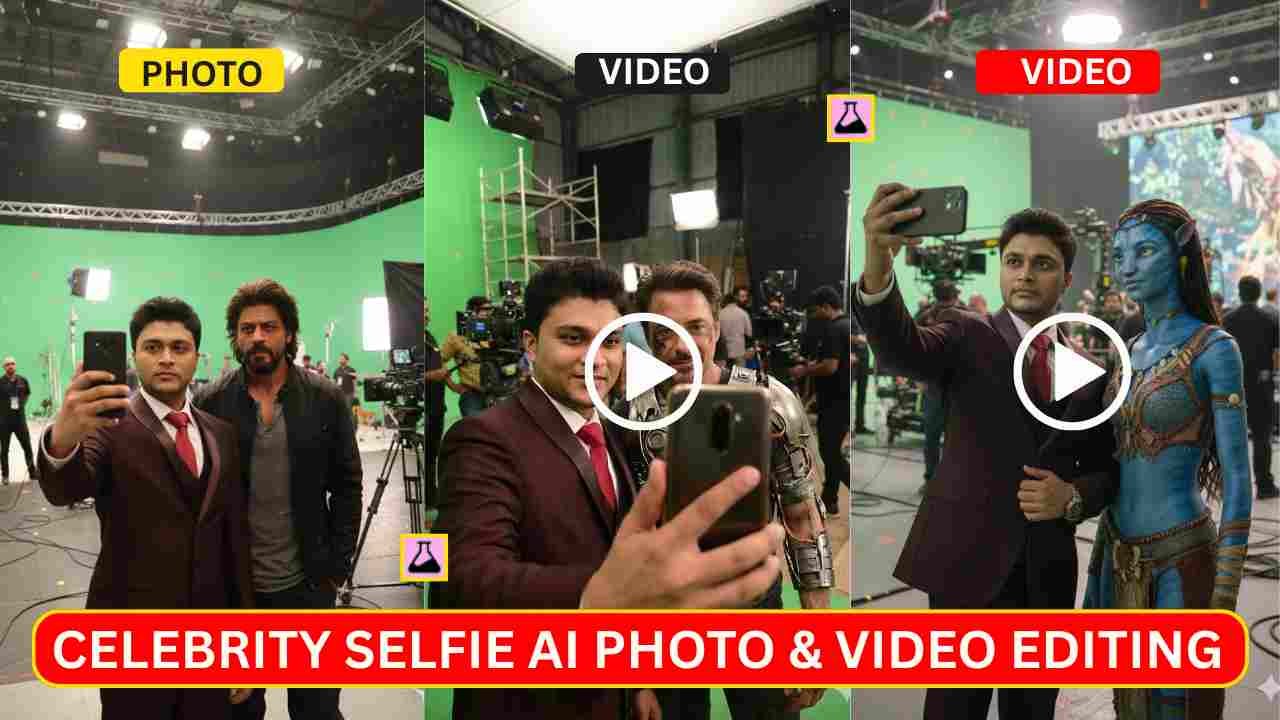
Celebrity Selfie AI Video Editing Prompts are now going viral on Instagram. You may have seen Instagram Reels where a person appears to be clicking selfies with their favourite celebrities one by one. This type of video is now on trend. Many popular influencers create such type of video. If you think about how to create this type of video, then you are in the right place.
In this article, I will provide complete details on how to create AI-generated selfies and videos featuring your favourite celebrity. Here you need to create multiple photos with multiple celebrities, then we create multiple videos, and after that we combine multiple videos with a video editing tool like VN Editor.
Celebrity Selfie AI Photo Editing Prompts
In this type of photo editing, your selfie is added with your favourite celebrity. We give you some celebrity AI prompts for your convenience, and also give you a main prompt by using that you can use to create any celebrity selfie.
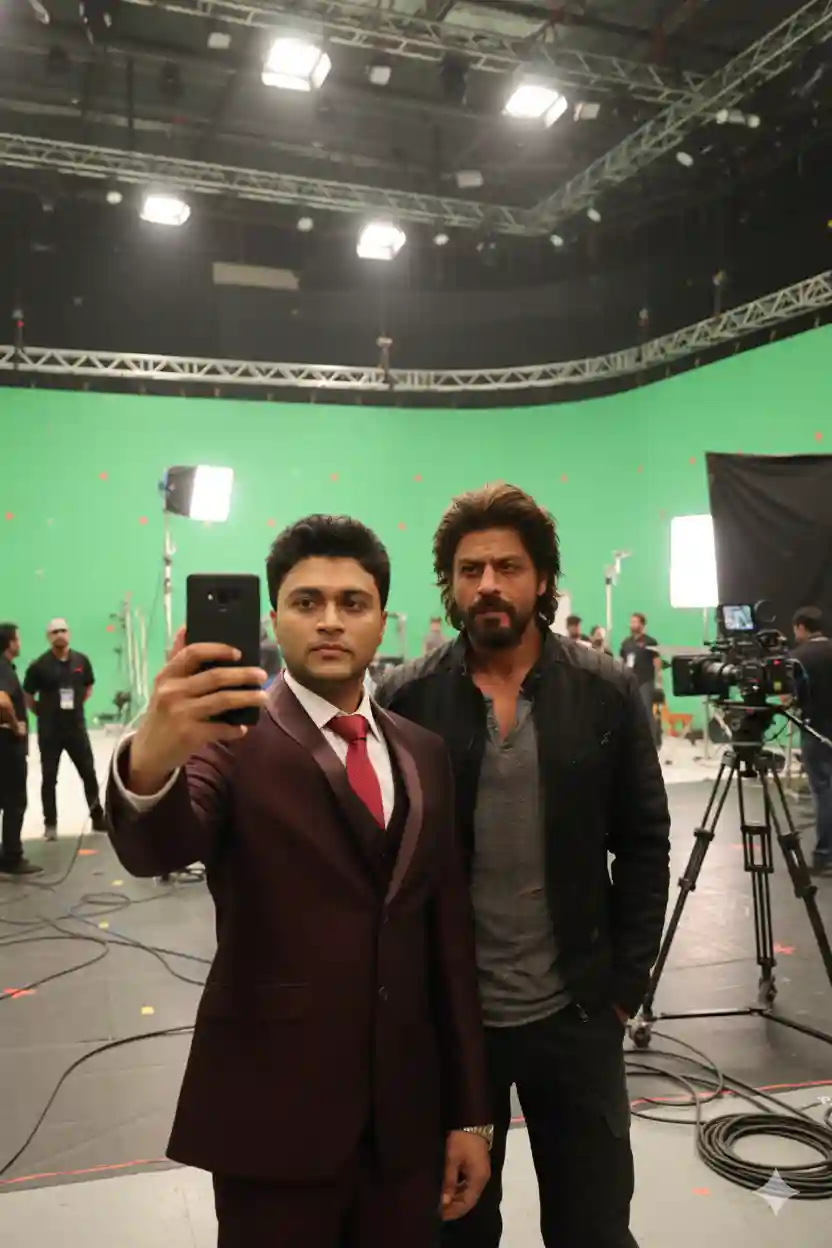
Use my attached reference selfie as the main subject. Match my face one-to-one with the reference image. Do not stylize, beautify, or alter my facial features in any way. Preserve exact skin tone, bone structure, facial proportions, hairstyle, and expression. No face swap, no identity blending. Only adjust lighting and color grading to naturally match the scene.

Create a realistic, ultra high-fidelity 8K image of a front-camera smartphone selfie taken on the [Pathaan] film set. I am standing beside a key character from [Shah Rukh Khan], dressed exactly according to their current on-screen look from that movie, with accurate costume, hair, makeup, and age. The character is slightly turned toward the camera, casually posing as if between takes.

Background:
A professional film soundstage or real set matching [Pathaan]’s environment and tone. Large green screens or LED volumes, where applicable, practical set pieces, metal scaffolding, light stands, visible cables on the floor, cinema cameras on dollies or cranes. Crew members in black clothing are moving around. Directors and production staff are visible in the background discussing the next shot.

Lighting:
Large overhead soft key light for clean facial illumination. Subtle rim light outlining both silhouettes and costume edges. Balanced fill light for a polished cinematic studio look. Natural contrast, minimal harsh shadows.

Composition:
Vertical iPhone front-camera selfie at arm’s length. My face near the center of the frame. The movie character slightly behind or beside me but clearly visible. Shallow depth of field with background crew softly blurred. Costumes and materials reflecting set lights realistically.

Style & Quality:
Hyper-realistic, clean, sharp focus. Detailed skin texture, realistic fabric, armor, or costume materials. Accurate anatomy, no warped hands, no distortions, no AI artifacts. Natural skin tones. No in-image text, no logos, no watermarks.
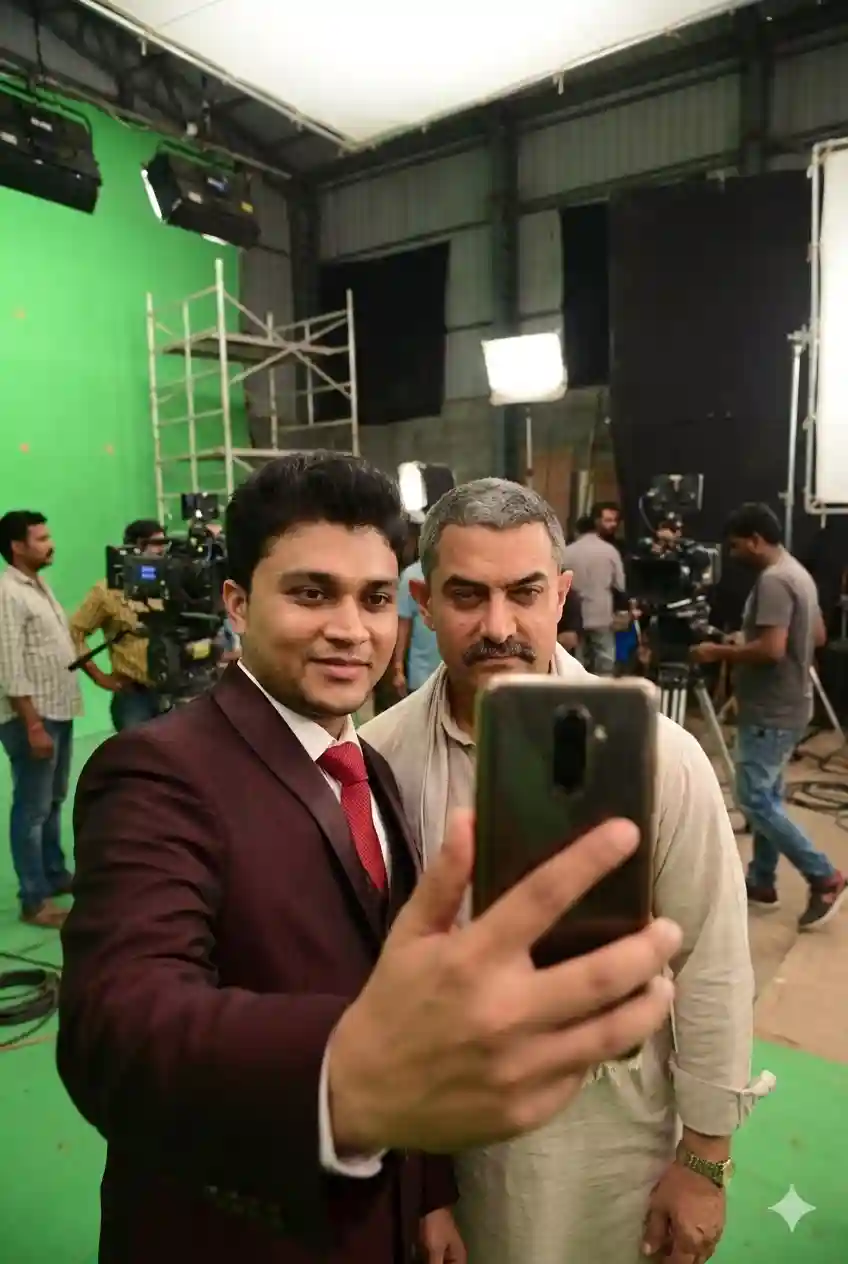
Use my attached reference selfie as the main subject. Match my face one-to-one with the reference image. Do not stylize, beautify, or alter my facial features in any way. Preserve exact skin tone, bone structure, facial proportions, hairstyle, and expression. No face swap, no identity blending. Only adjust lighting and color grading to naturally match the scene.

Create a realistic, ultra high-fidelity 8K image of a front-camera smartphone selfie taken on the [Dangal] film set. I am standing beside a key character from [Dangal], dressed exactly according to their current on-screen look from that movie, with accurate costume, hair, makeup, and age. The character is slightly turned toward the camera, casually posing as if between takes.

Background:
A professional film soundstage or real set matching [Dangal]’s environment and tone. Large green screens or LED volumes, where applicable, practical set pieces, metal scaffolding, light stands, visible cables on the floor, cinema cameras on dollies or cranes. Crew members in black clothing are moving around. Directors and production staff are visible in the background discussing the next shot.

Lighting:
Large overhead soft key light for clean facial illumination. Subtle rim light outlining both silhouettes and costume edges. Balanced fill light for a polished cinematic studio look. Natural contrast, minimal harsh shadows.

Composition:
Vertical iPhone front-camera selfie at arm’s length. My face near the center of the frame. The movie character slightly behind or beside me but clearly visible. Shallow depth of field with background crew softly blurred. Costumes and materials reflecting set lights realistically.

Style & Quality:
Hyper-realistic, clean, sharp focus. Detailed skin texture, realistic fabric, armor, or costume materials. Accurate anatomy, no warped hands, no distortions, no AI artifacts. Natural skin tones. No in-image text, no logos, no watermarks.
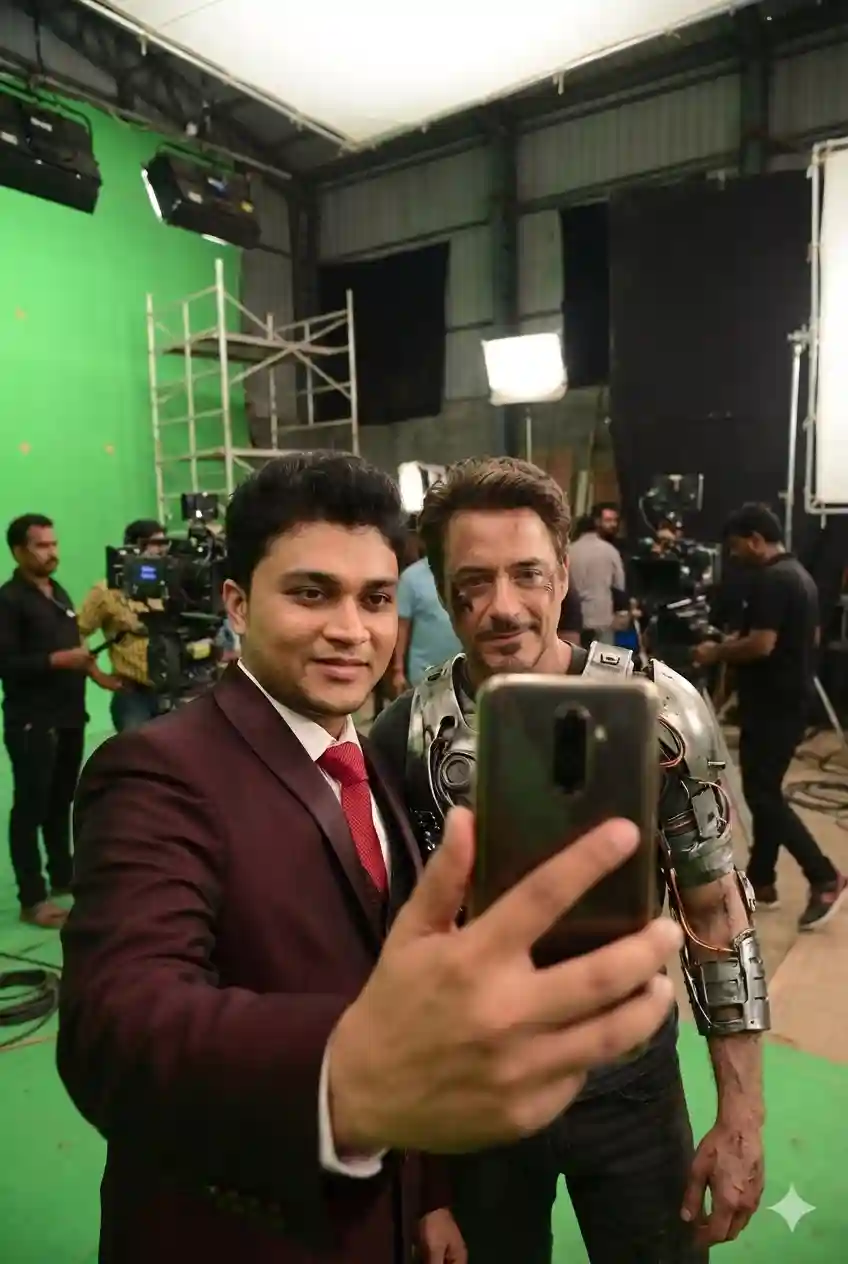
Use my attached reference selfie as the main subject. Match my face one-to-one with the reference image. Do not stylize, beautify, or alter my facial features in any way. Preserve exact skin tone, bone structure, facial proportions, hairstyle, and expression. No face swap, no identity blending. Only adjust lighting and color grading to naturally match the scene.

Create a realistic, ultra high-fidelity 8K image of a front-camera smartphone selfie taken on the [Iron Man] film set. I am standing beside a key character from [Robert Downey Jr.], dressed exactly according to their current on-screen look from that movie, with accurate costume, hair, makeup, and age. The character is slightly turned toward the camera, casually posing as if between takes.

Background:
A professional film soundstage or real set matching [Iron Man]’s environment and tone. Large green screens or LED volumes, where applicable, practical set pieces, metal scaffolding, light stands, visible cables on the floor, cinema cameras on dollies or cranes. Crew members in black clothing are moving around. Directors and production staff are visible in the background discussing the next shot.

Lighting:
Large overhead soft key light for clean facial illumination. Subtle rim light outlining both silhouettes and costume edges. Balanced fill light for a polished cinematic studio look. Natural contrast, minimal harsh shadows.

Composition:
Vertical iPhone front-camera selfie at arm’s length. My face near the center of the frame. The movie character slightly behind or beside me but clearly visible. Shallow depth of field with background crew softly blurred. Costumes and materials reflecting set lights realistically.

Style & Quality:
Hyper-realistic, clean, sharp focus. Detailed skin texture, realistic fabric, armor, or costume materials. Accurate anatomy, no warped hands, no distortions, no AI artifacts. Natural skin tones. No in-image text, no logos, no watermarks.
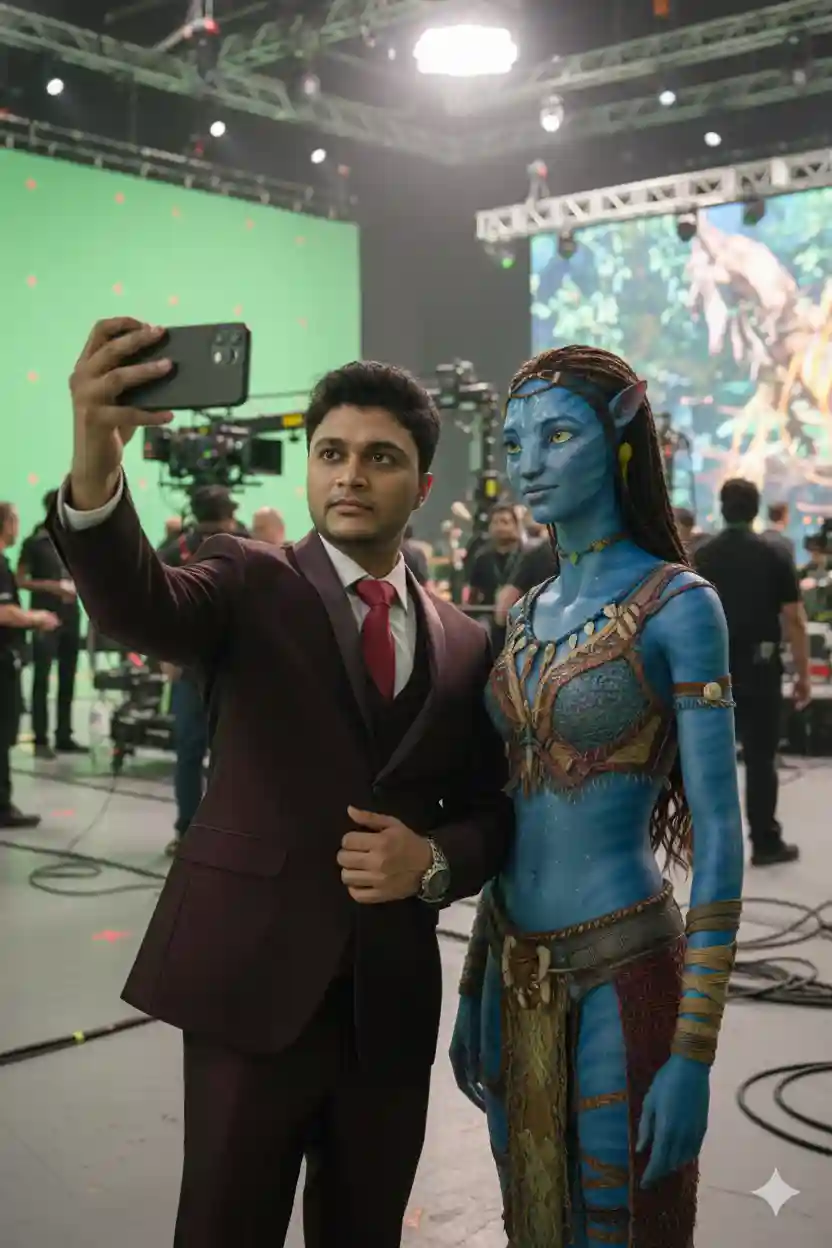
Use my attached reference selfie as the main subject. Match my face one-to-one with the reference image. Do not stylize, beautify, or alter my facial features in any way. Preserve exact skin tone, bone structure, facial proportions, hairstyle, and expression. No face swap, no identity blending. Only adjust lighting and color grading to naturally match the scene.

Create a realistic, ultra high-fidelity 8K image of a front-camera smartphone selfie taken on the [Avatar: Fire and Ash] film set. I am standing beside a key character from [Avatar: Fire and Ash.], dressed exactly according to their current on-screen look from that movie, with accurate costume, hair, makeup, and age. The character is slightly turned toward the camera, casually posing as if between takes.

Background:
A professional film soundstage or real set matching [Avatar: Fire and Ash]’s environment and tone. Large green screens or LED volumes, where applicable, practical set pieces, metal scaffolding, light stands, visible cables on the floor, cinema cameras on dollies or cranes. Crew members in black clothing are moving around. Directors and production staff are visible in the background discussing the next shot.

Lighting:
Large overhead soft key light for clean facial illumination. Subtle rim light outlining both silhouettes and costume edges. Balanced fill light for a polished cinematic studio look. Natural contrast, minimal harsh shadows.

Composition:
Vertical iPhone front-camera selfie at arm’s length. My face near the center of the frame. The movie character slightly behind or beside me but clearly visible. Shallow depth of field with background crew softly blurred. Costumes and materials reflecting set lights realistically.

Style & Quality:
Hyper-realistic, clean, sharp focus. Detailed skin texture, realistic fabric, armor, or costume materials. Accurate anatomy, no warped hands, no distortions, no AI artifacts. Natural skin tones. No in-image text, no logos, no watermarks.
Celebrity Selfie AI Photo Editing Main Prompts
Use my attached reference selfie as the main subject. Match my face one-to-one with the reference image. Do not stylize, beautify, or alter my facial features in any way. Preserve exact skin tone, bone structure, facial proportions, hairstyle, and expression. No face swap, no identity blending. Only adjust lighting and color grading to naturally match the scene.

Create a realistic, ultra high-fidelity 8K image of a front-camera smartphone selfie taken on the [MOVIE NAME] film set. I am standing beside a key character from [MOVIE NAME], dressed exactly according to their current on-screen look from that movie, with accurate costume, hair, makeup, and age. The character is slightly turned toward the camera, casually posing as if between takes.

Background: A professional film soundstage or real set matching [MOVIE NAME]’s environment and tone. Large green screens or LED volumes, where applicable, practical set pieces, metal scaffolding, light stands, visible cables on the floor, cinema cameras on dollies or cranes. Crew members in black clothing are moving around. Directors and production staff are visible in the background discussing the next shot.
Lighting: Large overhead soft key light for clean facial illumination. Subtle rim light outlining both silhouettes and costume edges. Balanced fill light for a polished cinematic studio look. Natural contrast, minimal harsh shadows.

Composition: Vertical iPhone front-camera selfie at arm’s length. My face near the center of the frame. The movie character slightly behind or beside me but clearly visible. Shallow depth of field with background crew softly blurred. Costumes and materials reflecting set lights realistically.

Style & Quality: Hyper-realistic, clean, sharp focus. Detailed skin texture, realistic fabric, armor, or costume materials. Accurate anatomy, no warped hands, no distortions, no AI artifacts. Natural skin tones. No in-image text, no logos, no watermarks.
Learn More: Google Gemini DSLR Boys AI Photo Editing Prompts With Real Face
Celebrity Selfie AI Photo Editing Prompts Guide
If you’d like to create a trending Celebrity Selfie, you can simply copy any prompt from the above. Then, follow the steps given below.
- Go to the Google Gemini App or the web.
- Now, log in to Google Gemini and paste the copied prompt in the text prompt section.
- After that, click on Create image with the banana icon to choose the Nano banana model.
- Then upload your photo.
- Finally, click on the Run button to generate the Selfie with Celebrities. After some time, your photo will be ready.
- Then, you can save the photo and share it on your social media account to enjoy the trend.
Learn More: Gemini Retro Style Ai Photo Editing
Convert Celebrity Selfie AI Photo To Video
You need to create a selfie with a celebrity and use the given video editing prompt to create videos.
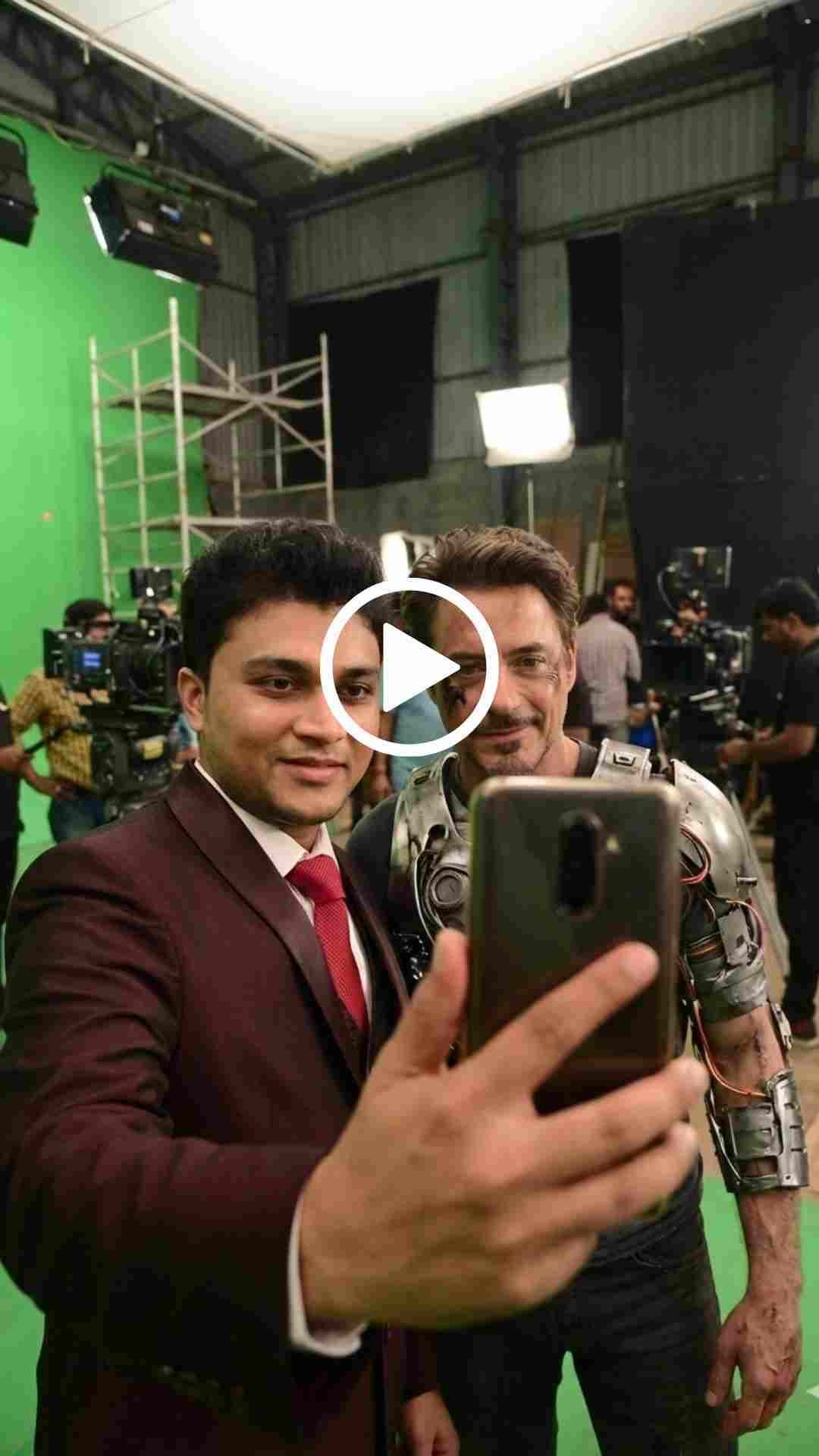
POV: The guy takes a selfie and walks to the next set with a smile, in excitement, while vlogging, he is holding the camera, which is locked on his face, and takes a selfie again. Crew working on set in the background. No one is talking.
Learn More: Google Gemini Notebook Drawing Ai Photo Editing Prompts
Conclusion
In this way, you can create this type of photo very easily by using the above-given Celebrity Selfie AI Photo Editing Prompts. I hope this article helps you create a selfie with celebrities. The Celebrity Selfie AI Photo Editing Prompts are perfect for creating a viral selfie. With the right prompt and a good photo, you can get professional-level AI edits in seconds. Then convert the celebrity selfie AI photo to video. Use a video editor to add all videos. If you like this, then let me know in the comments section below or on my Instagram page. I already shared multiple photo editing prompts on this website, and by using those, you can create various types of AI photos at your own by just a single click.