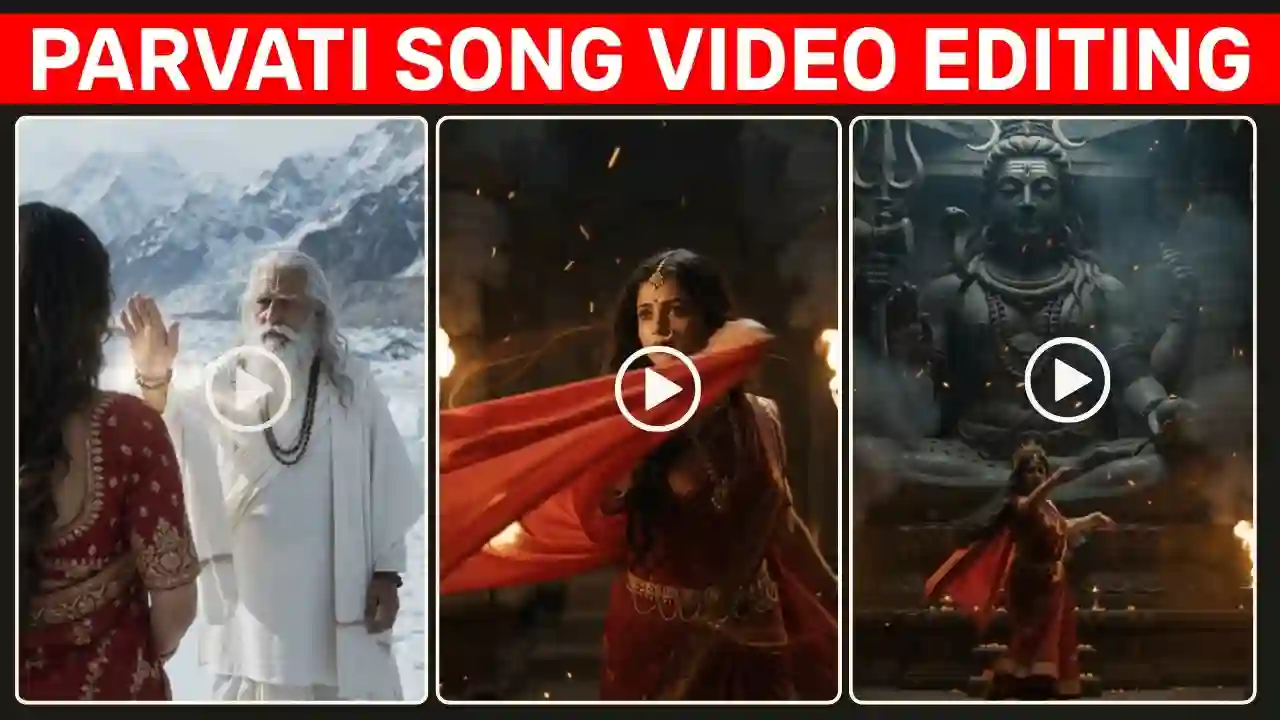
Parvati Song AI Video Editing: The Parvati Song AI Video trend is currently attracting a lot of attention on social media. Many creators are using AI image and video tools to turn ordinary photos into cinematic mythological scenes inspired by Maa Parvati, Lord Shiva and the Himalayan world. The trend became especially popular after a video related to the viral “Parvati” song started appearing on Instagram and other social media platforms. The interesting part is that the visuals in these AI videos are created to match the lyrics and scenes of the song.
One of the most interesting aspects of these videos is that the pictures are designed according to the lyrics of the song and also according to the scene described. As an illustration, when the lyrics speak about the determination of Parvati, then the AI video can portray a strong figure inspired by Maa Parvati holding a trident. This picture can now be made into an AI video. All these clips can then be put together in an editing software and can be synchronized with the Parvati song.
In this guide, we will explain how you can create a similar Parvati Song AI Video using your own reference photo. First, you will create a Maa Parvati-inspired image. When the lyrics mention the Sapt Rishis, the next scene can show sages approaching her. This makes the final video feel more connected to the music instead of looking like a collection of unrelated AI clips. You can also try our 80s Bike Video Prompt.
What Is the Parvati Song AI Video Trend?
The Parvati Song AI Video trend is based on creating short cinematic mythological videos that visually follow the lyrics or mood of the song. In order to create a scene instead of adding a song to a normal photograph, creators are generating several AI scenes and then arranging them in accordance to the different parts of the music.
The main character in this trend is usually depicted as a divine Maa Parvati-inspired woman donning a traditional red saree along with gold jewelry such as a nath, maang tikka and other traditional ornaments. The background is filled with Himalayan landscapes, temples, sages, Lord Shiva and his trishul along with snow and divine lighting which will create a cinematic mythology-inspired atmosphere. One of the most significant aspects of this trend is the consistency in face identity. Creators can use their own photograph as a reference and ask the AI tool to retain the recognizable facial identity while transforming the overall appearance into a divine mythological character.
Jab Zid Pe Aa Gayi Parvati Song AI Video Editing
The concept of the video being discussed will be taken from the lyrics of the song using different AI-generated visuals. Initially, the video starts with a woman dressed in Maa Parvati’s form. She is wearing an ancient saree of red colour along with heavy golden jewelry. The traditional decorations are placed on her forehead, and the presence of a huge nath and maang tikka gives the character a divine Indian look. Then the environment changes to the Himalayas with snow-covered mountains, fog, cold air, and cinematographic lighting.
When the lyrics say “Jab Zid Pe Aa Gayi Parvati,” it can be depicted in the video that Parvati walking in the Himalayas with a trident. With the appearance of the lyrics talking about the Sapt Rishis, the next AI image can depict several sages coming towards Parvati. With the increase in intensity of the lyrics, she will look determined on her face. Such kind of editing will make the video more interesting as all visuals are related to the music.
Why Are These AI Videos Going Viral?
There are several reasons why this style of AI video is popular on Instagram and other short-video platforms.
- Personal Photos Become Mythological Characters: Creators can start with an ordinary portrait and transform it into a completely different cinematic character while retaining their recognizable facial identity.
- Short AI Clips Are Easy to Combine: Most AI video tools currently work particularly well with short clips. Instead of trying to generate an entire music video at once, creators can generate several clips and combine them later.
- Lyrics Can Control the Visual Story: The video becomes more engaging when the visuals change according to the lyrics.
- Cinematic AI Effects: Snow, mountains, temples, smoke, fire, jewellery, flowing clothes and divine lighting can create a dramatic visual style that would otherwise require considerable filming and post-production.
Parvati Song Photo Prompt
To create this video, first you would need a good reference photo of yourself. This could be a simple photo of you that you then transform into a Maa Parvati inspired portrait. The reference photo should be well-lit and either front-facing or slightly angled. Ideally you would avoid using a very poor quality reference photo or one that has before creating the video, you should have a good reference photo. You may take your own photo and then transform it into a Maa Parvati-inspired portrait. Make sure that you take a well-lit photo, which is either front-facing or slightly angled.
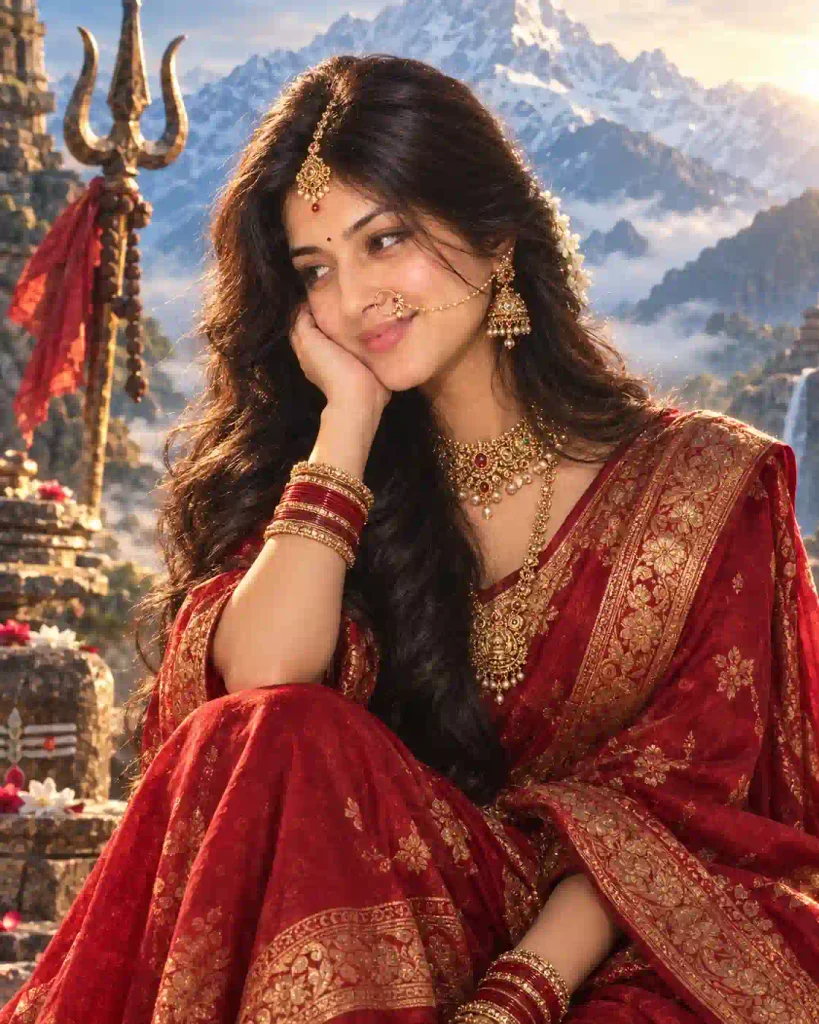
✨ Parvati AI Photo Prompt
This prompt aims to keep the identifiable features of the person unchanged while altering the style, dressing, and environment. It is better not to use a poor-quality reference photo or a highly filtered one.
How to Create the Parvati Song AI Video
Once your photo is ready, the next step is to convert it into short video clips. You can use an AI video generation platform such as Google Flow or another compatible AI video tool that supports image references and text prompts.
The most important technique is to create the video scene by scene. That is, do not ask the AI to generate your whole music video at once but rather divide your project into several small segments where each one will represent the corresponding segment of the story.
Scene 1: Parvati and the Trishul
The first scene establishes the main character and the Himalayan environment. This scene can be synchronized with the opening part of the song. The trident shot at the beginning works as an establishing visual before the camera reveals the main character.
✨Scene 1 AI Video Prompt
Scene 2: Fierce Parvati in the Temple
The second scene changes the mood from calm and emotional to powerful and energetic. This clip can work well during the more energetic portion of the song. The combination of the temple, firelight, dancing movement and close-up facial expression can give the video a dramatic cinematic appearance.
✨Scene 2 AI Video Prompt
Scene 3: Lord Shiva and the Himalayas
For the next part, introduce Lord Shiva and connect the story with the Himalayan setting. This scene can be used as a transition between the Parvati-focused clips and the larger mythological story.
✨Scene 3 AI Video Prompt
How to Create the Video Using Google Flow
After creating your Parvati-inspired photo, you can use an AI video generation tool to animate it. The general process is simple.
Step 1: Open Google Flow
Open your browser and search for Google Flow. Open the official Flow website and sign in with your Google account.
Step 2: Start a New Project
First create a new project. Select video generation and choose the aspect ratio for the platform on which you intend to publish your video: for Instagram Reels and YouTube Shorts, for example, 9:16 vertical format is generally the best choice.
Step 3: Add Your Reference Image
Upload the Parvati-inspired image that you created for this step. The reference image is crucial for creating a character that looks similar to how you envision them.
Step 4: Enter the First Prompt
Copy the first scene prompt and paste it into the video generation box for this step. Generate the video and review it. If the face, clothing or movement does not look right, generate another version using the same reference image.
Step 5: Create the Next Scene
Create a second scene based on the second prompt for your first scene. Continue this pattern until you have created all of the scenes you need. The exact buttons and available features can change as AI video platforms are updated, so the interface may look different from the workflow described here. Explore our 1980s Reel Editing VN Code Template.
Can You Use Your Own Face in the Parvati AI Video?
Yes, you can use your own image as a reference for this type of AI editing. The image should be one that you have the rights to use and not another person’s image or face where you would not have permission to use.
Why Scene-by-Scene AI Video Creation Works Better
Trying to generate an entire music video in a single AI prompt can make it difficult to control the story. The character may change, the location may suddenly change, and the AI may not correctly follow every part of the song. With scene-by-scene generation, you have much greater control. You can create:
Photo → Scene 1 → Scene 2 → Scene 3 → Scene 4 → Final Edit
Then arrange those clips according to the music. This also makes it easier to replace one bad scene without recreating the entire video.
Parvati Song AI Video Editing Workflow
Here, you will learn about the complete Parvati Song AI Video Editing workflow using step by step tutorial.
Step 1: Select a clear reference photo.
Step 2: Create a Maa Parvati-inspired portrait.
Step 3: Upload the image to your AI video tool.
Step 4: Generate Scene 1.
Step 5: Generate Scene 2 using the same reference.
Step 6: Generate Scene 3 and additional scenes.
Step 7: Import all clips into your editing application.
Step 8: Add the Parvati song.
Step 9: Match each clip with the lyrics.
Step 10: Add transitions and cinematic adjustments.
Step 11: Apply consistent color grading.
Step 12: Export the final video in 9:16 format.
Step 13: Share it on Instagram Reels, YouTube Shorts or other social platforms.
Conclusion
The Parvati Song AI Video trend is a creative way to combine AI image generation, AI video generation and traditional video editing. Instead of simply applying a trending song to a photograph, you can create a complete visual story where the AI-generated scenes change according to the lyrics. In this guide, we shared a Maa Parvati photo prompt along with three different scene-by-scene AI video prompts. You can use the same basic workflow to create Himalayan scenes, temple scenes, Sapt Rishi scenes, Lord Shiva scenes and other mythology-inspired visuals.
The most important part is not just generating the AI clips. Good editing plays an important role in this. Make sure to combine your clips in the proper sequence and synchronize them with the music. Use appropriate transitions, color correction, and cut out all the unnecessary parts before exporting your finished Reel. When it comes to creating your own trend, begin with three good shots instead of making a long video. You will be able to add additional scenes after getting used to the process and creating your cinematic AI Reel. Apnotak.com always try to introduce you with the latest trending prompts and new AI trends, so stay tuned for the latest updates.