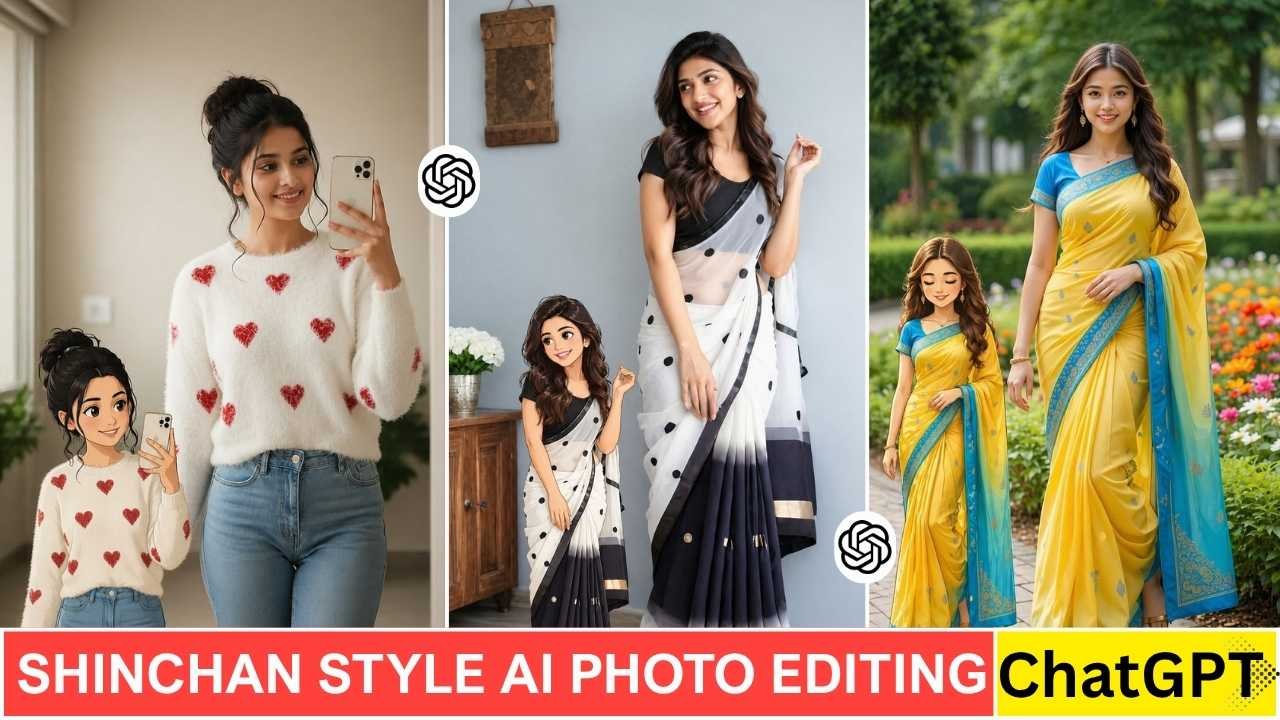
Photo Editing using Shinchan Style Ai Photo Editing Prompt is now going viral on Instagram. This is a unique type of photo editing, which has been shared all over social media. This is another type of Photo Editing, which is mostly liked by the young age group. Many people are creating their real photos in Shinchan cartoon style and posting them. You can also see many reels on the same, and they are getting millions of views. So, I decided to share how to edit Shinchan Style Ai Photo with a ChatGPT Prompt and give you a complete editing guide.
Learn More: Gemini Retro Style Ai Boys Photo Editing
Shinchan Style Ai Photo Editing Prompt
Creating Shinchan-style photo with a ChatGPT prompt is very easy. ChatGPT is a very powerful AI tool now, considering image generation also. Most importantly, it’s free of cost. You do not need to have any high editing skills. You just need to upload your photo and paste the prompt, and create it in a few minutes. Here to combine original and Shinchan Style Ai Photo, you can use any photo editing tools like PicsArt.
Transform the subject from the uploaded photo into the Crayon Shin-chan (Shinnosuke Nohara) anime style, referencing Shin-chan’s full cast of friends (such as Kazama, Nene, Masao, and Bo-chan).Style & Aesthetic: Match the official Crayon Shin-chan TV anime look — exaggerated cartoon humor, stubby childlike proportions, big oval eyes with dot pupils, expressive mouths, bold clean outlines, and flat cel coloring.Subject Details to Retain: Keep the subject’s original clothing, hairstyle, accessories, pose, skin tone, and expression recognizable, but reinterpret them as if they are part of Shin-chan’s friend group. Clothing should be simplified into bold, flat anime shapes while remaining faithful to the original outfit.Visuals: Full-body character in Shin-chan anime style. Bold outlines, flat cel fills, minimal shading. Comedic proportions and facial expressions referencing Shin-chan’s friends.Background: transparent background.Negative Prompt: No realistic faces, no detailed or 3D shading, no manga sketch lines, no extra accessories, no anime style outside of official Crayon Shin-chan.
Learn More: Google Gemini Happy Birthday Ai Photo Editing Prompts
Create Shinchan Style Ai Photo Using Chatgpt Prompt
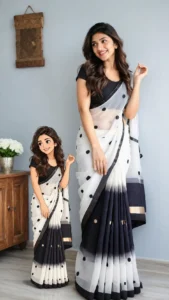
Many of you are confused about Shinchan-style photo, for your convenience, I share a sample photo above so that you can get an idea about this type of Ai photo editing. The cartoon-style image in the left corner of the above photo is an example of a Shinchan-style photo. We used a ChatGPT prompt to generate that type of image. To create such a type of photo, you just need to follow the steps given below.
- Go to ChatGPT and sign up and log in to it.
- Now, copy the prompt from above and paste it on ChatGPT prompt box.
- Click on the plus icon and upload your image.
- Then, click on send to generate Shinchan Style Ai Photo.
- After a few seconds, your Shinchan Style Ai photo will be ready.
Now, use any photo editing app like PicArt to open your original image, then click on add photo to add a Shinchan-style cartoon photo. Place it properly and save the image.
Alternative Direct Chatgpt Prompt to Create Shinchan Style Ai Photo
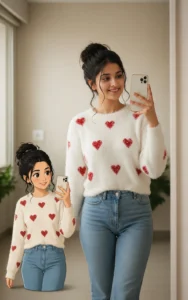
Create an image Create an image Use the uploaded image as the main reference. Keep the real person completely unchanged — same face, pose, outfit, lighting, and background.
Add a 2D cartoon version of the same girl on the LEFT side of the image.
The cartoon must be a smaller companion version, around 30–40% of the height of the real person.
Maintain exact matching of:
– pose (same hand position and head tilt)
– facial expression (closed eyes, soft smile)
– hairstyle and hair details
– outfit (same design, same colors, same patterns)
The cartoon should look like a stylized duplicate of the real girl, not a different character.
Keep proper spacing between the cartoon and the real person. Do not overlap.
Align both characters on the same ground level (feet aligned naturally).
Add soft shadow under the cartoon for realistic placement.
Use clean 2D soft cartoon style with smooth outlines and pastel colors.
Background remains unchanged.
Ensure balanced composition — real person remains the main focus, cartoon is secondary and smaller in scale.
No size mismatch, no distortion, no outfit change.
Conclusion
The Shinchan-style AI photo has now become a new trend, especially on Instagram. Many people not only create simple Schinchan-style photos but also make reels on them and gain tremendous reach and views on Instagram. The best thing about this type of photo editing is that it doesn’t require any professional editing skills or high-end photo editing software. All you need is the right prompt and a little creativity. If you also want to share something unique and viral on social media, then this Shinchan Style Ai Photo is a great option for you.