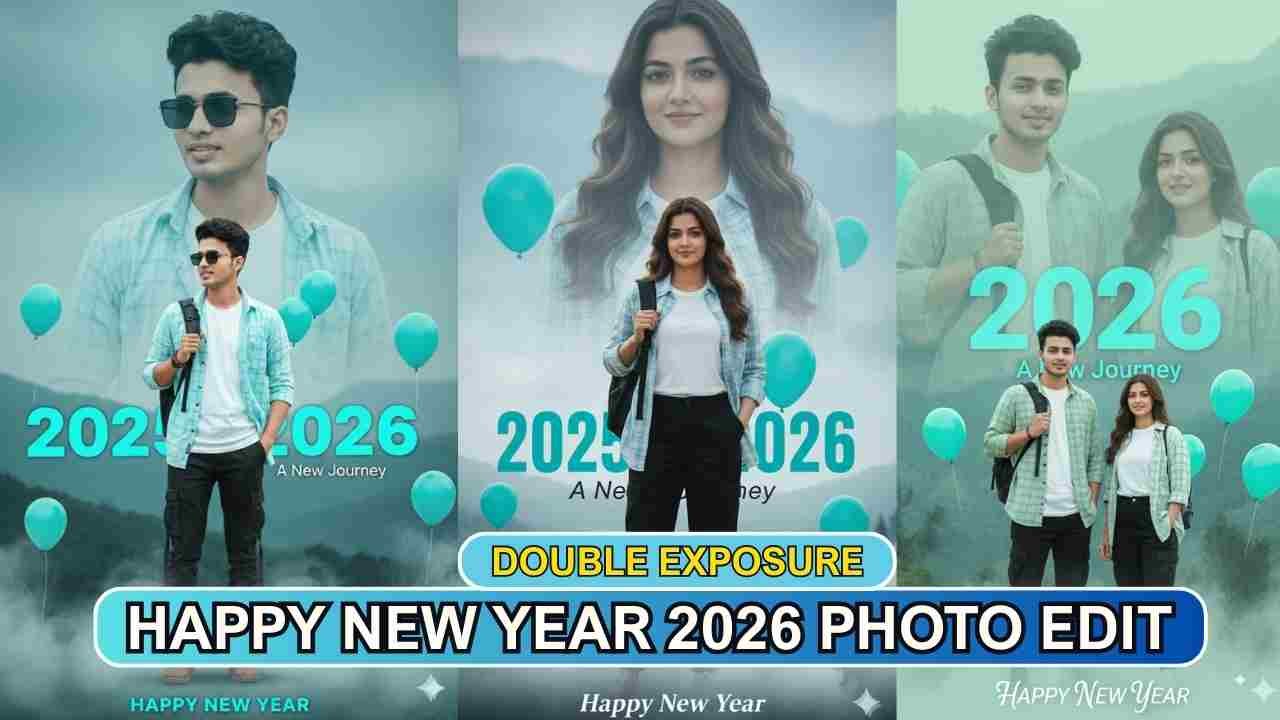
New Year 2026 Double Exposure AI Photo Editing Prompts help you create a unique photo. Here, Google Gemini’s photo editing model, nano banana, performs the entire photo editing process with just a single click and a right-click copy-paste prompt. In a previous article, we provided various prompts for creating 2026 New Year’s photos using Google Gemini. However, currently, double-exposure “Happy New Year 2026” photos created with Gemini are going viral. Double Exposure Ai Photo Editing is becoming a popular new year photo editing trend. As you know, Google Gemini is a powerful Ai to generate high-quality professional photos with just 1 click. The resulting image will have a 100% face match with the reference image, but you should upload the reference image with good quality, especially since the face must be properly visible. In this article, we provide multiple Gemini Ai prompts to create this type of double-exposure Happy New Year photo.
Learn More: Google Gemini Happy New Year 2026 Ai Photo Editing Prompt – 100% Real Face
New Year 2026 Double Exposure Ai Photo Editing Prompts
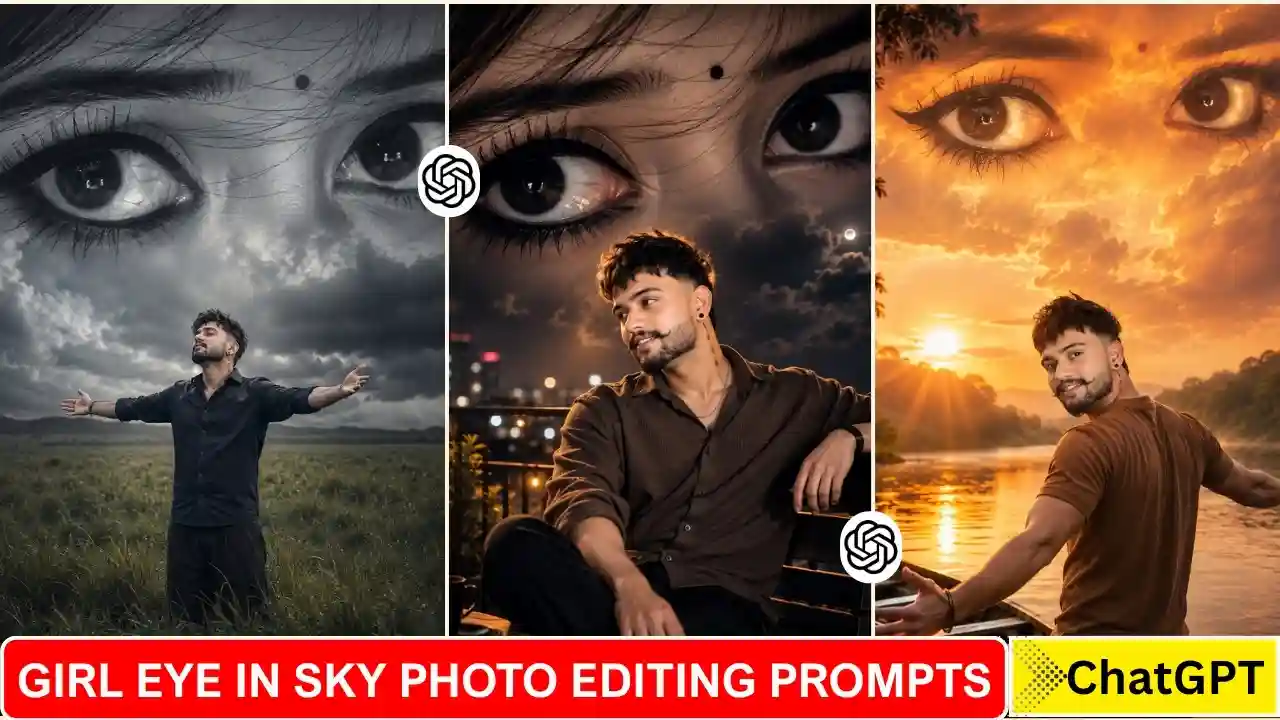
As we already said that this is a new trend, which is going viral on Instagram and Facebook. In this type of photo, you are standing in front, and your half-body portrait fades into the background, along with text like 2026, balloon Happy New Year, etc. Here, we share 3 separate prompts for boys, girls and couples. If you want to change the colour tone in your photo, you can try customising the prompt according to your needs.
Boy New Year 2026 Double Exposure Prompt
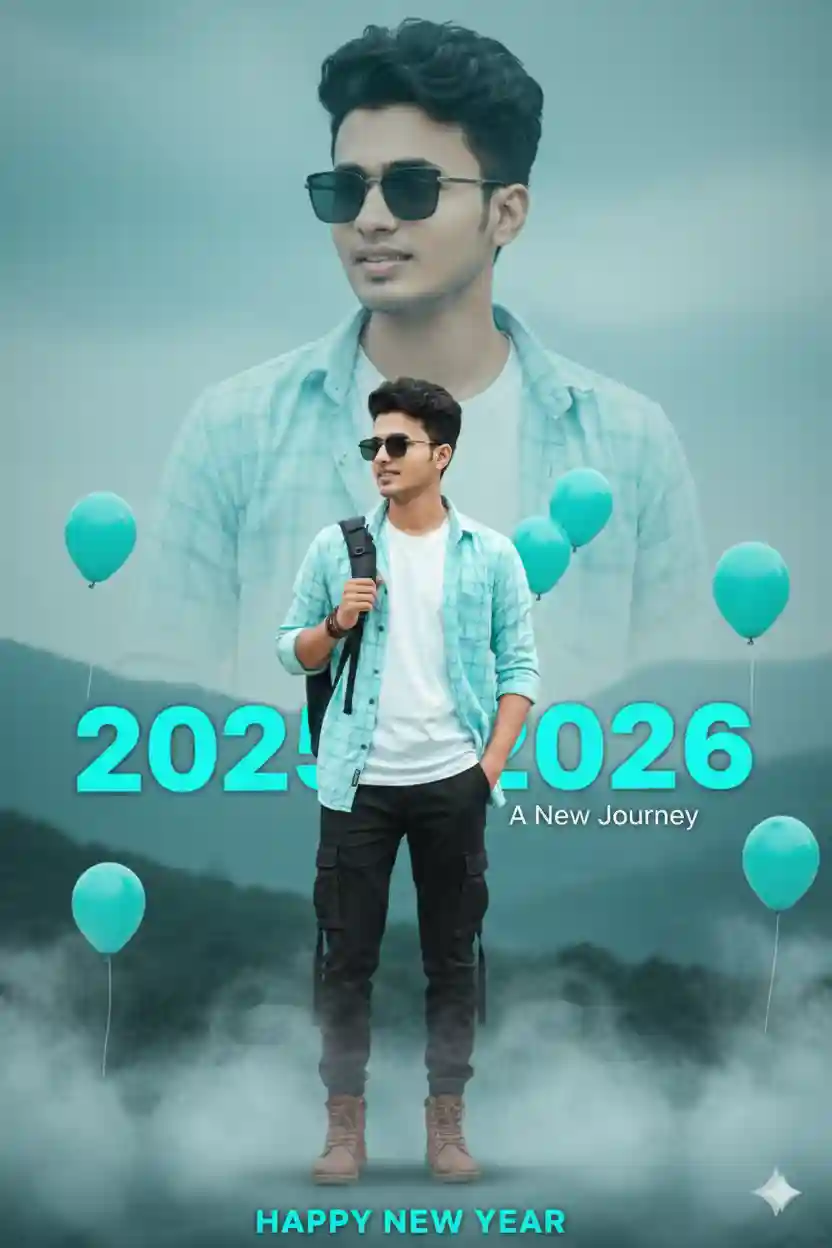
Create a cinematic Happy New Year 2026 double-exposure poster using only my uploaded selfie as the face reference.

Both faces must 100% match the uploaded photo, with the same facial features, skin tone, hairstyle, and a soft natural smile.

Do not change the face.
Background
A cinematic, hazy sky in teal, blue, and light-gray colors, with blurred mountains and soft tree shapes in the background.

Double-Exposure Design
• In the sky area, add a slightly blurred half-body portrait

– Outfit: white T-shirt with a light cyan checkered shirt

– No bag visible
• In the foreground, add a sharp full-body version

– Outfit: white T-shirt, open cyan checkered shirt, black cargo pants, and visible shoes

– Pose: left hand holding a black bag on the back, right hand in pocket

– Body and face proportions must look natural
Make sure outfits are correct, not duplicated, and no clothing mix-ups.

Text Placement
• Add bold “2025–2026” text in cyan color behind the full-body figure

• Add “A New Journey” below it

• Place “HAPPY NEW YEAR” near the shoes in a clean, cinematic font
Effects & Details
• Soft cinematic smoke at the bottom

• Only cyan balloons, placed on the left side, right side, and near the shoulder

• Ultra-realistic lighting, smooth shadows, professional color grading

• Clean composition, no extra people, no face distortion, no blur on the main subject
Style
Ultra-realistic, cinematic poster look, soft depth of field, high resolution, professional photography, natural colors.
Learn More: Google Gemini Merry Christmas Ai Photo Editing Prompts
Girl New Year 2026 Double Exposure Prompt
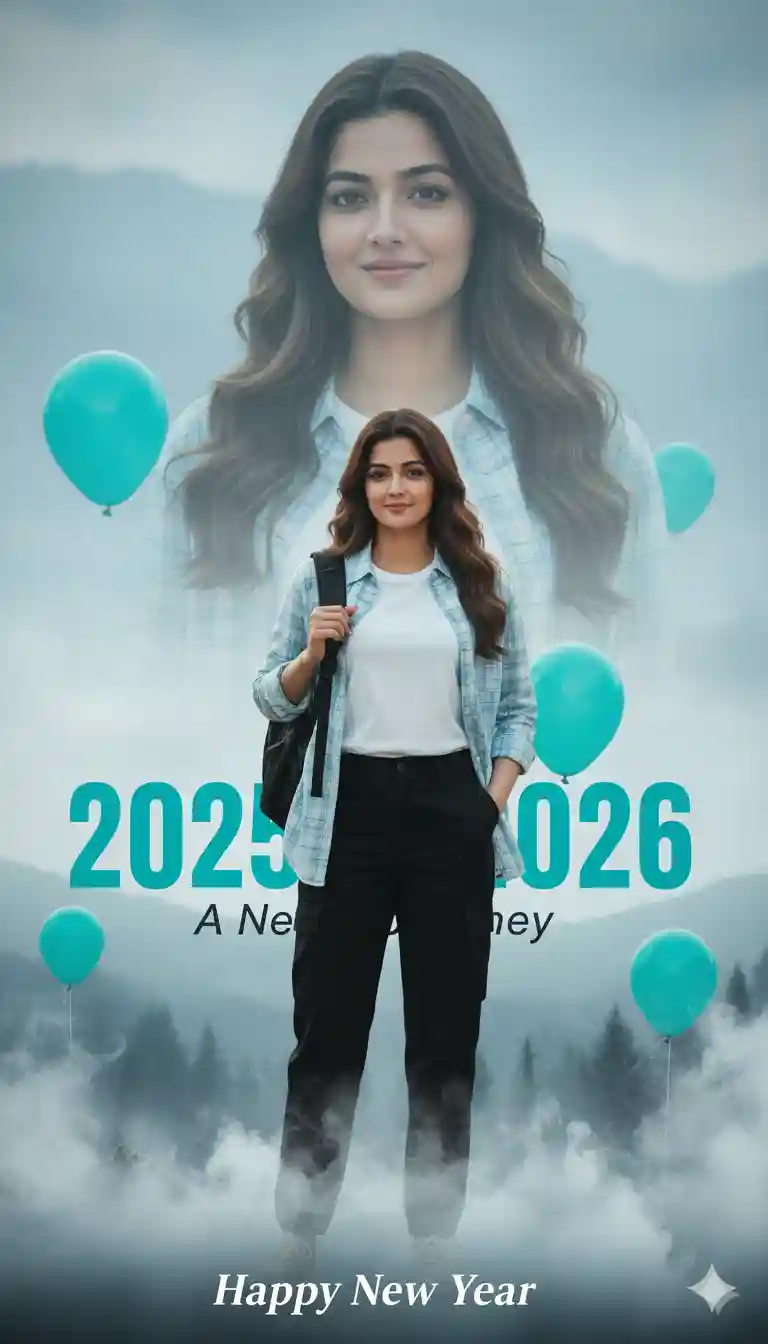
Create an ultra-realistic, cinematic Happy New Year 2026 double-exposure poster using the uploaded selfie as a 100% face reference. Use a hazy light-blue sky background with softly blurred mountains and trees. In the sky, add a faint, slightly blurry half-body portrait of the same girl wearing a light-blue checkered shirt over a white t-shirt (no bag), looking at the camera with a gentle smile. In the foreground, show a perfectly straight full-body image of the same girl wearing a white t-shirt, open blue checkered shirt, black cargo pants, and shoes, holding a black bag on her back with one hand and the other hand in her pocket. Both faces must exactly match the uploaded photo. Place bold cyan “2025–2026” text behind the full-body image, “A New Journey” below it, and “Happy New Year” near the shoes. Add cinematic smoke at the bottom, only cyan balloons around the sides and shoulders, matched lighting, professional color grading, a premium cinematic look, and no duplicate clothing.
Couple New Year 2026 Double Exposure Prompt
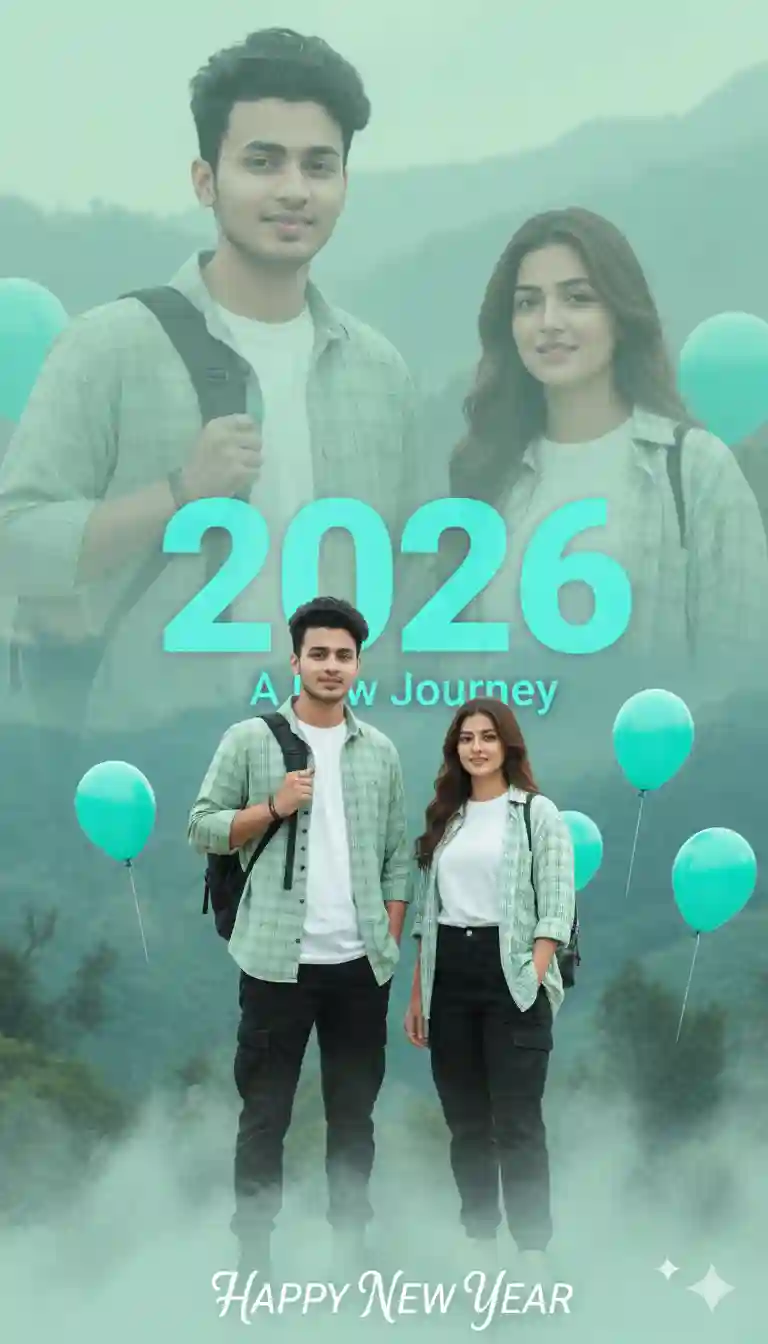
Create an ultra-realistic, cinematic Happy New Year 2026 double-exposure photo using the uploaded selfie as a 100% face reference. Use a hazy light-green and light-blue sky background with softly blurred mountains and trees. In the sky, add a slightly blurred half-body couple portrait where both faces exactly match the uploaded photo; both are looking at the camera with gentle smiles, wearing matching light-green checkered shirts over white t-shirts (no bags). In the foreground, show a full-body couple wearing white t-shirts, open green checkered shirts, black cargo pants, and shoes; one person holds a black bag on their back with the left hand while the other hand is in the pocket. Place bold, slightly blurred cyan “2026” text behind them, with “A New Journey” below it and “HAPPY NEW YEAR” near their shoes. Add cinematic smoke at the bottom, only cyan balloons around the sides and shoulders, matched lighting, professional color grading, a premium cinematic look, and no duplicate or mismatched clothing.
Learn More: Google Gemini Rehman Dakait Ai Photo Editing Prompt – Dhurandhar Prompt
New Year 2026 Double Exposure Ai Photo Editing Guide using Google Gemini
If you want to create a trending Happy New Year 2026 photo, then copy any prompt from the above. Then, follow the steps given below.
- Go to the Google Gemini App or the web.
- Now, log in to Google Gemini and paste the copied prompt in the text prompt section.
- After that, click on Create image with the banana icon to choose the Nano banana model.
- Then upload your photo.
- Finally, click on the Run button to generate the New Year 2026 Double Exposure Photo. After some time, your photo will be ready.
- Then, you can save the photo and share it on your social media account to enjoy the trend.
Learn More: Gemini Retro Style Ai Photo Editing
Conclusion
In this way, you can create this type of photo very easily by using the above-given New Year 2026 Double Exposure Prompt. This article will help you create cinematic and professional New Year photos easily. I already shared multiple photo editing 2026 prompts on this website, and by using those, you can create various types of AI photos at your own by just a single click. If you need a prompt for any other type of photo editing, then let me know in the comments section. I will cover the same in the next article as soon as possible.