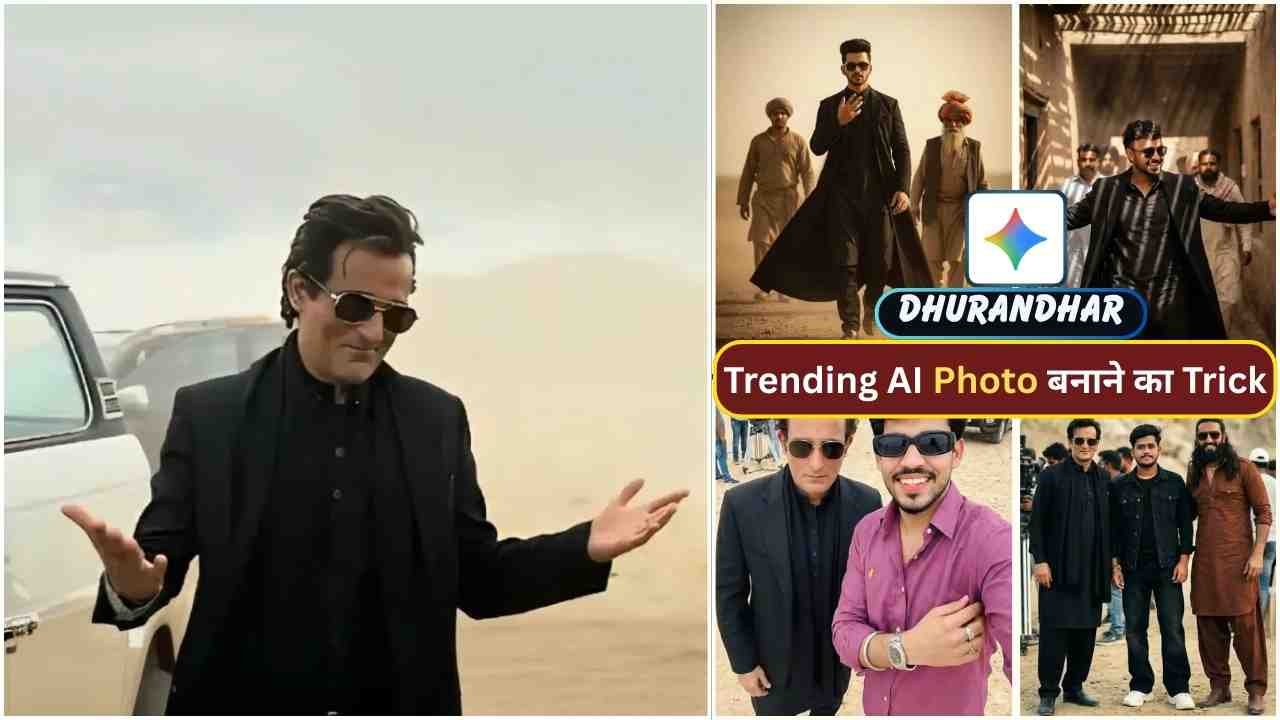
Rehman Dakait’s character has become viral all over social media, created by the Google Gemini Rehman Dakait AI Photo Editing Prompt. This character is based on the new Bollywood movie Dhurandhar. Akshaye Khanna plays this important role in this movie. Especially his style is now trending. You can easily replace your normal photo with these movie-based edits. If you want to make such a viral Dhurandharv character style photo, then you are in the right place.
In this blog post, you will learn what the Rehman Dakait Dhurandhar style is, how to use Google Gemini, and the best AI photo editing prompt for viral results.
What is Rehman Dakait Dhurandhar Style?
The Rehman Dakait Dhurandhar style is inspired by:
- Desi gangster characters
- Bollywood crime movies
- Dark, cinematic street looks
- Fearless and powerful personality
This style shows:
- Intense eyes
- Strong facial expressions
- Dark outfits like kurta or jacket
- Moody lighting and smoky background
Because of its bold and dangerous look, this style is trending a lot on Instagram Reels, profile photos, and posters.
Learn More: Google Gemini Stranger Things Ai Photo Editing Prompts
Google Gemini Rehman Dakait Ai Photo Editing Prompt
In this type of photo editing, you take a normal photo and combine it with a picture of a famous actor, such as Akshaye Khanna, and that is why this type of photo is becoming increasingly popular on social media. One of the most trending styles right now is the Rehman Dakait Dhurandhar look. This style gives a powerful, gangster, cinematic, and bold desi mafia vibe. You can easily edit such of photo by using Google Gemini AI with its copy paste and the right prompts.
Rehman Dakait Ai Prompt
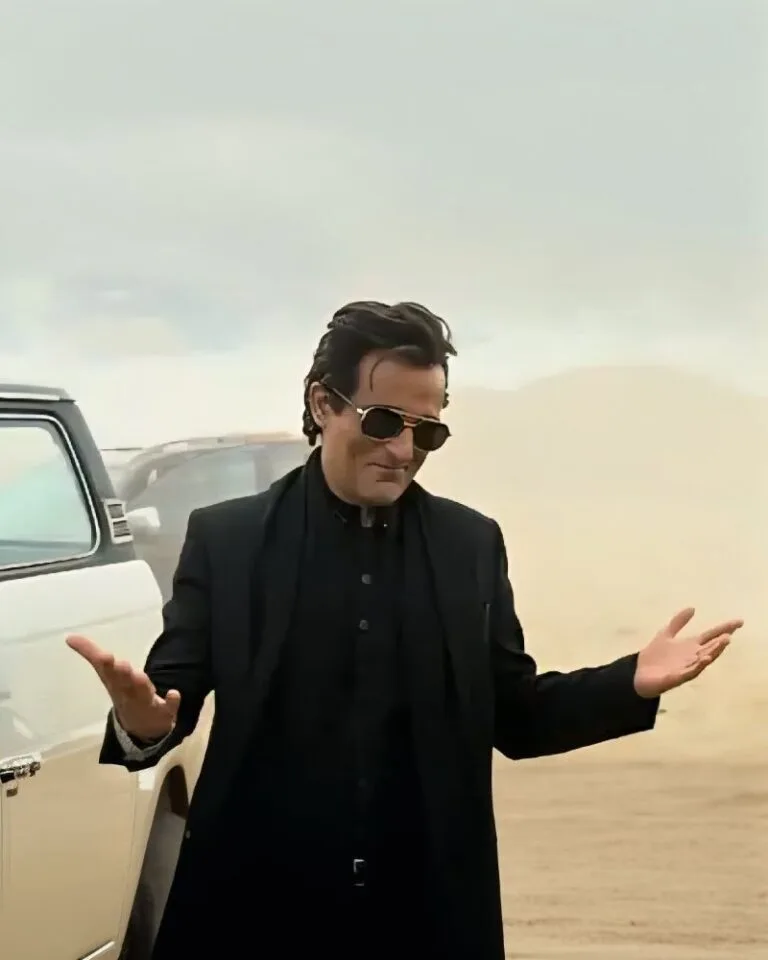
A charismatic, young man with dark,slicked-black hair and gold-rimmed aviator sunglasses. He is wearing a stylish black suit jacket over a black traditional tunic (shalwar kameez). He has a slightly smirking or confident expression and is gesturing outwards with both open palms in a ‘what can you do? pose. He is standing in a dusty, desolate desert or mountainous terrain. luxury SUV is parked behind him. The background is dusty with soft cloudy skies and muted beige tones. Cinematic lighting shallow depth of field realistic photography, 4K ultra-detailed moody Bollywood movie scene dramatic atmosphere professional color grading. Preserve Face 100% I want 100% same face as in the reference image no alteration.”
Learn More: 10+ Trending Gemini photo editing prompts for boys (100% Real Face)
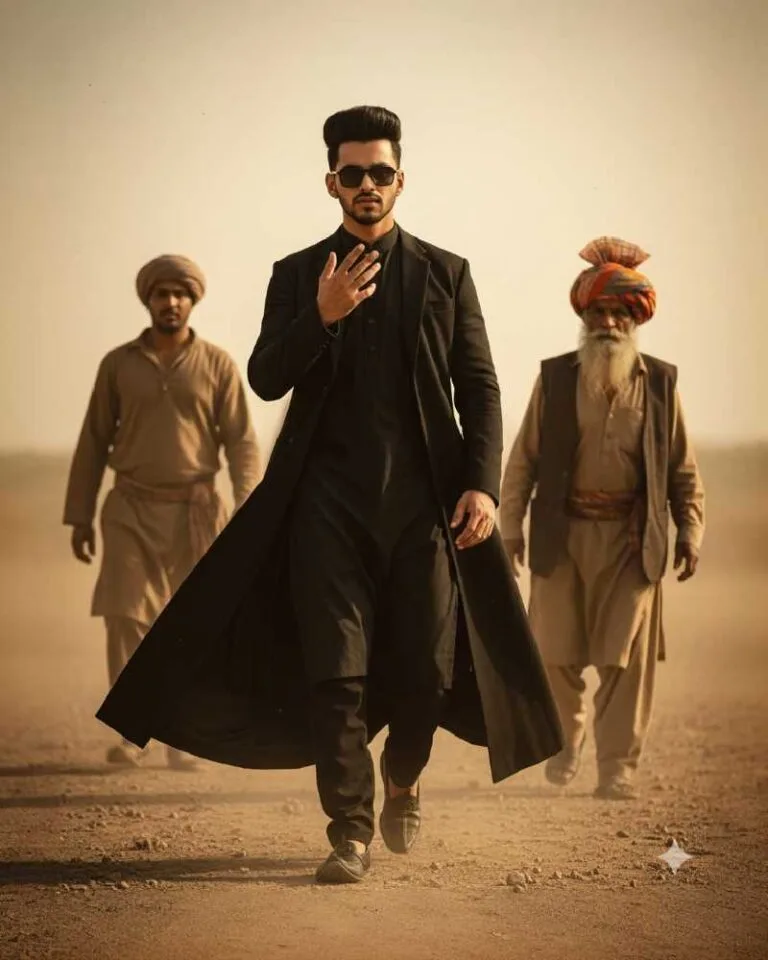
Cinematic 8K ultra-realistic scene of a confident man walking forward while keeping the same face and hairstyle as the reference. Black traditional outfit, long black coat, sunglasses, and also a signature hand gesture near his face. Two men in rustic attire follow blurred in the background, while an elderly turbaned man stands on the side. Dusty neutral backdrop, warm desert lighting, therefore creating a slow-motion heroic vibe, dramatic color grading, and ultimately a strong mass-appeal entry shot.
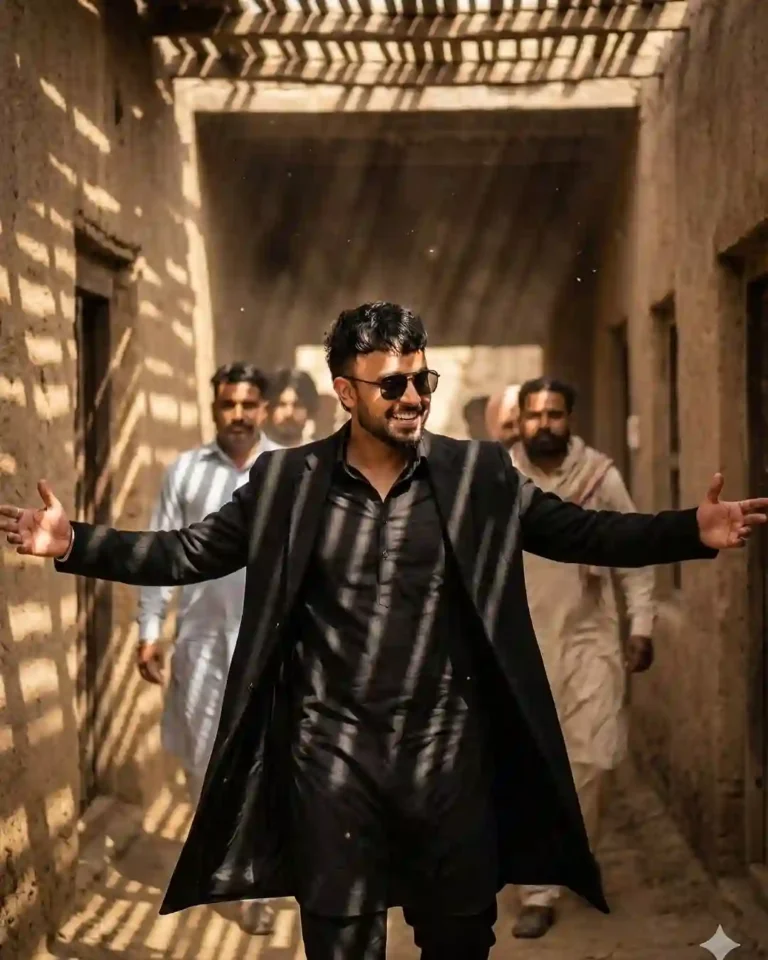
A cinematic scene showing a confident man making a dramatic entrance in a rugged old village alleyway. His face and hairstyle should match the reference image same proportion, same hair as refrence image, natural shape and mature expression. He is wearing a black traditional outfit layered with a long black coat, sunglasses on, arms stretched wide as he walks forward with a charismatic smile. Behind him stand men dressed in cultural attire, blurred slightly to create depth. Harsh sunlight filters through wooden slats, casting striking patterned shadows on the walls and on his clothing. Dusty earthy textures, authentic environment, 8K ultra-realism, cinematic color grading, subtle motion, dramatic hero-entry atmosphere, powerful and bold vibe.
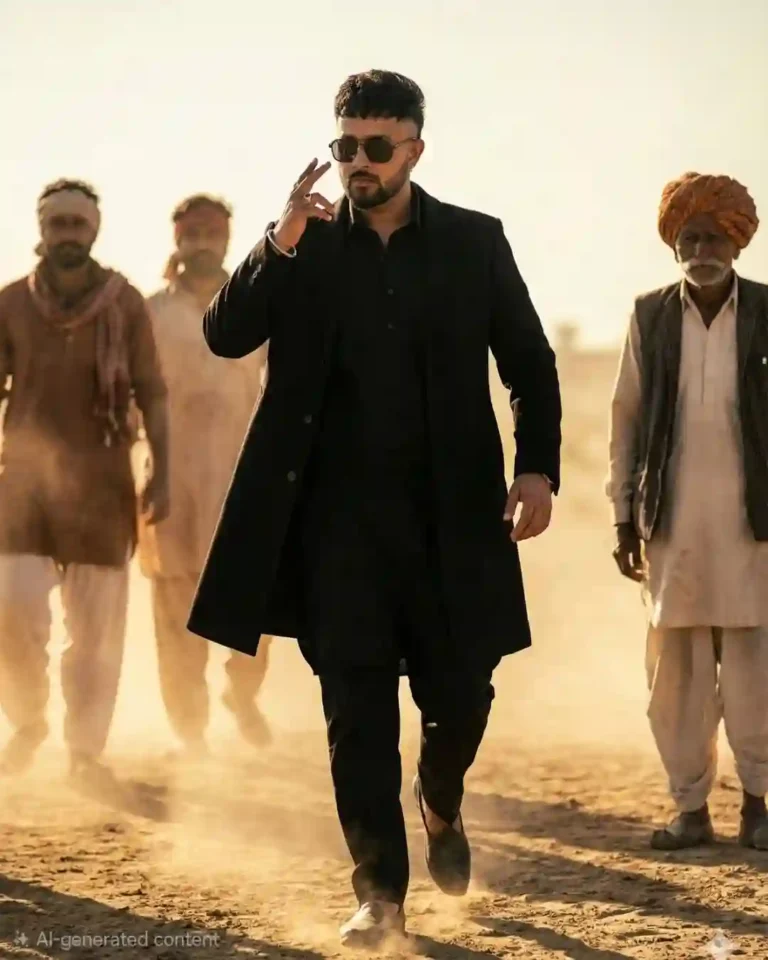
A cinematic scene of a confident man walking forward. His face and hairstyle should match the reference image same hair as refrence image, mature facial structure, sharp jawline, and composed hero-like expression. He is wearing a black traditional outfit layered with a long black coat and sunglasses, making a signature hand gesture near his face while walking. Behind him, two men in rustic cultural attire follow slightly blurred for depth, and one elderly man in traditional turbaned clothing stands to his side. Dusty neutral background, desert-light ambience, soft warm tones, dramatic slow-motion atmosphere, 8K ultra-realism, cinematic color grading, heroic swagger and mass-appeal entry shot.
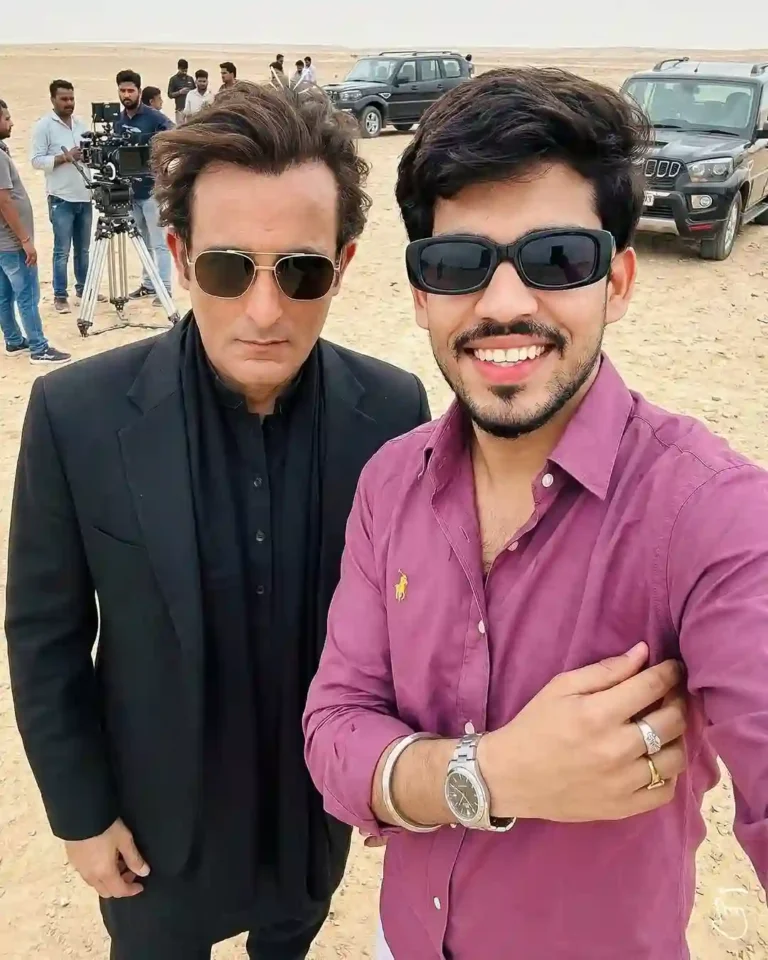
A realistic selfie shot taken by a young man standing next to Bollywood actor Akshaye Khanna in a desert environment. Akshaye Khanna is on the left, looking serious, wearing a black blazer over a black kurta, a black scarf wrapped around his neck, and gold-rimmed aviator sunglasses. He has slightly messy, windblown dark hair. The young man on the right is wearing a grey t-shirt and glasses, smiling at the camera. The background is a behind-the-scenes movie set in a sandy desert, with film crew members, technical equipment, lights, and black SUVs parked in the distance. Bright natural daylight, harsh shadows, 4k resolution, candid smartphone photography style.
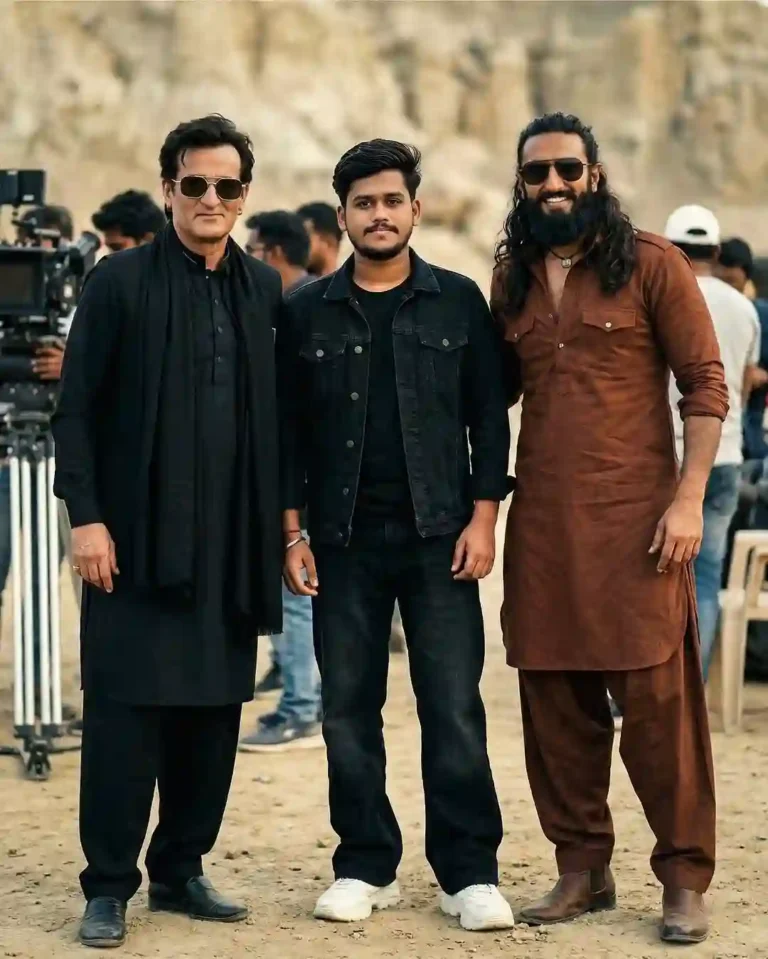
Hyper realistic 8k resolution, natural photo. A real behind-the-scenes film shoot photo from the movie “Dhurandhar”, outdoor location, daylight, natural cinematic lighting, shallow depth of field, realistic shadows, Three people standing together naturally. Center – Me: Face exactly same as my reference photo Outfit: black denim jacket, black t-shirt, black baggy jeans, chunky white sneakers. Slight smile, relaxed natural pose. Left side Actor 1: Face exactly same as reference image. Same hairstyle as reference. Outfit: black kurta, black pajama, black stole/scarf, black outer layer. Black rectangular sunglasses. Right side – Actor 2: Face exactly same as reference image. Same long hairstyle and same beard as reference. Outfit: brown traditional kurta and brown salwar. Brown boots. Black aviator sunglasses. All outfits, hairstyles and sunglasses must be exactly the same as reference images. all faces match refrences images
Why Use Google Gemini for AI Photo Editing?
Google Gemini AI is one of the best tools for AI photo editing because:
- It gives high-quality realistic results
- It understands detailed prompts
- It creates cinematic and viral edits
- It is easy to use for beginners
You don’t need Photoshop skills. Just upload your photo, paste the prompt, and Gemini will do the magic.
Learn More: Google Gemini DSLR Boys AI Photo Editing Prompts With Real Face
How To Create a Trending Google Gemini Rehman Dakait Ai Photo?
If you want to create a trending Rehman Dakait photo, then copy any prompt from the above. Then, follow the steps given below.
- Go to the Google Gemini App or the web.
- Now, log in to Google Gemini and paste the copied prompt in the text prompt section.
- After that, click on Create image with the banana icon to choose the Nano banana model.
- Then upload your photo.
- Finally, click on the Run button to generate the Rehman Dakait Photo. After some time, your photo will be ready.
- Then, you can save the photo and share it on your social media account to enjoy the trend.
Learn More: Gemini Retro Style Ai Photo Editing
Conclusion
In this way, you can create this type of photo very easily by using the above-given Rehman Dakait AI Photo Editing Prompt. I hope that this article helps you very much to create such a unique Rehman Dakait photo. The Google Gemini Rehman Dakait AI Photo Editing Prompt – Dhurandhar Prompt is perfect for creating viral, cinematic, gangster-style photos. With the right prompt and a good photo, you can get professional-level AI edits in seconds. If you like this, then let me know in the comments section below. I already shared multiple photo editing prompts on this website, and by using those, you can create various types of AI photos at your own by just a single click.