Google Gemini Merry Christmas Ai Photo Editing Prompts- Christmas 2025 is around the corner. Everyone is looking for creative ways to celebrate the Christmas festival. Christmas, AI photos created using Google Gemini are going viral on social media platforms like Instagram and Facebook. I observed that a variety of photos have already been shared all over various social media platforms. Christmas 2025 is the ideal time to utilize AI for creating eye-catching, creative photos. With Google Gemini, you can turn simple photos into professional, festive Christmas images in just a few prompts.
In this article, I am going to explain everything with a very simple step-by-step process to create such a Merry Christmas AI photo. You just need to read the article till the end.
What Is Google Gemini Christmas AI Photo Editing?
Google Gemini can act like an AI photo editor plus designer.
You give it:
- Your base photo (selfie, couple pic, family photo, product photo, etc.)
- Your editing style (cartoon, cinematic, DSLR, cozy, luxury, etc.)
- Your details (Christmas tree, snow, lights, bokeh, colors, text, etc.)
Then Gemini generates a detailed editing prompt that you can use inside compatible tools (Gemini image editing, third-party AI photo editors, or Photoshop-style workflows).
Learn More: Google Gemini Happy New Year 2026 Ai Photo Editing Prompt – 100% Real Face
Google Gemini Merry Christmas Ai Photo Editing
To create a clear and cinematic photo, you need to have clear prompts. Here you get stunning, personalised Merry Christmas photo editing prompts for boys, girls, and couples. In this type of photo, a boy or girl or couple wears a Christmas outfit and festive vibes.
Merry Christmas Ai Photo Editing Prompt
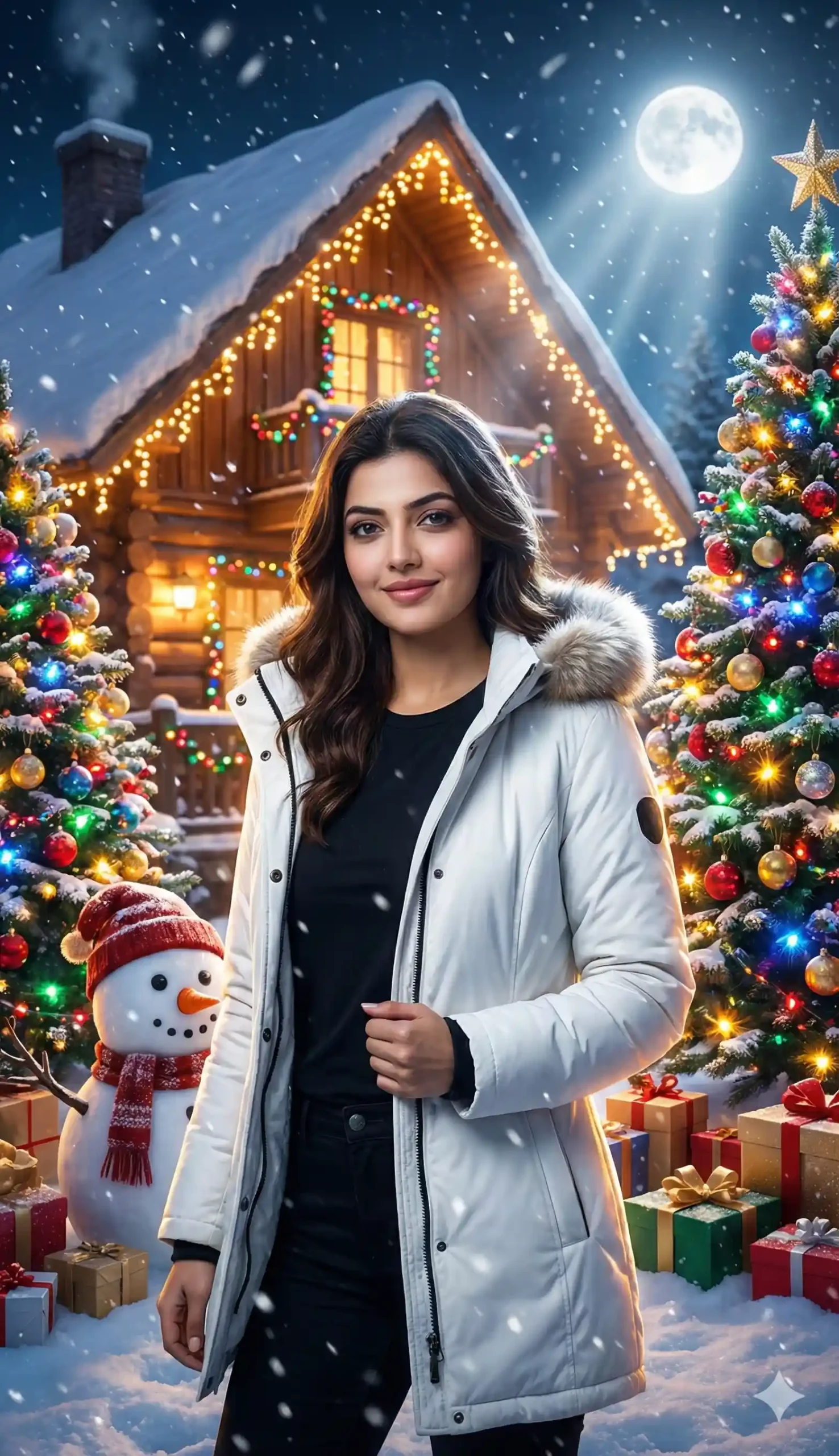
“Create a hyper-cinematic Merry Christmas portrait using the exact same face as the uploaded photo. Style me in a premium white winter jacket (not a blazer) layered over a black T-shirt. I’m standing straight, holding the jacket with one hand, giving a soft confident smile. Set the scene in front of a snowy wooden cottage glowing with warm golden and multicolor Christmas lights. Add two fully decorated green Christmas trees on both sides, filled with bright ornaments and vibrant LED lights. Place a detailed snowman close by and scatter realistic wrapped gift boxes around my feet.
Add dynamic, film-grade snowfall drifting in front of the lens for depth. Include a bright moon casting soft rim-lighting on my jacket and creating cinematic shadows. Use dramatic contrast, shallow depth of field, lens-flare glow, volumetric light beams, and crisp 4K textures. The whole atmosphere should feel like a high-budget holiday movie scene—warm, magical, ultra-detailed, with a complete Christmas tree and a rich snowy environment.”
Learn More: 10+ Trending Gemini photo editing prompts for boys (100% Real Face)
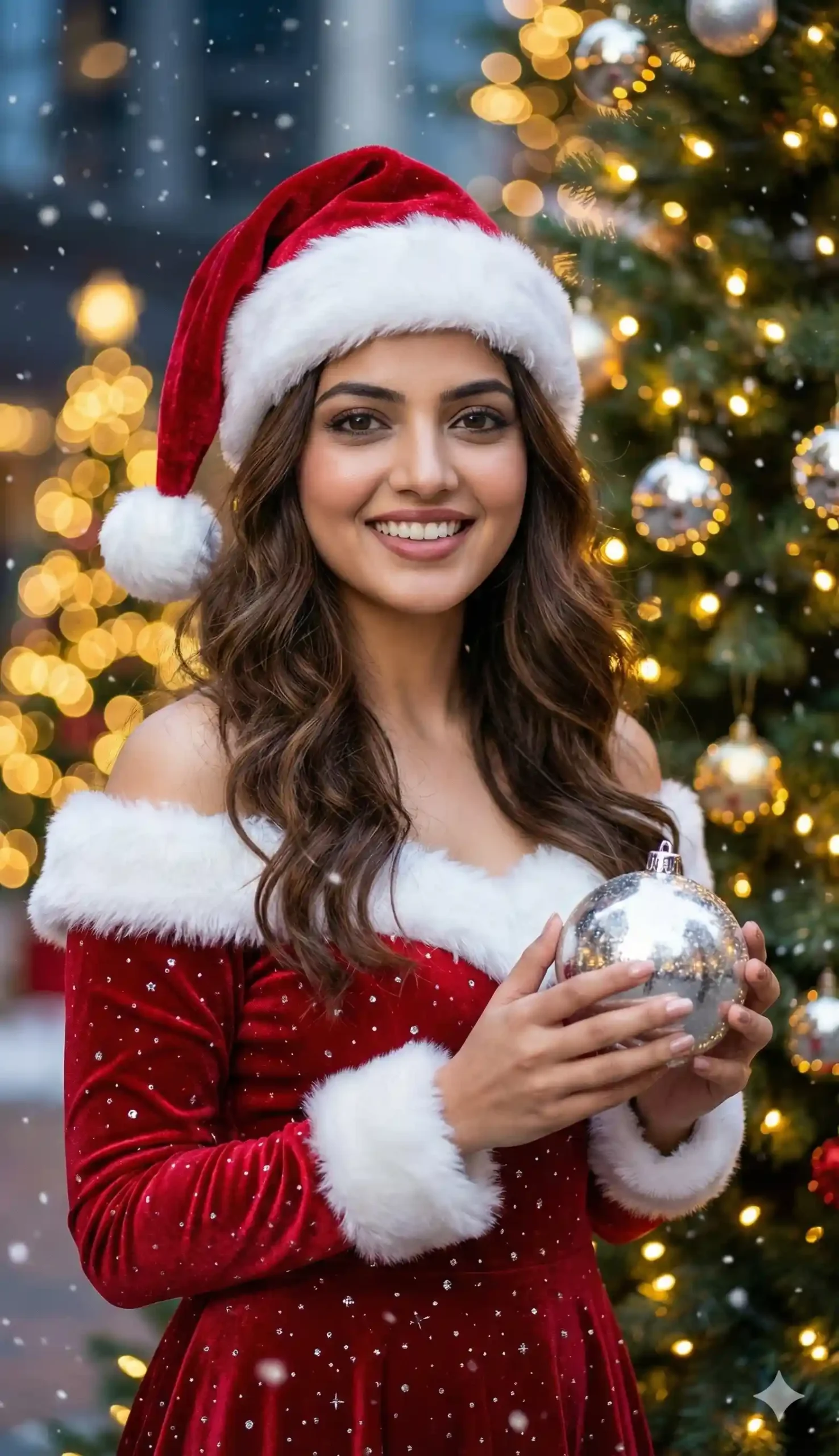
“Create an ultra-realistic UHD/4K outdoor Christmas portrait using the same girl’s real face with absolutely no facial changes. She is a slim young woman with long wavy brown hair and a joyful, natural expression. Show her full outfit clearly: a red Christmas dress with silver sparkles, white fur trim along the off-shoulder neckline and sleeves, and a red velvet Santa hat with white fur and pompom. She is holding a shiny silver Christmas ornament in both hands. Use high-end DSLR/4K lighting with crisp highlights, soft shadows, and lifelike skin texture. The background should feature fully decorated Christmas trees glowing with warm golden lights, detailed bokeh effects, gentle UHD snowfall particles in the foreground, and a magical, cinematic festive outdoor atmosphere with rich color depth and sharp details.”

“Create a cute aesthetic Christmas portrait using the exact real face from the uploaded photo (no facial changes). The boy is wearing a red Santa cap, a cozy winter jacket, and jeans. He stands outdoors in gentle, dreamy snowfall, giving a soft, sweet smile toward the camera. Add an adorable snowman beside him, pastel-glowing Christmas trees on both sides decorated with warm fairy lights, and a softly lit snowy house in the background. Use a warm, dreamy color palette, soft bokeh lights, smooth skin tones, and a cozy aesthetic atmosphere with a magical Christmas vibe.”
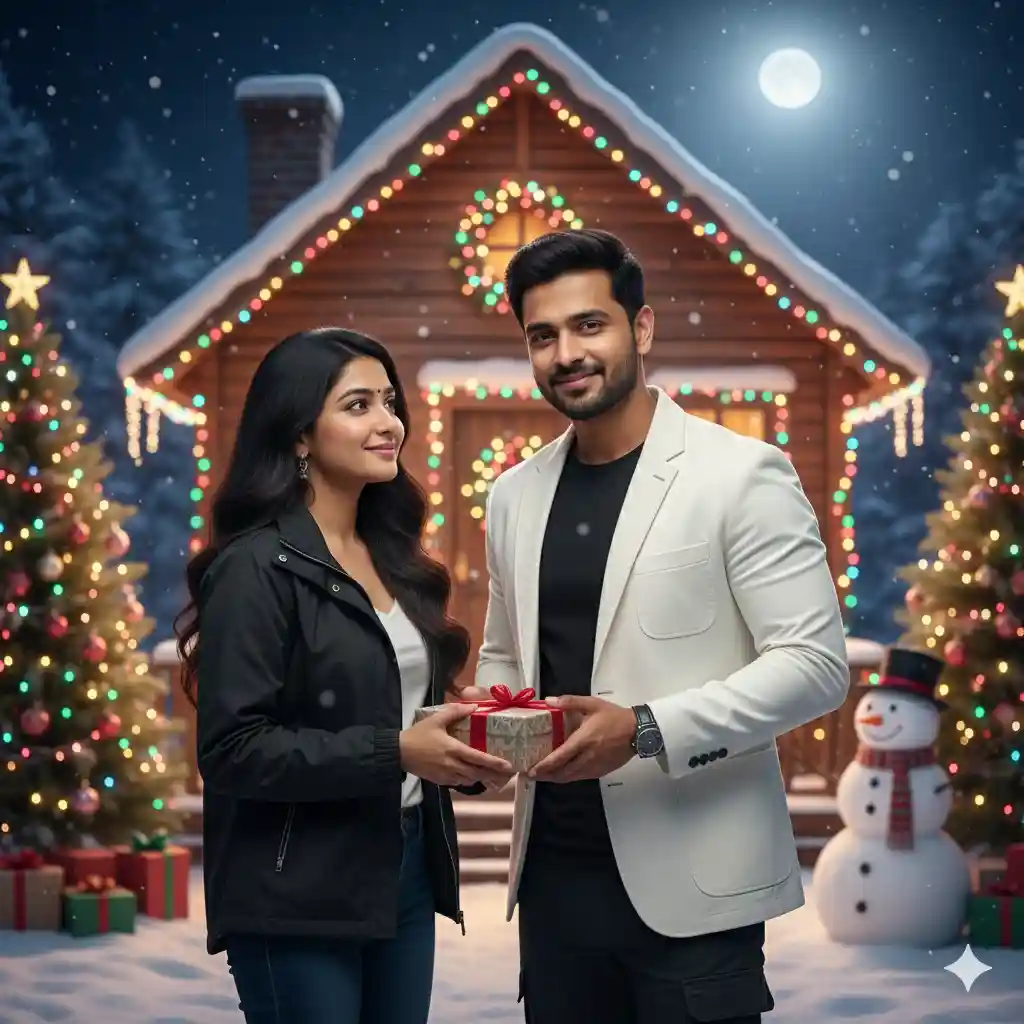
“Create an ultra-realistic romantic Christmas couple portrait using their real faces with no changes. Mid-shot composition showing both of them clearly, including their jackets and a bit of the boy’s pants. The boy is wearing a white jacket over a black T-shirt, giving a gift with a slight, warm smile. The girl is wearing a black jacket over a white T-shirt, her hair open and soft, smiling gently as she receives the gift. The background features a snowy cottage decorated with colorful Christmas lights, light snowfall, decorated Christmas trees on both sides, a cute snowman nearby, and a shining moon above. Use sharp DSLR-quality details, realistic skin tones, cinematic lighting, and absolutely no cartoon or animated look.”
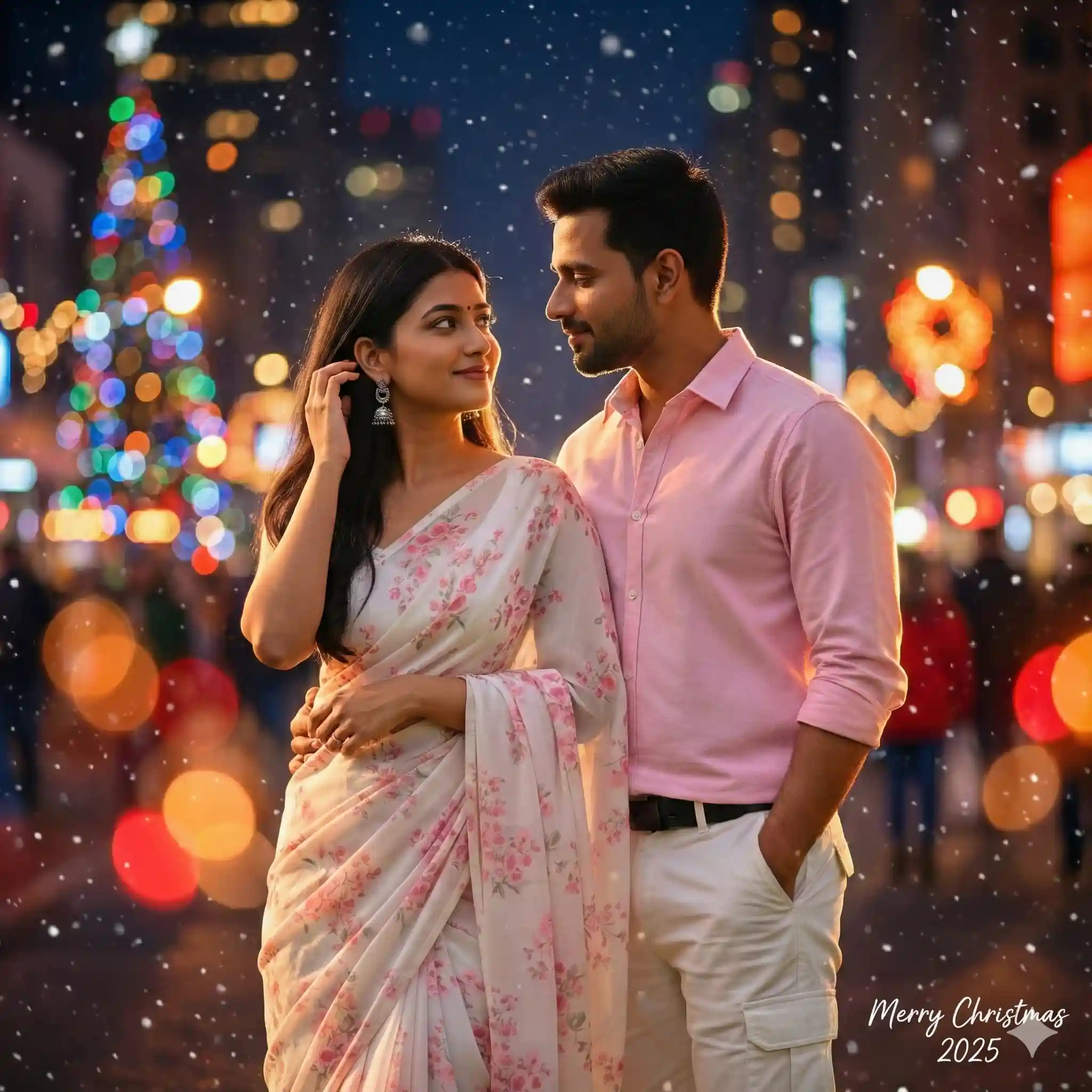
“Turn this couple photo into a romantic Christmas 2025 scene.
Background: night city with blurred colorful Christmas lights and bokeh.
Style: cinematic, slightly moody, warm oranges and reds.
Add soft falling snow and subtle light glow around us.
No heavy filters on our faces.
Add small handwritten-style text ‘Merry Christmas 2025’ in the corner.”
Trending Merry Christmas Ai Photo Editing Prompt for Girls
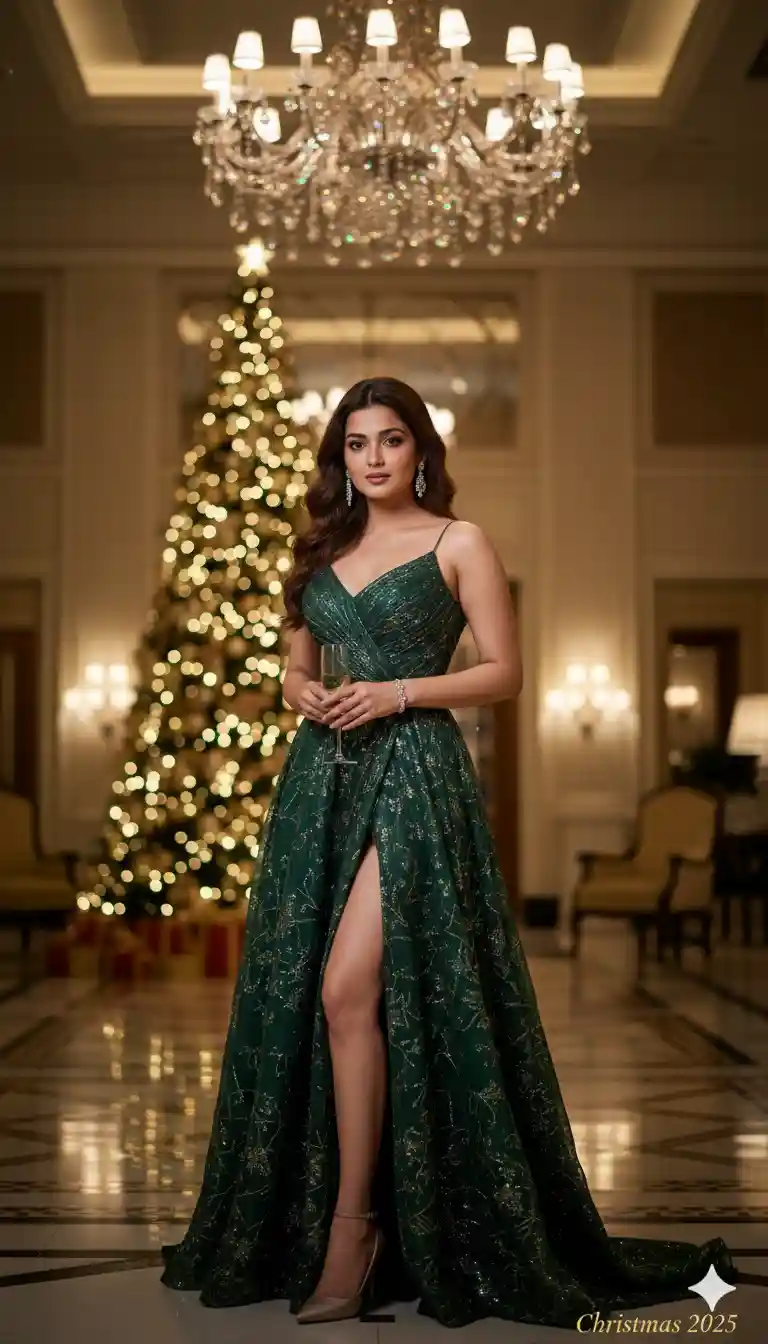
“Transform this portrait into a luxury Christmas party 2025 photo.
Background: elegant ballroom or high-end hotel lobby with Christmas decorations and chandelier.
Style: luxury magazine look, sharp, high-end color grading.
Add golden bokeh, subtle glow, and refined contrast.
Add small gold text ‘Christmas 2025’ in the bottom right corner.”
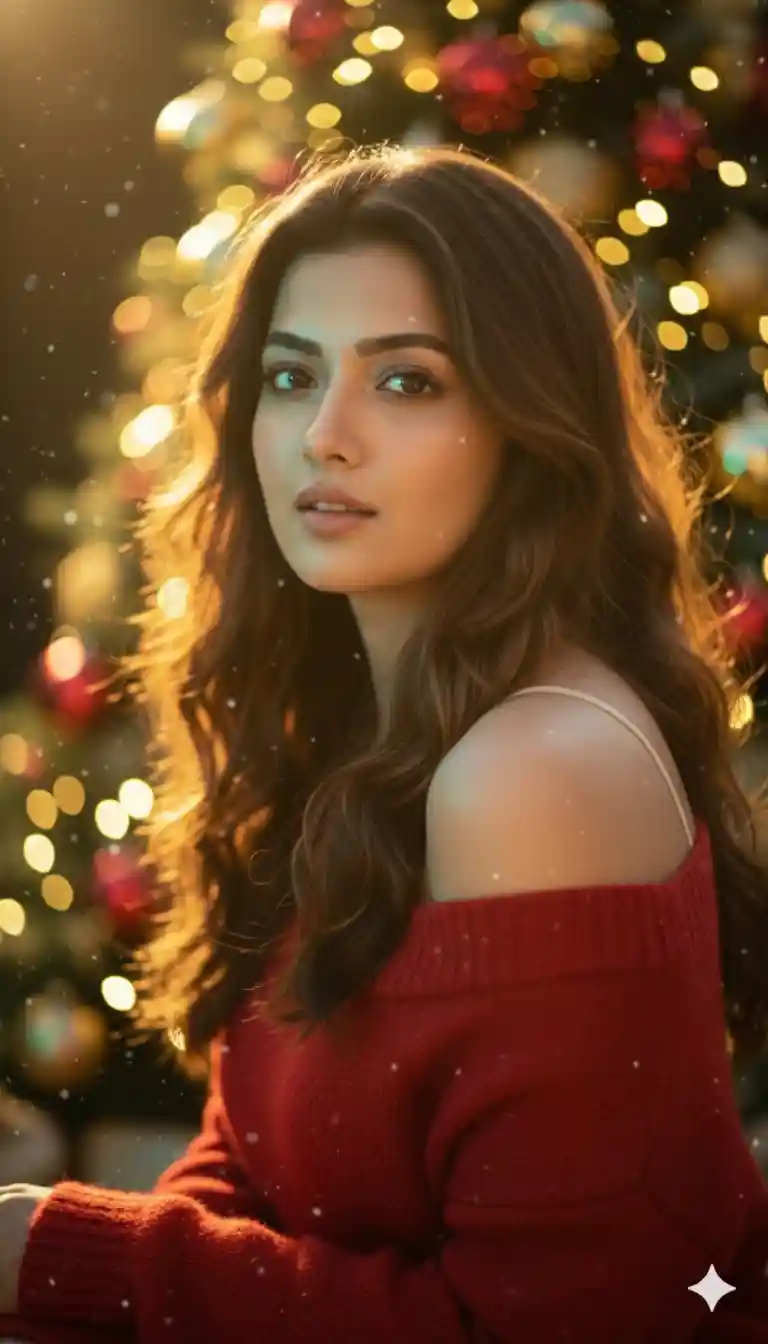
"Turn this photo into a glam Christmas portrait of the girl wearing a soft red festive outfit. Add glowing ornaments, soft sparkles, warm golden highlights, and gentle snow particles. Keep her makeup natural. Style: modern, aesthetic, glamorous Christmas portrait."
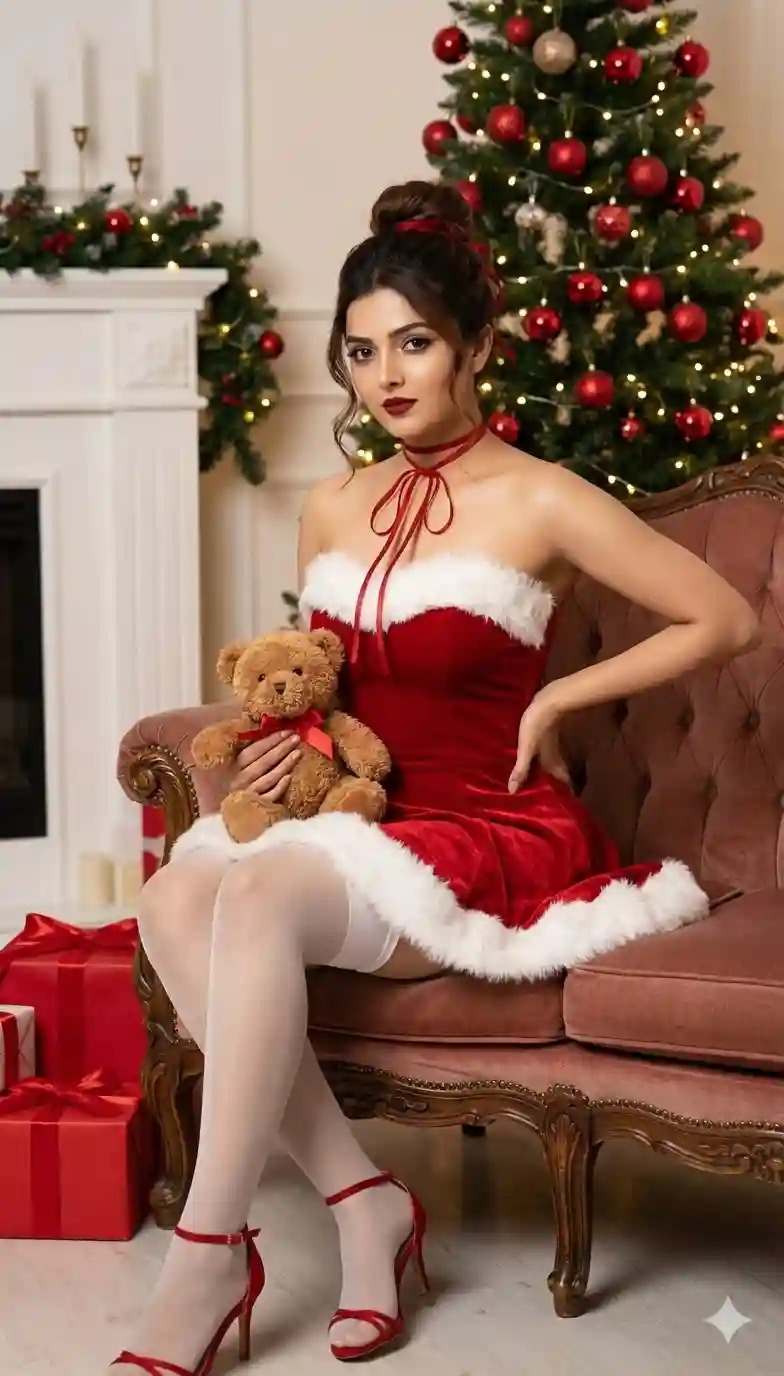
Create a close-up, ultra-realistic photograph (not a cartoon or fantasy image) based on the original attached face
She's dressed in a Santa Claus-inspired outfit, seated on a classic sofa. The outfit: a strapless red velvet dress, trimmed with white fur at the top and bottom, with red ribbons around the neck. She wears white thigh-high stockings and red strappy heels. Hair and makeup: her dark hair is styled in a chic bun with red hair ties, and she wears dramatic eye makeup with defined lines and long lashes, and dark red lips. Gesture: She sits on the sofa, her left hand on her hip, holding a small brown teddy bear with a red ribbon in her right hand, and looks at the camera with a serene expression. Background: a lit Christmas tree decorated with red baubles in the background, along with a decorated white fireplace (partially visible on the left), and red gift boxes on the floor, creating a festive and warm atmosphere.
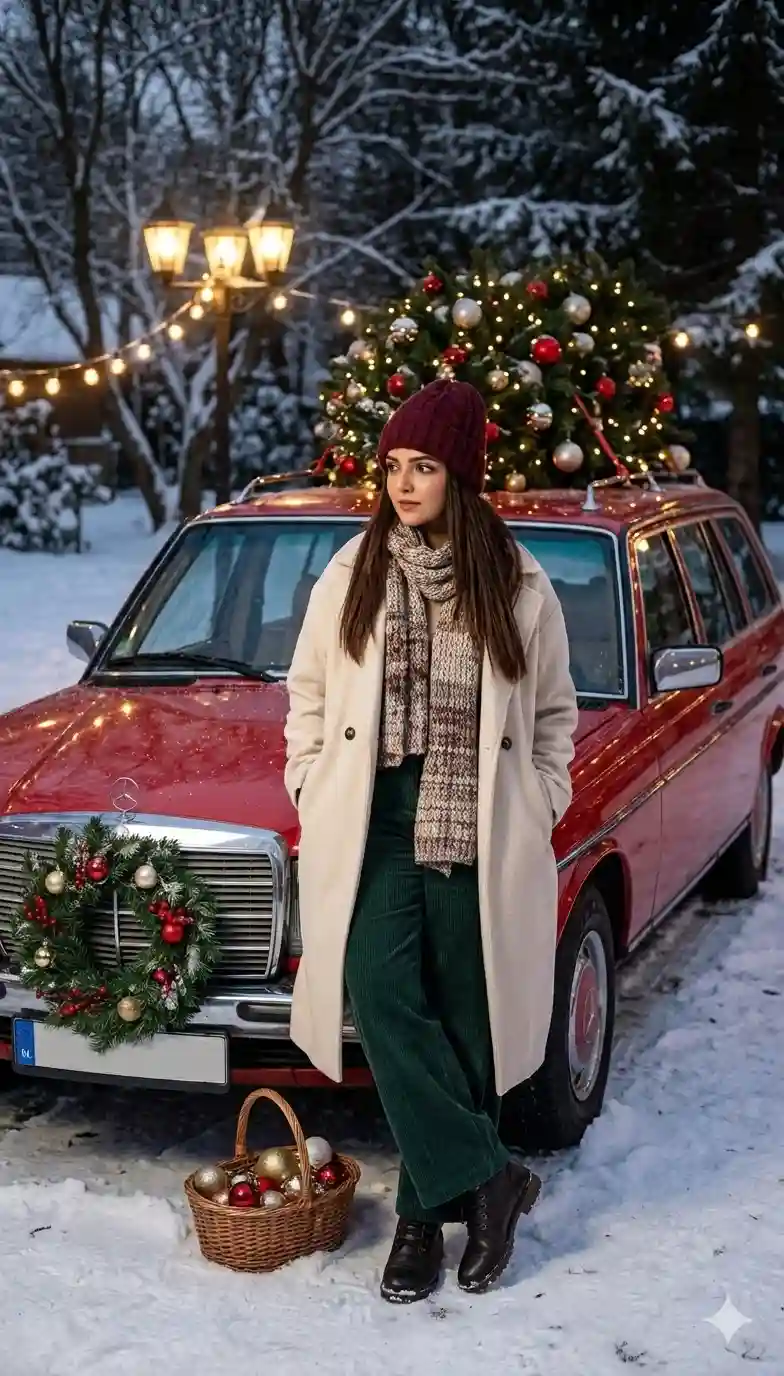
Eye-level full-body shot of a woman in her mid-20s with long straight hair, standing in a relaxed editorial pose beside a vintage red car decorated with a festive wreath and a fully adorned Christmas tree strapped to the roof, wearing a cozy winter outfit: a soft knit beanie, an oversized cream coat, wide-leg trousers, warm scarf, and winter boots, surrounded by fresh snow and softly glowing string lights overhead, warm cinematic lighting mixing with cool ambient night tones to create gentle specular highlights on snow, ornaments, and the car’s glossy surface, deep depth of field revealing snow-covered trees and festive yard details, leading lines composition drawing attention from the basket of ornaments at her feet toward the decorated car and the subject, warm muted color palette with subtle holiday accents and refined color grading, style of Annie Leibovitz, 85mm lens with creamy bokeh, medium format photography, tack-sharp focus, ultra-detailed high-resolution photorealistic cinematic winter realism, natural skin texture (avoid plastic look, avoid 3d render), preserve all facial features exactly as in the reference photo, do not change or alter face structure.

Without changing my facial features. Create a photo of a young woman dressed in a festive Santa-inspired outfit, lying on a bed of soft white material resembling snow or clouds. She is wearing a red Santa hat with white fur trim, a red dress or top with white fur accents, and long red fingerless gloves. Her hands are clasped near her face, with one finger gently touching her lips in a "shhh" gesture. Her long black hair is spread out around her head. Her makeup is natural, with gray/blue eyes. Several red and white Christmas ornaments are scattered around her on the white surface. The lighting is soft, highlighting her features and the textures of her outfit and surroundings.
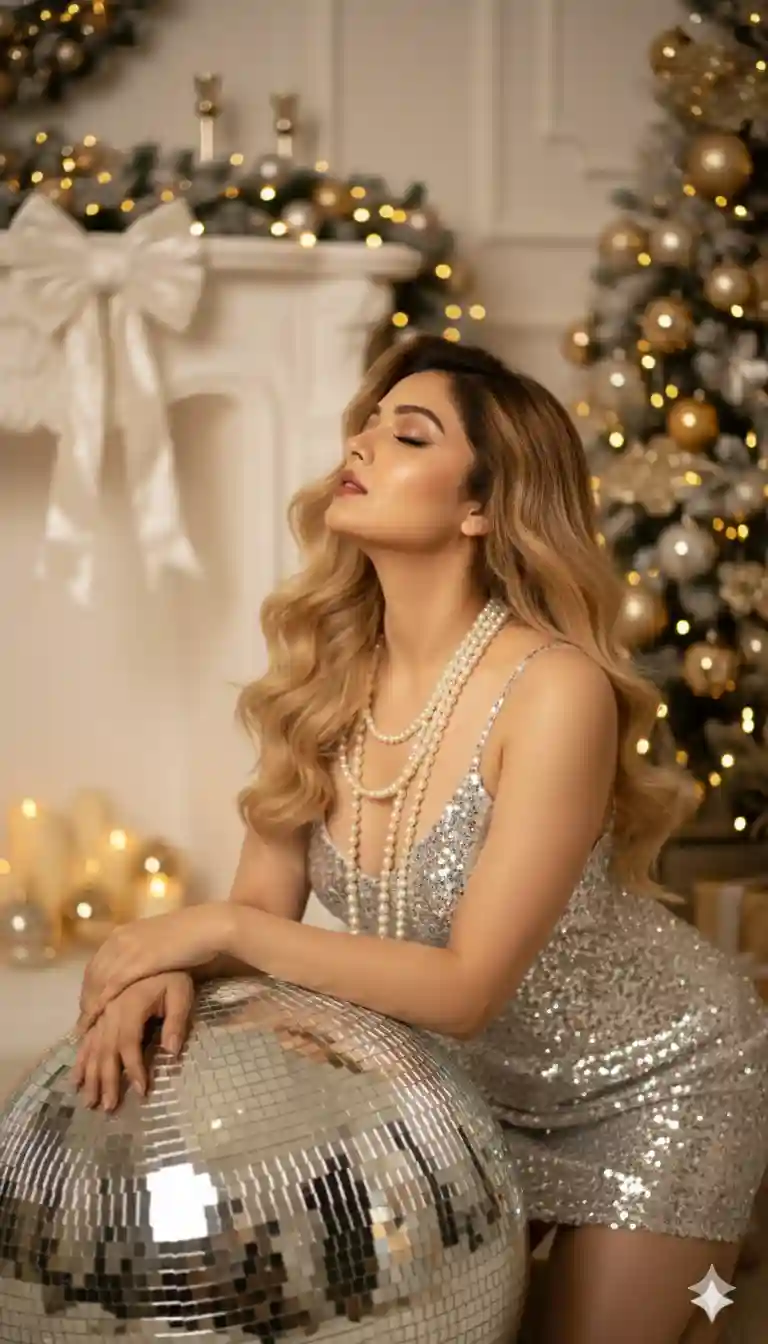
"Use the original face exactly as it is, without changing a details. A glamorous woman with long, wavy blonde hair is dramatically posed on her hands and knees, leaning on a large, reflective disco ball. She is wearing a shimmering silver sequined slip dress with delicate straps, designed to sparkle and catch the light. Multiple strands of pearls are draped elegantly around her neck and shoulders, adding a touch of classic luxury. Her eyes are closed, and her head is tilted back slightly, giving an alluring and serene expression. She has sophisticated makeup, including defined eyeliner and nude lips. The background is richly decorated for the holidays, featuring a warmly lit Christmas tree with golden and silver ornaments, and a fireplace mantel adorned with a large white bow and more festive decorations. The lighting is soft and ambient, with bokeh from the background lights adding to the festive and celebratory mood."

Usa mi rostro para crear una fotografía:
• Sujeto Principal: Una mujer con una expresión de alegre sorpresa o maravilla.
• Pose y Acción: La mujer mira hacia arriba y a su derecha (izquierda del espectador). Sus manos, enfundadas en guantes rojos, están levantadas a ambos lados de su rostro, como en un gesto de asombro o deleite.
• Atuendo: Viste un atuendo festivo de Navidad, que incluye guantes rojos y un gorro o capucha grande y esponjoso, bordeado con pelusa blanca.
• Fondo y Composición: El fondo es predominantemente blanco y desenfocado, con una textura suave y esponjosa que parece rodearla. Se aprecian adornos navideños rojos (esferas) desenfocados, que añaden al ambiente festivo.
• Atmósfera: La imagen es brillante, alegre y captura un sentimiento de celebración y espíritu navideño. No cambies mi rostro, cabello rubio oscuro ondulado.
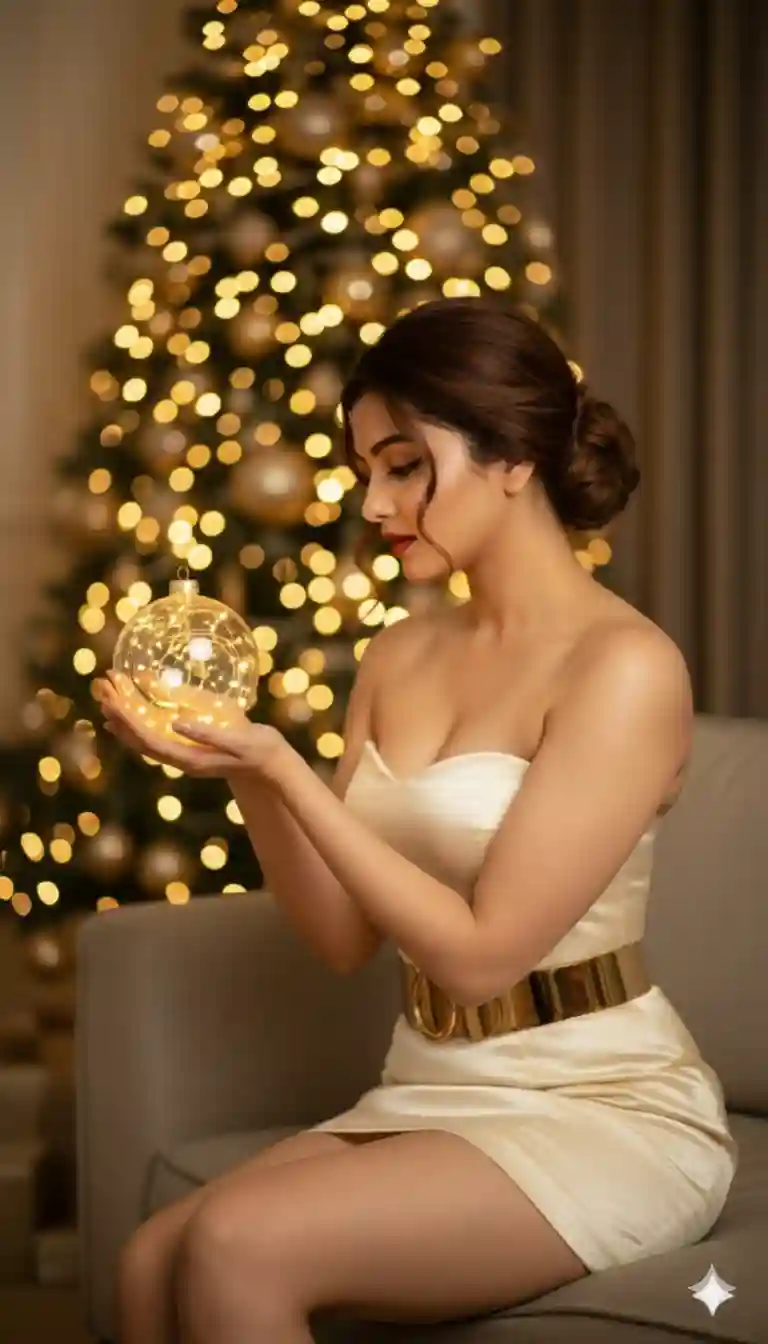
Crea una fotografía basada en esta imagen sin alterar las características físicas. Una mujer con cabello rubio oscuro recogido en un elegante moño, de perfil, mirando hacia abajo y a la izquierda. Vestimenta: Lleva un minivestido o top de un material que parece satén o piel sintética, en blanco o crema, sin tirantes. Accesorio principal: Un cinturón ancho de metal dorado tipo fajín, que acentúa la cintura y contrasta con el vestido. Objeto en las manos: Sostiene una esfera de cristal transparente o un adorno circular. Iluminación del objeto: Dentro de la esfera, hay una luz cálida o luces navideñas que brillan intensamente. Fondo: El fondo está desenfocado (bokeh), pero se distingue claramente un gran árbol de Navidad, decorado con luces cálidas y brillantes (doradas o amarillas). Personaje: Está sentada en un sofá o sillón beige o marrón claro, que generalmente se ve desde abajo y detrás de ella. Ambiente: El ambiente general sugiere una celebración navideña, con un tono cálido, elegante y luminoso.
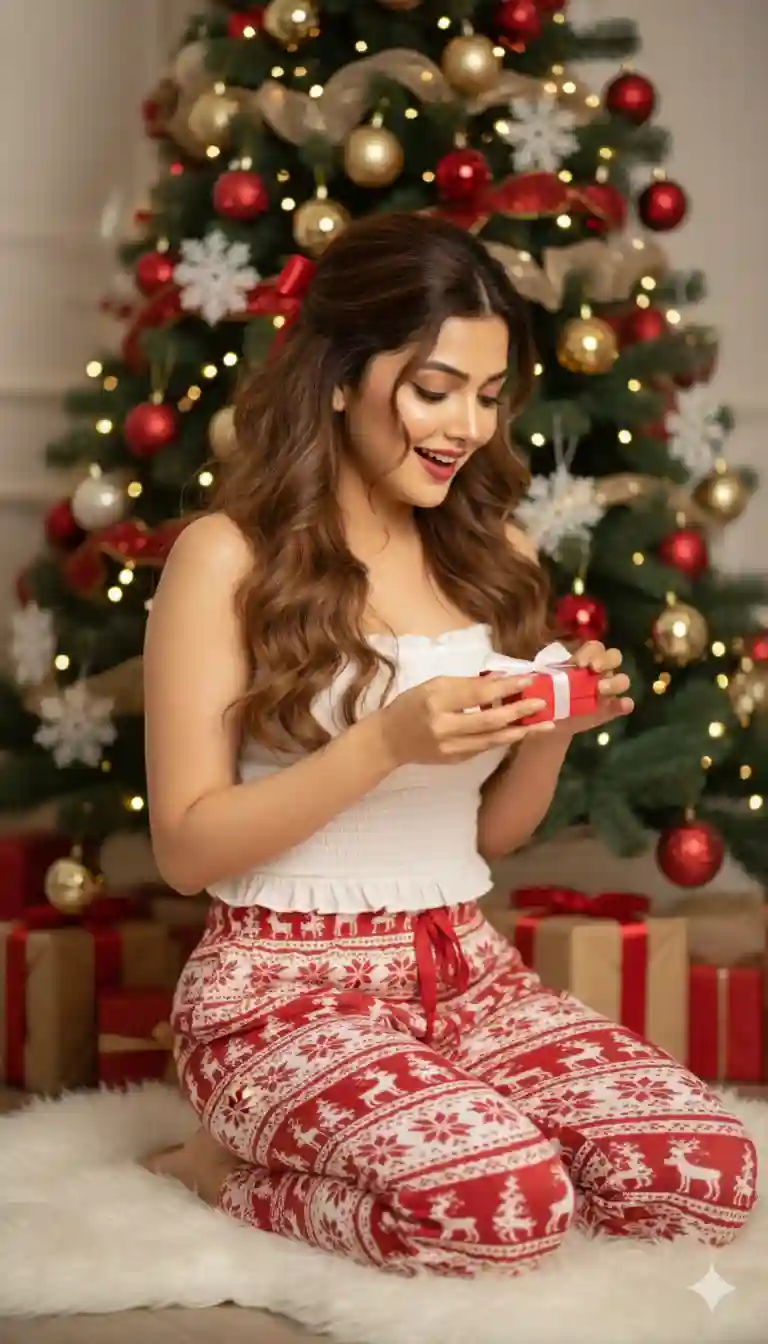
Crea una foto ultra realista de una mujer con mi cara. Con cabello rubio oscuro muy largo y voluminoso, peinado con con ondas suaves y sueltas. Parte del cabello se recoge en una coleta baja y casual, sostiene con una cinta roja festiva, mientras que el resto cae libremente sobre sus hombros. El peinado transmite juventud, calidez y es perfecto para fiestas.
Maquillaje
Festivo y radiante. Piel luminosa y natural con un acabado jugoso, bronceador suave y rubor cálido en las mejillas. Cejas definidas, sombra de ojos neutra y pestañas largas. Un labial rojo intenso añade el toque de color perfecto, complementando los tonos navideños del outfit y la decoración.
Traje
Un top corto blanco sin mangas con tirantes con volantes: femenino y casual. Leggings de pijama rojos y blancos combinados con Estampado nórdico de reno, árboles y copos de nieve. El look es cómodo, acogedor e informal, y encarna el espíritu de la mañana de Navidad.
Accesorios
Accesorios mínimos: sin joyas, para que el protagonismo recaiga sobre el outfit y el ambiente festivo. El lazo rojo en tu cabello es el accesorio clave, agregando un toque de encanto navideño.
Escena y pose
La modelo está arrodillada sobre una suave alfombra de piel blanca junto a un árbol de Navidad bellamente decorado. Ella está ligeramente girada hacia un lado, sonriendo feliz mientras sostiene una pequeña caja de regalo roja con una cinta blanca. Tira de la cinta como si la fueras a desenvolver. Su lenguaje corporal es natural, alegre y expresivo, capturando perfectamente la calidez y la felicidad de la Navidad.
Antecedentes
Un ambiente acogedor y hogareño con un árbol de Navidad nevado adornado con con adornos rojos, dorados y blancos, lazos y copos de nieve. Los regalos envueltos en papel rojo y dorado a juego rodean la base del árbol. Las luces cálidas y un suave efecto bokeh crean una atmósfera navideña mágica.
Iluminación
Luz natural brillante que se filtra por la habitación, creando un brillo cálido y equilibrado. Los suaves reflejos en tu cabello y rostro realzan los tonos naturales, mientras que las luces navideñas añaden un brillo sutil. La iluminación es limpia y acogedora, ideal para fotografía de estilo de vida o ca
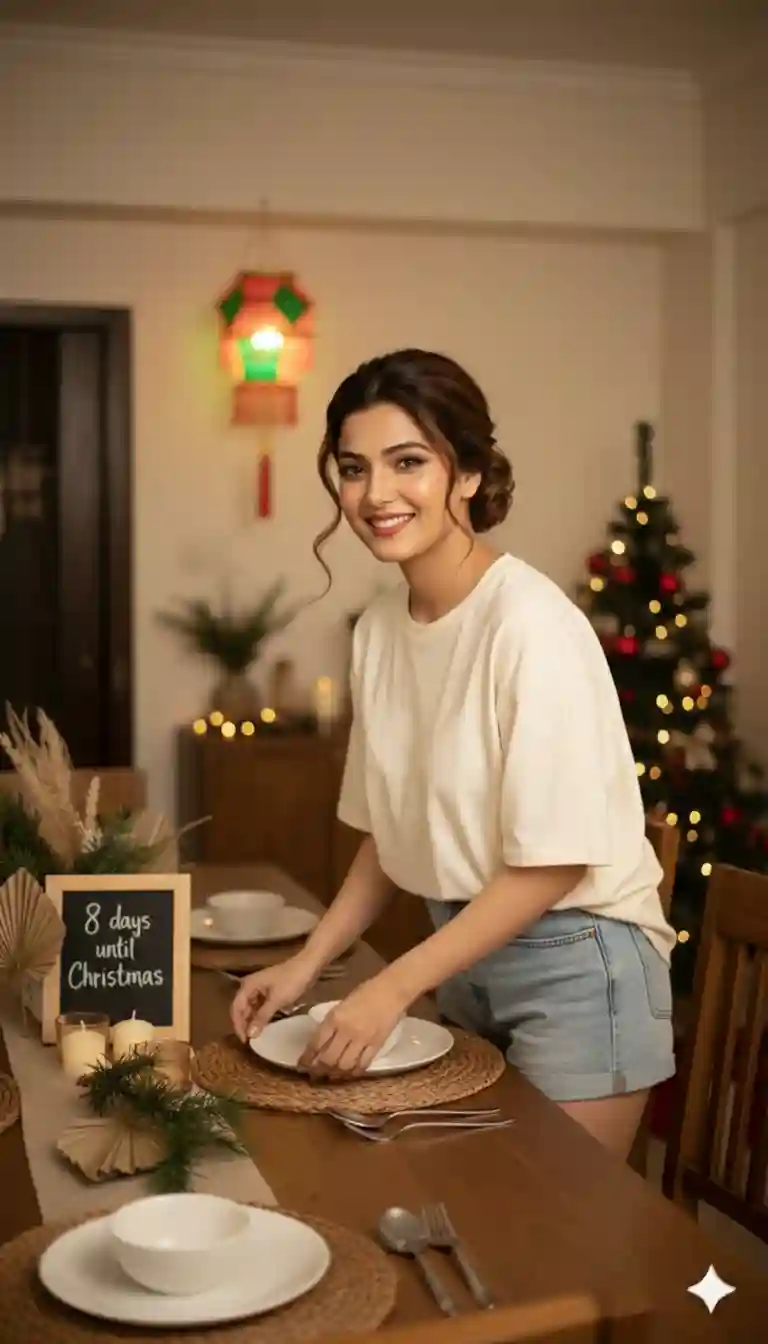
“8K ultrarealistic photo of a very beautiful, classy, elegant woman (identity locked to the reference but without glasses).

She is standing beside a rectangular wooden dining table typical of a Filipino home, slightly leaning forward as she carefully sets the Christmas table.
Pose: Both hands gently adjusting woven placemats and ceramic plates, shoulders relaxed, body angled three-quarters toward the camera. She looks directly at the camera with a soft, warm smile—graceful and welcoming, not exaggerated.
Outfit: Light-wash denim shorts paired with a loose, oversized cream cotton T-shirt that falls softly over her frame, relaxed and effortlessly beautiful.
Hair: Voluminous messy bun with soft strands framing her face.
Makeup: Radiant glowing skin, subtle peach blush, glossy soft-pink lips, natural long lashes, warm neutral eyeshadow.
Props: Rattan placemats, white ceramic plates, stainless cutlery, small bowls, pine greenery mixed with dried palm leaves, short candles.
Background: Cozy Filipino dining area—parol lantern hanging nearby, warm fairy lights, wooden furniture, a modest Christmas tree with red and gold décor.
Board: Small framed chalkboard placed at the center of the table reads: ‘8 days until Christmas.’
Lighting: Warm indoor lighting with soft yellow tones, cinematic and intimate.
Mood/Style: Filipino Christmas warmth, elegant, welcoming, editorial realism.”
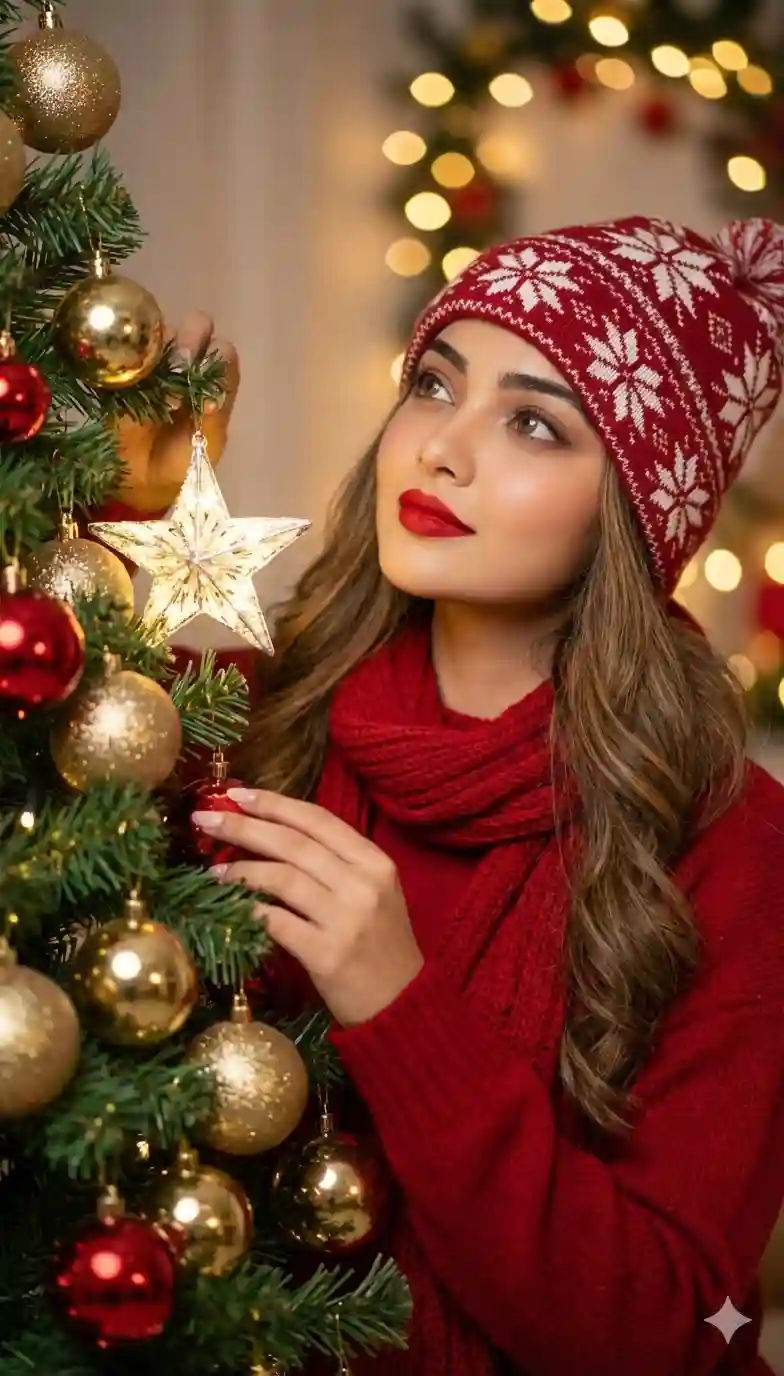
Basado en mi foto adjunta como referencia de mi rostro (sin cambiar el rostro), haciendo lo máximo posible sin alterar mis rasgos faciales y mis medidas corporales (talla 42, cuerpo curvilíneo, pechos pequeños y discretos) como referencia del cuerpo, haz
Retrato de primer plano de una mujer seductora y atractiva con cabello rubio oscuro muy largo y ligeramente ondulado, usando un gorro de punto rojo y blanco con copos de nieve y una bufanda y suéter de punto acogedor en un vibrante color rojo. Ella está mirando hacia arriba con una expresión soñadora mientras toca suavemente un árbol de Navidad ricamente decorado con adornos dorados y rojos. El maquillaje incluye labial
rojo audaz. Fondo desenfocado con luces bokeh cálidas y brillantes, ambiente festivo y acogedor de Navidad. Iluminación suave y dramática. Estilo de fotografía profesional de alta calidad. Cinematográfico, ultrarrealista.
Yo sostenía una estrella de Navidad brillante y miraba hacia la punta del árbol.
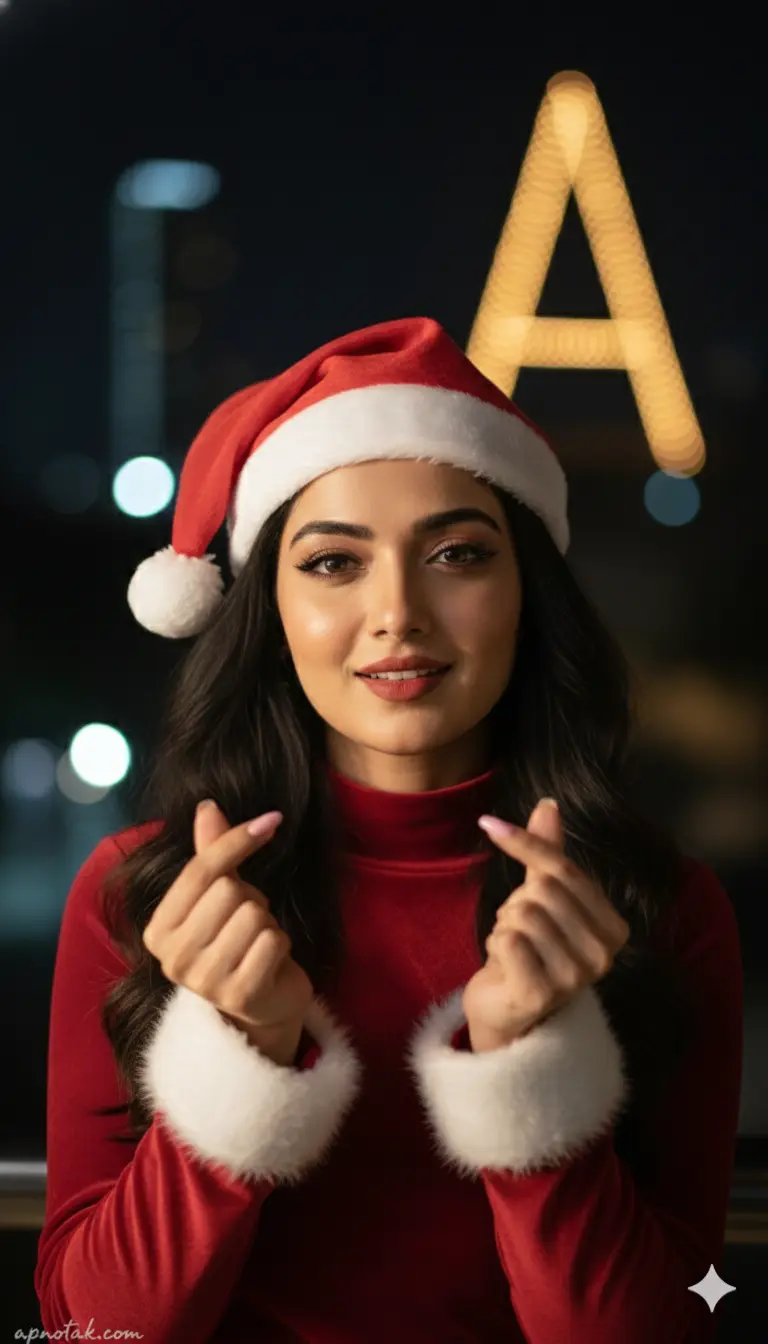
A medium close-up portrait of a specific female [REFERENCE_USER_FACE] outdoors at night. She is making the finger heart gesture with both hands. She wears a red velvet turtleneck top with white fur cuffs and a Santa hat. Her hair is long, black, cascading over her shoulders. The makeup is flawless with defined lashes and matte lipstick. The background is dark with a distinct large "A" shaped light structure in yellow bokeh and other distant city lights. The focus is razor-sharp on her face and hands. Cinematic lighting, portrait photography. Ensure the generated image maintains the exact facial features, structure, and identity of the reference subject provided.
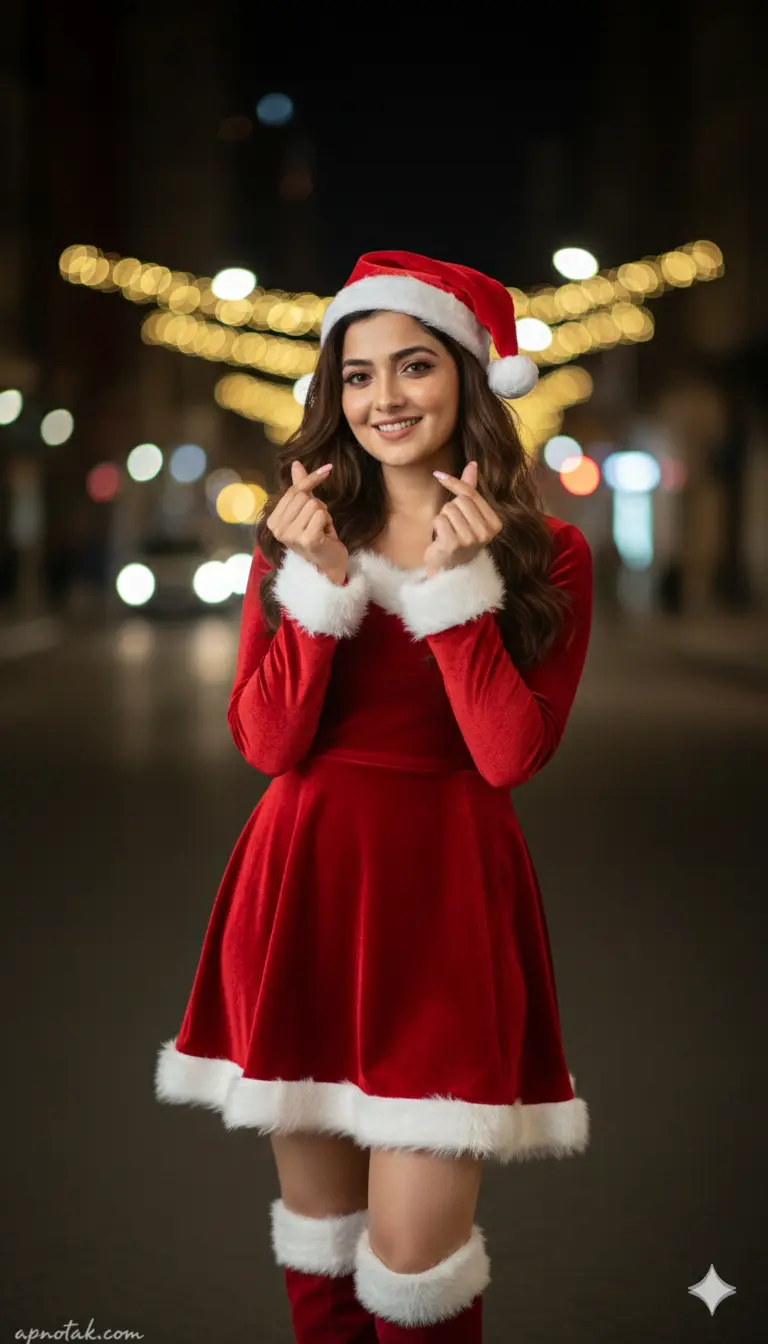
A specific female [REFERENCE_USER_FACE] standing outdoors at night, performing the "finger heart" gesture with both hands raised to chest level. She is wearing a fitted red velvet long-sleeved mini dress with white fur cuffs and a white fur hem, paired with matching red velvet knee-high boots with white fur tops. She wears a Santa hat. Her expression is cute and inviting with a soft smile. The background is a dark street scene with beautiful bokeh effects created by warm yellow Christmas lights in the distance, contrasting with the dark night environment. The image has a shallow depth of field, keeping the subject sharp and the background artistically blurred. Cinematic night portrait, high definition. Ensure the generated image maintains the exact facial features, structure, and identity of the reference subject provided.
Why Use Google Gemini for Merry Christmas Ai Photo Editing?
Google Gemini is an advanced AI system that allows users to edit and generate images using simple text prompts. Its ability to understand context and maintain facial features makes it perfect for creating realistic, festive portraits. It is a very useful tool and it maintains facial features properly.
How To Create a Trending Merry Christmas Ai Photo Editing Prompt?
If you want to create a trending Merry Christmas Ai photo, then copy any prompt from the above. Then, follow the steps given below.
- Go to the Google Gemini App or the web.
- Now, log in to Google Gemini and paste the copied prompt in the text prompt section.
- After that, click on “Create image” with the banana icon to select the Nano banana model.
- Then upload your photo.
- Finally, click on the Run button to generate the Merry Christmas Ai Photo. After some time, your photo will be ready.
- Then, you can save the photo and share it on your social media account to enjoy the trend.
Learn More: Gemini Retro Style Ai Photo Editing
Conclusion
In this way, you can create this type of photo very easily by using the above-given Google Gemini Merry Christmas Ai Photo Editing Prompt. This article helps you very much to create such a unique Merry Christmas photo. If you like this, then let me know in the comments section below. I already shared multiple photo editing prompts on this website, and by using those, you can create various types of AI photos at your own by just a single click. If you need a prompt for any other type of photo editing, then also let me know in the comments section. I will cover the same in the next article as soon as possible.