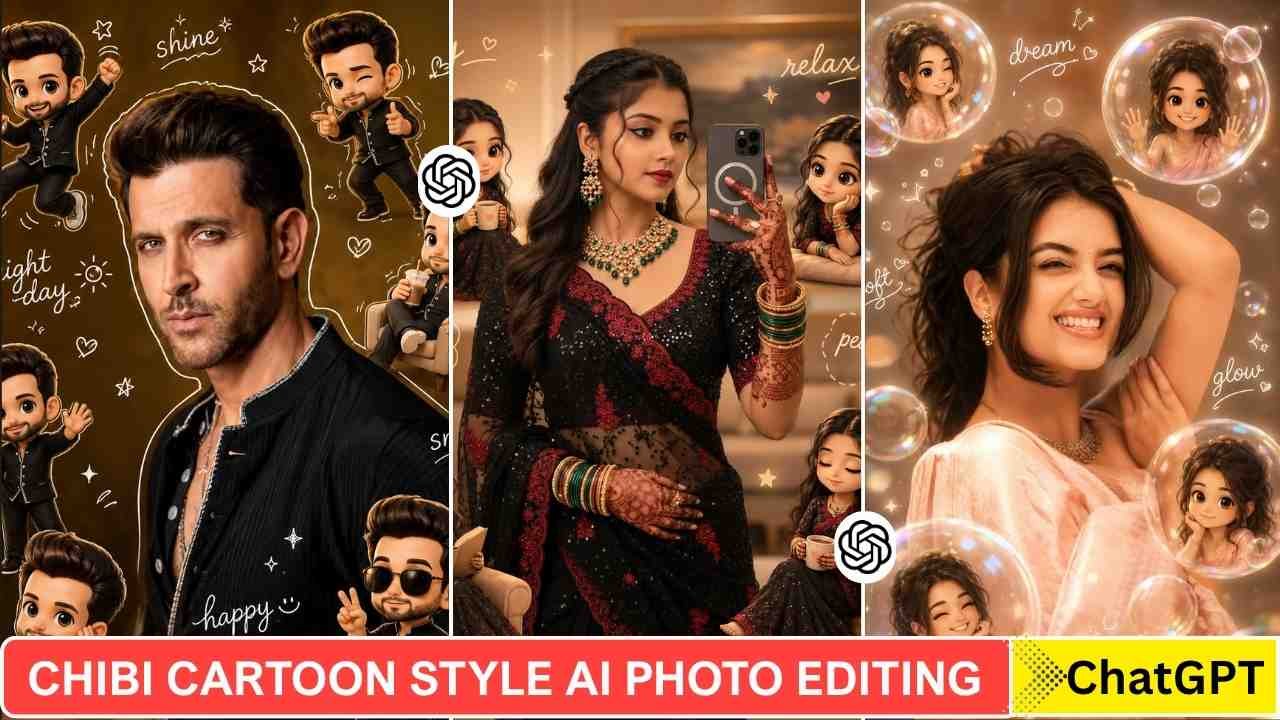
Chibi Cartoon Style Al Photo Editing Prompts- Chibi Cartoon Style Al Photo Editing is increasingly popular these days. If you scroll through Instagram, then you must have seen this type of cartoon photo. Many users create this type of photo and upload it on there social media account. In this type of photo, you can see a central character surrounded by numerous 3D cartoon figures. So, you find a perfect prompt and a complete guide to create such a type of photo editing, then you are in the right place. Creating this type of Chibi cartoon-style photo is not so difficult; you can create it by just simple steps given below.
Why Is This Trend Going So popular?
This type of photo editing transforms your normal photo into a unique Chibi Cartoon Style design. This is a very engaging and unique design that attracts users. This crayon Chibi Cartoon looks so funny, which is why everyone likes it and shares it.
Learn More: Instagram Profile Crayon Drawing AI Editing Prompts
Chibi Cartoon Style Al Photo Editing Prompts
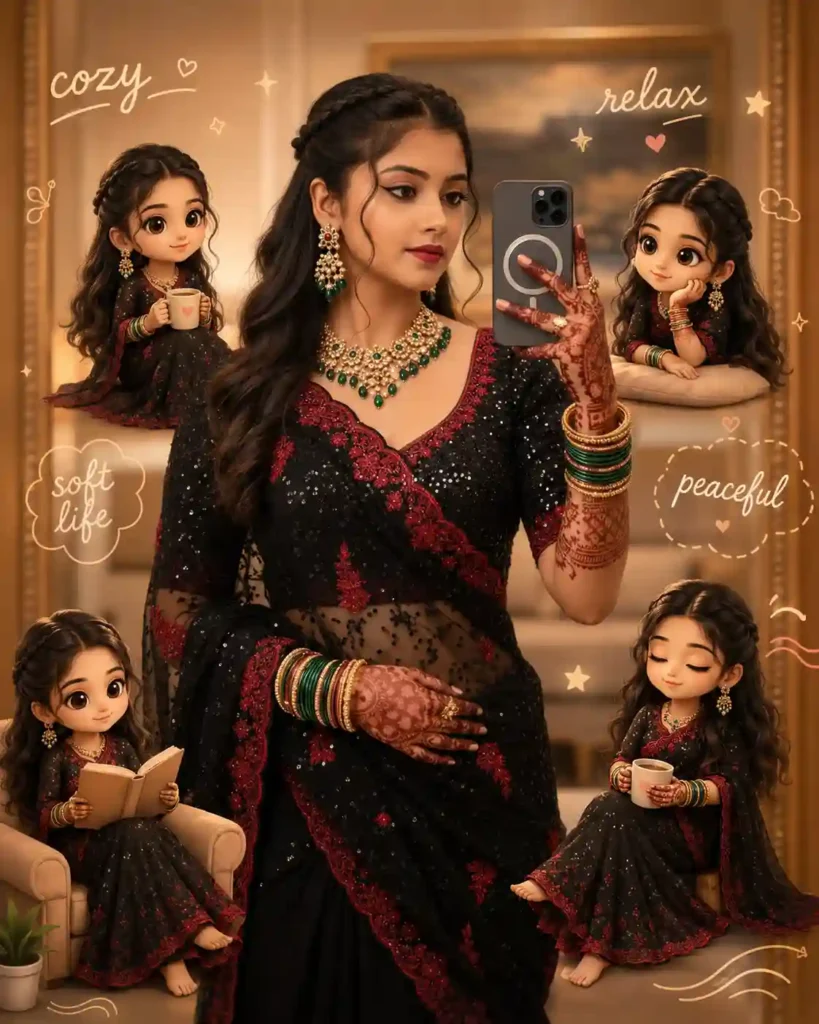
Use the uploaded face as a reference (keep exact identity & features). Keep the same background. Warm cozy golden lighting, soft and clean. Create main portrait with small glossy 3D chibi versions around (cute Korean cozy style, muted pastel). Chibi actions: holding coffee, sitting, relaxing, smiling. Add soft doodles: clouds, hearts, tiny stars, gentle lines. Include handwritten words: “cozy”, “relax”, “soft life”, “peaceful”. Clean aesthetic layout, Instagram style, 4:5 ratio.
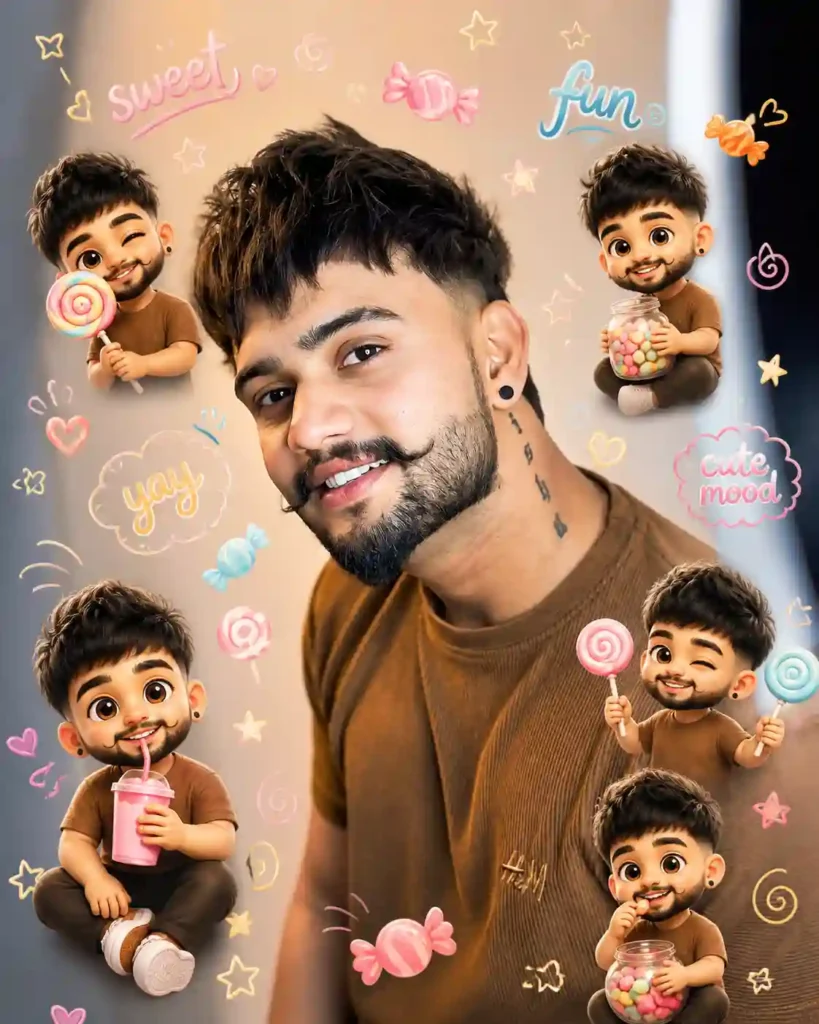
Use uploaded face reference (keep exact identity & features). Keep the original background. Soft bright lighting with candy-tone highlights. Create a main portrait with multiple small glossy 3D chibi versions around (Korean cute style, pastel vibrant). Chibi actions: holding candies, lollipops, drinks, playful expressions. Add hand-drawn doodles: candy shapes, stars, swirls, cute icons. Include casual handwritten words: “sweet”, “fun”, “yay”, “cute mood”. Clean aesthetic layout, Instagram style, 4:5 ratio.
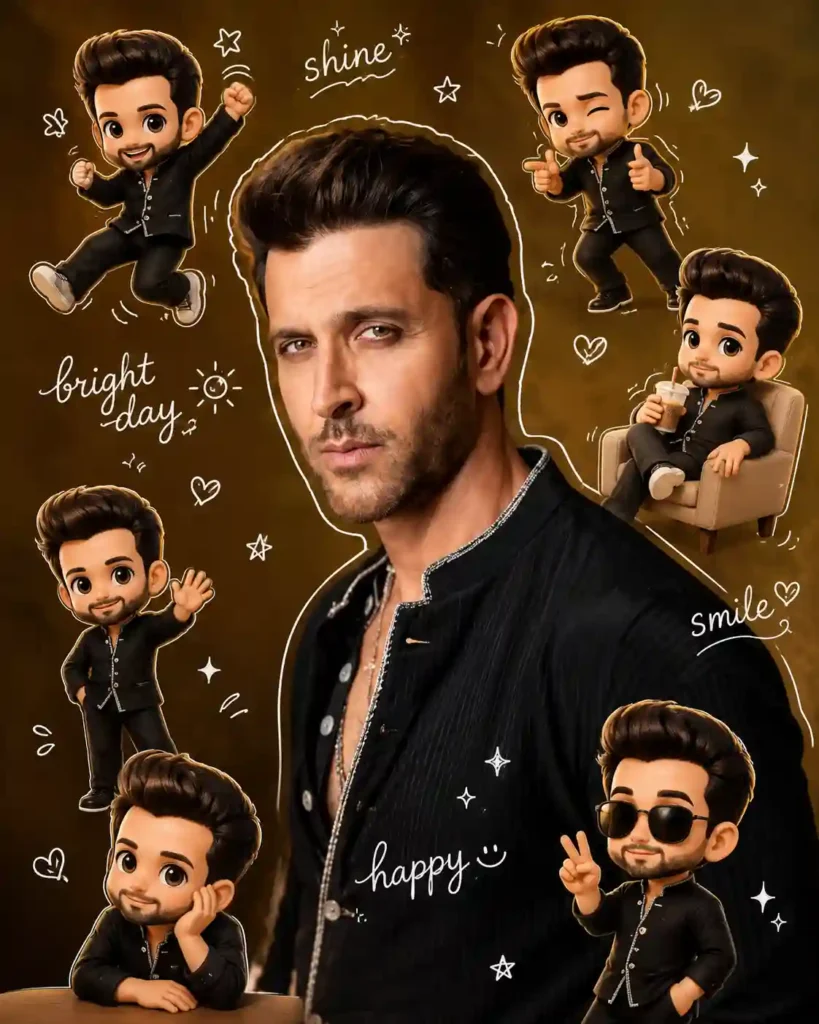
Use the uploaded photo as face reference (keep exact facial features & identity). Keep the same background. Warm, soft, clean lighting with gentle shadows. Create a main portrait surrounded by multiple small 3D chibi versions of the same person (cute Korean style, glossy, pastel tones). Chibi poses: jumping, waving, sitting relaxed, holding a drink, playful expressions. Add white hand-drawn doodles: body outline, stars, hearts, sparkles, motion lines, cute icons. Include casual handwritten words like “shine”, “bright day”, “happy”, “smile”. Style: clean aesthetic, sticker-like outline, instagrammable, high detail, 4:5 ratio.
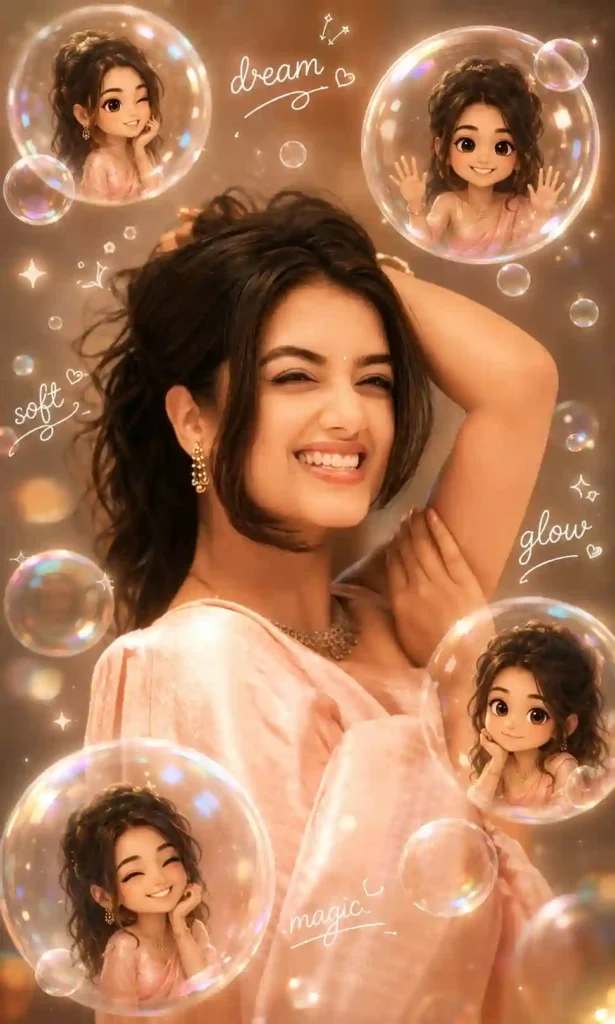
Use uploaded face as reference (keep exact identity & features). Keep original background. Soft warm lighting with dreamy glow and gentle blur highlights. Create main portrait with multiple small glossy 3D chibi versions around (pastel dreamy Korean style) interacting with floating transparent bubbles (inside bubbles: smiling, posing, waving). Add reflections and light flares. Include white doodles: sparkles, tiny hearts, swirl lines, bubble trails. Add handwritten words: “dream”, “soft”, “glow”, “magic”. Clean aesthetic Instagram style, 4:5 ratio.
Trending Ai Photo Prompts
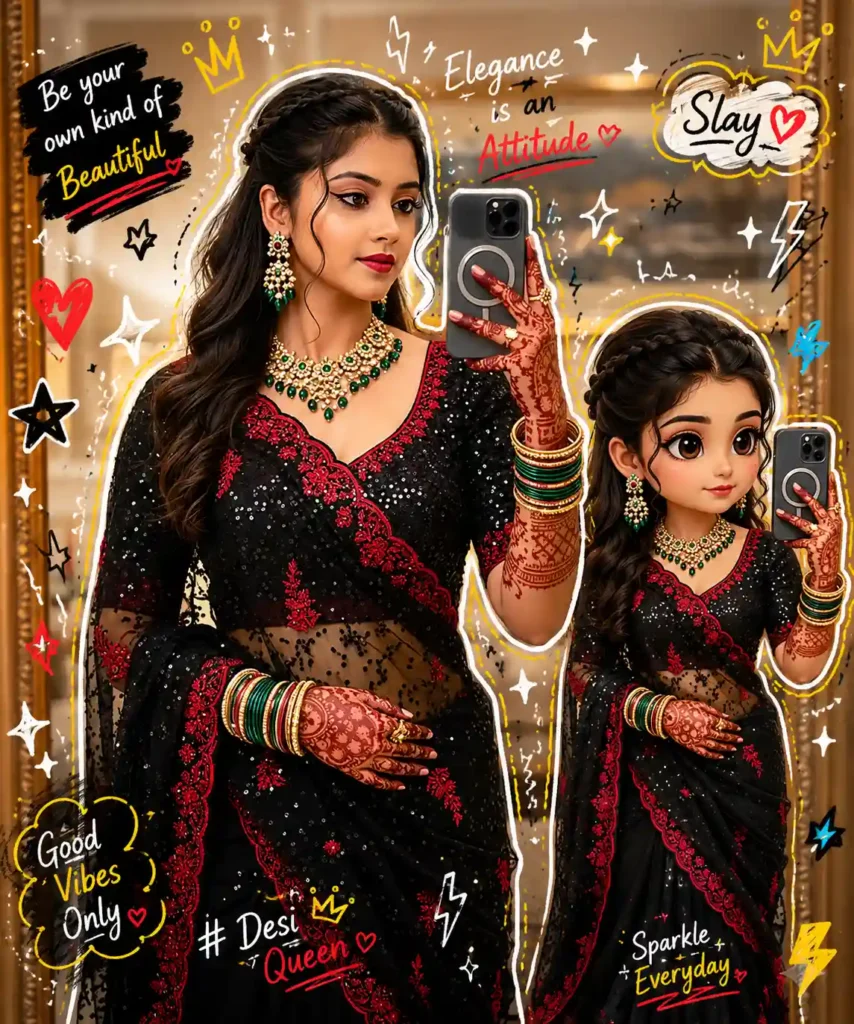
High-quality mixed-media portrait of a stylish person with a photorealistic look, accompanied by a matching 3D chibi version on the right mirroring the pose, same outfit and face; add vibrant doodle overlays (white/yellow outlines, stars, hearts, sparkles, scribbles, electric accents in white, black, red, yellow, blue), blending realistic photography with colorful cartoon style while keeping facial features and proportions unchanged.
Learn More: Instagram Viral Chatgpt Music Lover Cinematic College Ai Photo Editing Prompts
How To Use Chibi Cartoon Style Al Photo Editing Prompts
We used a ChatGPT prompt to generate a Chibi Cartoon Style AI photo. To create such a type of photo, you just need to follow the steps given below.
- Take a screenshot of your Instagram profile with high quality.
- Go to ChatGPT and sign up and log in to it.
- Now, copy the prompt from above and paste it on ChatGPT prompt box.
- Click on the plus icon and upload your image.
- Then, click on send to generate a Chibi Cartoon Style Al Photo.
- After a few seconds, your Chibi Cartoon Style Al Photo will be ready.
Final Thoughts
I hope the above prompt and guide help you to make a Chibi Cartoon Style Al Photo Editing. This type of photo editing looks like a Chibi Cartoon, but takes much less time and effort. These days, AI tools are so powerful, and this is a good example of that. If you find this article helps you to introduce new trends, let me know in the comments section.